Swagger hub를 이용한 API 명세
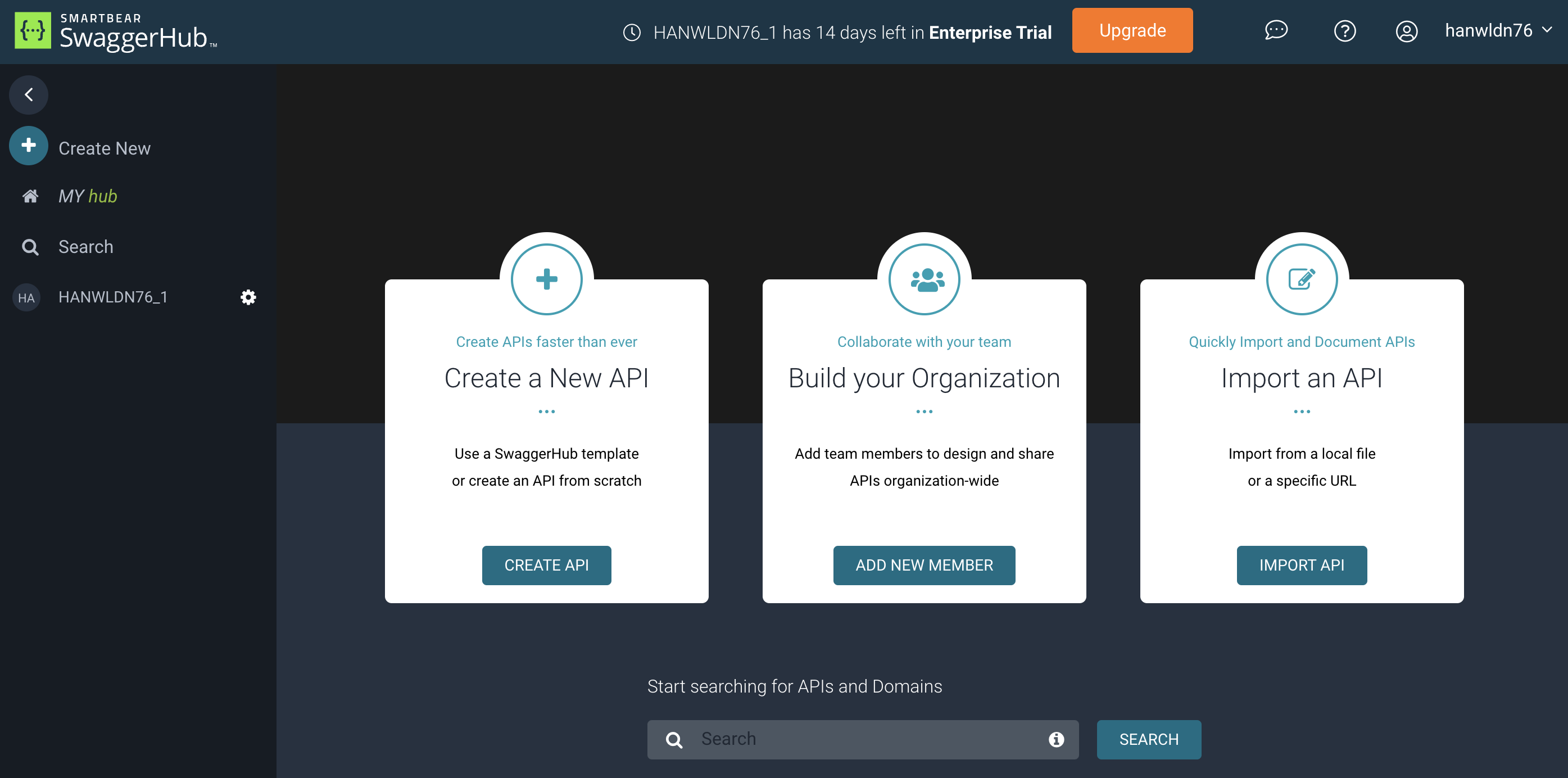
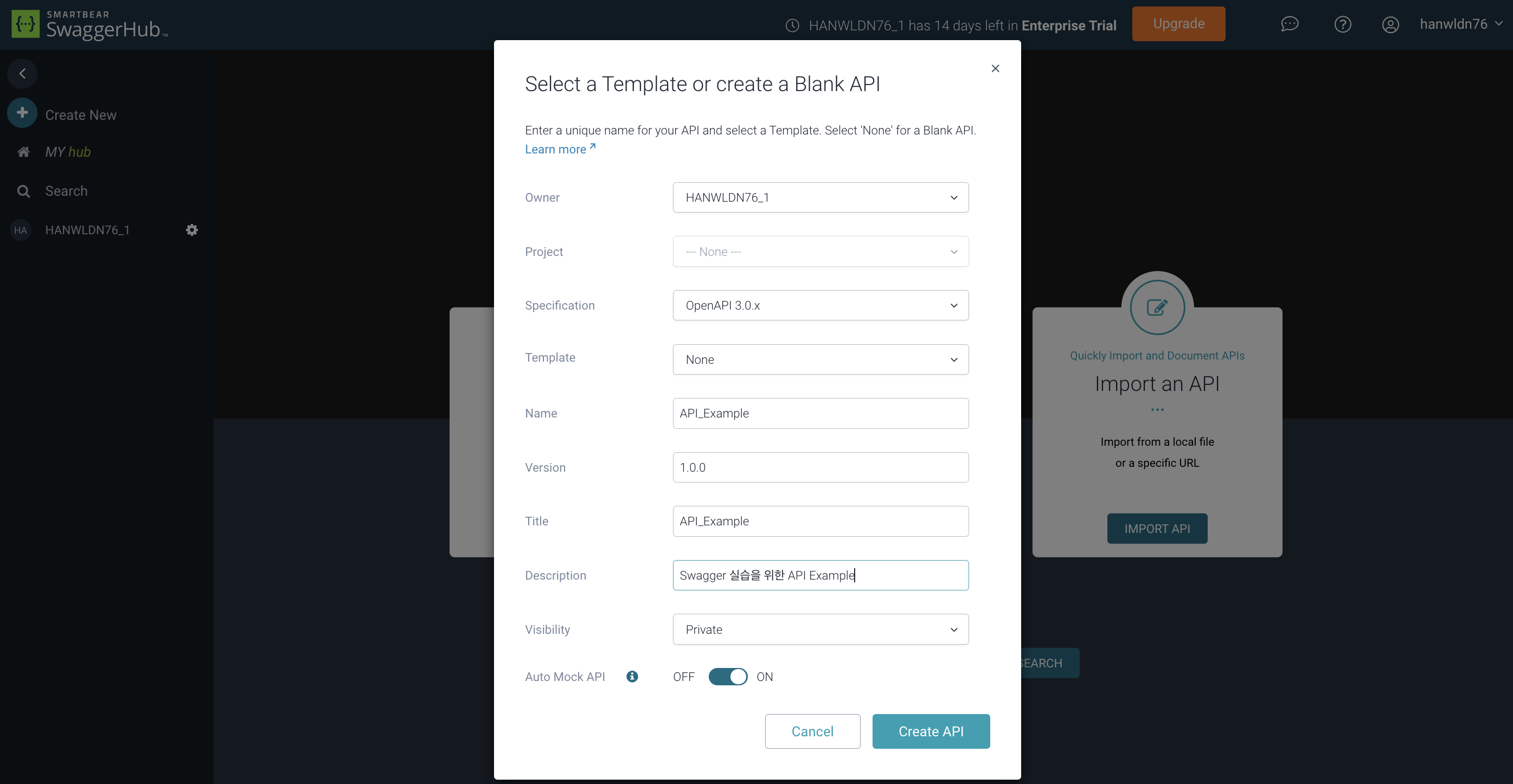
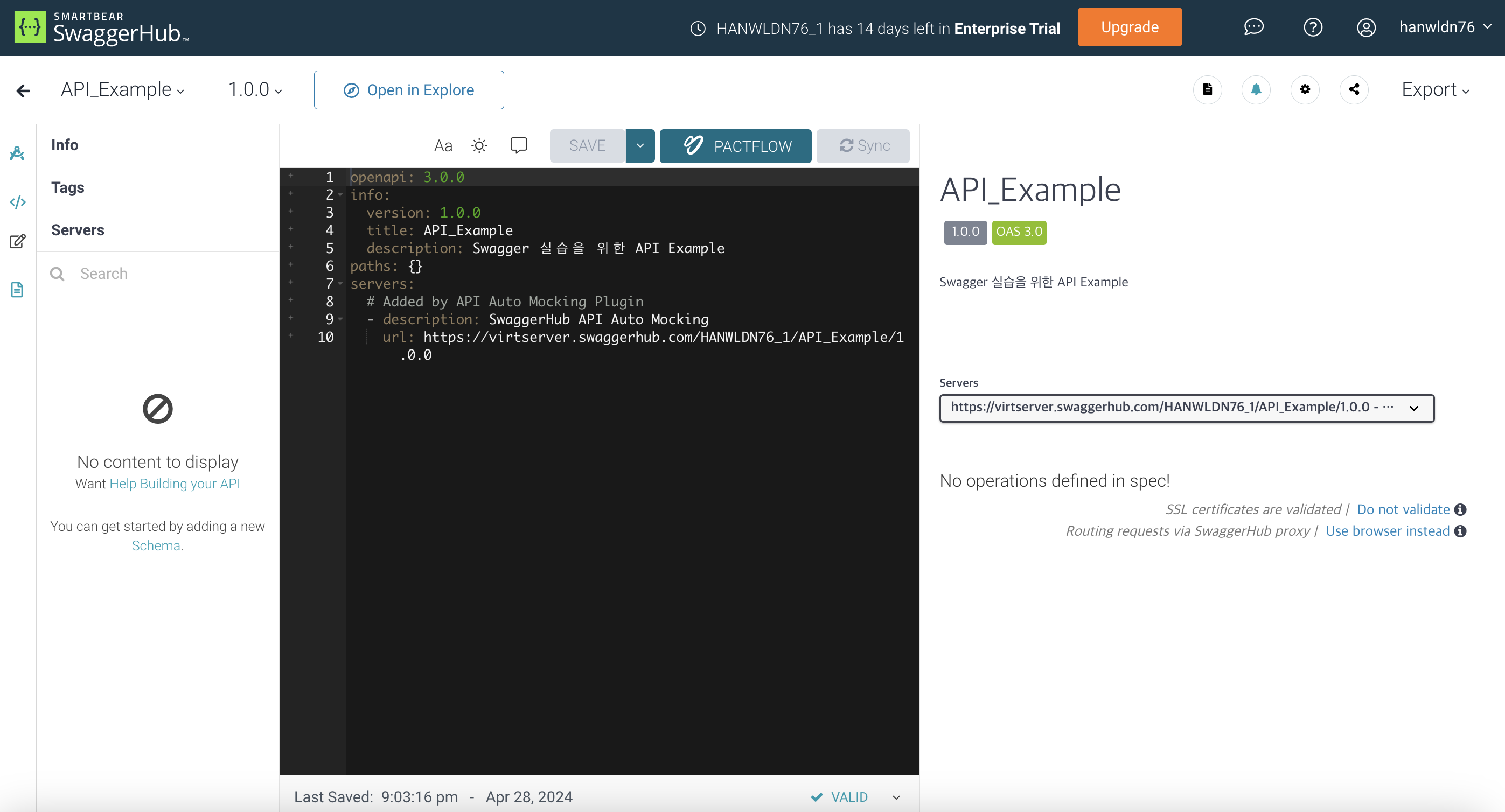
version은 개발자의 API 버전 의미 (1.0.0)
{JSON} Placeholder
https://jsonplaceholder.typicode.com/
- 개발자가 테스트 과정에서 간단히 사용해볼수있는 API 기능 제공
- 연습용 REST API 서버에 접속해서 HTTP 요청과 응답을 실습!
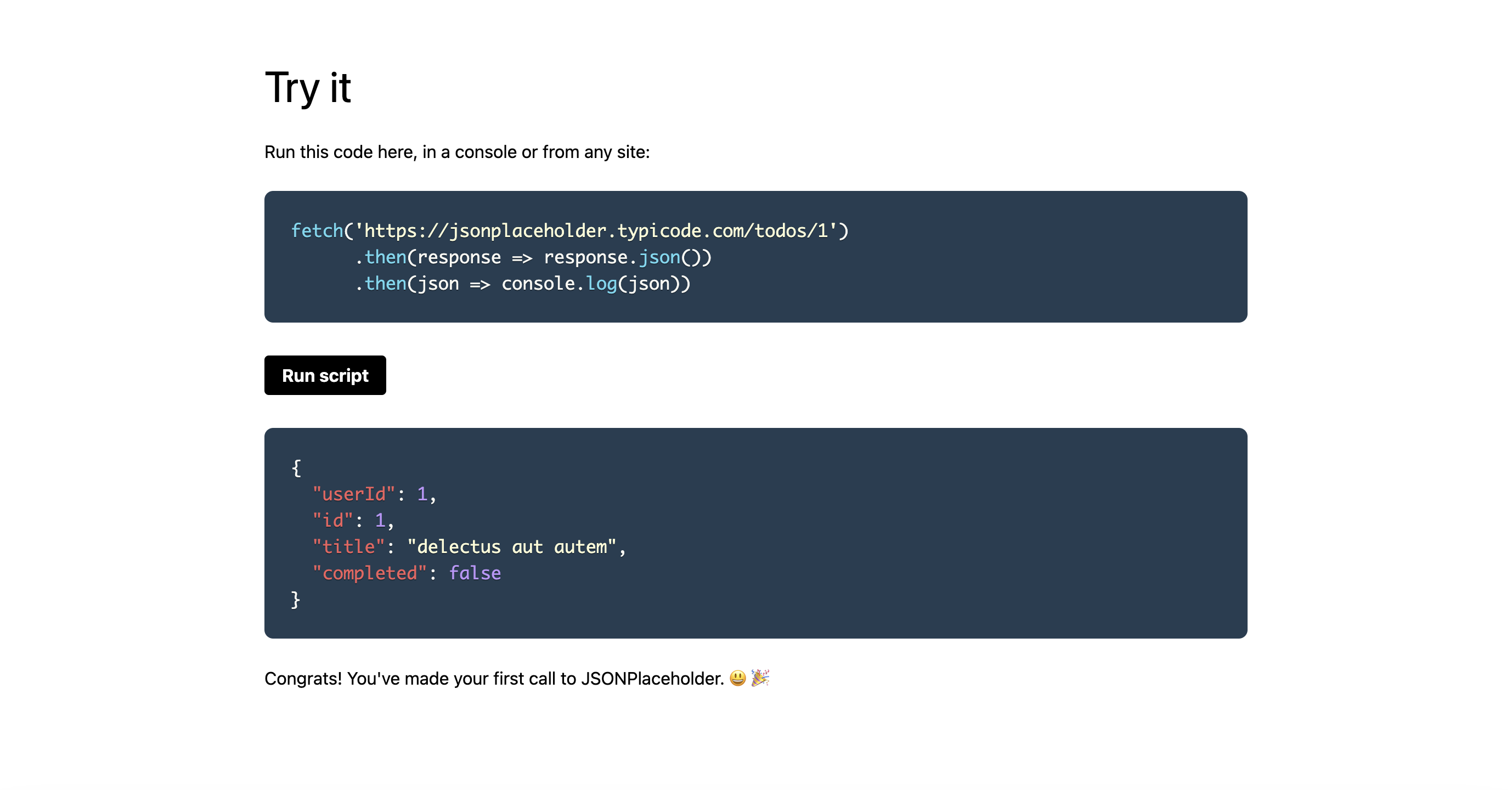
'https://jsonplaceholder.typicode.com/todos/1'
- 경로로 접속하면 (가상의) 데이터를 반환 받을 수 있음.
- 우리가 만들 Swagger API가 해당 경로를 반환할 수 있도록 해야함.
id값에 따른 사용자의 할 일 목록 반환

openapi: 3.0.0
info:
  version: 1.0.0
  title: API_Example
  description: Swagger 실습을 위한 API Example
servers:
  # Added by API Auto Mocking Plugin
  - description: SwaggerHub API Auto Mocking
    url: https://virtserver.swaggerhub.com/HANWLDN76_1/API_Example/1.0.0
  - description: JSON Placeholder API
    url : https://jsonplaceholder.typicode.com
paths:
  /todos/{id}:
    get:
      summary: id값에 따른 사용자의 할 일 목록 반환
      parameters:
        - name: id
          in: path
          required: true
          description: The ID of the user to return
          schema:
            type: integer
      responses:
        '200':
          description: OK
          content:
            application/json:
              schema:
                type: object
                properties:
                  userId:
                    type: integer
                  id:
                    type: integer
                  title:
                    type: string
                  completed:
                    type: boolean
설명
  - description: JSON Placeholder API
url : https://jsonplaceholder.typicode.com- 서버 url을 넣어줌
paths:
  /todos/{id}:
    get:
summary: id값에 따른 사용자의 할 일 목록 반환- todos의 id에 get 방식으로 접근
- 사용자의 할 일 목록을 id값에 따라서 조회하고 그 값을 반환함.
      parameters:
        - name: id
          in: path
          required: true
          description: The ID of the user to return
          schema:
type: integer- 실제로 사용자가 보내는 파라미터를 정해줄 수 있음
in: path
path라고 적어주면 실제 url에 어떤 변수가 들어간다고 가정.
=> 특정 리소스를 가리키는 urirequired: true
true를 넣어서 반드시 클라이언트가 이 id값을 보낼수 있도록 설정description: The ID of the user to return
반환 받기 위한 사용자의 id라고 작성schema:
type: integer
정수 형태로 파라미터 넘길 수 있게 설정
      responses:
        '200':
          description: OK
          content:
            application/json:
              schema:
                type: object
responses:
응답에 대한 내용 적어줌'200':
서버쪽에서 200 응답 코드를 반환 => 정상적으로 데이터 반환됨content:
application/json:
서버가 json 형태로 데이터를 반환하고 있기 때문에 API를 명세하는 입장에서 이러한 content가 json 형태로 반환된다고 적어줌schema:
type: object
응답 데이터를 object 타입으로 반환
                properties:
                  userId:
                    type: integer
                  id:
                    type: integer
                  title:
                    type: string
                  completed:
                    type: boolean
properties:
속성을 의미- 경로가 반환하고 있는 데이터
{
  "userId": 1,
  "id": 1,
  "title": "delectus aut autem",
  "completed": false
}- 흔히 객체 지향 프로그램에서 말하는 속성으로 (userId, id, title, completed) 반환하는 걸 차례대로 적어줌
이렇게 까지하면 API 명세 완료
save하면 API가 적용되고, API 명세서를 새로고침하면 작업한 내용이 반영되어 있음
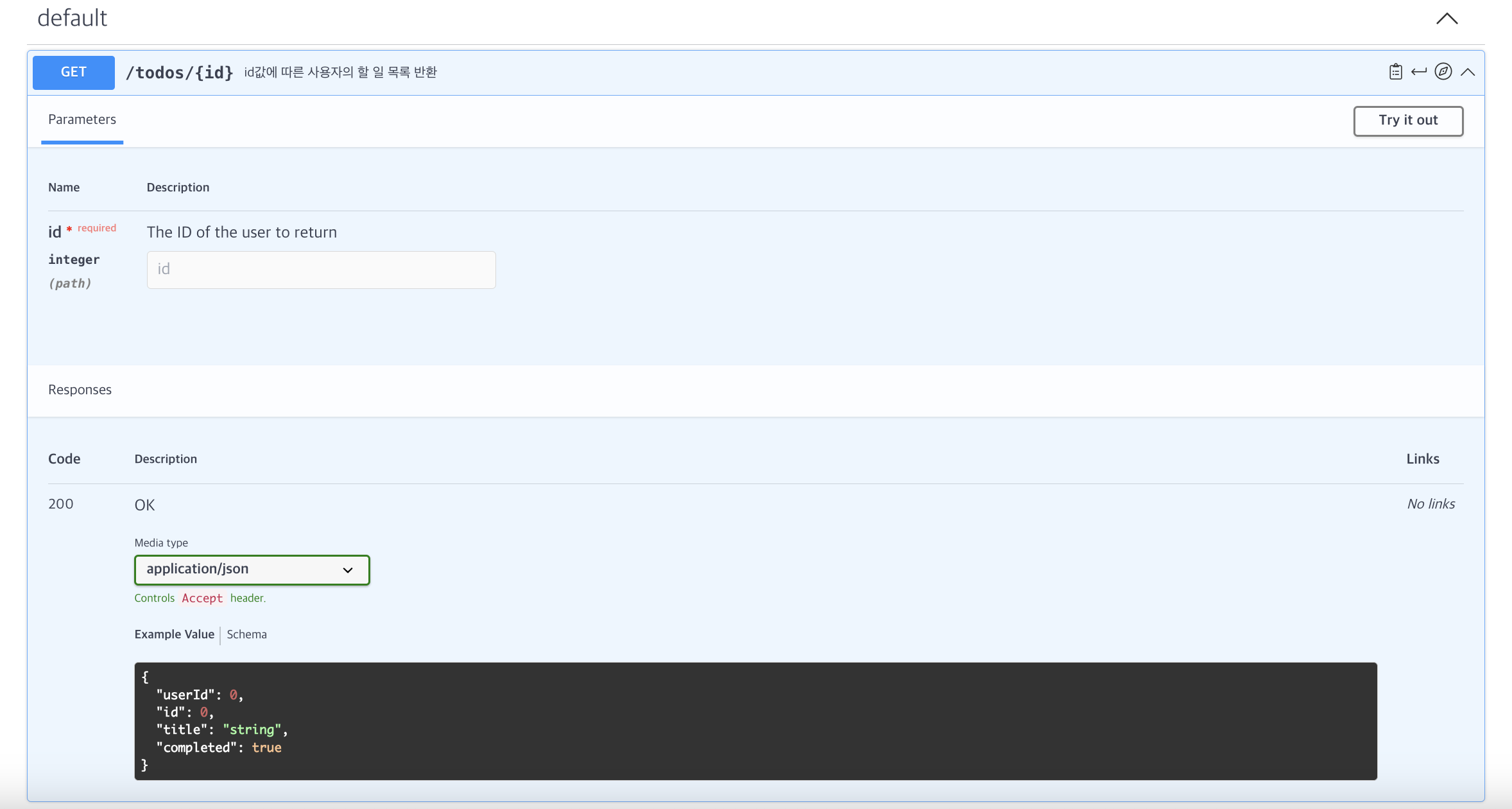
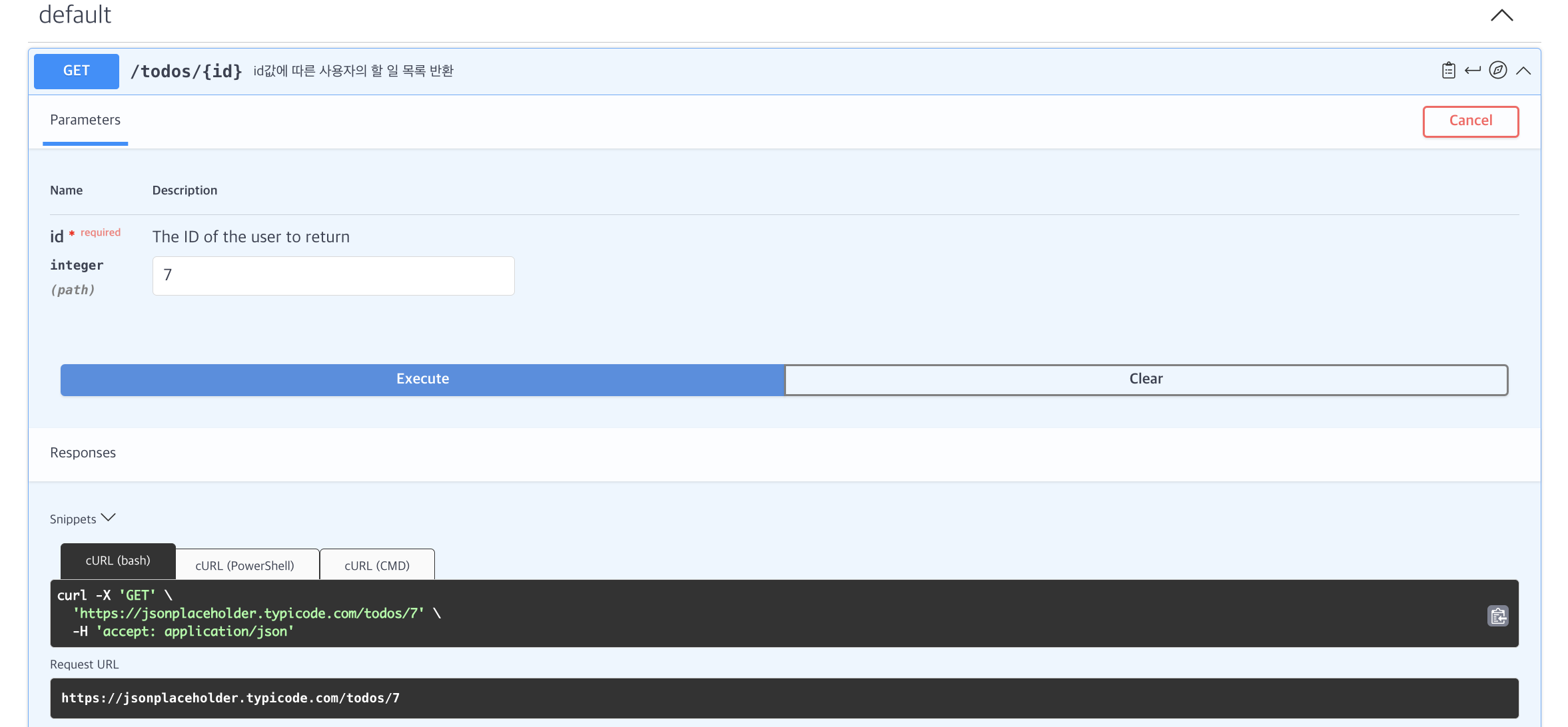
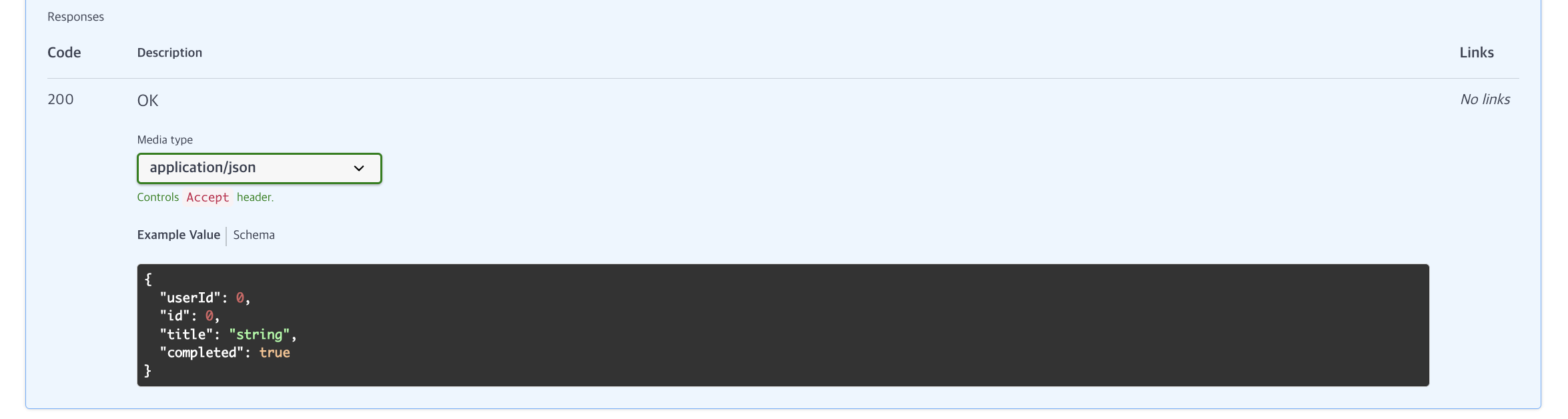
/todos/{id}라는 path에 어떠한 데이터 (ex. id=7)를 넣어서 보내게 되면 결과가 반영되어서 나옴 (200 응답 코드)
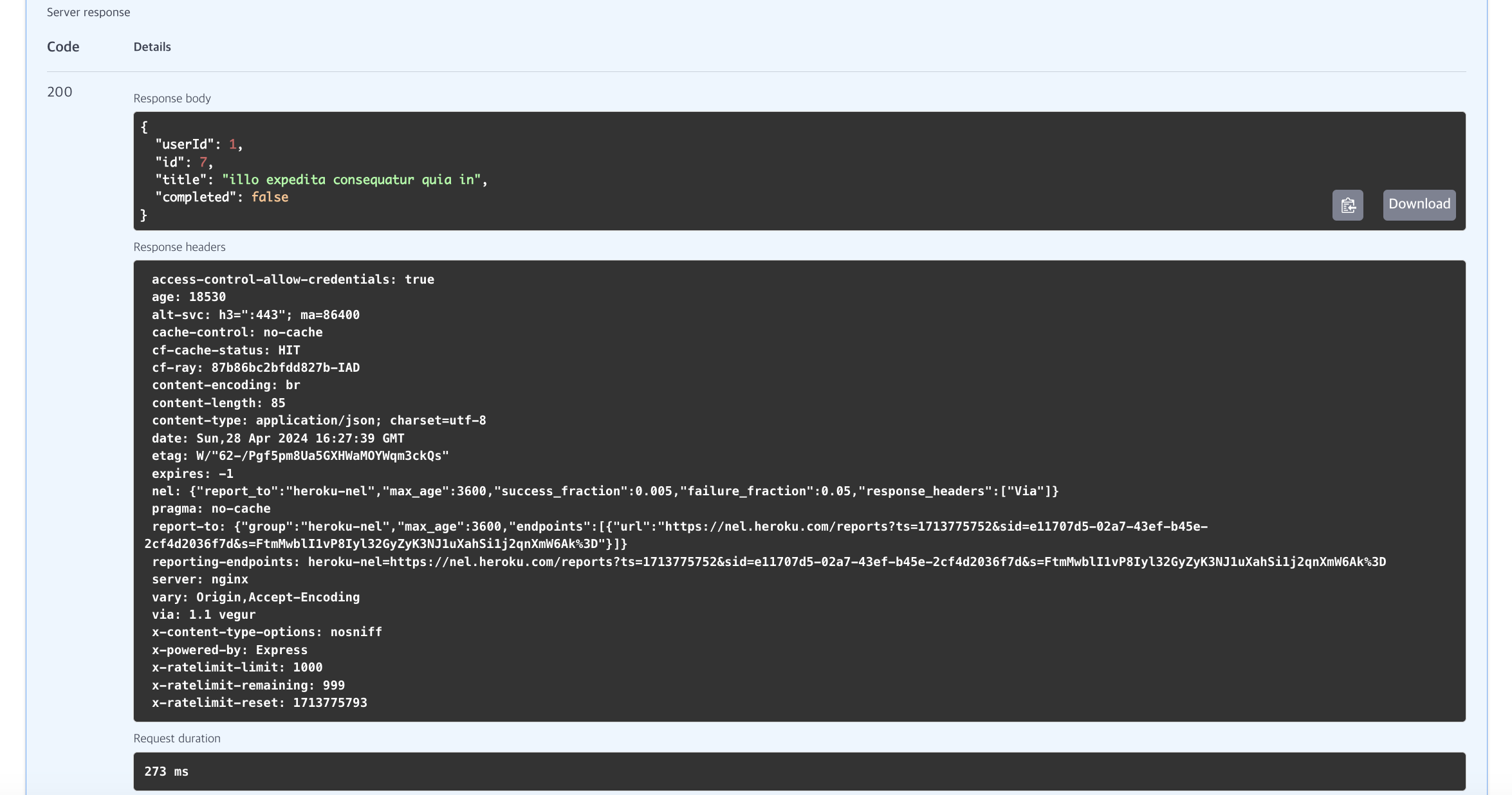
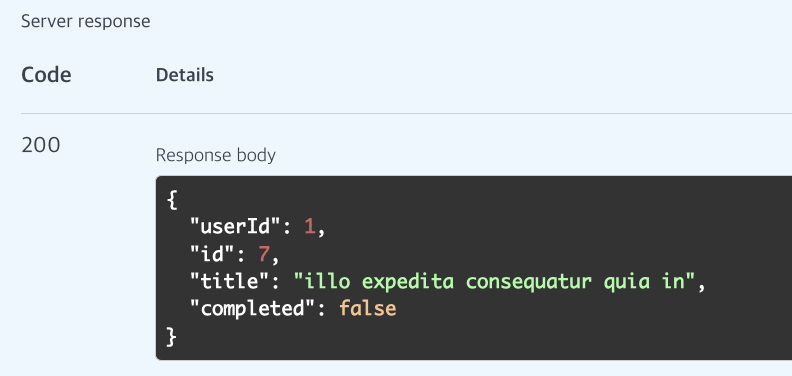
Response Body가 서버가 응답한 데이터를 그대로 보여줌.
모든 사용자의 할 일 목록 반환
  /todos:
    get:
      summary: 모든 사용자의 할 일 목록 반환
      responses:
        '200':
          description: OK
          content:
            application/json:
              schema:
                type: array
                items:
                  type: object
                  properties:
                    userId:
                      type: integer
                    id:
                      type: integer
                    title:
                      type: string
                    completed:
                      type: boolean
설명
              schema:
                type: array
                items:
type: object- 응답 데이터를 array 타입으로 반환하고, 각 아이템을 object 타입으로 반환
서버 개발자와 클라이언트 개발자는 이 문서 하나만 보고 개발
하나의 API 문서에는 하나의 서버를 권장!
추가 정리...!
Path parameter & Query Parameter
in: path
url 안에 어떠한 변수가 포함될때 사용in: query
파라미터 형태로 '어떠한 변수의 값은 뭐다.' 이런식으로 일일이 값들을 명시해주고자 할때 사용
Path Parameter
경로를 변수로서 사용하는 방법
/users/123 => 아이디가 123인 사용자를 가져옴
Query Parameter
? 이후에 변수 선언을 통해 사용하는 방법
/users?id=123 => 아이디가 123인 사용자를 가져옴
path parameter란?
- URL로는 고유한 자원(resource, data)을 지칭할 수 있는데, 추가로 특정 자원을 가리키는 url 경로에 가변적인 부분이 들어갈 수 있음.
=> 실제 url에 어떤 변수가 들어감
=> 특정 리소스를 가리키는 URI
      parameters:
        - name: id
          in: path
          required: true
          description: The ID of the user to return
          schema:
            type: integer
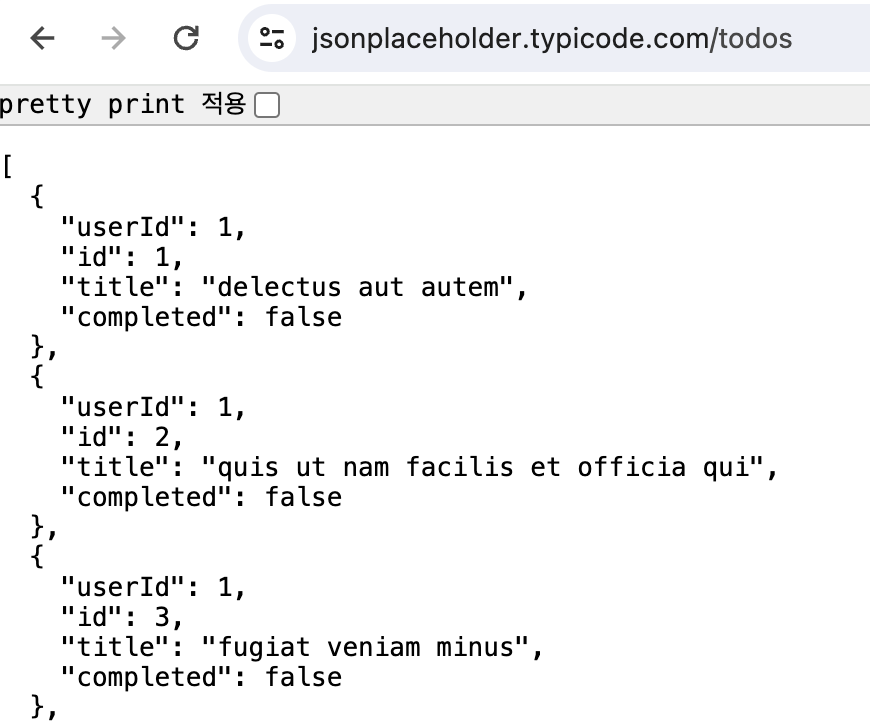
전체 사용자의 할 일 목록 데이터 :
- todos 라는 리소스에 접근.
- 전체 사용자의 할 일 목록을 나타냄
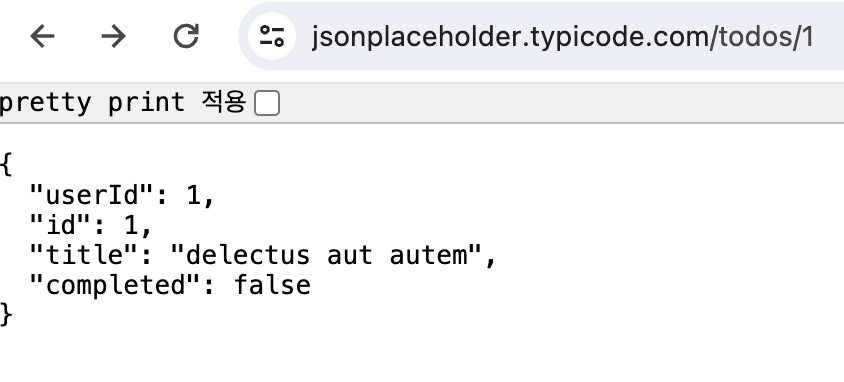
개별 사용자의 할 일 목록 데이터 :
- todos/1 라는 1번 리소스에 접근.
- id=1인 사용자의 할 일 목록에 대한 정보만을 나타냄.
query parameter란?
-
url에서 특정한 조건을 주고싶을 때 사용하는 파라미터 유형
-
같은 API를 호출한다고 해도, 서로 다른 조건으로 나열하는 것이 필요한 상황에 사용
-
URL 끝 물음표(?) 뒤에 나타나며, and 기호(&)로 구분된 이름=값 쌍으로 구성
-
HTTP의 [GET], [DELETE] 요청에서만 사용
-
유일 값을 식별하기 위한 용도가 아닌 옵션을 줄 때 사용
데이터 필터링
데이터 정렬
데이터 수 조절 (페이지네이션)
검색 등 -
같은 신발 목록 데이터를 호출 하는데, 신상품 순, 사이즈가 230인 데이터만 따로, 사이즈가 250인 제품 따로, 낮은 가격순으로 데이터를 호출하는 API를 매번 새로 생성하는 것은 비효율적
-
따라서 필요한 조건을 요청에 따라 선택적으로 처리할 수 있는 통일된 API를 구성할 때 사용
      parameters:
        - name: q
          in: query
          schema:
type: string - 이름이 q인 파라미터는 사용자가 검색창에 입력한 내용임
- 쿼리 형태로 q라는 파라미터 보내겠다.
필터링
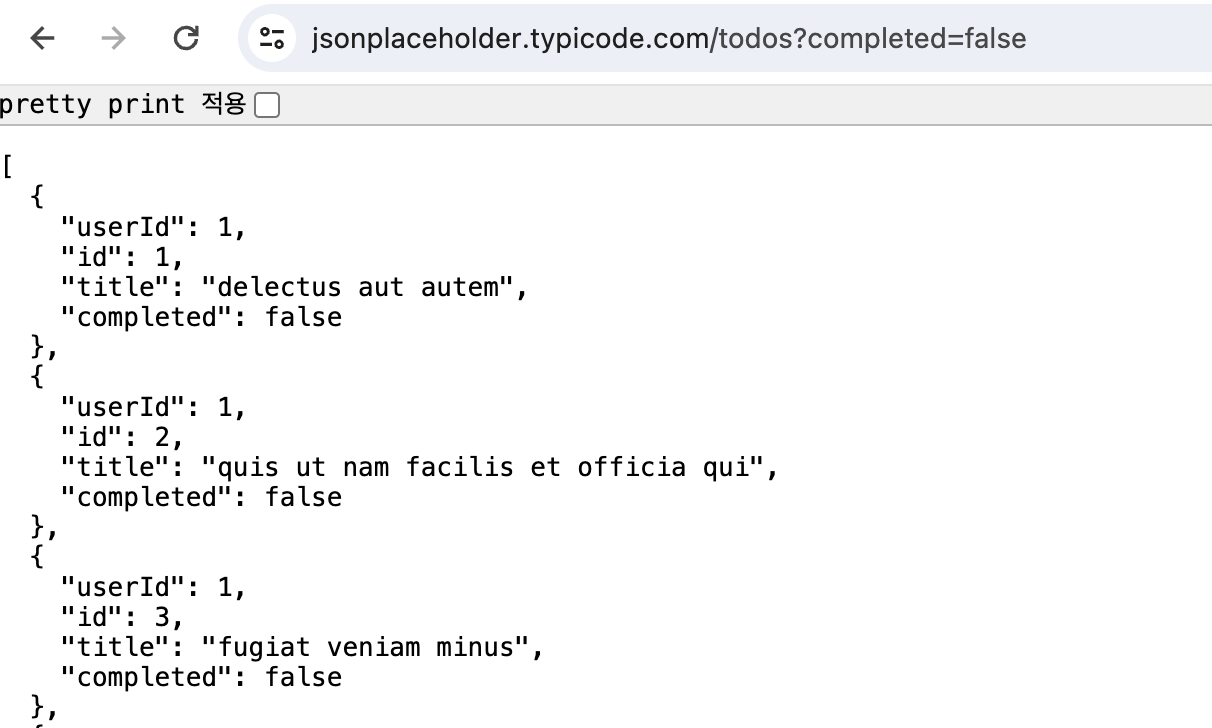
- [GET] 메소드, 특정 조건으로 데이터를 필터링
completed가 false인 할 일 목록
completed가 false이고, id가 5인 할 일 목록
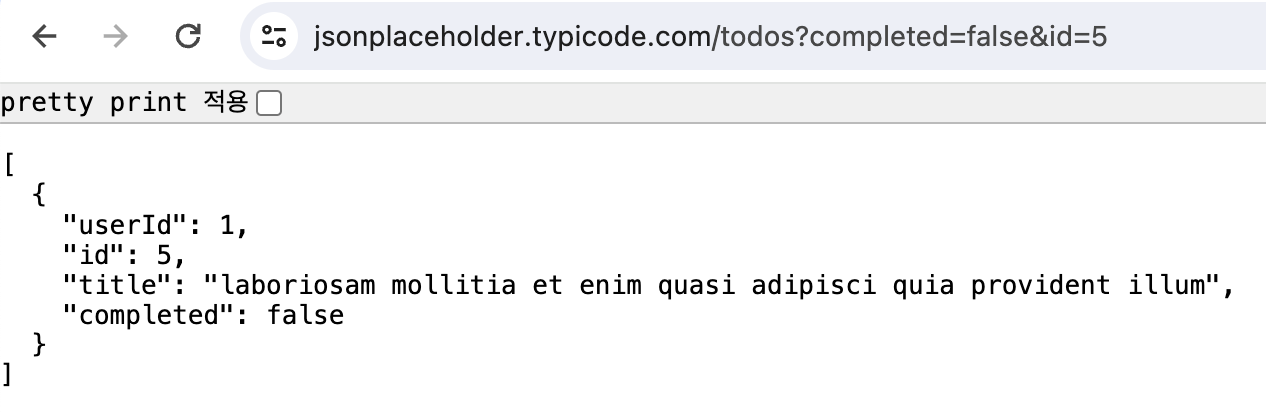
- url에서 쿼리 파라미터를 나열할 때, & 연산자를 사용
- API를 어떻게 작성하느냐에 따라 or 조건으로 이용될 수 있.
- url의 & 연산자와 API의 동작 방식은 독립적
정렬
- 예를 들자면 높은 가격순, 낮은 가격순, 신상품순 등 순서를 정렬
데이터 수 조절
- 데이터베이스에 저장된 데이터의 수가 엄청나게 많다면, 클라이언트가 한 번에 모든 데이터를 호출하여 사용하면 통신 속도가 매우 저하될 수 있어 비효율적
- 한 번 클릭에 정해진 수 만큼의 데이터만 호출하는 것이 보다 효율적
- 필요한 데이터의 시작점와 마지막 끝나는 점을 쿼리 스트링을 통해 전달
- 데이터의 시작점을 offset , 주고 받고자 하는 데이터의 갯수를 limit
아래와 같은 요청을 보내면, 전체 데이터 가운데 0번부터 100번까지만 호출하게 됩니다.
검색
- 필터링과 동일한 기능
- 특정한 키워드를 기준으로 필터링
- search 라는 단어를 주로 사용
(+)
-
Query parameter을 이용해 생성된 위 4가지 API는 기본적으로 [GET] /todos 와 동일한 API를 호출하는 것
-
따라서 API는 한가지이고, query string을 변수로 받아서 각각의 조건마다 필요한 데이터를 전송
-
위 변수들을 request body 에 넣고 요청할 수 있지 않을까? 라고 생각할 수 있지만, 데이터를 표현하는 HTTP method는 [GET] 이고, GET method에서는 request body를 사용하지 않는 것이 권장
-
따라서 GET method를 호출하면서 동시에 정보를 전달할 때에는 query parameter를 이용