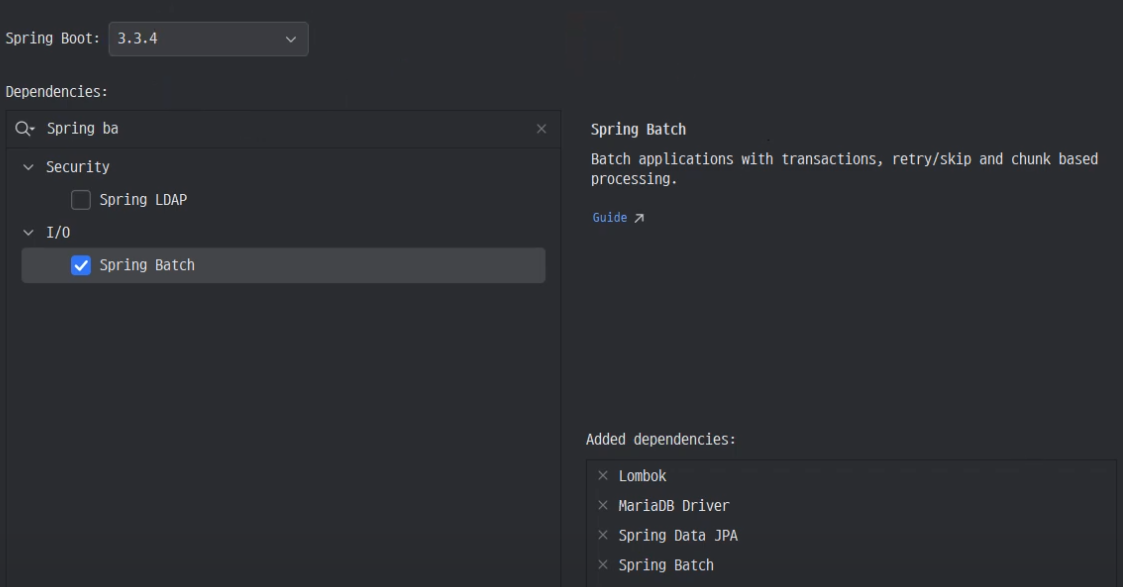
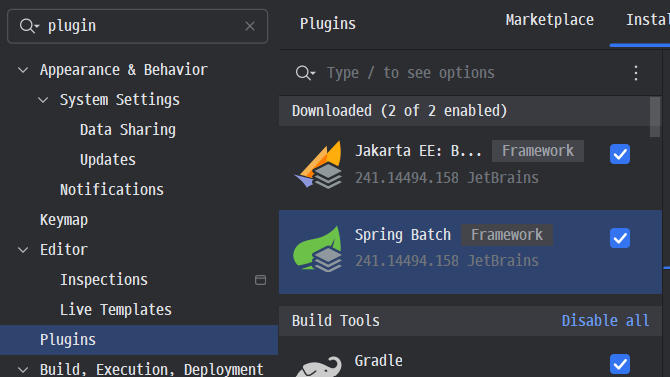
환경세팅
@Bean
public Job helloWorldJob() {
    return jobBuilderFactory.get("helloWorldJob")
            .incrementer(new RunIdIncrementer()) // 매번 다른 ID로 실행 가능하게 설정
            .start(helloWorldStep1()) // 첫 번째 스텝 시작
            .build();
}
Job -> 하나 이상의 step으로 구성된 단위 작업
RunIdIncrementer -> 실행 시마다 새로운 JobInstance ID를 부여해 여러 번 동일한 작업을 실행할 수 있도록 / 같은 Job을 여러 번 실행할 때 충돌을 방지
@Bean
public Step helloWorldStep1() {
    return stepBuilderFactory.get("helloWorldStep1")
            .tasklet(helloWorldTasklet()) // Tasklet 설정
            .build();
}
Step -> Job의 하위 단위로, 배치 작업의 한 단계를 의미
Tasklet을 사용하여 간단한 작업을 수행
- Tasklet은 Step 안에서 실행되는 작업의 실제 내용 / 간단한 작업이나 한 번만 수행되는 작업을 처리할 때 사용
@Bean
public Tasklet helloWorldTasklet() {
    return (stepContribution, chunkContext) -> {
        System.out.println("helloWorld!"); // "helloWorld!" 메시지 출력
        return RepeatStatus.FINISHED; // 작업 완료 표시
    };
}
tasklet -> 단순한 반복 가능한 작업 단위
RepeatStatus.FINISHED를 반환하여 작업이 한번만 실행되고 종료됨
Spring Batch는 하나의 큰 작업(Job)을 여러 단계(Step)로 나누어 처리, 각 Step 안에서는 특정 작업을 실행하는 코드가 Tasklet이나 Chunk로 구현
스프링 객체 생명주기
- 싱글톤(Singleton)
- 스프링 부트 애플리케이션이 실행되는 동안 동일한 객체가 유지
- 빈(Bean)이 한 번 생성되면 스프링 컨테이너가 종료될 때까지 같은 객체를 사용
- 세션(Session)
- 브라우저에서 하나의 세션이 유지되는 동안 같은 객체를 사용
- 세션이 종료되면 해당 객체도 소멸
- @SessionScope
- 리퀘스트(Request)
- 요청이 처리되는 동안 객체가 생성되고, 응답 후 소멸
- 주로 컨트롤러나 서비스에 사용
- @RequestScope
- 프로토타입(Prototype)
- 스프링 컨테이너가 요청할 때마다 새로운 객체
- 컨테이너는 객체를 생성한 후, 추가 관리 없이 바로 반환
- @Scope("prototype")
mysqldump 및 데이터베이스 백업과 복원
mysqldump -u root SpringBatch_10 > SpringBatch_10.sql- mysqldump는 MySQL 데이터베이스의 백업을 생성하는 명령어
-u root데이터베이스에 접근할 사용자를 지정SpringBatch_10백업할 데이터베이스 이름> SpringBatch_10.sql백업 결과를 SpringBatch_10.sql 파일로 저장
mysql -u root SpringBatch_10_backup < SpringBatch_10.sql- 백업된 데이터베이스를 복원
-u rootMySQL 서버에 접근할 사용자SpringBatch_10_backup복원할 데이터베이스 이름< SpringBatch_10.sql백업 파일로부터 데이터를 가져와 복원
자동으로 덮어쓰기
동일한 데이터베이스 이름으로 복원할 경우, 기존 데이터가 덮어쓰기될 수 있다.
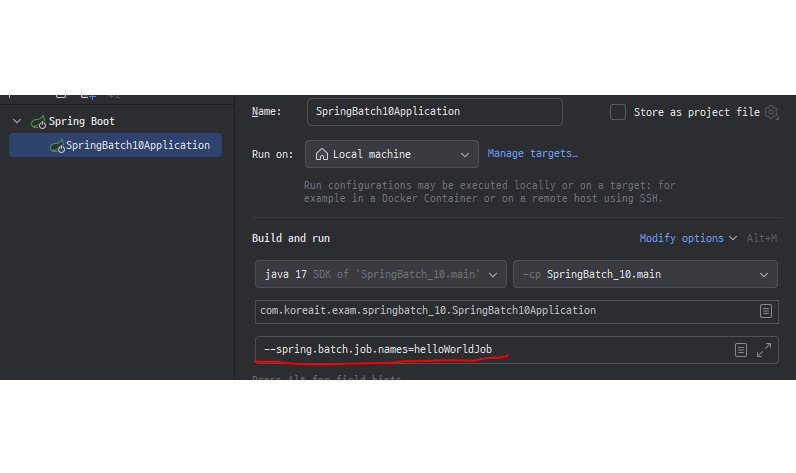
스프링 배치 명령 실행 흐름
- 명령 1번 실행
- 모든 Step이 성공하면 작업이 완료, 실행 결과는 테이블에 기록
- 같은 명령이 2번 실행
- 이전 실행 결과가 성공한 경우, 배치 시스템은 재실행을 건너뜀 (이미 같은 작업이 수행된 것을 알고, 중복 실행을 막는다.)
- JPA와 Hibernate를 활용하면 객체를 데이터베이스와 매핑하여 자동으로 Insert 작업을 수행할 수 있다.
- save() 메서드를 호출하기만 하면 복잡한 SQL 없이도 데이터베이스에 데이터를 삽입할 수 있다.
- 트랜잭션, Service 계층을 통해 데이터 일관성을 유지할 수 있으며, Controller에서 API를 통해 요청을 처리한다.
