
기존 CI 환경에서 불편했던 점과 GitHub Actions로의 전환 과정을 정리한다. 특히 self-hosted runner 사용법에 대해 기록해 둔다.
기존 CI 시스템 구성 및 문제점
기존에는 CI 시스템으로 TeamCity를 이용해서 아래와 같은 과정을 거쳤다.
- (GitHub) Commit
- (TeamCity) Test 및 Build
- (TeamCity) Docker Image 업로드
- (TeamCity) SonarQube 리포트
- (TeamCity) ArgoCD Manifest 업데이트
- 이후 CD 과정
기존 시스템의 한계점
- PR에 커밋이 쌓일 때는 테스트만 하고, staging/production에 merge될 때만 빌드 및 배포하고 싶었는데 유연한 관리가 어려웠다.
- TeamCity는 GitHub PR과의 통합이 원활하지 않았다.
- 테스트 결과 확인을 위해 소나큐브 등 별도 도구를 추가로 써야 했다.
GitHub Actions로의 전환 고민과 문제점
GitHub Actions를 사용하면 위 문제점들이 대부분 해결된다.
- PR과의 통합이 뛰어나고, 액션 플러그인을 통해 다양한 기능(리뷰어 자동 추가, 슬랙 알림 등)도 제공된다.
- 테스트 및 빌드를 원하는 단계별로 관리할 수 있다.
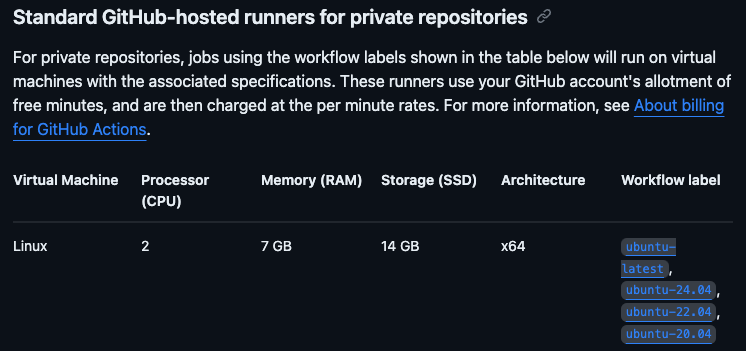
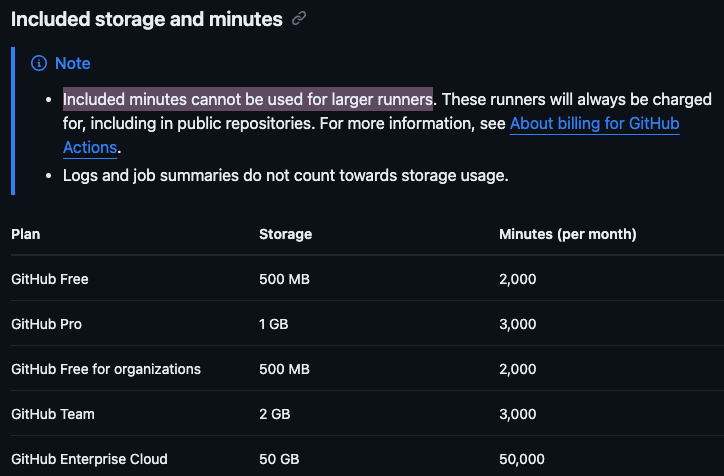
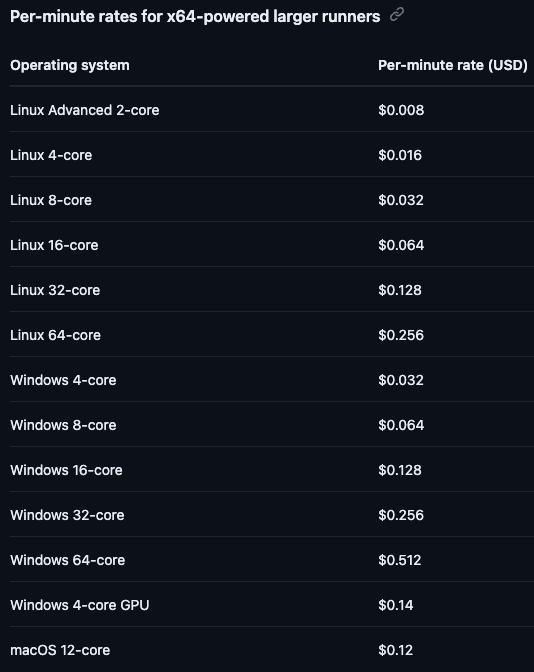
하지만 과거 GitHub Actions를 시도했을 때는 기본적으로 제공되는 GitHub-hosted runner의 성능이 너무 낮아 테스트 시간이 오래 걸려 포기한 경험이 있었다. 고사양 runner를 쓰려면 비용 문제도 있었다.
Self-hosted Runner 도입하기
최근 CI 환경이 계속 눈에 밟혀서 다시 찾아보니 자체 호스팅(Self-hosted) runner를 사용할 수 있다는 걸 알게 됐다.
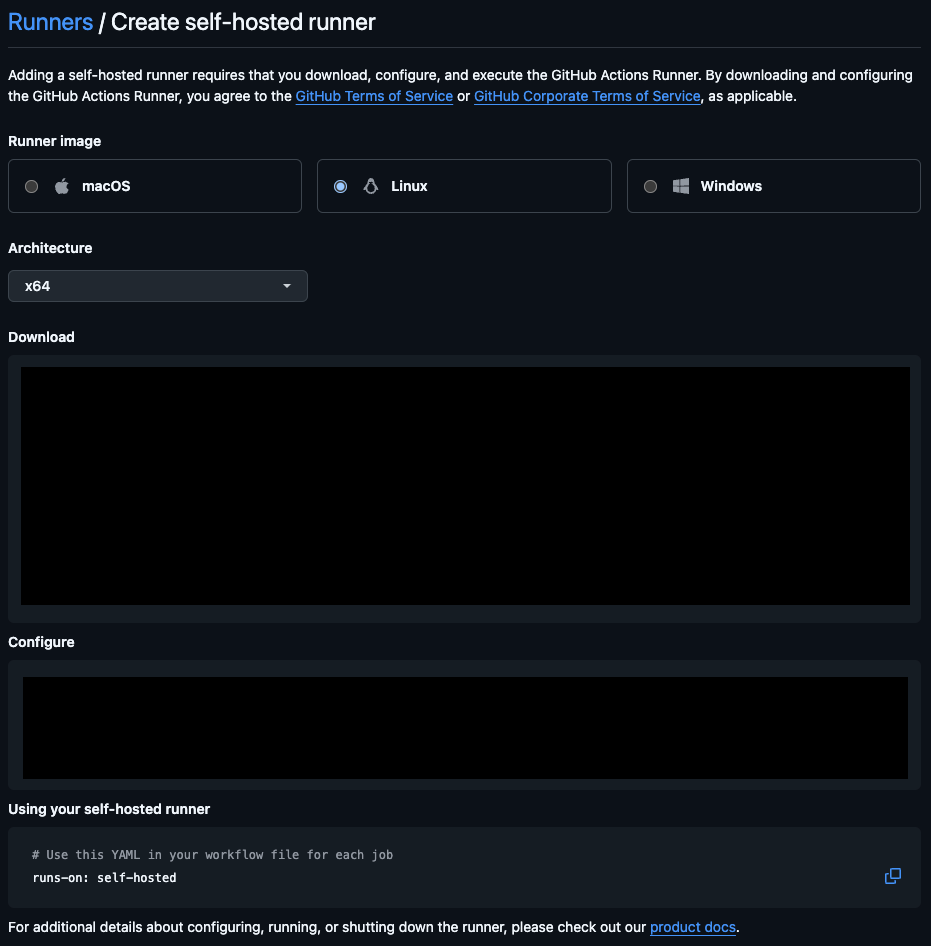
- VM 기반 runner 설치는 공식문서의 안내대로 쉽게 진행할 수 있었다.
- Kubernetes 환경에서 설치를 따라 진행했지만 여러 번 실패했다.
Kubernetes 환경 runner 배포 시도와 문제
- 공식문서대로 Helm 차트로 설치하려 했으나 실패했다.
- ArgoCD로 배포하면 CRD에서 에러 발생했고, CLI Helm으로 직접 배포해도 문제가 계속 발생했다.
- GitHub 공식 Actions Runner Controller(ARC)였지만 실패했고, 자동 scale-out 기능이 매력적이었지만 결국 Kubernetes 배포는 포기했다.
결국 우선 VM에서 self-hosted runner를 돌리기로 결정했다.
VM에서 GitHub Actions Self-hosted Runner 설정하기
Runner 설정 과정은 아래와 같이 진행했다.
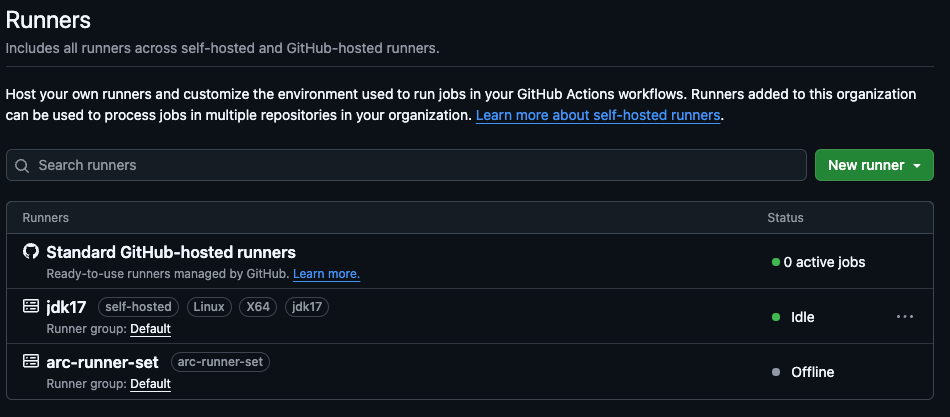
- VM 환경에서 공식 문서를 보고
config.sh로 runner 설정 - 설정을 마치면 GitHub에서 바로 runner가 등록된 것을 확인할 수 있다.
- 이후
run.sh를 실행하면 runner가 foreground 세션에서 동작한다.
Runner를 background 서비스로 등록하기
서비스 형태로 백그라운드 실행하려면 아래와 같이 하면 된다.
sudo ./svc.sh install <USER_NAME>
sudo ./svc.sh start
...

runner@root:~/actions-runner$ sudo ./svc.sh install runner
Creating launch runner in /etc/systemd/system/actions.runner.<ORG or USER>.jdk17.service
Run as user: runner
Run as uid: 1000
gid: 1000

runner@root:~/actions-runner$ sudo ./svc.sh start
/etc/systemd/system/actions.runner.<ORG or USER>.jdk17.service
● actions.runner.<ORG or USER>.jdk17.service - GitHub Actions Runner (<ORG or USER>.jdk17)
     Loaded: loaded (/etc/systemd/system/actions.runner.<ORG or USER>.jdk17.service; enabled; preset: enabled)
     Active: active (running) since Wed 2025-02-05 14:24:44 UTC; 19ms ago
   Main PID: 1786 (runsvc.sh)
      Tasks: 2 (limit: 19104)
     Memory: 856.0K (peak: 1.0M)
        CPU: 8ms
     CGroup: /system.slice/actions.runner.<ORG or USER>.jdk17.service
             ├─1786 /bin/bash /home/runner/actions-runner/runsvc.sh
             └─1789 ./externals/node20/bin/node ./bin/RunnerService.js

Feb 05 14:24:44 root systemd[1]: Started actions.runner.<ORG or USER>.jdk17.service - GitHub Actions Runner (<ORG or USER>.jdk17).
Feb 05 14:24:44 root runsvc.sh[1786]: .path=/usr/local/sbin:/usr/local/bin:/usr/sbin:/usr/bin:/sbin:/bin:/usr/games:/usr/local/games:/snap/bin
서비스 등록이 완료되면, 이후에는 VM이 재부팅되어도 runner가 자동으로 실행된다.
현재 GitHub Actions 활용 현황
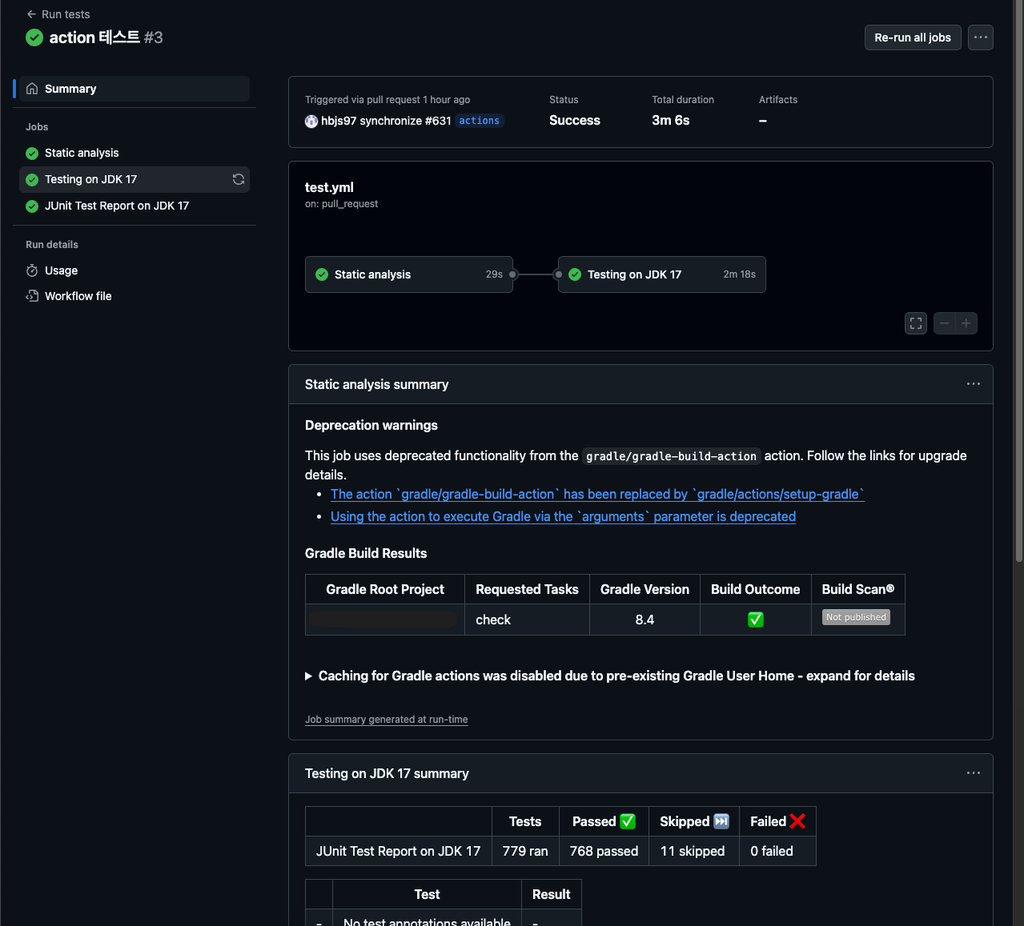
현재 CI 과정은 GitHub Actions를 통해 다음과 같은 과정으로 구성되어 있다.
- ktlint check → test → report
- 필요 시 리뷰어 자동 추가, 슬랙 알림 전송등의 플러그인을 적용시킬 수 있다.
결과적으로 self-hosted runner를 통해 성능과 비용 문제를 동시에 해결하면서 CI 환경을 효율적으로 개선할 수 있었다.