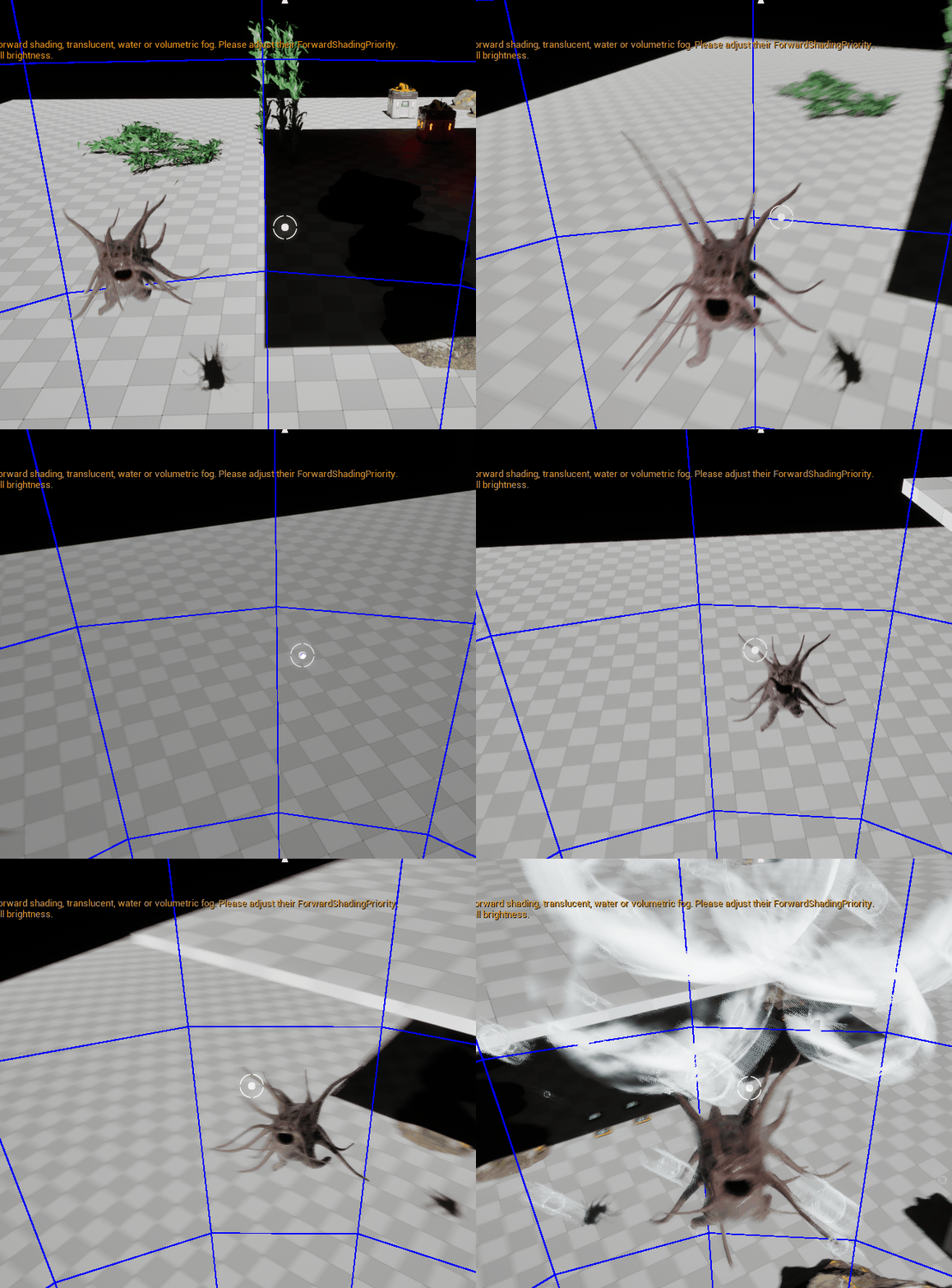
부자연스러운 AI 회전 해결
📌 문제 인지 & 문제 분석
1️⃣ 목적지를 향해 Rotation을 돌리게 되면 장애물이 있는 경우 Path가 꺾이게 됨.
단순히 AI 의 움직임에 있어서 MoveTo Task를 이용해 AI 가 해당 방향으로 움직이면서 자연스럽게 Rotate를 할 수 있도록 Simple Parallel - Move To, Rotate To Location 이런 식으로 활용을 했음.
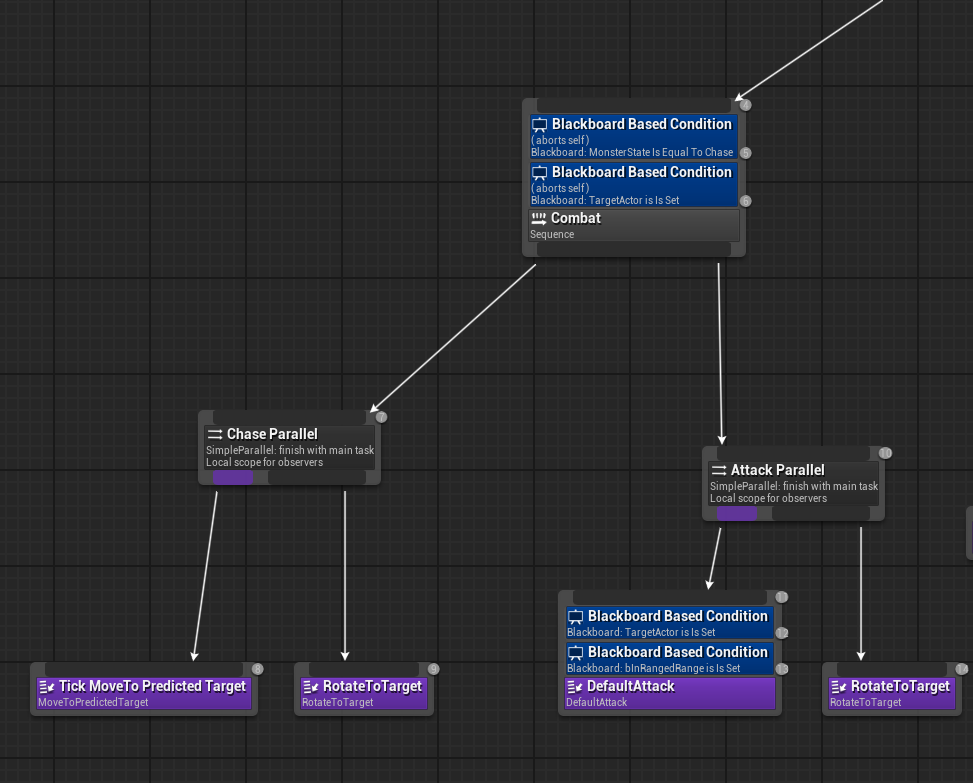
그러나 중간에 Obstacle 이 있게 되면 Path가 자연스럽게 꺾이게 되는데 AI는 목적지 만을 향해 Rotate가 되기 때문에 부자연스럽게 보임.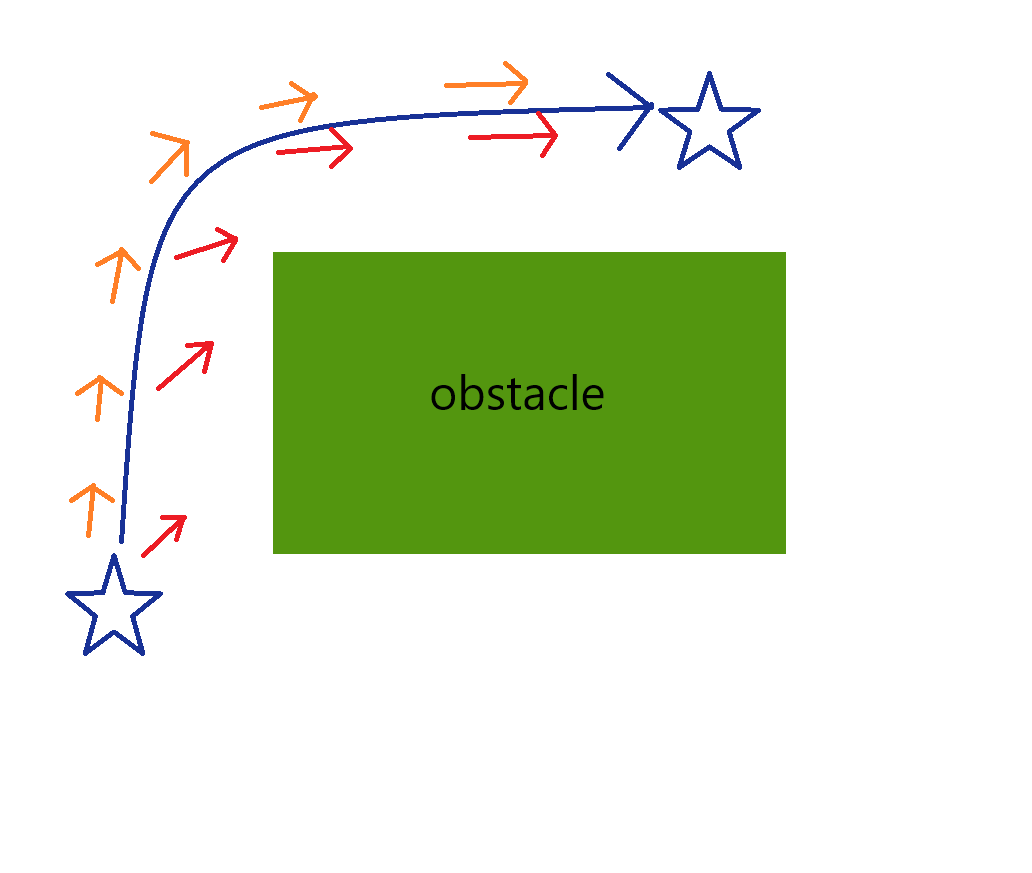
📌 해결 과정
1️⃣ 이동방향으로 회전하도록 BTService 추가
UBTService_RotateToMovement::UBTService_RotateToMovement()
{
	NodeName = "Rotate To Movement Direction";
	bNotifyTick = true;
	bNotifyBecomeRelevant = false;
	InterpSpeed = 5.0f;
}

void UBTService_RotateToMovement::TickNode(UBehaviorTreeComponent& OwnerComp, uint8* NodeMemory, float DeltaSeconds)
{
	Super::TickNode(OwnerComp, NodeMemory, DeltaSeconds);

	AAIController* AIController = OwnerComp.GetAIOwner();
	if (!AIController) return;

	AMonster* Monster = Cast<AMonster>(AIController->GetPawn());
	if (!Monster) return;

	UCharacterMovementComponent* MovementComp = Monster->GetCharacterMovement();
	if (!MovementComp) return;

	// No rotation when stationary
	const FVector MonsterVelocity = MovementComp->Velocity;
	if (MonsterVelocity.SizeSquared() < KINDA_SMALL_NUMBER) return;

	// Movement direction → Rotate
	FRotator TargetRotation = MonsterVelocity.GetSafeNormal().Rotation();
	TargetRotation.Roll = 0.0f;

	// Interpolation
	FRotator NewRotation = FMath::RInterpTo(Monster->GetActorRotation(), TargetRotation, DeltaSeconds, InterpSpeed);
	Monster->SetActorRotation(NewRotation);
}
- 몬스터AI 의 무브먼트 컴포넌트를 통해 AI의 속도를 가져옴.
- 속도는 속력과 방향을 가지고있는 벡터값이기 때문에 해당 방향으로 자연스러운 회전이 가능하도록 회전값을 가져올 수 있음
- 속도가 너무 작으면 가만히 있는 것으므로 return
if (MonsterVelocity.SizeSquared() < KINDA_SMALL_NUMBER) return;
- 3차원 공간의 회전을 위해서 Yaw 값 뿐만이 아니라 Pitch(상하회전) 값도 포함
- SetActorRotation을 이용해서 회전 적용
🔥 또다른 문제
이동방향을 향해 회전하는 것은 고쳐졌으나 다른 부자연스러움이 생겼음.
- 상태가 전환될 때나 끊기는 느낌이 듦.
- 애니메이션 작동 시 RootMotion으로 인해서 매우 부자연스러운 움직임이 생김.
- 전체적으로 살짝 뚝뚝 끊기는 느낌
2️⃣ Monster Tick을 통한 회전
✨ 부자연스러웠던 이유 분석
- BTService의 Tick 주기
- BTService는 일반적으로 0.1초~0.5초 간격(Interval)으로만 Tick 호출
- 즉, 연속적이지 않고 “일정 시간마다”만 회전값을 보간하거나 변경
- → 회전값이 “계단식(staircase)”으로 변하고, 목표 방향을 따라가는 게 아니라 중간 중간 ‘툭툭’ 끊긴다
- (특히 RInterpTo도 DeltaSeconds가 Interval만큼 커지면 슬쩍 튀는 효과 발생)
- Tick vs BTService: 프레임 단위 차이
- Tick은 매 프레임(1/60초, 1/120초 등)마다 부드럽게 회전 갱신
- 반면 BTService는 Interval 간격마다만 동작, Unreal에서 기본값이 0.5초면 2fps만큼밖에 갱신 안 되는 셈
- 연속성의 한계
- 이동/추적 대상이 부드럽게 바뀌어도, BTService는 “중간에 무엇이 일어났는지” 신경 안 씀 → 목표 방향을 놓치거나, AI가 순간적으로 반응이 느리거나 부자연스럽게 보임
- 이동/추적 대상이 부드럽게 바뀌어도, BTService는 “중간에 무엇이 일어났는지” 신경 안 씀 → 목표 방향을 놓치거나, AI가 순간적으로 반응이 느리거나 부자연스럽게 보임
👉 따라서 Monster 의 Tick에서 회전을 적용하도록 트러블 슈팅
예상되는 문제는 조금 더 비용이 비싸져서 최적화 문제가 일어날 것 같았음
그래서 조건을 빡빡하게 해서 최대한 조건 내에서만 Tick이 이루어지도록 로직 설정
void AMonster::Tick(float DeltaTime)
{
	Super::Tick(DeltaTime);

	if (TargetActor)
	{
		if (!IsAnimMontagePlaying())
		{
			if (GetMonsterState() == EMonsterState::Flee)
			{
				RotateToMovementForward(DeltaTime);
			}
			else
			{
				RotateToTarget(DeltaTime);
			}
		}
	}
	else
	{
		RotateToMovementForward(DeltaTime);
	}
}

void AMonster::RotateToTarget(float DeltaTime)
{
	FVector MonsterLocation = GetActorLocation();
	FVector TargetLocation = TargetActor->GetActorLocation();
	FVector DirectionToTarget = (TargetLocation - MonsterLocation).GetSafeNormal();

	FRotator MonsterCurrentRotation = GetActorRotation();

	FRotator TargetToRotation = DirectionToTarget.Rotation();
	TargetToRotation.Roll = 0.0f;

	float InterpSpeed = 6.0f;
	FRotator NewRotation = FMath::RInterpTo(MonsterCurrentRotation, TargetToRotation, DeltaTime, InterpSpeed);

	SetActorRotation(NewRotation);
}

void AMonster::RotateToMovementForward(float DeltaTime)
{
	FVector Velocity = GetVelocity();
	if (Velocity.SizeSquared() > KINDA_SMALL_NUMBER)
	{
		FRotator CurrentRotation = GetActorRotation();
		FRotator TargetRotation = Velocity.GetSafeNormal().Rotation();
		TargetRotation.Roll = 0.f;

		float InterpSpeed = 6.0f;
		GetMonsterState() == EMonsterState::Investigate ? InterpSpeed = 15.0f : InterpSpeed = 6.0f;
		FRotator NewRotation = FMath::RInterpTo(CurrentRotation, TargetRotation, DeltaTime, InterpSpeed);

		SetActorRotation(NewRotation);
	}
}- EMonsterState::Chase, 즉 TargetActor가 존재할 때는 몽타주 재생할 때 이외에는 해당 TargetActor를 향해 회전을 해야되므로 RotateToTarget을 호출
- 그러나 HorrorCreature의 경우 TargetActor를 먹고 도망가는 Flee 상태가 있기 때문에 TargetActor가 존재 함에도 Movement 방향으로 회전을 해야함.
- 그래서 EMonsterState::Flee 상태일 때, RotateToMovementForward를 호출하도록 설계
- TargetActor가 없을 때는 일반적인 상태인 Idle, Patrol / 조명 비췄을 때 비춘 곳을 향해 이동하는 Investigate 상태이다. 해당 상태일 때는 RotateToMovementForward을 호출하도록 설계
📌 결과
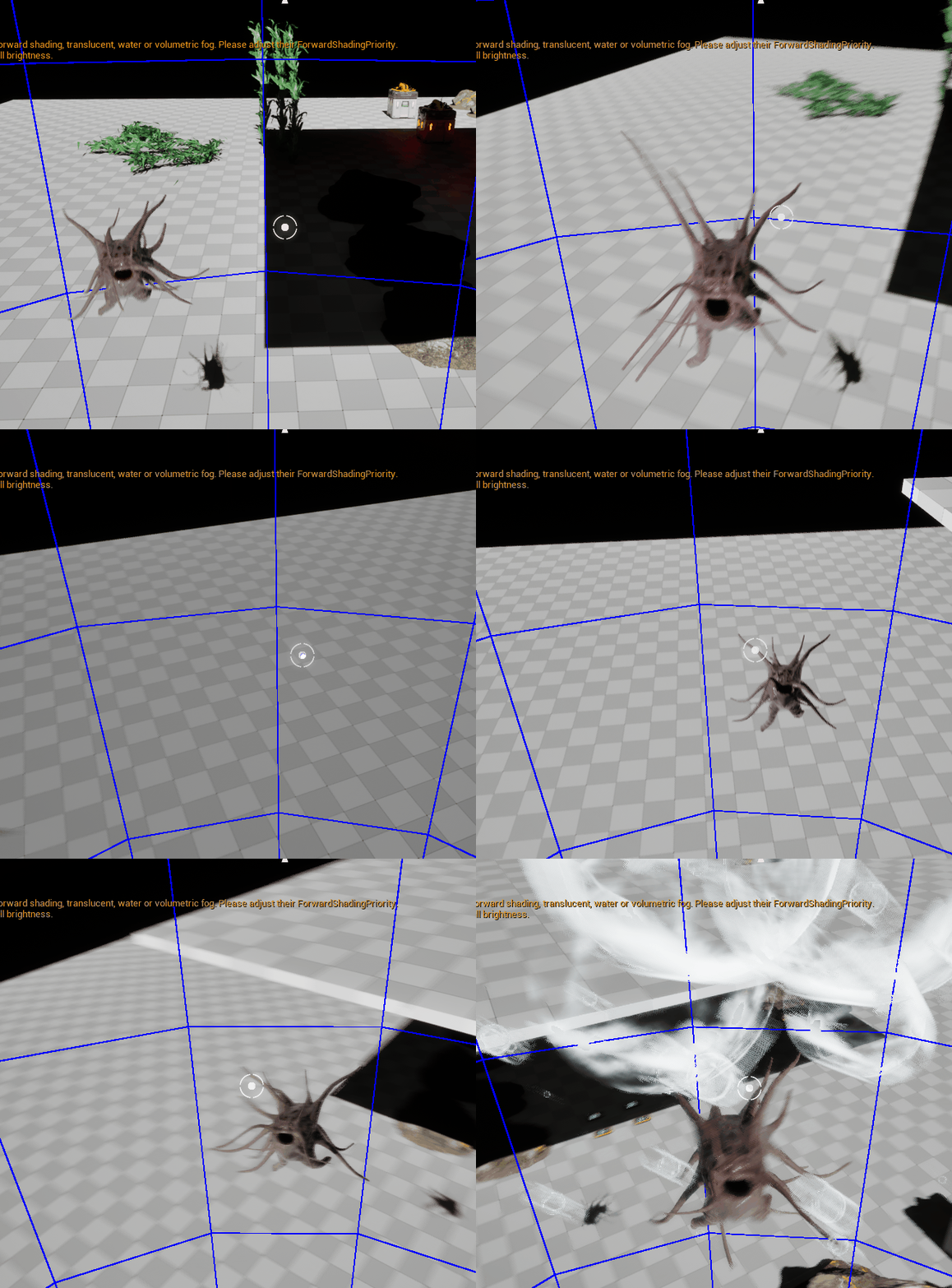
Rotation이 비교적 자연스럽게 잘 적용된 모습을 볼 수 있다.
1️⃣ Patrol 상태 시 AI Rotation
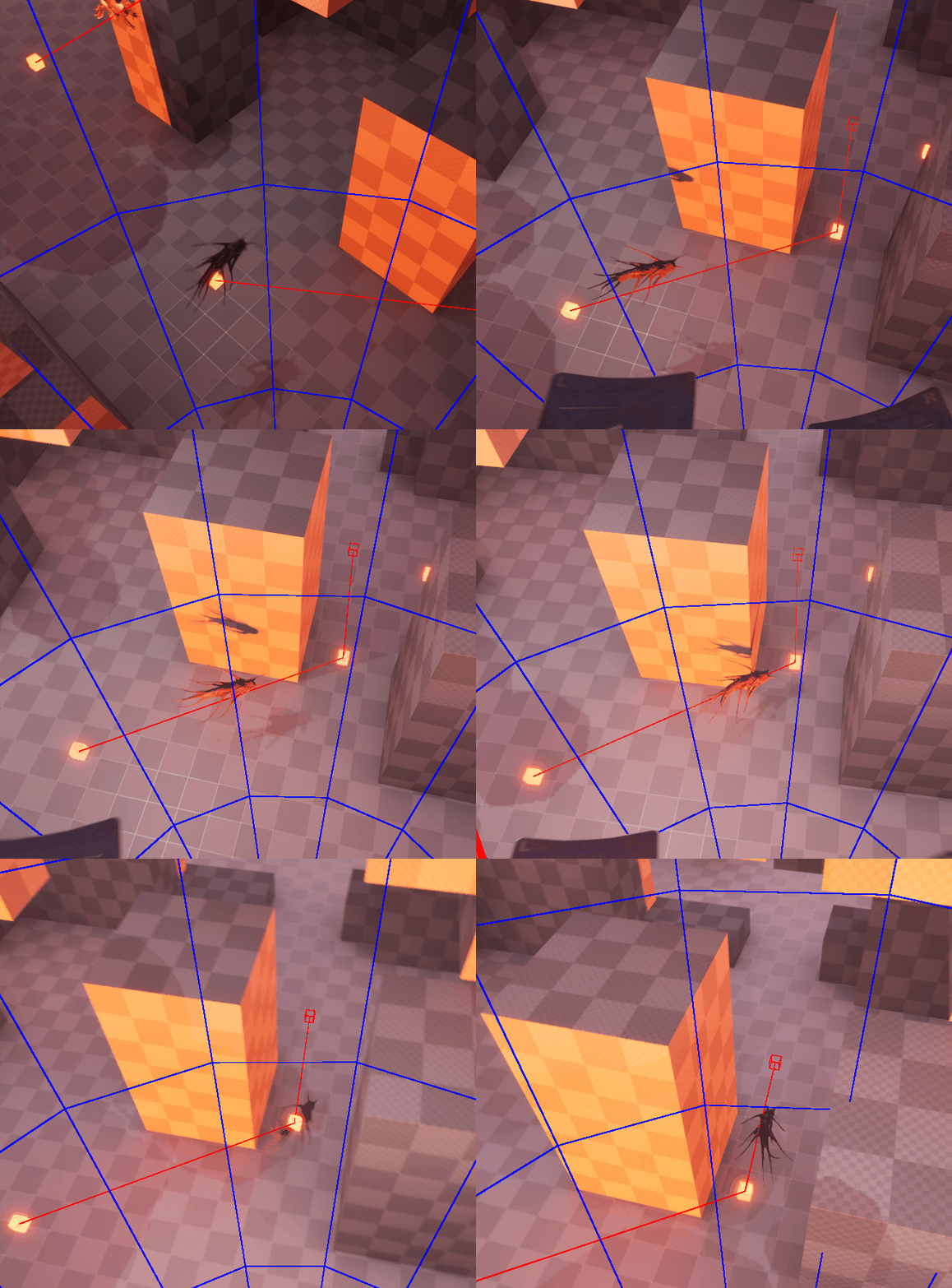
2️⃣ Chase 상태 시 AI Rotation
Unreal 1기