
2023.09.05.화.TIL
- 할 것
- 12시 회의
- 12시 회의 전까지 알람기능 vs 프론트엔드 무엇에 더 집중할지 결정!
- 12시 회의 때 회원 탈퇴 기능 코드 리뷰!
회원 탈퇴
-
whithdrawal에 id가 담긴다!
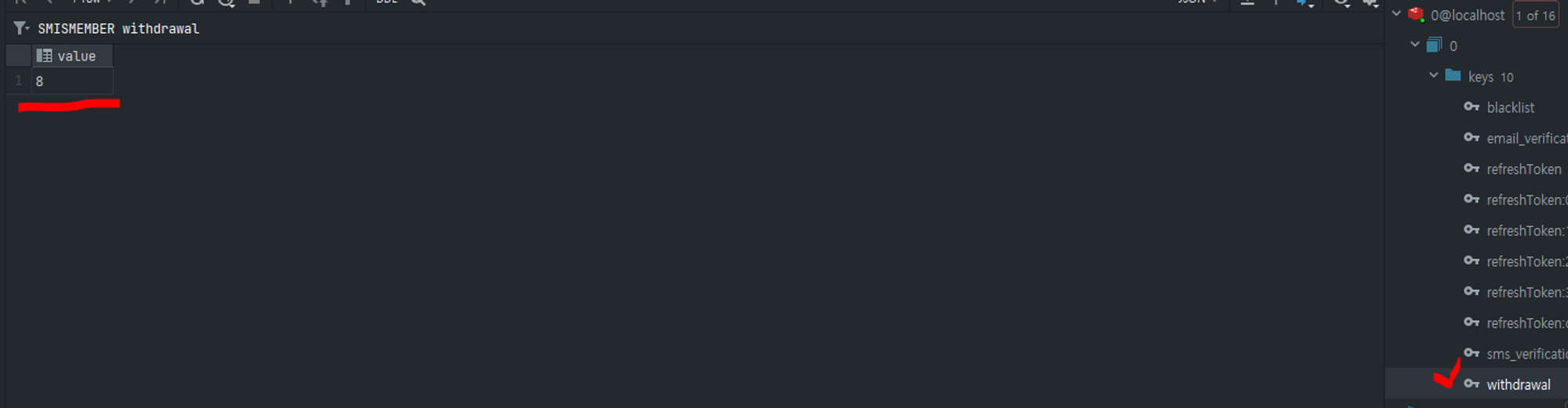
-
하지만 public class Withdrawal에 설정해준 것으로 3분 이후에 삭제되어야 하는 users table의 user 정보(colum)이 삭제되지 않고 있는데…
private static final String WITHDRAWAL_KEY_PREFIX = "withdrawal:"; @Id private String id; @TimeToLive private Long expiration; // TTL 설정 public Withdrawal(String id) { this.id = id; this.expiration = 3L * 60; // 3분 동안 유지 } -
문제점
Withdrawal엔티티를 생성할 때는 TTL을 설정하지만, 이 TTL은 데이터를 저장하는 데 사용되지 않고 있음
-
UserService - public ResponseEntity withdrawUser(Long id, User user)
- withdrawalRepository.save(withdrawal, Duration.ofMinutes(3)); 추가
- TTL을 설정하고 데이터를 저장
- 3분 동안 유지
- withdrawalRepository.save(withdrawal, Duration.ofMinutes(3)); 추가
-
Withdrawal클래스는 Redis에 데이터를 저장하고 해당 데이터의 만료 시간을 설정하기 위한 클래스 -
만료시간을 public class UserService에 만드나요? public class Withdrawal에 만드나요?
- RedisHash에 직접 설정:
Withdrawal클래스 내에서 만료 시간을 설정하는 방법입니다. 이 방법을 선택하면Withdrawal객체가 Redis에 저장될 때 TTL이 함께 설정됩니다. 이 방법을 사용하려면@TimeToLive어노테이션을 사용하고, 객체 생성 시 TTL 값을 설정해야 합니다. 예를 들어,this.expiration = 300L;로 설정하여 5분(300초) 동안 유지할 수 있습니다. - Repository에 직접 설정:
withdrawalRepository.save()메서드를 호출할 때 TTL을 설정하는 방법입니다. 이 방법을 선택하면 저장할 때 TTL을 유동적으로 설정할 수 있으므로, 다양한 TTL 설정이 필요한 경우에 유용합니다. 예를 들어,withdrawalRepository.save(withdrawal, Duration.ofMinutes(3));와 같이 TTL을 설정할 수 있습니다.
- RedisHash에 직접 설정:
-
Repository에 직접 설정- public ResponseEntity withdrawUser(Long userId, User user)
- withdrawalRepository.save(withdrawal, Duration.ofMinutes(3)); 오류
- 이렇게 수정해주라는데 좋은 코드가 아닌 느낌이 들어요…
@Repository
public class WithdrawalRepository {

    private static final String WITHDRAWAL_KEY_PREFIX = "withdrawal:";

    @Autowired
    private RedisTemplate<String, Withdrawal> redisTemplate;

    public void save(Withdrawal withdrawal, Duration duration) {
        String key = WITHDRAWAL_KEY_PREFIX + withdrawal.getId();
        redisTemplate.opsForValue().set(key, withdrawal, duration);
    }

    // 나머지 리포지토리 메서드 및 로직
}
위의 코드에서 RedisTemplate을 사용하여 TTL을 직접 설정하고 opsForValue().set() 메서드를 사용하여 객체를 Redis에 저장하고 있습니다. Duration 객체를 사용하여 TTL을 설정하고, 이렇게 설정된 TTL이 지나면 Redis에서 해당 객체가 자동으로 삭제됩니다.

만약 Withdrawal 엔티티를 저장할 때마다 TTL을 설정해야 하는 경우에는 이와 같은 방식으로 직접 설정해야 합니다. 이렇게 하면 withdrawalRepository.save(withdrawal, Duration.ofMinutes(3));을 사용하여 TTL을 설정할 수 있습니다.
- public ResponseEntity withdrawUser(Long userId, User user)
-
RedisHash에 직접 설정package com.sparta.seoulmate.entity.redishash; import lombok.AllArgsConstructor; import lombok.Getter; import org.springframework.data.annotation.Id; import org.springframework.data.redis.core.RedisHash; import org.springframework.data.redis.core.TimeToLive; @RedisHash(value = "withdrawal") @Getter @AllArgsConstructor public class Withdrawal { private static final String WITHDRAWAL_KEY_PREFIX = "withdrawal:"; @Id private String userId; @TimeToLive private Long expiration; // TTL 설정 // 생성자에서 userId 초기화 public Withdrawal(String userId) { this.userId = userId; this.expiration = 180L; // 3분 동안 유지 (3분 * 60초) } } -
whithdrawal에 id가 담기는데 설정해준 시간이 되도 whithdrawal redis에 담긴 user id나 users table에 있는user 정보(Colum)이 삭제가 되지 않는다….
-
지정한 시간이 지나도 삭제가 되지 않는 문제!
- before
package com.sparta.seoulmate.entity.redishash; import lombok.AllArgsConstructor; import lombok.Getter; import org.springframework.data.annotation.Id; import org.springframework.data.redis.core.RedisHash; import org.springframework.data.redis.core.TimeToLive; @RedisHash(value = "withdrawal") @Getter @AllArgsConstructor public class Withdrawal { private static final String WITHDRAWAL_KEY_PREFIX = "withdrawal:"; @Id private String userId; @TimeToLive private Long expiration; // TTL 설정 public Withdrawal(String userId) { this.userId = userId; this.expiration = 180L; // 3분 동안 유지 (3분 * 60초) } } - after
package com.sparta.seoulmate.entity.redishash;

import lombok.Getter;
import org.springframework.data.annotation.Id;
import org.springframework.data.redis.core.RedisHash;

@RedisHash(value = "withdrawal", timeToLive = 20)
@Getter
public class Withdrawal {

    private static final String WITHDRAWAL_KEY_PREFIX = "withdrawal:";

    @Id
    private String userId;

    public Withdrawal(String userId) {
        this.userId = userId;
    }
}
- before
-
하지만… withdrawal가 바로 삭제되지 않고 복사(?)되어 삭제되는 문제!
-
private static final String WITHDRAWAL_KEY_PREFIX = "withdrawal:"; 로직 삭제
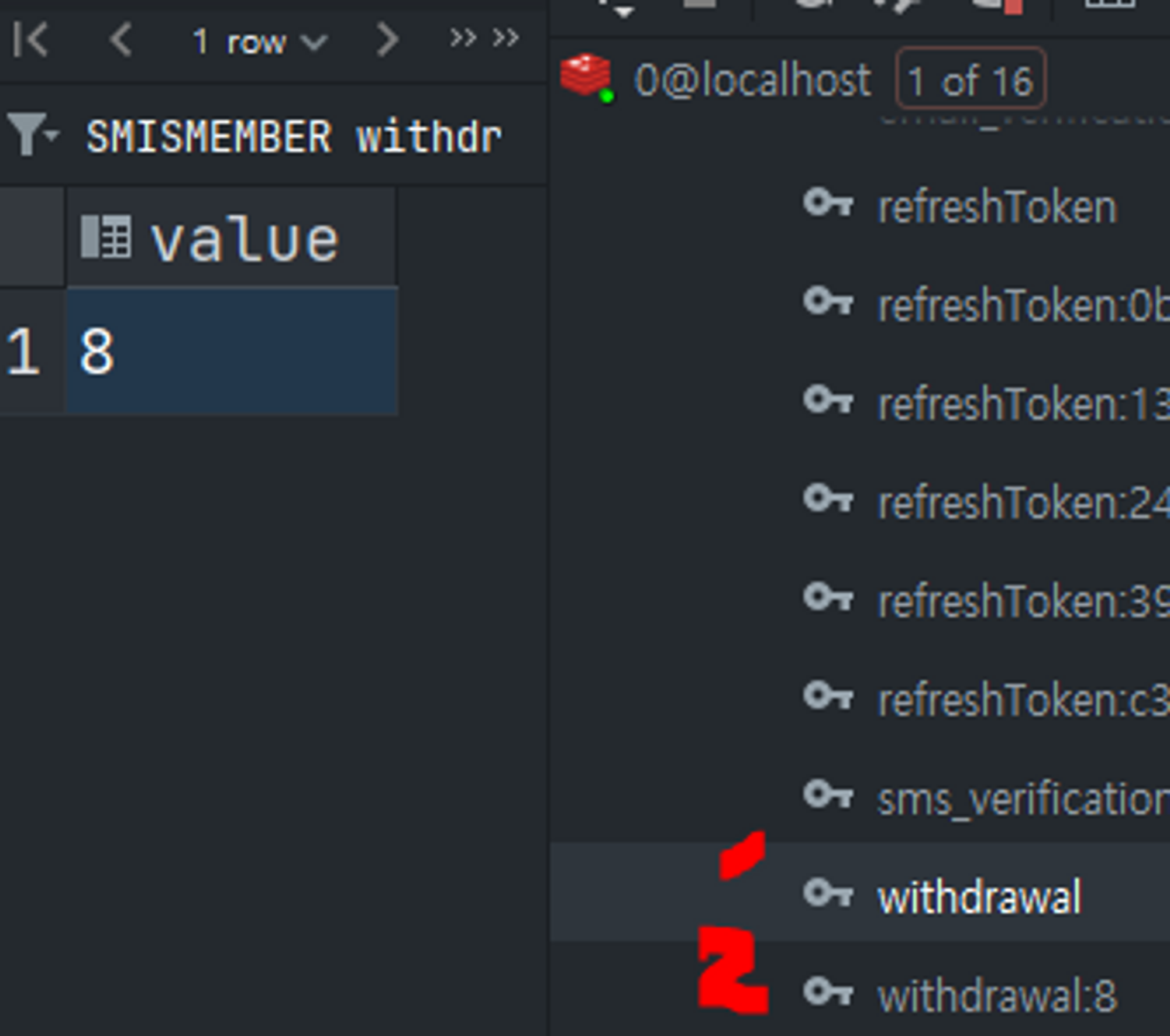
-
복사되는 것보다는 은 key-value로 저장하는데….
-
-
참고
-
Redis에 만료 기간을 설정해주고 어떤 User의 정보를 삭제할 지 정해주고(탈퇴 신청) 만료되면 UserRepository에서 User 정보가 삭제되는 것 → Redis에 만료 기간을 설정해주고 어떤 User의 정보를 Redis에 옮기면서 UserRepository에서는 삭제되고 Redis에 남아 있는 어떤 User의 정보를 만료 기간이 지나면 삭제하는 것으로 바꾸기…?!
-
전자 방법으로 하려면 이벤트 설정이 필요하다구…
- Redis 만료 이벤트 구독 설정: Redis 만료 이벤트를 수신하고 처리하기 위해 Redis 구성에 해당 리스너를 등록합니다. 구성 파일 또는 코드에서 Redis Pub/Sub 구독을 설정할 수 있습니다.
- Spring Boot를 사용한다면
@EnableRedisRepositories를 통해 Redis 리포지토리를 활성화하고 Redis 연결 및 리스너를 구성할 수 있습니다. MessageListenerAdapter를 설정하여 Redis 만료 메시지를 리스너와 연결합니다.
- Spring Boot를 사용한다면
- Redis에 데이터 저장 시 만료 시간 설정: Redis에 데이터를 저장할 때 TTL (Time to Live)을 설정하여 만료 시간을 지정합니다. 만료 시간이 지나면 Redis에서 데이터가 만료되고 Redis 만료 이벤트가 발생합니다.
- Redis 만료 이벤트 구독 설정: Redis 만료 이벤트를 수신하고 처리하기 위해 Redis 구성에 해당 리스너를 등록합니다. 구성 파일 또는 코드에서 Redis Pub/Sub 구독을 설정할 수 있습니다.
-
Redis를 연결해야 함!!
-
오류…
java.lang.IllegalArgumentException: DefaultSerializer requires a Serializable payload but received an object of type [com.sparta.seoulmate.entity.redishash.Withdrawal]com.sparta.seoulmate.entity.redishash.Withdrawal클래스가 직렬화 가능한(Serializable) 형태로 구현되어 있지 않아서 발생- Redis는 데이터를 저장할 때 기본적으로 직렬화된 형태로 저장
Withdrawal클래스는 이러한 직렬화를 지원하지 않고 있다!- 해결하기…
-
클래스 내부에서 사용하는 모든 멤버 변수 또한 직렬화 가능해야 하기 때문에 해당 변수도
Serializable인터페이스를 구현import java.io.Serializable;public class Withdrawal implements Serializable
-
-
스케줄러 어노테이션을 쓰면 레디스를 쓰지 않아도 된다…
-
redis에 만료기간을 설정해도 따로 떨어져 있는 users table의 user 정보는 삭제되지 않을 것이다……
→ users table(userRepository)에 담긴 user 정보를 redis로 옮기고 users table(userRepository)에 담긴 user 정보는 삭제하고 redis로 옮겨진 users의 정보에 만료기간을 두고 삭제를 시킨다…!
- 정리
1. 사용자 정보를 Redis로 이동: 사용자 정보를 처음에는userRepository(users table)에 저장하고, 동시에 해당 정보를 Redis에도 저장합니다. 이때 Redis에 저장된 데이터에 만료 기간을 설정합니다. 이렇게 하면 Redis에서 만료 기간이 지난 데이터는 자동으로 삭제됩니다.
2. 사용자 정보 업데이트: 사용자 정보가 업데이트될 때마다,userRepository와 Redis의 해당 사용자 정보를 동기화합니다. 즉, 사용자 정보가 업데이트될 때userRepository와 Redis의 데이터를 모두 업데이트합니다.
3. Redis를 주기적으로 정리: 만료 기간이 지난 데이터가 Redis에 남아있을 수 있으므로, 주기적으로 Redis를 확인하여 만료된 데이터를 삭제하는 작업을 수행할 수 있습니다. 이 작업은 스케줄러를 사용하여 구현할 수 있습니다.
4. Redis의 데이터를 먼저 검색: 사용자 정보를 읽어올 때, 먼저 Redis에서 해당 정보를 찾고, Redis에 없을 경우userRepository에서 정보를 가져옵니다. 이렇게 하면 Redis에 데이터가 존재하면 데이터베이스 쿼리를 줄일 수 있습니다.이러한 방식을 사용하면 Redis를 사용하여 데이터의 만료를 관리하고, 데이터베이스와 Redis 간의 동기화를 유지할 수 있습니다. Redis를 캐시나 데이터베이스의 확장 기능으로 사용하는 경우에 특히 유용합니다. -
회원 탈퇴 신청을 한 유저의 정보를 withdrawal로 옮겨주고 옮겨주는 동시에 user table에서 그 유저의 정보를 삭제
-
타임투리브(만료시간만!) 이벤트 발생을 위해 → 퍼블리시, 섭스크립 매커니즘 사용해야함..
- 오류
Error starting ApplicationContext. To display the condition evaluation report re-run your application with 'debug' enabled. 2023-09-05T20:15:56.183+09:00 ERROR 18676 --- [ main] o.s.b.d.LoggingFailureAnalysisReporter : *************************** APPLICATION FAILED TO START *************************** Description: Parameter 11 of constructor in com.sparta.seoulmate.service.UserService required a bean of type 'org.springframework.data.redis.core.RedisTemplate' that could not be found. Action: Consider defining a bean of type 'org.springframework.data.redis.core.RedisTemplate' in your configuration. Process finished with exit code 1 - 해결
- UserService
private final RedisTemplate<String, String> redisTemplate; - RedisMessagePublisher
private final RedisTemplate<String, String> redisTemplate; - RedisMessageSubscriber
private final UserService userService; - RedisPubSubApplication
private final RedisMessagePublisher redisMessagePublisher;
- UserService
- 오류
-
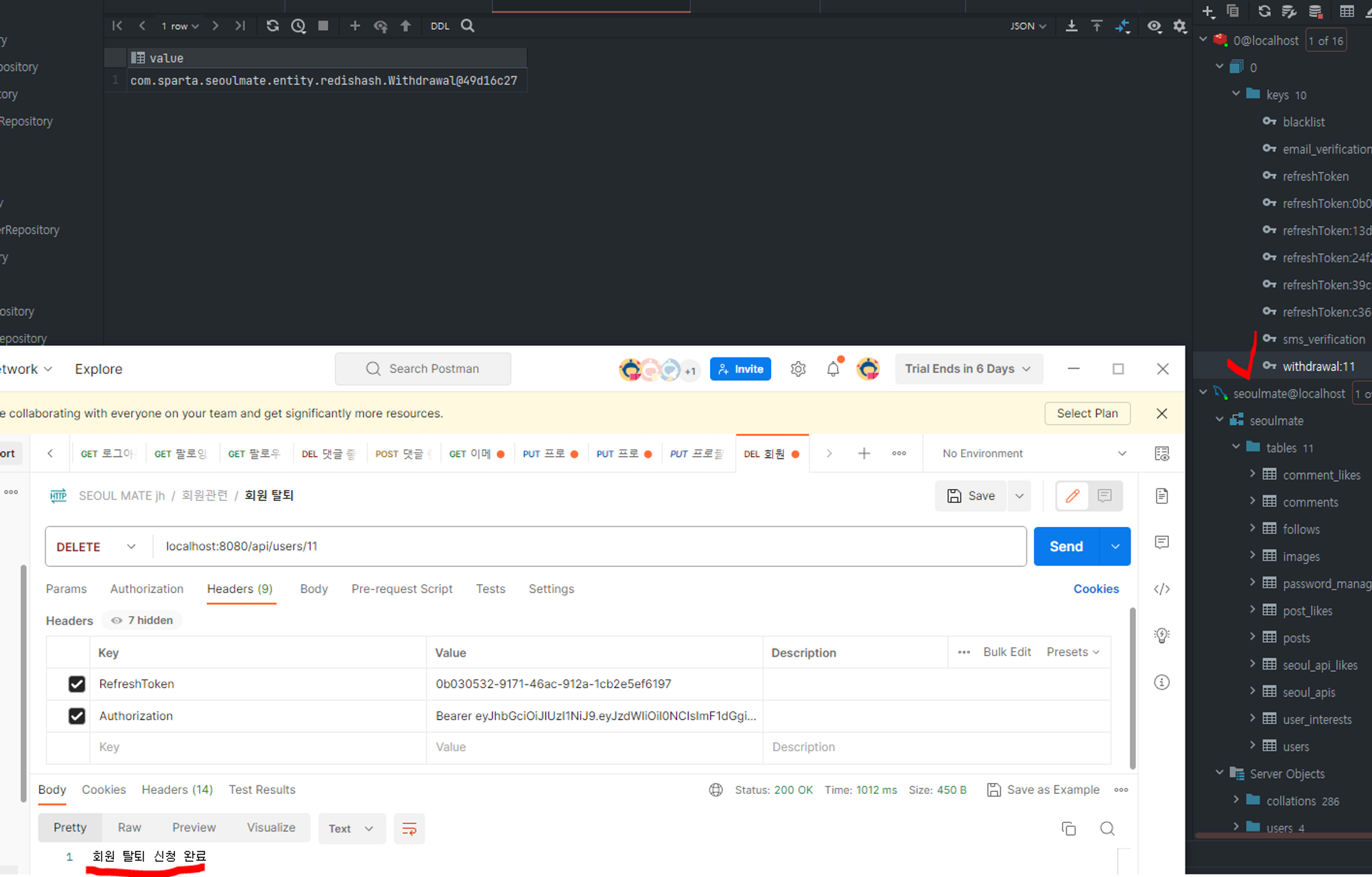
user1이 회원 탈퇴 신청을 하면 withdrawal redis에 user1의 정보가 담기면서 users에 있는 user1의 정보는 삭제되고 만료기간 1분을 설정해주고 1분의 기간이 지나고 만료되면 withdrawal redis에 담긴 user1이 자동 삭제되기….
-
withdrawal에 정보가 담김
-
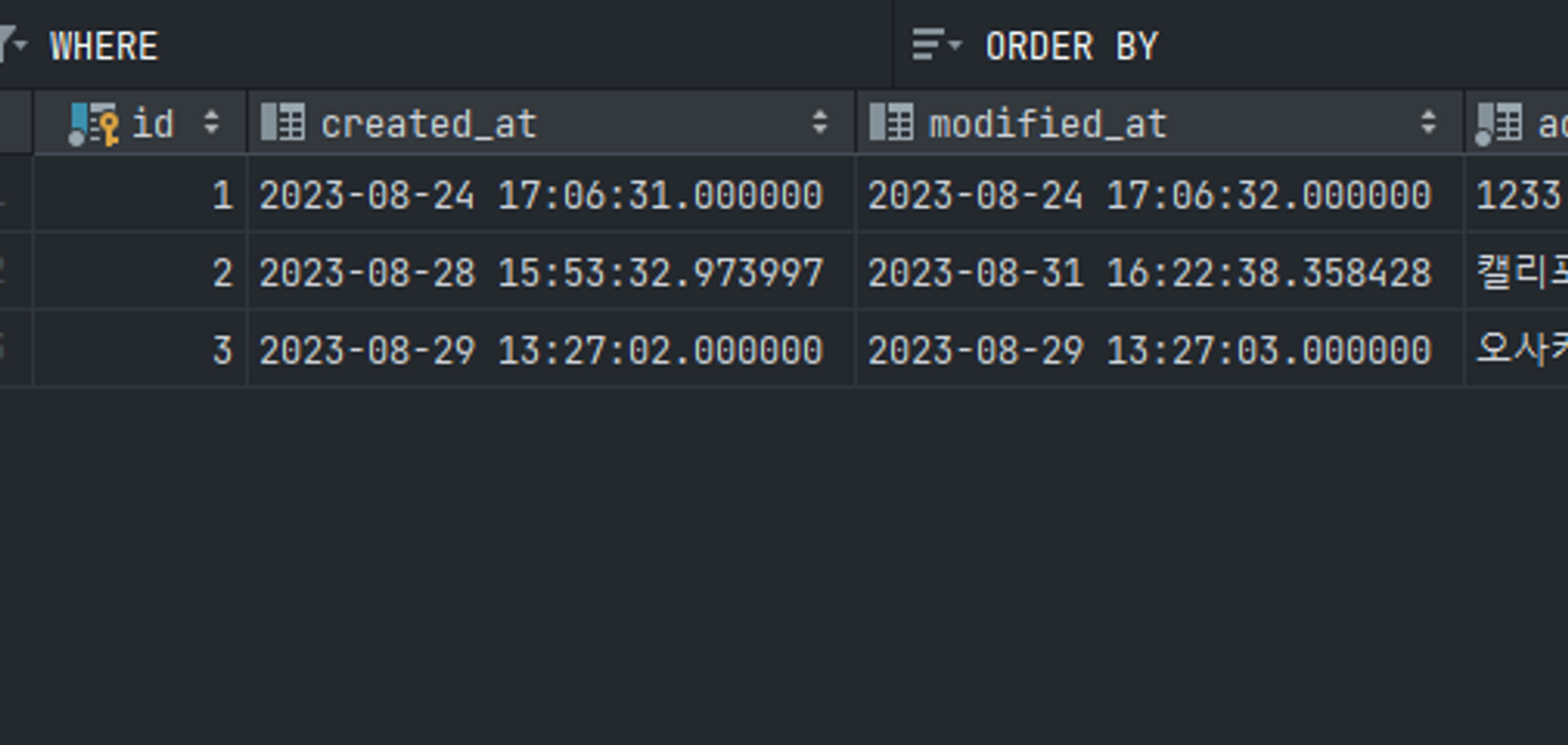
users table에서 11번의 user 정보가 삭제된 것을 확인
-
시간이 지난 후(1분 맞아..?) withdrawal:11에 있었던 정보가 사라져있는 것을 확인
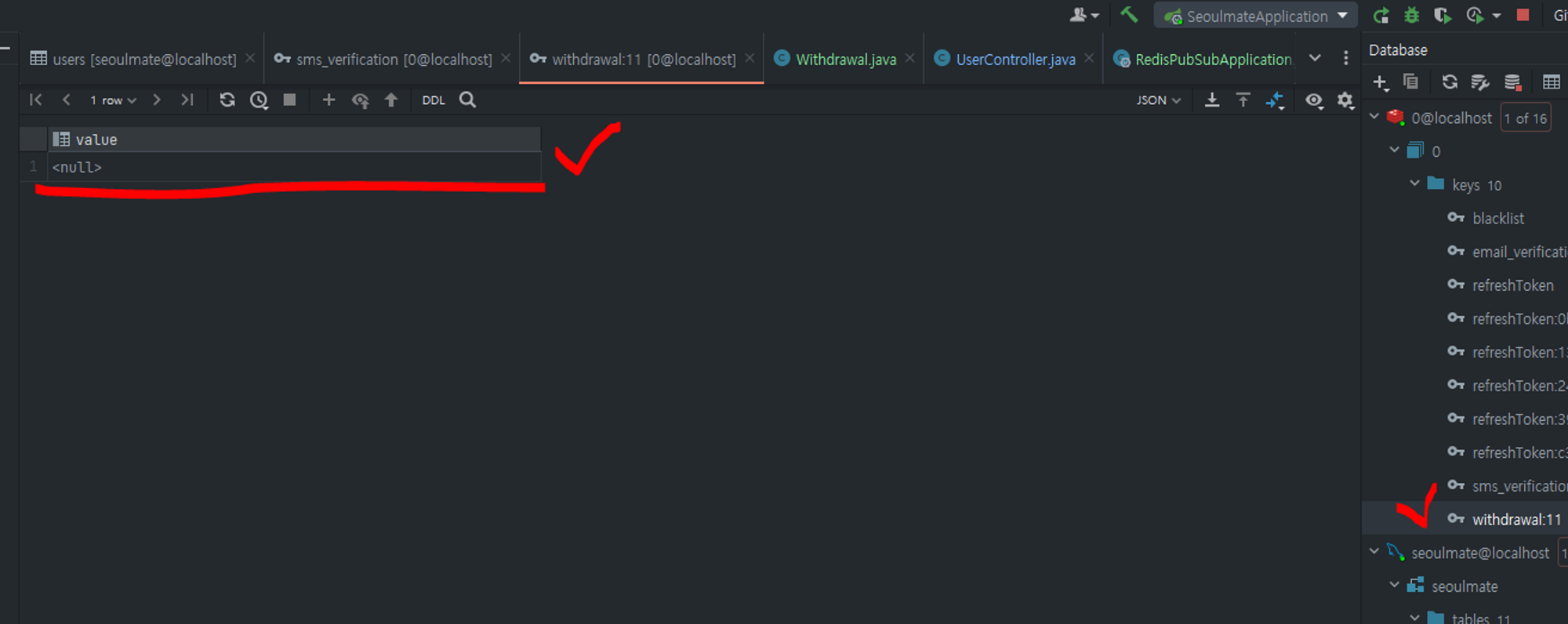
- 타이머 맞춰서 1분의 만료기간으로 삭제되는 것 확인!!!!!!!!!!!!!
-
UserService에 삭제 로직 때문에 삭제 되는 것이었음….
// user 테이블에서 사용자 정보 삭제 userRepository.delete(user);- 이 로직을 주석 처리하고 진행하면 여전히 redis만 삭제되는 것으로 확인되고 users table에는 남아있다
-