1. python, frida download
python(pip) 다운
Frida 다운
pip install frida frida-tools

다운로드 받고 설치를 확인해 줍니다.
2. AVD, frida-server, fridump3 download
AVD 다운로드
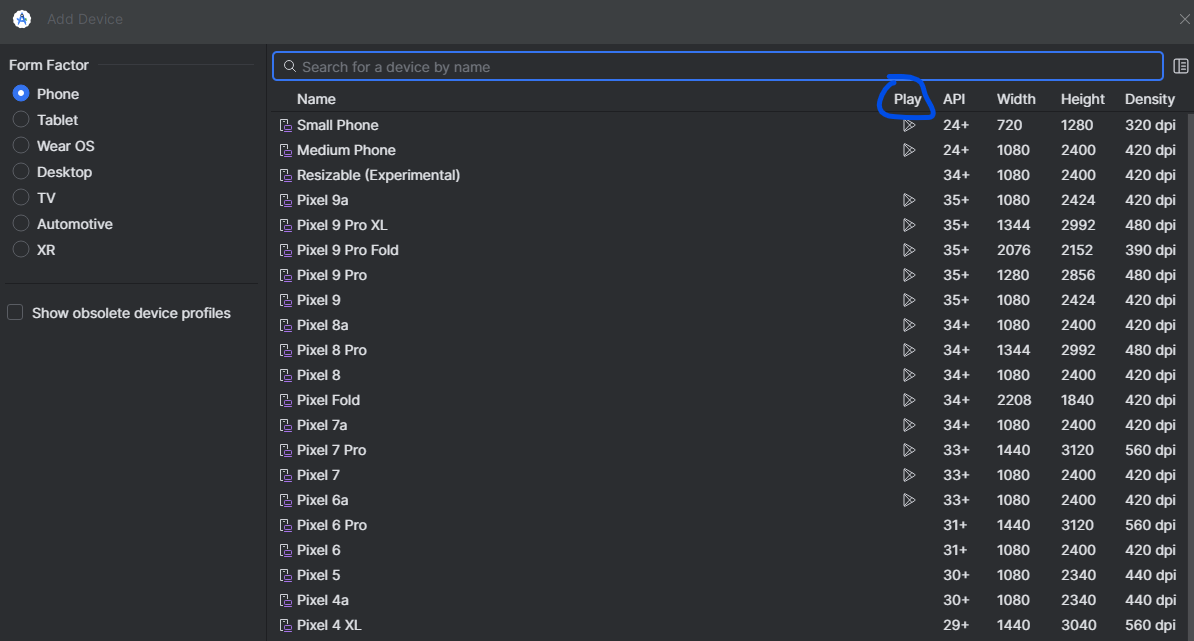
⭐⭐⭐⭐⭐ 에뮬레이터를 다운 받을때는 꼭 plystore 마크가 없는걸로 다운받아야합니다. (마크있으면 root 권한 불가)
처음에 이걸 잘못 받아서 엄청 고생했습니다
ABI 확인
adb shell getprop ro.product.cpu.abi

Android Emulator의 설치와 CPU-ABI 확인해 줍니다.
frida-server 다운로드
frida 버전과 ABI가 일치해야 합니다. (저는 17.5.1 + x86_64)
fridump3 다운로드(클론받기)
다운로드 후 한 폴더에 다 넣어주는게 편합니답
3. 에뮬 메모리 덤프 환경 만들기
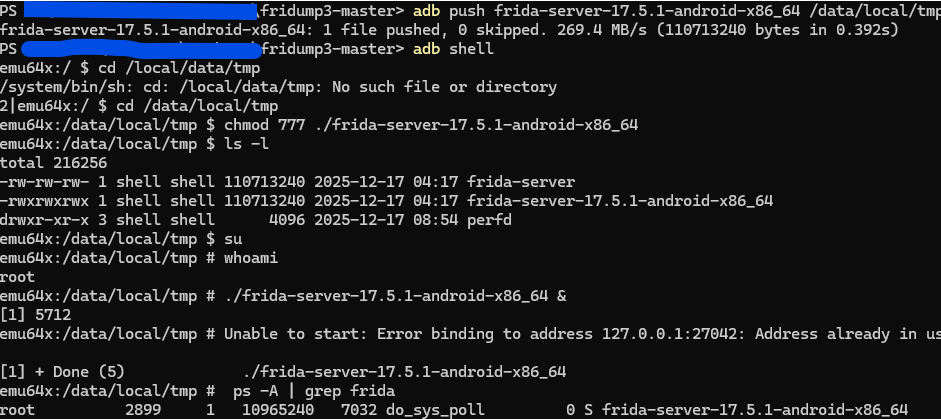
adb를 이용해 frida-server를 에뮬레이터에 복사하기
adb push frida-server-17.5.1-android-x86_64 /data/local/tmp
frida-server 파일 권한 변경/(백)실행
cd /data/local/tmp
chmod 777 ./frida-server-17.5.1-android-x86_64
su
./frida-server-17.5.1-android-x86_64 &
실행중 인지 확인
ps -A | grep frida
3. 에뮬 메모리 덤프 환경 만들기
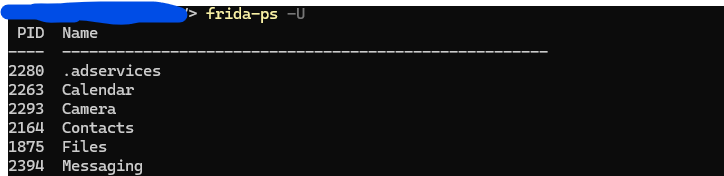
ProcessId 찾기
frida-ps -U
메모리 덤프 실행
python fridump3.py -u -r [pid] -s
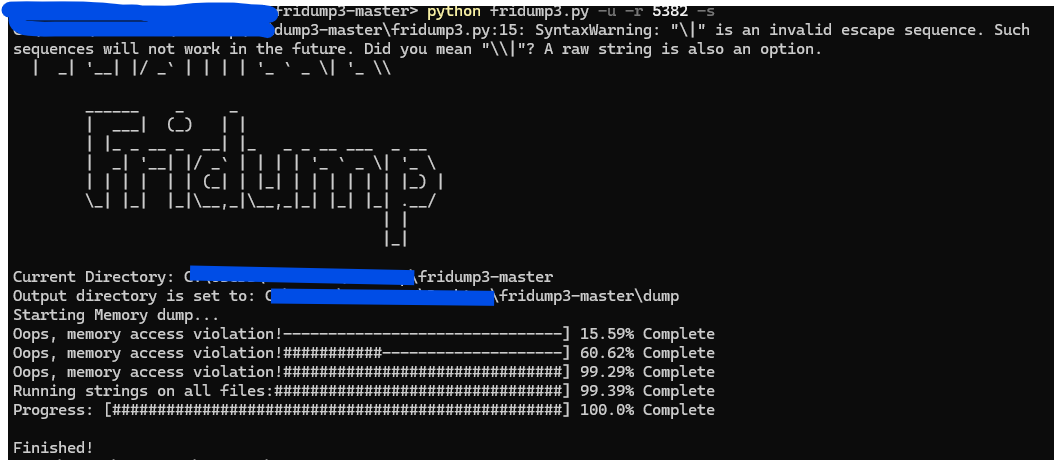
결과 확인 -> dump 폴더에 string.txt 파일 확인
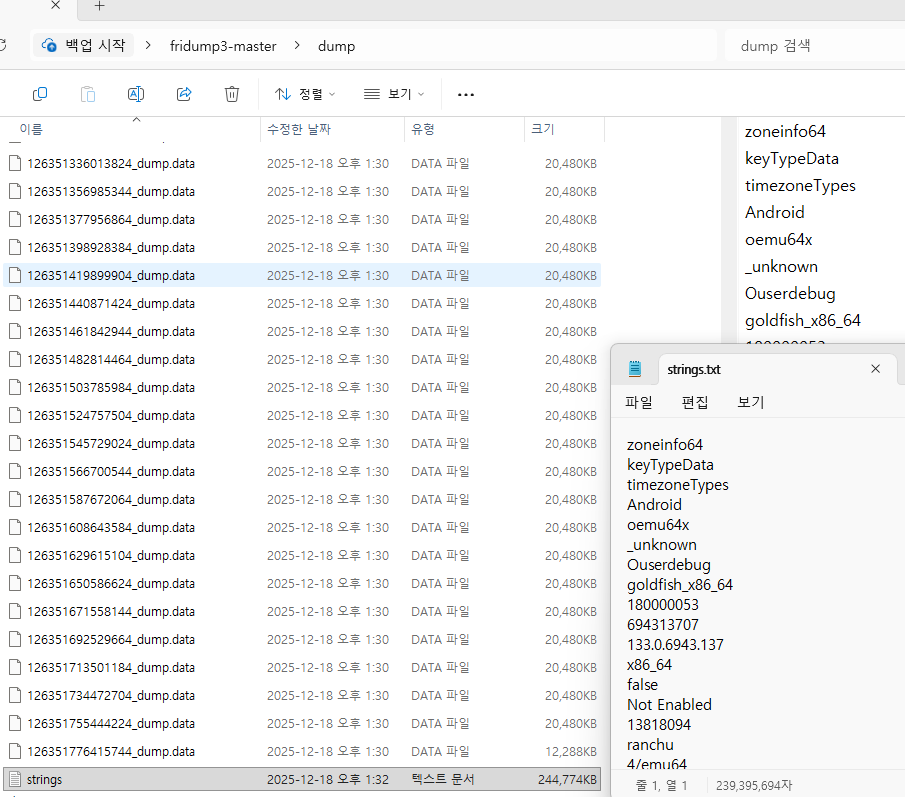
+) 취약성 진단(메모리 덤프 내 중요 정보 평문 방지)
비밀번호와 같이 평문으로 나오면 안되는걸 string -> char[] 으로 사용하면 됩니다.