JavaScript 응용편
- Truthy & Falsy ⭐️
: 자바스크립의 만의 참거짓 판단 기준이 있음
: 참 ) {}, 숫자, “0”, “false”, Infinity (양의 무한대) …
→ 참 같은 값 : Truthy
: 거짓 ) null, undefined, 0, -0, NaN, “”(빈 문자열), …
→ 거짓 같은 값 : Falsy
const getName = (person) => {
	return perseon.name;
};

let person = {name: "minji"};
const name = getName(person);

console.log(name); // minji

let person; // or let person = null; Error 발생. undefined 이기 때문에 property에 접근 불가

const getName = (person) => {
	if(person === undefined || person === null) {
		return "노 객체";
	}
	return perseon.name;
}

// ===== Falsy 속성 사용  ========

const getName = (person) => {
	if(!person) { // null과 undefined 는 false 로 리턴되기 때문에 효율적 코드 작성 위해 Falsy 사용
		return "노객체";
	}
	return perseon.name;
};- 삼항연산자
조건? 참 : 거짓
let a;

const result = a ? true : false;
console.log(result); // false

let score = 40;

score >= 90
	? console.log("A+)
	: score >= 50
	? console.log("B+")
	: console.log("F")
// 하지만 이런 코드는 가독성이 떨어져 노굿임 - 단락회로 평가
: 논리연산자 특성 사용. 왼 → 오른쪽으로
: 논리연산자 ) && (and), || (or), ! (not)
console.log(false && true); // false // 앞의 값만 보고 바로 판단해벌임
console.log(true || false); //

const getName = (person) => {
	if(!person) {
		return "노객체";
	}
	return person.name;
};

let person;
const name = getName(person);
console.log(name);

// truthy, falsy 이용하면 간지나게 사용 가능
const getName = (person) => {
	return person && person.name; // 앞에가 false면 person.name 가지 않고 바로 리턴때림
}
// 근데, person 을 바로 리턴해버리기 때문에 undefined나 null이 직혀벌임

const getName = (person) => {
	const name = person && person.name;
	return name || "노 객체";
};- 조건문 업그레이드
function isKoreanFood(food) {
	if(["불고기", "덕복희", "빔입밥"].includes(food)){
		return "true";
	}
	return "false";
}

/// ======

const getMeal = (mealType) => {
	if(mealType === '한식') return "불고기";
	if(mealType === '양식') return "팟흐타";
	if(mealType === '중식') return "짜장면";
	if(mealType === '일식') return "초밥";
	return "먹지마";
}

// =>  너무 많으면 개노잼 코드임
// => 해결) 괄호표기법

const meal = {
	한식 : "불고기",
	중식 : "멘보샤",
	일식 : "초밥",
	양식 : "스테이크",
	인도식 : "카레"
};

const getMeal = (mealType) => {
	return meal[mealType] || "먹지마";
};- 비구조화 할당 (=구조분해할당) ⭐️
: 배열, 객체를 간지나게 사용해보자 ~
let arr = ["one", "two", "three"];

// before :: 반복코드 존재
let one = arr[0];
let two = arr[1];
let three = arr[2];

// after :: 배열의 비구조화 할당
let [one, two, three] = arr;

// after2
let [one, two, three] = ["one", "two", "three"];

let [one, two, three, four] = ["one", "two", "three"];
// 출력 : one two three undefined

let [one, two, three, four='four'] = ["one", "two", "three"];
// 출력 : one two three four

// swap 활용편
// before
let a = 10;
let b = 20;

let tmp = 0;
tmp = a;
a = b;
b = tmp;

// after
[a, b] = [b, a]; // a는 0번 인덱스 b 값을 할당받고, b는 1번 인덱스인 a 값을 할당받음

// 객체 비구조화할당
// before
let object = {one:"one", two:"two", three:"three"};

let one = object.one;
let two = object.two;
let three = object.three;

// after
let {one, two, three} = object; // one 이라는 key를 가진 object key의 값 할당
// key값 기준 할당됨. 순서아님

// key 명말고 다른 거 사용해보기
let object = {one:"one", two:"two", three:"three", name: "이민지"};
let { name : myName, one, two } = object;
console.log(myName); // 이민지

// 기본값 할당도 가넝
let { name : myName, one, two, four = 'four' } = object;- Spread 연산자
const cookie = {
	base : "cookies",
	madeIn : "korea"
};

// before
const chocochipCookie = {
	base : "cookies",
	madeIn : "korea",
	toping : "chocochip"
}

const blueberryCookie = {
	base : "cookies",
	madeIn : "korea",
	toping : "blueberry"
}

const strawberryCookie = {
	base : "cookies",
	madeIn : "korea",
	toping : "strawberry"
}

// after :: spread 연산자 사용

const chocochipCookie = {
	...cookie,
	toping : "chocochip"
}

const blueberryCookie = {
	...cookie,
	toping : "blueberry"
}

const strawberryCookie = {
	...cookie,
	toping : "strawberry"
}

// 배열에도 사용 가능
const noTopingCookies = ['촉촉한쿠키', '안촉촉한쿠키'];
const topingCookies = ['바나나쿠키', '블루베리쿠키', '딸기쿠키', '초코칩쿠키'];

const allCookies = [...noTopingCookies, ...topingCookies]- 동기 & 비동기 ⭐️
: 스레드 - 코드 한줄한줄 실행시켜주는 친구
: 자바스크립트는 싱글스레드임 ㅜ 멀티스레드를 못씀 .. ⇒ 비동기 방식사용
: “먼저 작성된 코드의 결과를 기다리지 않고 다음 코드 바로 실행" :: 비동기 작업 (논블로킹 방식)
: 결과확인 ? :: 콜백 !
: Heap ) 변수, 상수들의 사용되는 메모리 저장 영역
: Call Stack ) 코드의 실행에 따라 호출 스택을 쌓는 영역
// 동기적 방식
function taskA() {
	console.log("A 작업 끝");
}

taskA();
console.log("코드 끝");

// A 작업 끝 -> 코드 끝

// 비동기적 방식
function taskA() {
	setTimeout(() => {
		console.log("A TASK END");
	}, 2000)
}

taskA();
console.log("코드 끝");

// 코드 끝 -> A TASK END

// 콜백 함수 사용
function taskA(a, b, cb) {
	setTimeout(() => {
		const res = a + b;
		cb(res);
	}, 3000)
}

taskA(3, 4, (res)=> {
	console.log("A TASK RESULT : ", res);
});

function taskB(a, cb) {
	setTimeout(() => {
		const res = a * 2;
		cd(res);
	}, 1000);
}

taskB(7, (res) => {
	console.log(B TASK RESULT : ", res);
});

// B TASK 먼저 출력됨 - Promise - 콜백 지옥에서 탈출하기 ⭐️
: 콜백 함수가 계속 중첩되어 사용되는 경우를 방지하기 위해
: Promise 객체 사용 !!!!
: 비동기 작업이 가지는 3가지 상태
- Pending (대기상태)
- Fulfilled (성공)
- Rejected (실패)
function isPositive(number, resolve, reject){
	setTimeout(() => {
		if(typeof number === 'number') {
			// 성공 -> resolve
			resolve(number >= 0? "양수" : "음수");
		} else {
			// 실패 -> reject
			reject("주어진 값이 숫자형이 아님");
		}
	}, 2000);
}

isPositive(10, (res) => {
		console.log("성공수행 : ", res);
	}, (err) => {
		console.log("실패 : ", err);
	});

// Promise 객체 이용해 비동기처리 다시 만들기
// executor : 비동기 작업을 실제 수행하는 친구
function isPositiveP(number) {
	const executor = (resolve, reject) => {
		setTimeout(() => {
			if(typeof number === 'number') {
				// 성공 -> resolve
				resolve(number >= 0? "양수" : "음수");
			} else {
				// 실패 -> reject
				reject("주어진 값이 숫자형이 아님");
			}
		}, 2000);
	}
	const asyncTask = new Promise(executor);
	return asyncTask
}

const res = isPositiveP(101); // res는 Promise 객체를 반환받음

res
	.then((res) => {
		console.log("작업성공 :", res);
	})
	.catch((err) => {
		console.log("작업실채 : ", err);
	});
function taskA(a, b, cb) {
setTimeout(() => {
const res = a + b;
cd(res);
}, 3000)
}
function taskB(a, cd) {
setTimeout(() => {
const res = a * 2;
cd(res);
}, 1000)
}
function taskC(a, cd) {
setTimeout(() => {
const res = a * -1;
cd(res);
}, 2000)
}
// before
taskA(3, 4, (a_res) => {
console.log("taskA : ", a_res);
taskB(a_res, (b_res) => {
console.log("taskB : ", b_res);
taskC(b_res, (c_res) => {
console.log("taskC : ", c_res);
});
});
});
// after :: Promise 객체 사용
function taskA(a, b) {
return new Promise((resolve, reject) => {
setTimeout(() => {
const res = a + b;
resolve(res);
}, 3000);
});
}
function taskB(a) {
return new Promise((resolve, reject) => {
setTimeout(() => {
const res = a * 2;
resolve(res);
}, 1000);
});
}
function taskC(a) {
return new Promise((resolve, reject) => {
setTimeout(() => {
const res = a * -1;
resolve(res);
}, 2000);
});
}
taskA(3,4).then((a_res) => {
console.log("A REUSLT : ", a_res);
taskB(a_res).then((b_res)=> {
console.log("B REUSLT : ", b_res);
taskC(b_res).then((c_res)=> {
console.log("C REUSLT : ", c_res);
});
});
});
// 아니 근데 뭐야? 이것도 근데 callback depth가 있잖아 ~~
// 그래서 이렇게 함 해보세요 ~
taskA(3,4).then((a_res) => {
console.log("A REUSLT : ", a_res);
return taskB(a_res);
}).then((b_res) => {
console.log("B REUSLT : ", b_res);
return taskC(b_res);
}).then((c_res) => {
console.log("C REUSLT : ", c_res);
});
// 어차피 계속 Promise 객체를 리턴 받기 때문에
// Promise 객체의 then 메서드를 연속적으로 사용 가능- async & await - 직관적인 비동기 처리 코드 작성 ⭐️
: Promise 를 직관적으로 쓸 수 있는 방법
: async)
function hello() {
	return "hello";
}

async function helloAsync(){ // 키워드 붙이면 자동으로 Promise 반환으로 바뀜 !
	return "helloAsync";
} // 리턴값 : 비동기 작업 객체 Promise의 resolve의 객체 값이 됨.

console.log(hello()); // hello 출력
console.log(helloAsync()); // Promise{<pending>} 출력

helloAsync().then((res) => {
	console.log(res);
}); // hello Async 출력됨
function delay(ms) {
return new Promise((resolve) => {
setTimeout(() => {
resolve();
}, ms)
});
}
// 콜백함수 안에 resolve 외에 없으면 콜백함수 자체를 resolve로 전달해도 됨
function delay(ms) {
return new Promise((resolve) => {
setTimeout(resolve,ms);
});
}
async function helloAsync() {
return delay(3000).then(() => {
return "hello Async";
});
}
// 별거 아닌데 코드 넘 길자너 .. ? => await 사용해 !
async function helloAsync() {
await delay(3000); // await 줄은 동기적으로 사용됨. await는 async 키워드가 붙은 함수에서만 사용가능
return "hello async";
}
async function main() {
const res = await helloAsync();
console.log(res);
}
main();마무리 ~ !
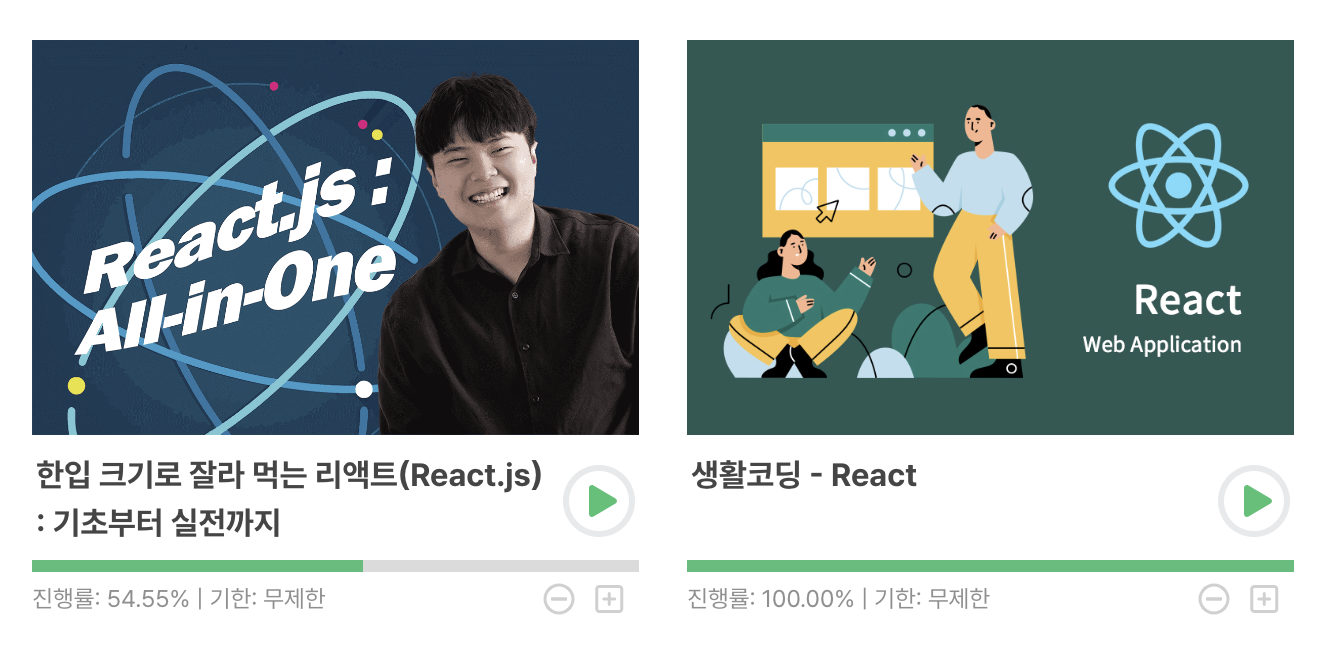
정리하며 참고 강의는 인프런에 한입 크기로 잘라 먹는 리액트를 참고했다! 아주 간단 명료 핵심만 싹싹 알려줘서 좋은 강의인듯.

짱이 되어야지 짱이 되어서 다 때리고 다닐거야.