
베네치아 타자게임?
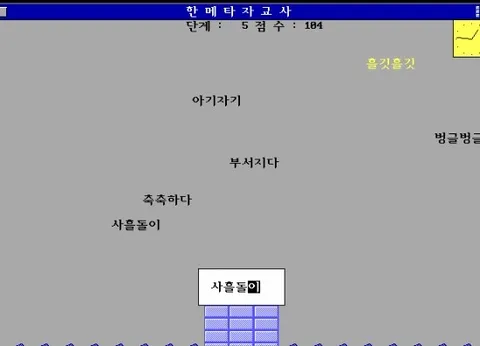
고전 타자게임인가봄.. 구글링해보니까 세기말 감성 화면나옴
 |  |
|---|
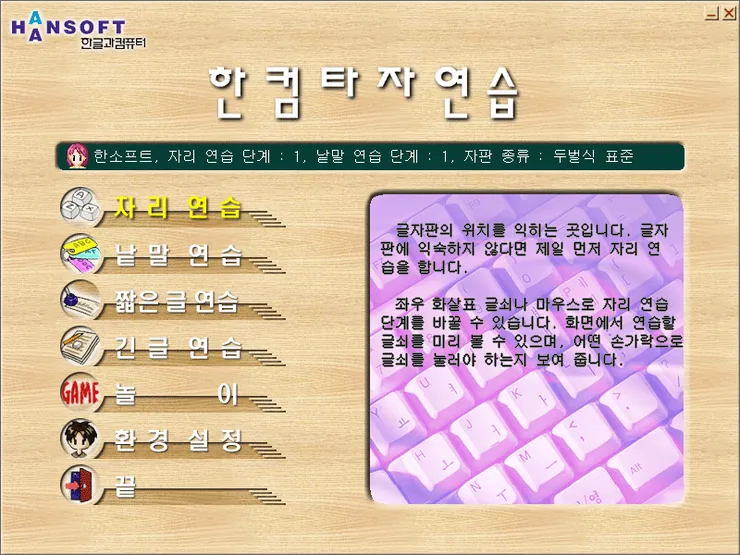
한메타자교사 (1989년~2003년)
난 오른쪽 한컴타자연습 썼는데 ㅋㅋㅋ 암튼 오늘은 이 타자게임을 JS로 구현해보았음
 |  |
|---|
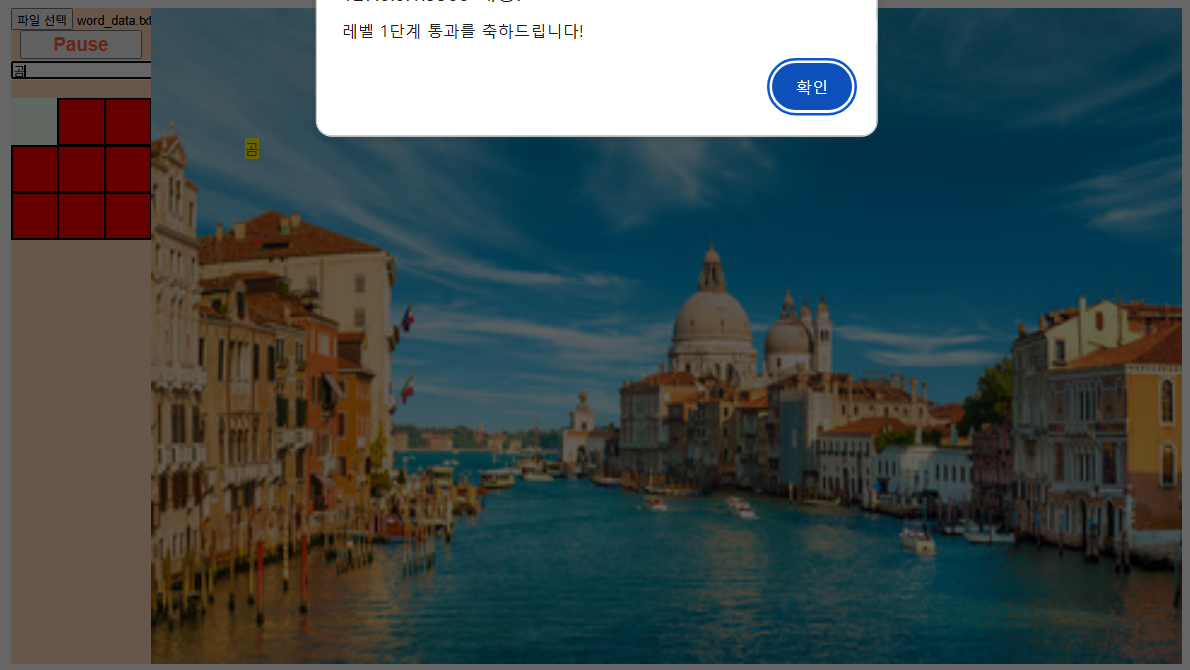
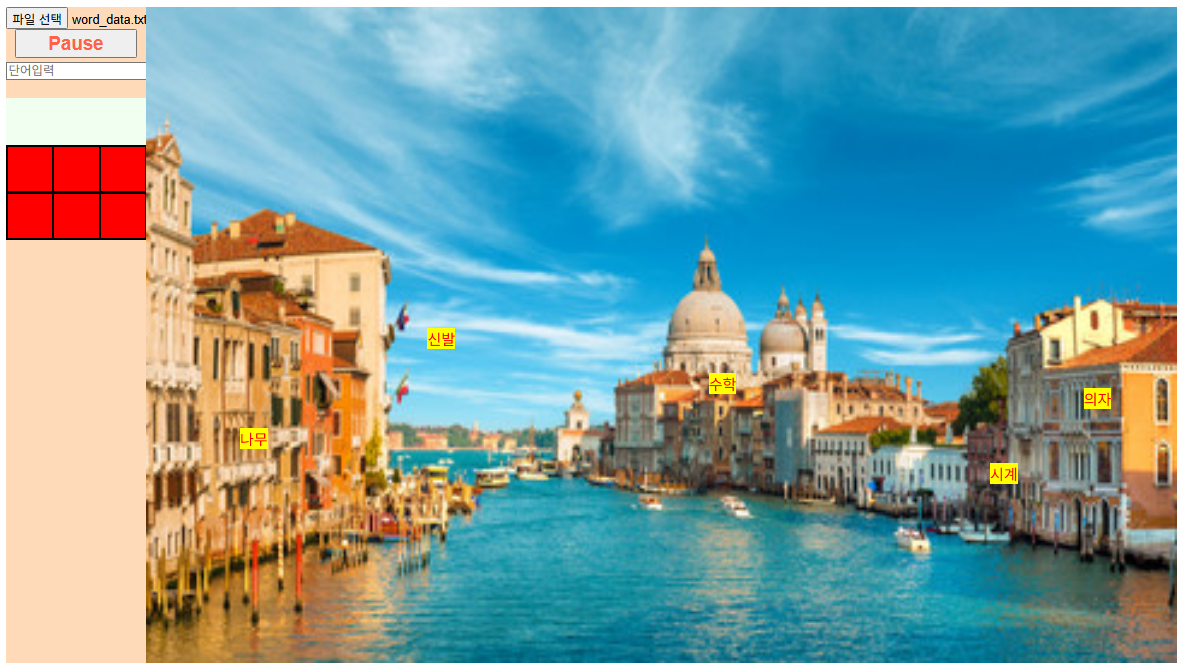
글씨가 잘 안보여서 노란 배경에 빨간 글씨...했더니 ㅋㅋ 디자인 망
1. 기본 구조 설계 (HTML + CSS)
    <title>베네치아 타자게임</title>
    <style>
        #wrapper{
            width: 1250px;
            height: 700px;
            margin: auto;
            overflow: hidden;
        }
        #aside{
            width: 150px;
            height: 100%;
            background-color: peachpuff;
            float: left;
            text-align: center;
        }
        button {
            width: 130px;
            height: 30px;
            color: tomato;
            font-weight: bold;
            font-size: 20px;
        }
        #content{
            width: 1100px;
            height: 100%;
            float: left;
            background-image: url(../images/베네치아/베네치아.jpg);
            background-size: 1100px 700px;
            position: relative;
        }
        #content span{
            background-color:yellow;
        }
        #box{
            width: 150px;
            height: 150px;
            background-color: honeydew;
            position: relative;
            margin-top: 20px;
        }
    </style>

    <body>
    <div id="wrapper">
        <div id="aside">
            <input type="file">
            <button>Start!</button>
            <input type="text" placeholder="단어입력">
            <div id="box"></div>
        </div>
        <div id="content">
        </div>
    </div>
    </body>
2. 자바스크립트 로직
<script src="./js/Word.js"></script>
<script src="../js_lib/common.js"></script>
<script src="./js/HP.js"></script>

<script>
    let wordArray;         // JSON에서 읽어올 전체 단어 데이터 (레벨별)
    let st;                // setInterval 타이머 ID (undifined 상태)
    let wordList = [];     // 현재 화면에 표시되는 Word 인스턴스가 담길 배열
    let speed = 200;       // 게임 속도 (레벨 올라갈 수록 숫자 감소==빠르게)
    let level = 0;         // 현재 게임 레벨 (몇 번째 배열 접근할 지 결정)
    let hpArray = [];      // HP 인스턴스가 담길 배열

    // ✅ 파일 읽기 및 단어 데이터 파싱
    function loadData(e){
        let file = e.target.files[0]; //사용자가 수락한 그 파일
        let reader = new FileReader();

        reader.onload = function (data){ //data는 다 읽어들인 결과물
            let jsonString = data.target.result; //메모장에 작성된 바로 그 문자열들
            let obj = JSON.parse(jsonString);

            wordArray = obj.wordList; //전역변수로 보관
            createWord(); // 첫 단어 생성
        };

        reader.readAsText(file); //문서 파일이기 때문에 readAsText선택
    }

    // 현재 레벨의 단어들로 Word 객체 생성
    function createWord() {
        for (let i = 0; i < wordArray[level].length; i++) {
            let word = new Word(document.getElementById("content"), 100+(i*100), getRandomByRange(-300, 300), wordArray[level][i], "red");
            wordList.push(word);
        }
    }

    // 게임 루프: 단어 낙하 및 화면 렌더링
    function nextStep() {
        for (let i = 0; i < wordList.length; i++) {
            wordList[i].tick();
            wordList[i].render();
            //모든 단어를 대상으로 tick(),render(),
        }
    }

    // 단어 전부 제거되면 다음 레벨로 진입
    function checkLevel() {
        if (wordList.length == 0) {
            alert(`레벨 ${level + 1} 단계 통과를 축하드립니다!`);
            level++;
            speed -= 200;

            createWord();
        }
    }

    // 사용자의 입력 단어 검사
    function checkText(obj) {
        for (let i = 0; i < wordList.length; i++) {
            if (wordList[i].text == obj.value) {
                // 단어 제거 (화면 + 배열)
                document.getElementById("content").removeChild(wordList[i].span);
                wordList.splice(i, 1);
                obj.value = "";
                checkLevel(); //레벨올려야하는지 함수에 맡기기
                return; //맞추면 함수 종료
            }
        }

        // 틀린 경우 HP 감소
        if (hpArray.length > 0) {
            let box = document.getElementById("box");
            box.removeChild(hpArray[0].div);
            hpArray.splice(0, 1);
        }

        // HP 전부 소진 시 게임 종료
        if (hpArray.length == 0) {
            clearInterval(st);
            alert("Game Over 😢 다시 시작하려면 새로고침하세요.");
        }

        obj.value = "";
    }

    // 9개의 HP 인스턴스 생성
    function createHP() {
        for (let i = 0; i < 3; i++) {
            for (let j = 0; j < 3; j++) {
                hpArray.push(new HP(document.getElementById("box"), 50*j, 50*i, 47, 47, "red", "black"));
            }
        }
    }

    // 메인 게임 루프
    function gameLoop() {
    	//단어가 내려오게 하기
        nextStep();
    }

    // 초기 설정
    function init() {
        document.querySelector("input[type=file]").addEventListener("change", function(e){
        	loadData(e);
        });

        document.querySelector("#aside button").addEventListener("click", function () {
            if (st == undefined) { //가동된 인터벌이 없다면
                st = setInterval(gameLoop, speed);
                this.innerText = "Pause";
            } else {
                clearInterval(st); //삭제 후
                st = undefined; //초기화
                this.innerText = "Start!";
            }
        });

        document.querySelector("#aside input[type='text']").addEventListener("keyup", function (e) {
            if (e.keyCode == 13) { // enter치면
            	//사용자가 입력한 단어와 화면에 생존해있는 단어 인스턴스 내부의
                //span의 innerText를 비교하자
                checkText(this);
            }
        });

        createHP(); // 초기 HP 생성
    }

    // 페이지 로드 시 init 실행
    addEventListener("load", init);
</script>
주목해야 할 코드
-
function
loadData(e)- 파일 읽기는 JavaScript가 직접 못하므로 FileReader로 처리
⚠ 브라우저에서 직접 파일 접근은 보안상 불가능
그래서 FileReader를 사용해 사용자가 수락한 파일을 읽고
➡ 문자열을 받아옴- e.target → 이벤트가 발생한
<input>요소
e.target.files → 사용자가 선택한 파일들을 담고 있는 FileList
e.target.files[0] → 첫 번째로 선택한 파일 (File 객체)
loadData(e)의 ‘e’
<input type="file"> 요소에서 발생한 “change” 이벤트의 Event 객체
- reader.onload =
function(data)의 'data'
FileReader가 파일을 다 읽었을 때 발생한 "load" 이벤트의 ProgressEvent 객체
- 파일 읽기는 JavaScript가 직접 못하므로 FileReader로 처리
-
function
checkText(obj)
위에서 return 안 됐으면 (=틀렸으면)
아래 코드가 계속 실행됨 (HP 감소 + 게임오버 검사 계속 진행)
tick과 render
| 용어 | 비유 |
|---|---|
tick() | 단어의 "y좌표" 값을 바꿈 → 머릿속 위치만 바뀜 |
render() | 그 바뀐 위치를 진짜 화면에 적용 → "눈으로 보이게" 만듦 |

아이들의 가능성을 믿었던 마음 그대로, 이제는 나의 가능성을 믿고 나아가는 중입니다.🌱