🎰 개발 배경
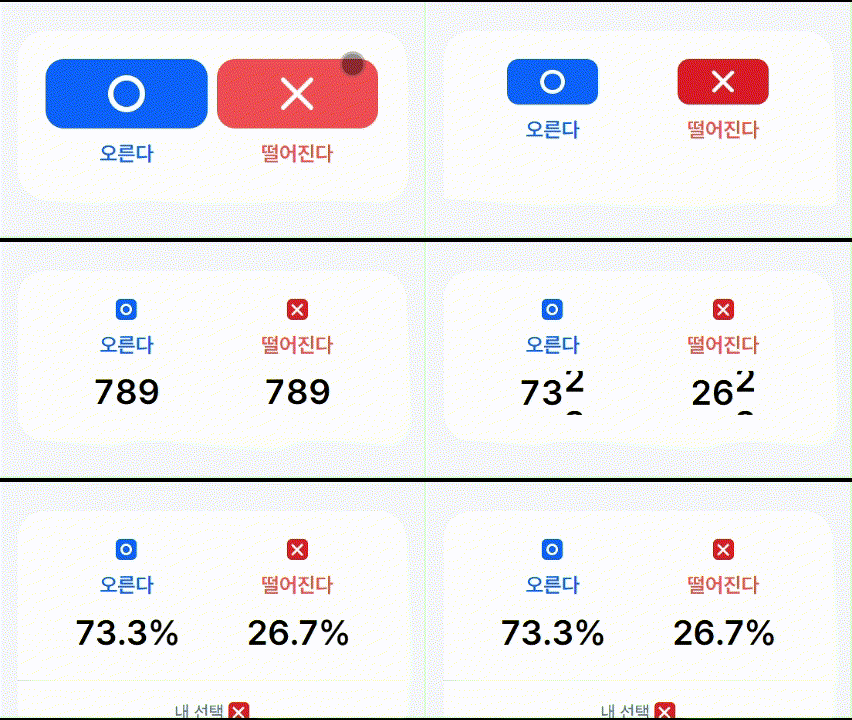
개발중인 투표 기능에서 사용자가 투표를 완료한 뒤, 각 선택지에 대한 결과 비율(%)을 보여주는 화면이 필요했다
단순히 "숫자만 딱" 보여주는 것보다, 사용자가 눈으로 확실히 인지하고, 몰입할 수 있는 연출이 있었으면 좋겠다는 생각이 들었다
그래서 숫자가 내려오면서 정해지는 슬롯머신 애니메이션 효과를 도입해 보기로 했다!
Slot Machine 컴포넌트란?
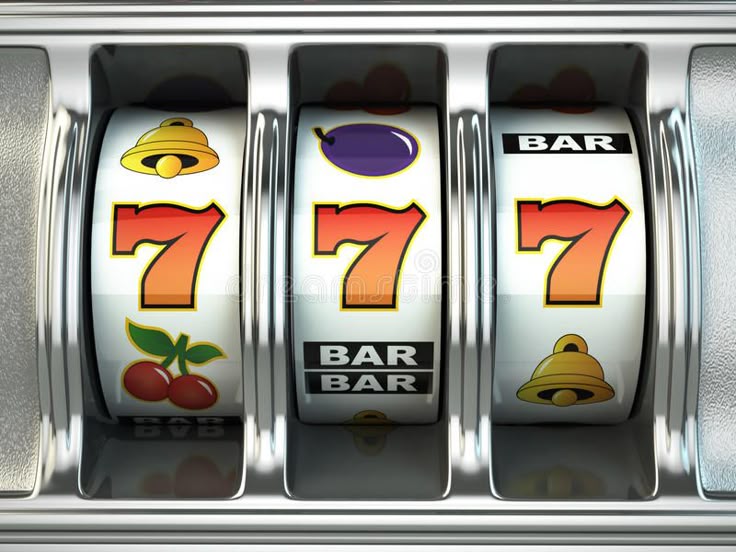
슬롯머신은 도박시설에서 볼 수 있는 도박기기다
슬롯머신에서 레버를 당기거나 버튼을 누르면 라인 당 하나씩 순차적으로 멈추는 효과를 구현하고자 했다.
숫자를 자리수마다 나누어 릴처럼 구성하고, 각각 독립적으로 애니메이션을 실행시켜 최종적으로 투표 결과의 퍼센트 숫자를 출력해주는 컴포넌트이다.
예를 들어 결과적으로 72.3% 를 보여줘야 하면
화면에서는 '7', '2', '3' 각각이 릴로 돌아가며 슬롯머신처럼 등장한다.
릴(Reel)이란
유튜브 릴스, 인스타그램 릴스의 그 릴이 맞다.
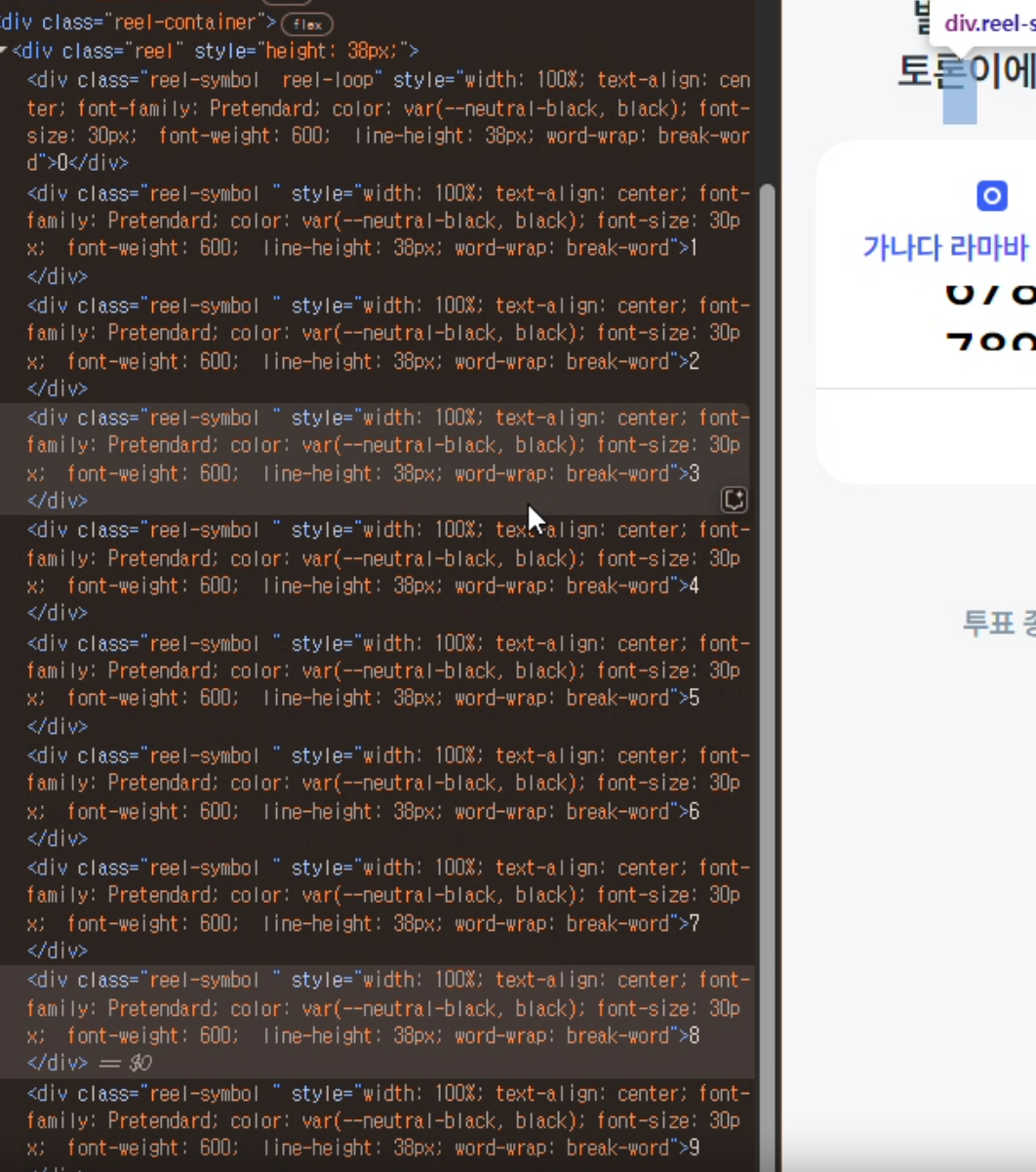
세로 방향으로 심볼들이 줄지어 구성되어있는 기둥이라고 생각하면 쉽다
하나의 릴에서는 0~9 숫자들이 세로 방향으로 존재하고 실제로 보이는 화면 영역에는 하나의 숫자만 보이도록 영역의 크기를 폰트 사이즈에 맞게 작게 조정해준다.
구현 조건
- 동시에 여러 개의 Slot Machine 컴포넌트를 로드한다
- 각각의 컴포넌트의 애니메이션이 끝나는 시간(TOTAL_ANIMATION_TIME)을 동일하게 맞춰야 한다.
- 소수점과 퍼센트는 슬롯머신에서 제외된다. 즉 릴 안에는 0~9 숫자만 포함된다.
애니매이션 지속 시간(TOTAL_ANIMATION_TIME)
릴이 등장하고 모든 칸의 숫자가 멈추는데 까지 걸리는 시간이다.
구현 조건 1,2 때문에 모든 컴포넌트의 애니메이션 지속 시간을 특정 시간으로 정해야 했다.
애니메이션 시간 설정은 아래와 같다.
TOTAL_ANIMATION_TIME = REELING_TIME + STOP_SPINNING_TIME_DIFFERENCE x (릴 개수-1)
= 첫번째 칸의 숫자의 정지까지 걸린 시간 + (릴 개수 - 1) * (이전 칸 숫자가 정지 ~ 현재 칸의 숫자가 정지 사이 시간)
릴 개수가 1일 경우(0%) : TOTAL_ANIMATION_TIME = REELING_TIME
구현 과정
- 릴 시작 : 모든 칸에서 숫자가 세로로 떨어지는 loop 애니메이션 적용
REELING_TIME초 후 : 첫번째 칸 숫자의 loop 애니메이션이 멈춤 (정지 트리거)REELING_TIME+ (N-1) *STOP_SPINNING_TIME_DIFFERENCE초 후 : N번째 숫자의 loop 애니메이션이 멈춤TOTAL_ANIMATION_TIME초 후 : 모든 숫자의 loop 애니메이션이 멈춤- 릴 컴포넌트 제거
- 5번 과정과 동시에 소수점,퍼센트 포함하는 컴포넌트로 교체
- 소수점) width : 0px
- 소수점, 퍼센트) opacity : 0
animation-delay초 뒤animation-duration동안 소수점, 퍼센트 등장 트랜지션 적용- 소수점) width : 8px
- 소수점, 퍼센트) opacity : 1
변수 설정
- 릴 시간
SLOT_DELAY: 릴이 영역에 뜨기 전 지연 시간REELING_TIME: 릴 시작 후 첫번째 숫자가 멈추는 데까지 걸리는 시간TOTAL_ANIMATION_TIME: 릴 시작 후 마지막 숫자가 멈추는 데까지 걸리는 시간
- 애니메이션
- Reel Loop 의
animation-duration(릴링 속도)
= 0~9 숫자들이 포함된 하나의 릴 컴포넌트의 포지션 속성이 top: -300px에서 0px으로 변경되는 데까지 걸리는 시간
* top:-300px 의미 : 숫자 한개의 height이 30px ⇒ 30 (10개) ⇒ 하나의 릴에서 모든 숫자들이 다 보여지기 위한 높이
구현 코드
  const runSlotMachine = () => {
    // 전체 실행 시간을 고정값으로 설정 (예: 1초)
    const TOTAL_ANIMATION_TIME = totalAnimationTime;
    const REELING_TIME = 900;
    if (!reelContainerRef.current) return;

    // 초기 릴 HTML 생성
    let reelsHtml = "";
    myNumberArray.forEach((_, index) => {
      reelsHtml += `
        <div class="reel" style="height: ${reelHeight}px;">
          ${hiddenReelsArray[index % 10]}
        </div>
      `;
    });

    reelContainerRef.current!.innerHTML = reelsHtml;

    let myTimer = REELING_TIME;
    const STOP_SPINNING_TIME_DIFFERENCE =
      myNumberArray.length === 1
        ? TOTAL_ANIMATION_TIME - REELING_TIME
        : (TOTAL_ANIMATION_TIME - REELING_TIME) / (myNumberArray.length - 1);

    if (myNumberArray.length === 1) {
      myTimer = TOTAL_ANIMATION_TIME;
    }

    myNumberArray.forEach((myValue, myIndex) => {
      const nextValue = /^[0-9]$/.test(myValue)
        ? ((parseInt(myValue, 10) + 1) % 10).toString()
        : "0";

      setTimeout(() => {
        if (!reelContainerRef.current) return;
        const reel =
          reelContainerRef.current!.querySelectorAll(".reel")[myIndex];

        // 릴이 멈춘 뒤
        if (reel) {
          reel.innerHTML = `
            <div class="reel-symbol main-reel-symbol reel-stop" style="width: 100%; text-align: center;  font-family: Pretendard; ${fontStyle} word-wrap: break-word">${myValue}</div>
            <div class="reel-symbol" style="width: 100%; text-align: center;  font-family: Pretendard; ${fontStyle} word-wrap: break-word">${nextValue}</div>
          `;
        }


        // 마지막 릴이 멈춘 이후
        const isLastReel = myIndex === myNumberArray.length - 1;


        if (isLastReel) {
          // 소수점, 퍼센트 등장
          setTimeout(() => {
            if (reelContainerRef.current) {
              const mainContainer = reelContainerRef.current.parentElement;
              if (mainContainer) {
                const reelContainer: any =
                  mainContainer.querySelector(".reel-container");
                if (reelContainer) {
                  reelContainer.style.display = "none";

                  // 숫자를 정수부와 소수부로 분리
                  const [integerPart, decimalPart] = initialValue
                    .toString()
                    .split(".");

                  const numberContainer = document.createElement("div");
                  numberContainer.style.cssText = `
                    display: flex;
                    align-items: center;
                    position: relative;
                  `;

                  // 정수 부분 추가
                  const integerDigits = integerPart.split("").map((digit) => {
                    const span = document.createElement("span");
                    span.className = "digit";
                    span.style.cssText = `
                      display: inline-block;
                      text-align: center;
                      font-family: Pretendard;
                      ${fontStyle}
                    `;
                    span.textContent = digit;
                    return span;
                  });

                  // 소수점 추가
                  const dotSpan = document.createElement("span");
                  dotSpan.className = "digit dot";
                  dotSpan.style.cssText = `
                    display: inline-block;
                    text-align: center;
                    font-family: Pretendard;
                    ${fontStyle}
                    opacity: 0;
                    width: 0px;
                    transition: all 0.6s ease-in-out;
                  `;
                  dotSpan.textContent = ".";

                  // 소수부 추가
                  const decimalDigits = decimalPart
                    ? decimalPart.split("").map((digit) => {
                        const span = document.createElement("span");
                        span.className = "digit decimal";
                        span.style.cssText = `
                      display: inline-block;
                      text-align: center;
                      font-family: Pretendard;
                      ${fontStyle}
                      transition: all 0.6s ease-in-out;
                    `;
                        span.textContent = digit;
                        return span;
                      })
                    : [];

                  const percentSpan = document.createElement("span");
                  percentSpan.className = "digit percent";
                  percentSpan.style.cssText = `
                    display: inline-block;
                    text-align: center;
                    font-family: Pretendard;
                    ${fontStyle}
                    width: 0px;
                    opacity: 0;
                    transition: all 0.6s ease-in-out;
                  `;
                  percentSpan.textContent = "%";

                  // 모든 요소를 컨테이너에 추가
                  integerDigits.forEach((digit) =>
                    numberContainer.appendChild(digit)
                  );
                  if (decimalPart) {
                    numberContainer.appendChild(dotSpan);
                    decimalDigits.forEach((digit) =>
                      numberContainer.appendChild(digit)
                    );
                  }
                  numberContainer.appendChild(percentSpan);

                  mainContainer.appendChild(numberContainer);

                  // 소수점과 소수부 애니메이션 시작
                  setTimeout(() => {
                    if (decimalPart) {
                      dotSpan.style.opacity = "1";
                      dotSpan.style.width = `${dotWidth}px`;
                    }
                    percentSpan.style.opacity = "1";
                    percentSpan.style.width = `${percentWidth}px`;
                  }, 50);
                }
              }
            }
          }, 200);
        }
      }, myTimer); // REELING_TIME+STOP_SPINNING_TIME_DIFFERENCE 초 후 정지 index 번째 릴 정지

      myTimer += STOP_SPINNING_TIME_DIFFERENCE;
    });
  };