해당 게시물은 Udemy의 "JSP, Servlets and JDBC for Beginners" 강의를 정리한 내용입니다. 영어를 한국어로 번역하는 과정에서 잘못된 부분이 있을 수 있습니다.
This post summarizes Udemy's "JSP, Servlets and JDBC for Beginners" lecture.
HTML form 기초
1. HTML form 작성하기
- 어디로 form data를 보낼지 명시한다.
<!--student-form.html-->
<html>
<head><title>Student Registration Form</title></head>

<body>
<form action="student-response.jsp">

	First name: <input type="text" name="firstname"/>

	<br/><br/>

	Last name: <input type="text" name="lastname"/>


	<br/><br/>

	<input type="submit" value="Submit"/>

</form>
</body>
</html>
2. JSP로 form data 읽기
<html>
<head><title> Student Confirmation Title </title></head>

<body>

 The student is confirmed : ${param.firstname} ${param.lastname}

</body>


</html>
결과


HTML 드롭다운 리스트
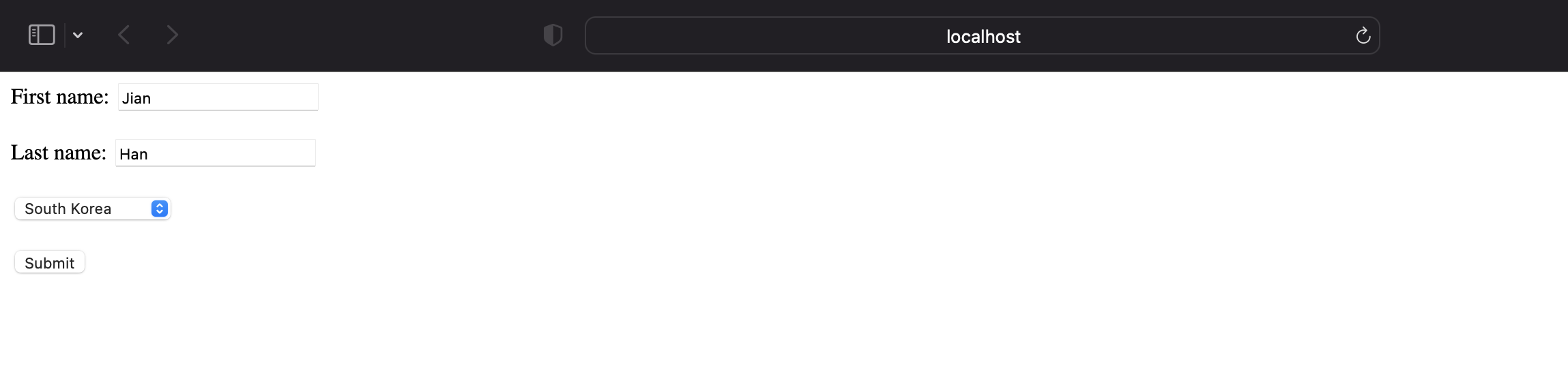
- Dropdown 구현된 HTML
<!--student-dropdown-form.html-->
<html>
<head><title>Student Registration Form</title></head>

<body>
<form action="student-dropdown-response.jsp">

	First name: <input type="text" name="firstname"/>

	<br/><br/>

	Last name: <input type="text" name="lastname"/>


	<br/><br/>

		<!-- Drop down list -->
	<select name="country">
		<option> South Korea </option>
		<option> Japan </option>
		<option> France </option>
		<option> India </option>
		<option> United Kingdom </option>

	</select>

	<br/><br/>

	<input type="submit" value="Submit"/>

</form>
</body>
</html>
- 선택한 국가 출력하는 JSP 파일
<html>
<head><title> Student Confirmation Title </title></head>

<body>

 		The student is confirmed : ${param.firstname} ${param.lastname}

		<br/><br/>
		The student's country : ${param.country}
</body>
</html>
결과

HTML 라디오버튼
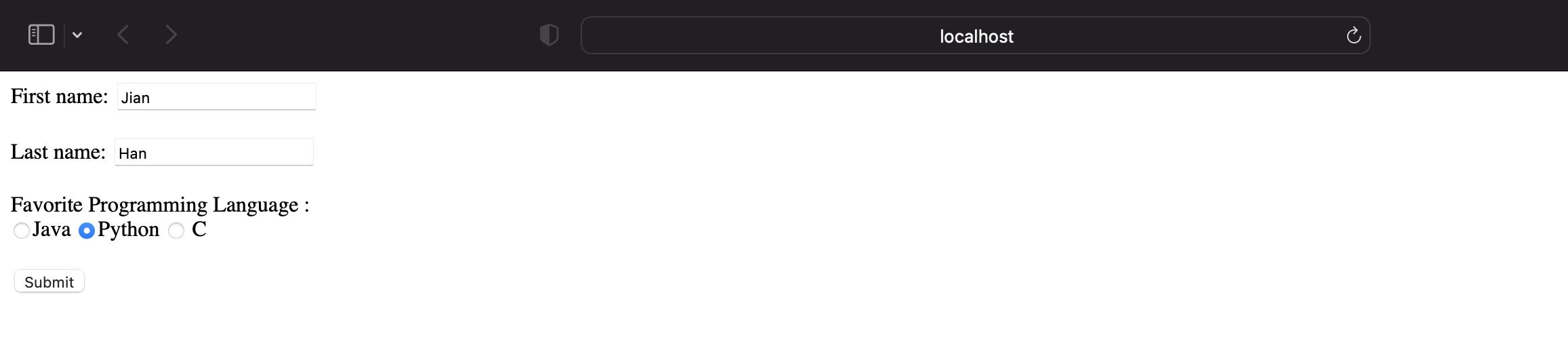
- 라디오버튼으로 구현된 HTML
- 라디오버튼은 한 개의 선택지만 고를 수 있음
<!--student-radio-form.html-->
<html>
<head><title>Student Registration Form</title></head>

<body>
<form action="student-radio-response.jsp">

	First name: <input type="text" name="firstname"/>

	<br/><br/>

	Last name: <input type="text" name="lastname"/>


	<br/><br/>
	Favorite Programming Language : <br/>

	<input type="radio" name="favoriteLanguage" value="Java">Java
	<input type="radio" name="favoriteLanguage" value="Python">Python
	<input type="radio" name="favoriteLanguage" value="C"> C

	<br/><br/>

	<input type="submit" value="Submit" />
</form>
</body>
</html>
- 라디오 버튼으로 입력한 값 받는 JSP 파일
<html>
<head><title> Student Confirmation Title </title></head>

<body>

 		The student is confirmed : ${param.firstname} ${param.lastname}
 		<br/><br/>
 		The student's favorite programming language: ${param.favoriteLanguage}

</body>
</html>
결과

HTML 체크박스
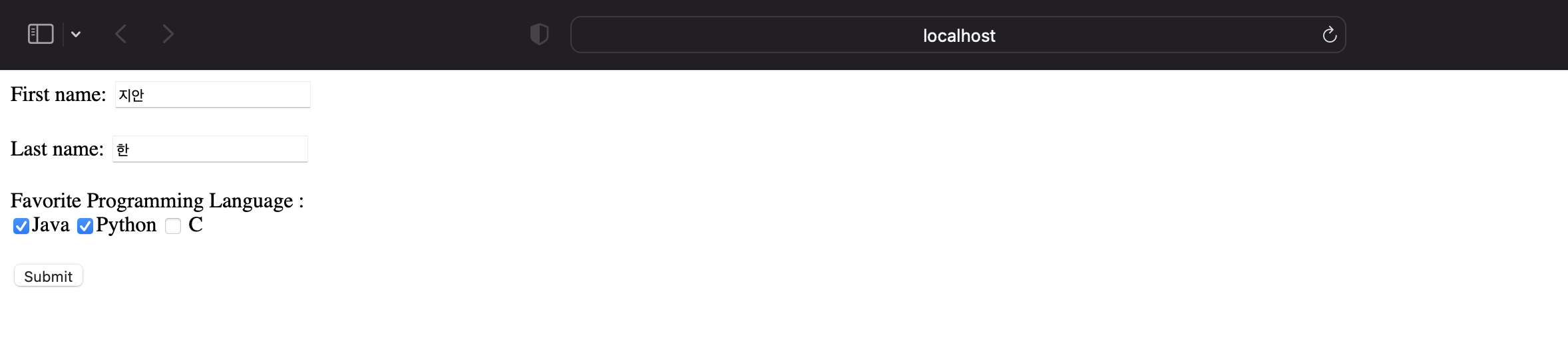
- 체크박스로 구현된 HTML
- 체크박스는 여러 개의 선택지를 고를 수 있음
<!--student-checkbox-form.html-->
<html>
<head><title>Student Registration Form</title></head>

<body>
<form action="student-checkbox-response.jsp">

	First name: <input type="text" name="firstname"/>

	<br/><br/>

	Last name: <input type="text" name="lastname"/>


	<br/><br/>
	Favorite Programming Language : <br/>

	<input type="checkbox" name="favoriteLanguage" value="Java">Java
	<input type="checkbox" name="favoriteLanguage" value="Python">Python
	<input type="checkbox" name="favoriteLanguage" value="C"> C

	<br/><br/>

	<input type="submit" value="Submit" />
</form>
</body>
</html>- 선택한 국가 출력하는 JSP 파일
- 기존에 라디오박스처럼 ${param.country} 으로 입력값을 받아올 수 없다.
- 선택하는 것이 한개보다 많을 경우에는 string 형태로 받아와야 하기 때문이다.
<!-- student-checkbox-response.jsp-->
<%@ page language="java" contentType="text/html; charset=UTF-8" pageEncoding="UTF-8"%>
<html>
<head><title> Student Confirmation Title </title></head>

<body>

 		The student is confirmed :  ${param.lastname} ${param.firstname}

		<br/><br/>
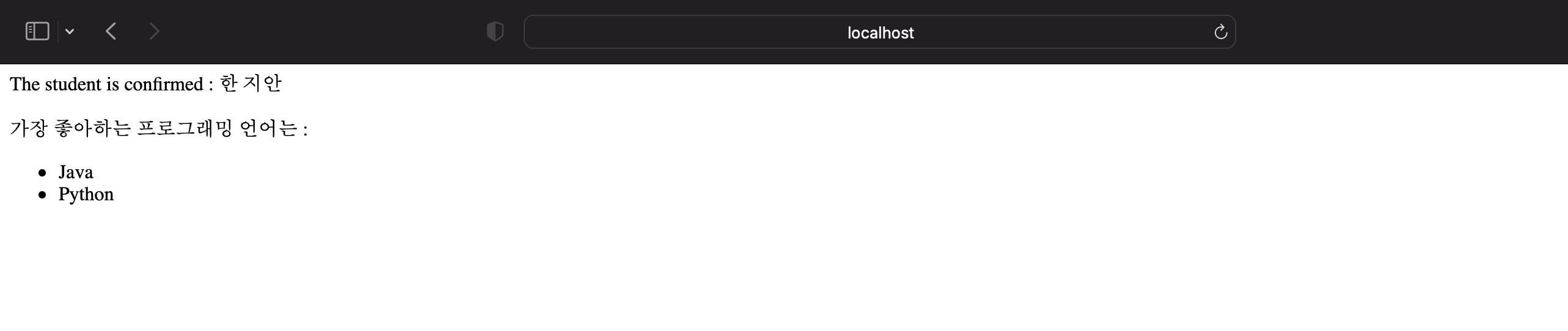
		가장 좋아하는 프로그래밍 언어는 : <br/>
		<!--  가장 좋아하는 언어를 unordered list 태그로 받음  -->
		<ul>

			<%
			request.setCharacterEncoding("UTF-8");
			response.setContentType("text/html; charset= UTF-8");
			String[] langs = request.getParameterValues("favoriteLanguage");

			//만약 사용자가 checkbox를 고르지 않는다면, null exception 발생하기에 조건문 추가
			   if (langs != null) {
				for (String tempLang : langs){
					out.println("<li>" + tempLang + "</li>");
				}
			   }
			%>

		</ul>

</body>
</html>
결과
한글이 깨져서 웹 페이지가 보일 때 해결방안
Servers 폴더 ➔ server.xml ➔ Connector 태그에 URIEncoding="euc-kr" 추가

Slow and Steady