해당 게시물은 Udemy의 "JSP, Servlets and JDBC for Beginners" 강의를 정리한 내용입니다. 영어를 한국어로 번역하는 과정에서 잘못된 부분이 있을 수 있습니다.
This post summarizes Udemy's "JSP, Servlets and JDBC for Beginners" lecture.
<%@ page language="java" contentType="text/html; charset=euc-kr" pageEncoding="EUC-KR"%>
<%@ page import="java.util.*" %>
<html>

<body>

<!--  Step 1 : HTML form 생성  -->

<form action ="todo-demo.jsp">
Add new item : <input type ="text" name = "theItem"/>

<input type = "submit" value="Submit"/>

</form>

<!--  Step 2:  "To Do" 리스트에 새로운 아이템 추가하기  -->

<%
	// TO DO 아이템들을 세션에서 받기
	// session.getAttribute 메소드는 type java.lang.Object 를 반환할 것이다
	// 따라서 List<String> 으로 downcast 하는 것
	// 참고로 세션객체는  각각의 웹유저에게 unique하다

	List<String> items = (List<String>) session.getAttribute("myToDoList");


	// 만약 TO DO 아이템들이 존재하지 않을 경우, 새로운 리스트 만들고 세션에 추가하기
	// 이때, 메소드의 속성값을 변경시키므로 setAttribute
	// 즉, 웹 페이지 맨 처음 초기상태 일때

	if (items == null){
		items = new ArrayList<String>();
		session.setAttribute("myToDoList", items);
	}

	// 추가할 form 데이터가 있는지 보기
	// 사용자가  데이터를  입력했을 경우 items에 추가

	String theItem = request.getParameter("theItem"); // theItem은 form field 의 이름


	// 입력받은 세션 객체 문자열이  존재하며, 그 세션 객체 문자열에서 공백을 제거했을때 아무것도 없는 것이 아니라면
	// 아이템을 세션객체 문자열에 추가하기

	if ((theItem != null) && (!theItem.trim().equals("")) ){
		items.add(theItem);
	}

%>

<!--  Step 3: 세션에서 받은 모든 "To Do" 아이템들 보여주기 -->
<hr>
<b>To List Items:</b><br/>
<ol>
<%
	for (String temp : items){
		out.println("<li>" + temp + "</li>");  // 순서 있는 숫자  붙여주는 html문법
	}
%>
</ol>

</body>
</html>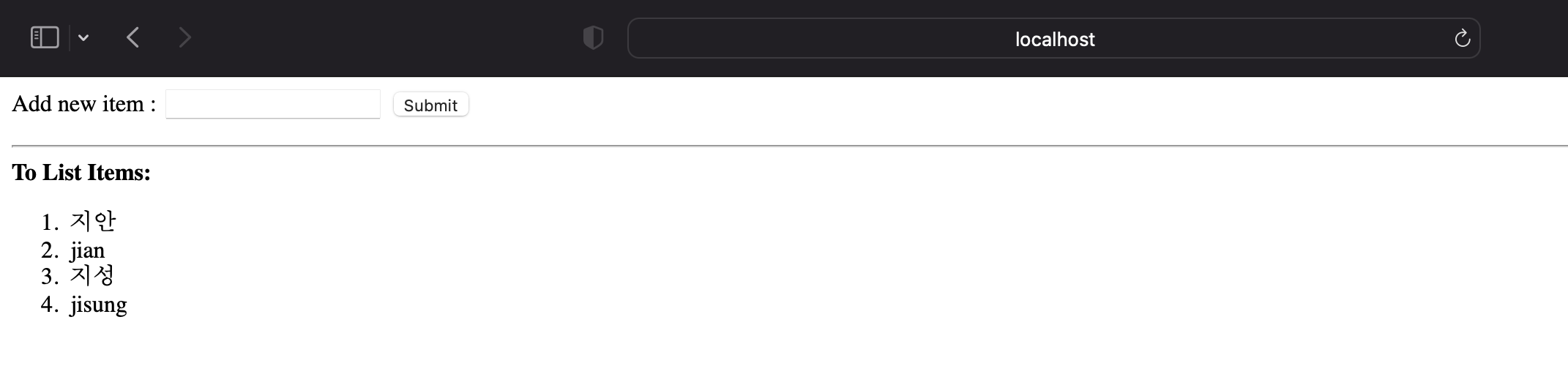
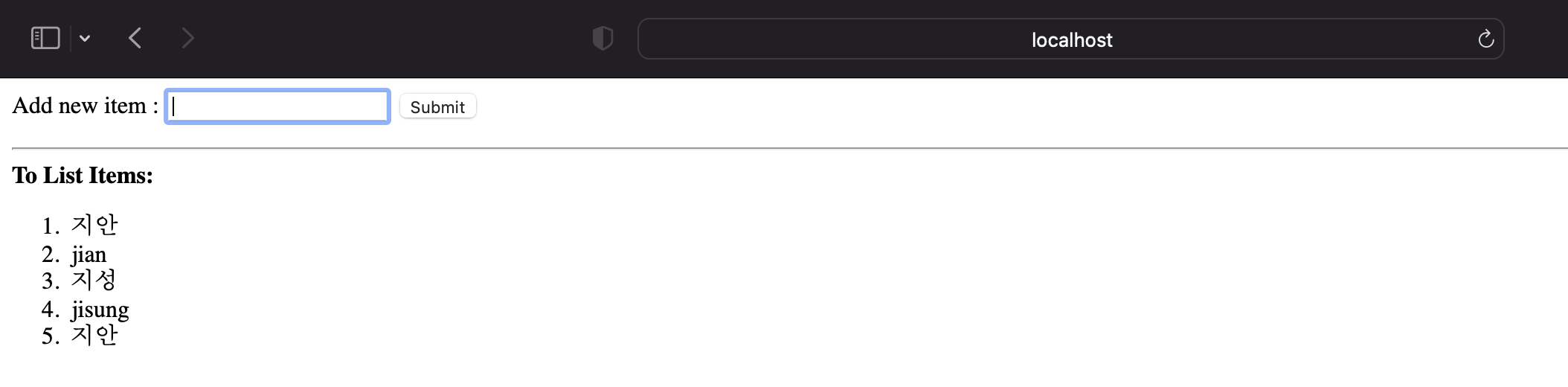
다만 이렇게 할 경우, 똑같은 값을 입력해도 계속 나온다. 따라서 아래와 같이 코드를 수정해줘야 중복된 값이 안 나온다.
- 전의 코드
	// 입력받은 세션 객체 문자열이  존재하며, 그 세션 객체 문자열에서 공백을 제거했을때 아무것도 없는 것이 아니라면
	// 아이템을 세션객체 문자열에 추가하기

	if ((theItem != null) && (!theItem.trim().equals("")) ){
		items.add(theItem);
	}
- 고친 코드
// UPDATED CODE BLOCK FOR booleans and if/then statement

	boolean isItemNotEmpty = theItem != null && theItem.trim().length() > 0;
	boolean isItemNotDuplicate = theItem != null && !items.contains(theItem.trim());

	if (isItemNotEmpty && isItemNotDuplicate) {
		items.add(theItem.trim());
	}
cf) 한글로 입력받은 값이 웹 브라우저에서 깨져서 나올 때 해결법

Slow and Steady