Intro
프로젝트를 dev 서버에 연결한 후,AxiosError: Network Error 가 발생했다. 연결된 서버가 http 라서 Network Error가 뜨는거라고 판단했다. plist의 Security 항목 중 NSAllowsArbitraryLoads을 true로 변경했다.
근데 $Pod install 을 하면, 설정이 리셋되는 상황이 반복됬다.
Android 에뮬레이터와 iOS 실기기에서는 정상동작하는 것을 확인했다.

검색
해결방법까지는 없었지만 동일한 issue를 발견했다.
apple developer 채널에서는 해당 현상에 대해서 모든 http를 허용하기 보다는 필요한 url을 예외처리해서 사용할 것을 권한다.
해결
iOS
info.plist
<key>NSAppTransportSecurity</key>
<dict>
    <key>NSExceptionDomains</key>
    <dict>
        <key>{URL}</key>
        	<!-- without "http://" -->
        <dict>
            <key>NSIncludesSubdomains</key>
            <true/>
            <key>NSTemporaryExceptionAllowsInsecureHTTPLoads</key>
            <true/>
        </dict>
    </dict>
</dict>
Android
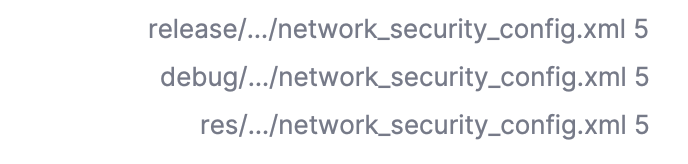
Android 의 경우 아래 3개 파일에 새로운 IP 주소를 추가해주면 된다
<?xml version="1.0" encoding="utf-8"?>
<network-security-config>
    <domain-config cleartextTrafficPermitted="true">
        <domain includeSubdomains="true">10.0.2.2</domain>
        <domain includeSubdomains="true">localhost</domain>
    </domain-config>
</network-security-config>

나의 문제 상황과 관련된 글이 없을 때가 제일 어러운 거 같아요 🥲 그래도 잘 해결하셨다니 다행이네요 !
혹시 iOS는 실기기로만 테스트 해보신 건가요??