Shadcn Drawer, React Portal
개요
기존에 기획했던 유저목록을 구현하는 중 특정 유저를 클릭했을 때 Drawer가 나오는 로직으로 구현하고 싶어 Shadcn 의 Drawer 를 사용하기로 했다.
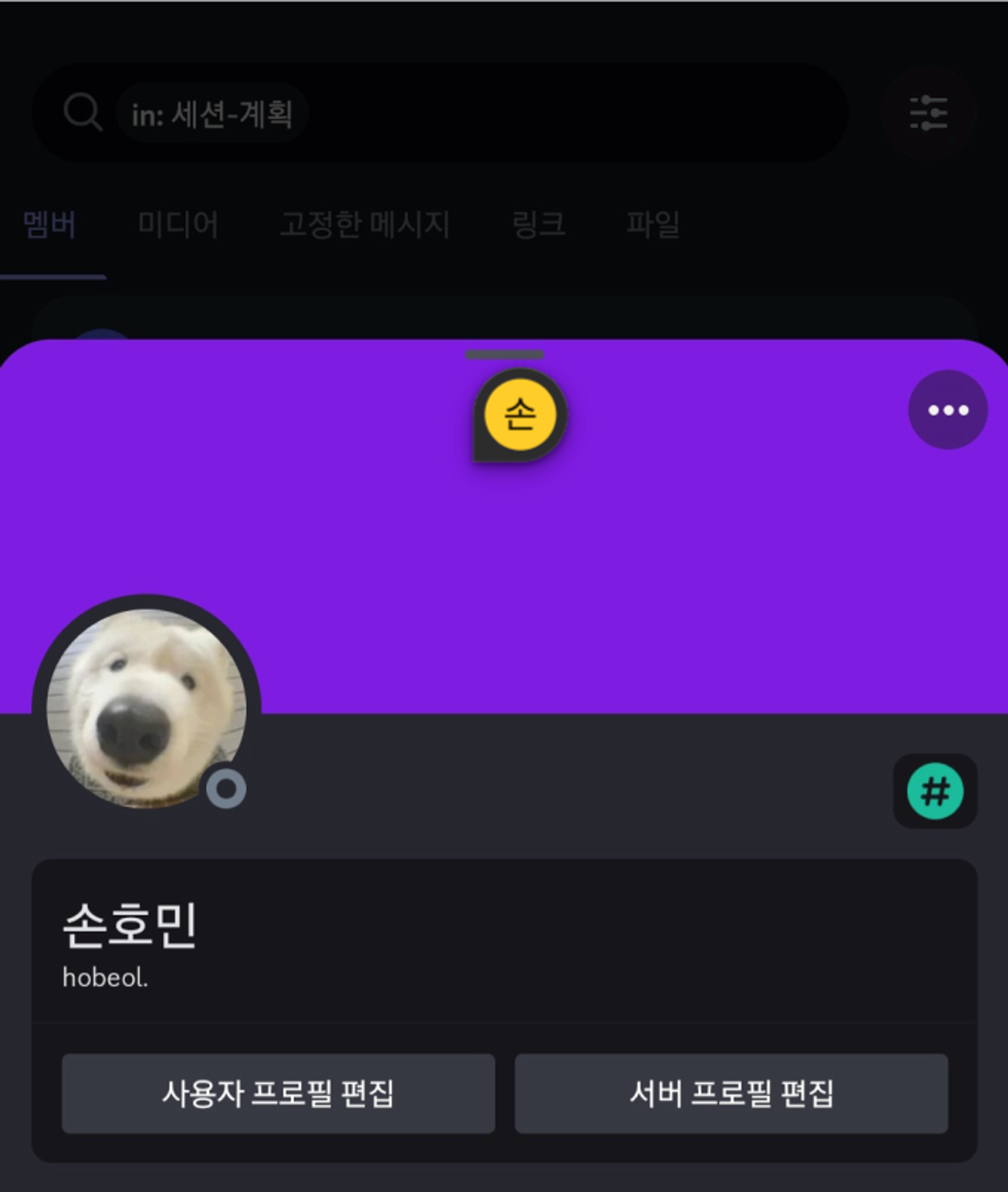
문제 - 1
Drawer의 Content가 원하는대로 규격이 잡히지 않는 문제가 발생했다.
const DrawerContent = React.forwardRef<
  React.ElementRef<typeof DrawerPrimitive.Content>,
  React.ComponentPropsWithoutRef<typeof DrawerPrimitive.Content>
>(({ className, children, ...props }, ref) => (
  <DrawerPortal>
    <DrawerOverlay />
    <DrawerPrimitive.Content
      ref={ref}
      className={cn(
        "fixed inset-x-0 bottom-0 z-50 mt-24 flex h-auto flex-col rounded-t-[10px] border bg-background",
        className
      )}
      {...props}
    >
      <div className="mx-auto mt-4 h-2 w-[100px] rounded-full bg-muted" />
      {children}
    </DrawerPrimitive.Content>
  </DrawerPortal>
))
DrawerContent.displayName = "DrawerContent"
Shadcn의 공식문서를 읽어보면 다음과 같이 예시코드가 작성되어있다.
처음엔 어느부분이 문제인지 몰랐기에 여러가지를 시도해보기로 했다.
시도 1
import ReactDOM from 'react-dom';

const RootLayoutPortal = ({ children }) => {
  const rootLayoutContainer = document.getElementById('root-layout');

  if (!rootLayoutContainer) return null; // root-layout 요소가 없으면 null을 반환하여 아무것도 렌더링하지 않음

  return ReactDOM.createPortal(children, rootLayoutContainer);
};
다음과 같은 코드를 구현해 RootLayoutPortal에 DrawerContent를 넣었으나, 원하는대로 동작하지 않았다.
✋ ReactDom.createPortal이란?
컴포넌트를 다른 DOM 요소아래 렌더링하는데 사용되는 메서드이다.
그래서 DrawerContent를 Next의 RootLayout안에 렌더링하고자 했지만, 원하는대로 동작하지 않았다.
시도2
기존의 <DrawerPortal> 를 RootLayoutPortal 컴포넌트로 갈아끼워봤다.
이것또한 여전히 동작하지 않았다.
해결 Step 1
Shadcn에서 사용되는 Portal 컴포넌트의 내부동작을 위해 radix/ui 의 내부코드를 확인했다.
vaul/src/index.tsx at main · emilkowalski/vaul
primitives/packages/react/portal/src/Portal.tsx at main · radix-ui/primitives
코드를 보면 container의 타입이 HTMLElement인걸 확인할 수 있다.
해결 Step 2
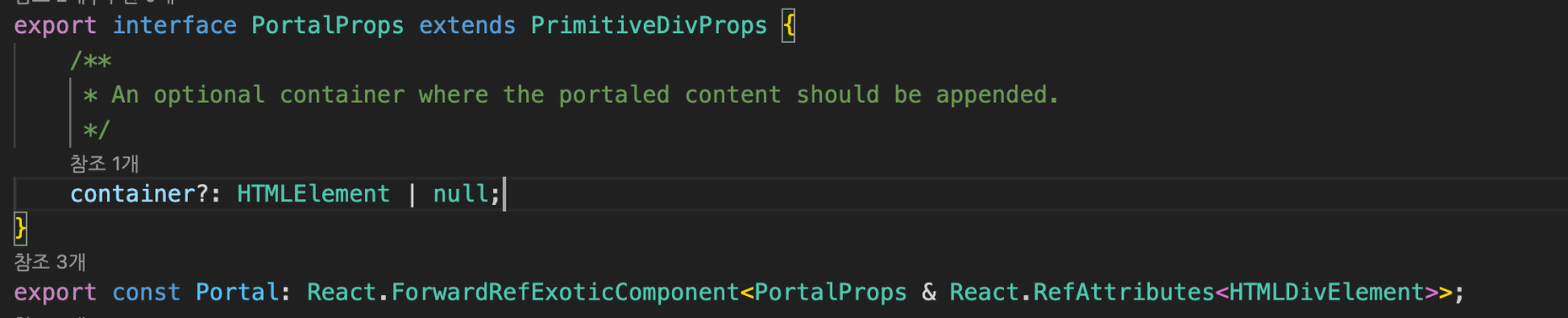
VSCode의 타입을 역추적하다보니 container라는 props를 전달할 수 있는걸 알았다.
문제 2
const DrawerContent = React.forwardRef<
  React.ElementRef<typeof DrawerPrimitive.Content>,
  React.ComponentProps<typeof DrawerPrimitive.Content>
>(({ className, children, ...props }, ref) => {

  return (
    <DrawerPortal container={document.getElementById('layout-Root')}>
      <DrawerOverlay />
      <DrawerPrimitive.Content
        ref={ref}
        className={cn(
          'bg-background fixed inset-x-0 bottom-0 z-50 mt-24 flex h-auto flex-col rounded-t-[10px] border',
          className,
        )}
        {...props}
      >
        <div className='bg-muted mx-auto mt-4 h-2 w-[100px] rounded-full' />
        {children}
      </DrawerPrimitive.Content>
    </DrawerPortal>
  );
});
DrawerContent.displayName = 'DrawerContent';
와 같이 코드를 작성했는데, container가 정상동작하지 않았고 Drawer Content 컴포넌트 또한 재대로 렌더링 되지 않았다.
해결 Step 3
document.getElementById('layout-Root') 를 바로 사용하게 되면 DOM 이 완전이 구성되기 이전에 조회하는 문제가 발생해서 초기에 null값이 반환된다.
이를 해결하기 위해 Drawer Content 컴포넌트가 완전히 mounted된 상태로 로직을 실행시키기 위해 useEffect , useState 훅을 사용해 HTMLElement를 조회했다.
const DrawerContent = React.forwardRef<
  React.ElementRef<typeof DrawerPrimitive.Content>,
  React.ComponentProps<typeof DrawerPrimitive.Content>
>(({ className, children, ...props }, ref) => {
  const [container, setContainer] = useState<HTMLElement | null>(null);

  useEffect(() => {
    setContainer(document.getElementById('layout-Root'));
  }, []);

  return (
    <DrawerPortal container={container}>
      <DrawerOverlay />
      <DrawerPrimitive.Content
        ref={ref}
        className={cn(
          'bg-background fixed inset-x-0 bottom-0 z-50 mt-24 flex h-auto flex-col rounded-t-[10px] border',
          className,
        )}
        {...props}
      >
        <div className='bg-muted mx-auto mt-4 h-2 w-[100px] rounded-full' />
        {children}
      </DrawerPrimitive.Content>
    </DrawerPortal>
  );
});