사용 명령어
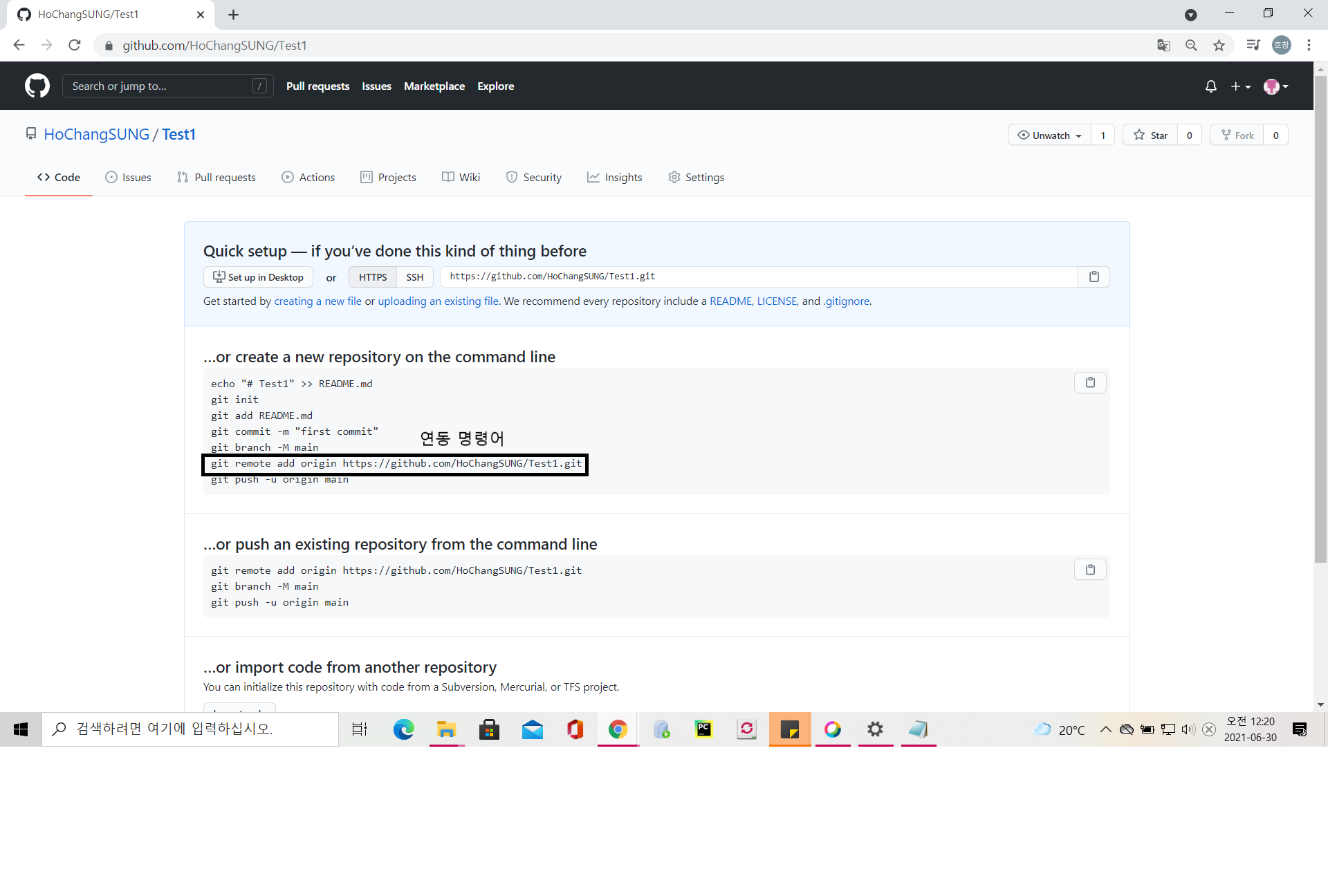
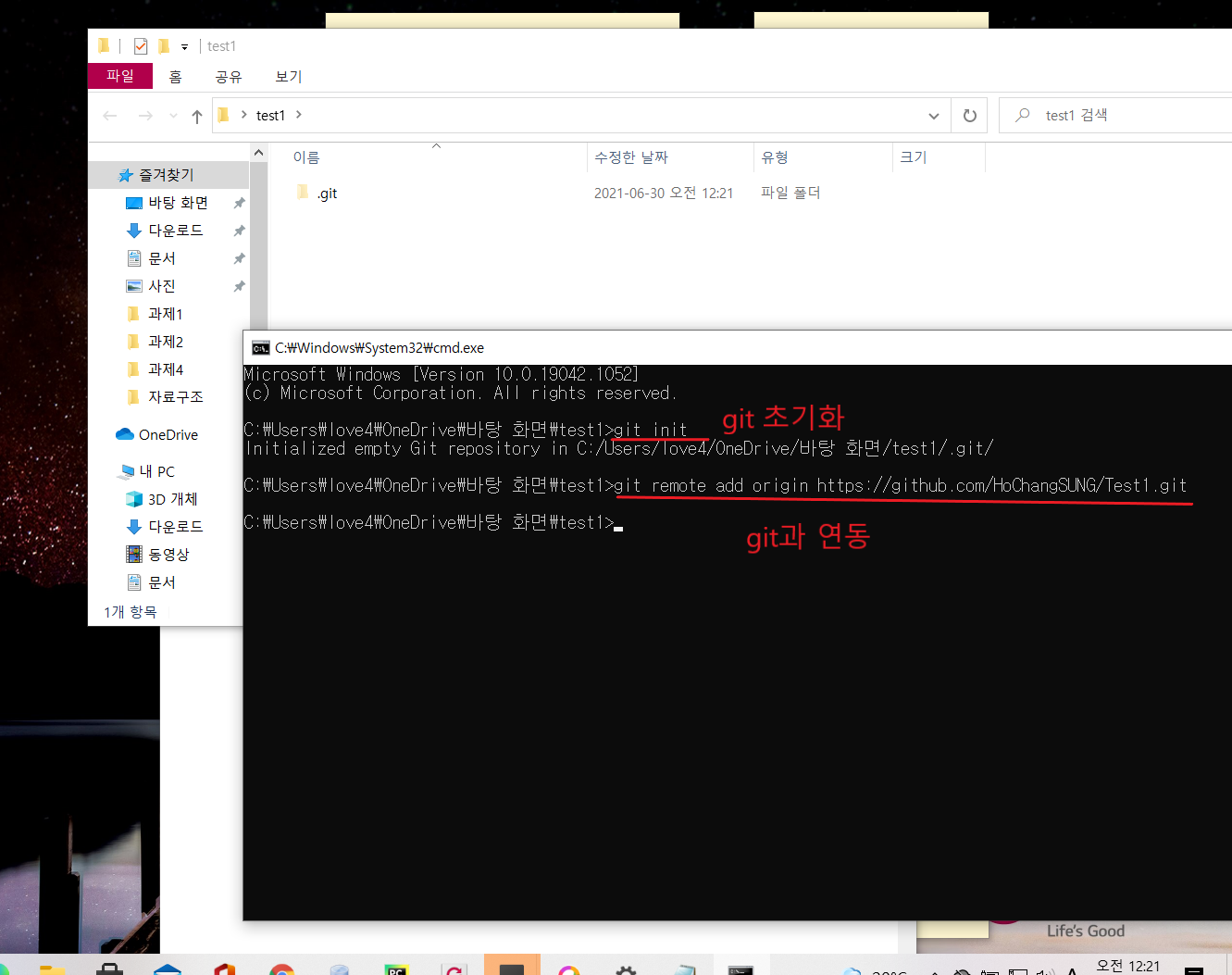
git remote add origin 리포지토리 주소
리포지토리와 내 로컬 폴더 연결
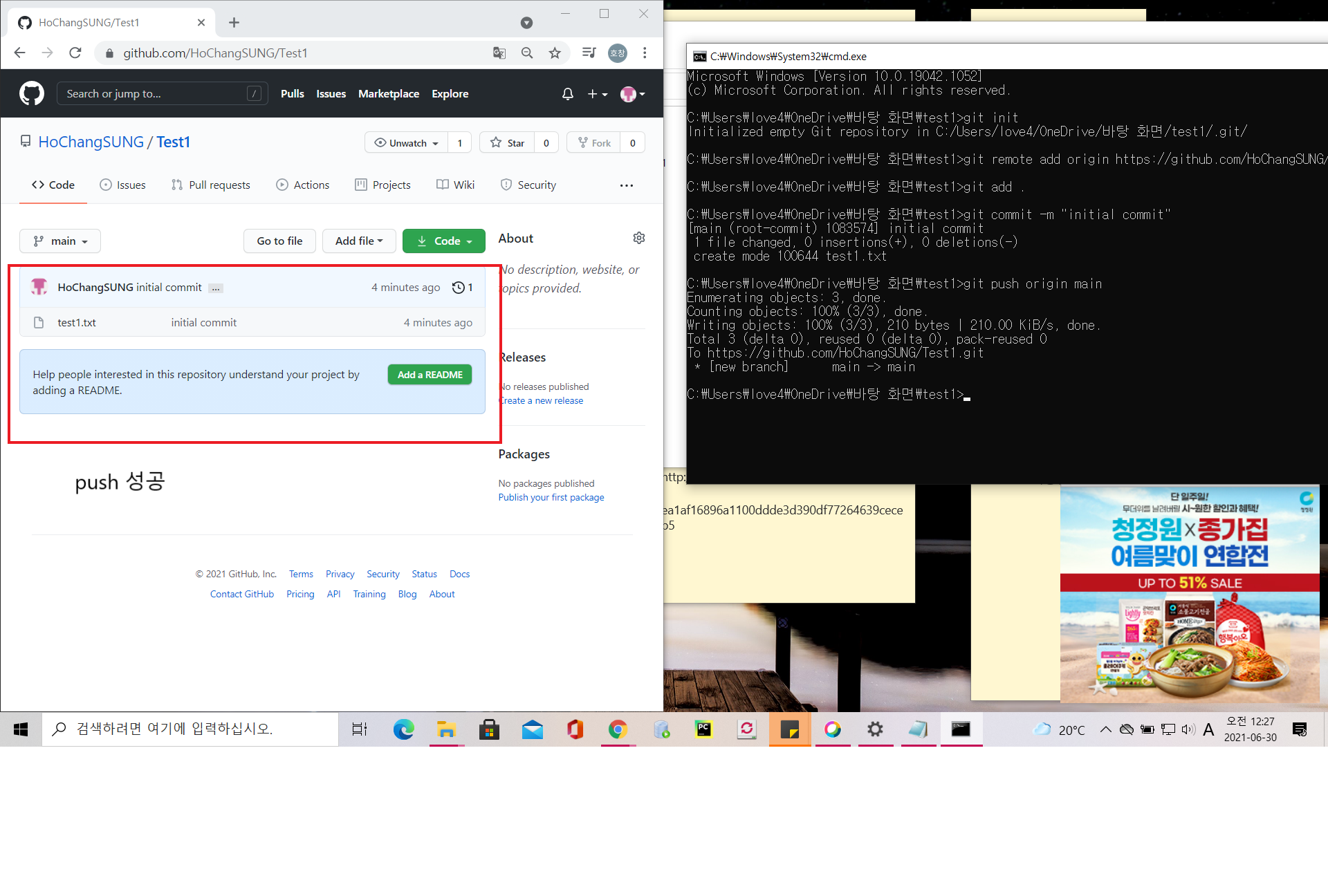
git push origin main
깃허브 리포지토리 메인 브랜치에 현재 커밋 넣기
git pull origin main
서버에서 일어난 변경사항을 로컬에 동기화
git clone 리포지토리 주소
깃허브 리포지토리에서 모든 커밋들을 내 로컬로 가져옴
.gitignore
->사용자가 원하지 않는 파일들을 자동적으로 git 커밋 대상에서 제외시켜주는 것.
gitignore.io 사용하여 편하게 .gitignore 파일 생성하기!!
연동 방법 1.로컬 리포지토리 -> github 리포지토리 연동
github repository 생성
로컬 리포지토리 git 초기화 후 연동
로컬 리포지토리 commit 후 push
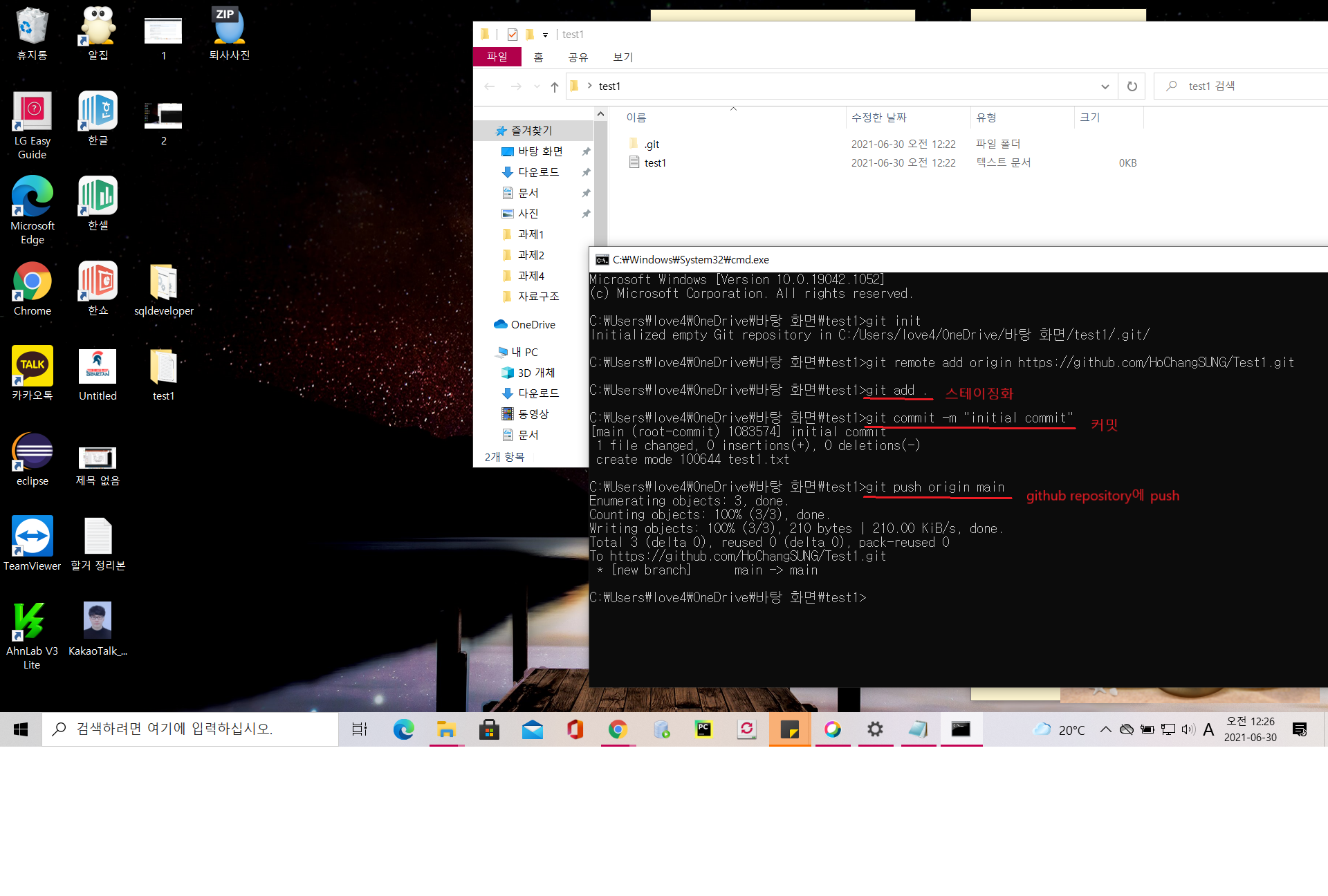
git add . -> 스테이징
git commit -m "initial commit"->커밋
git push origin main->깃헙 리포지토리에 푸시
github repository에서 작업 후 local repository와 동기화
github repository에서 readme 추가
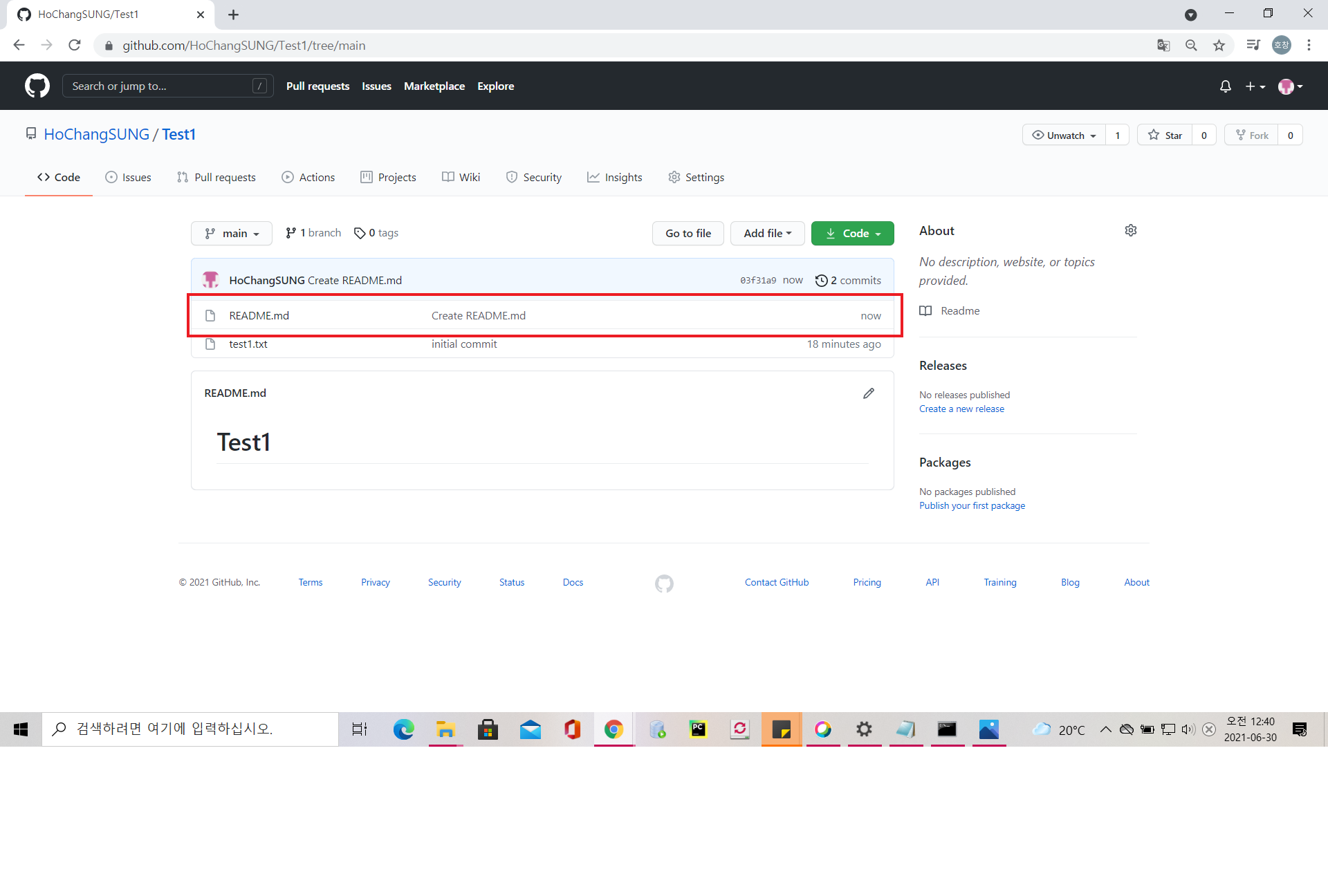
local repository와 동기화 전
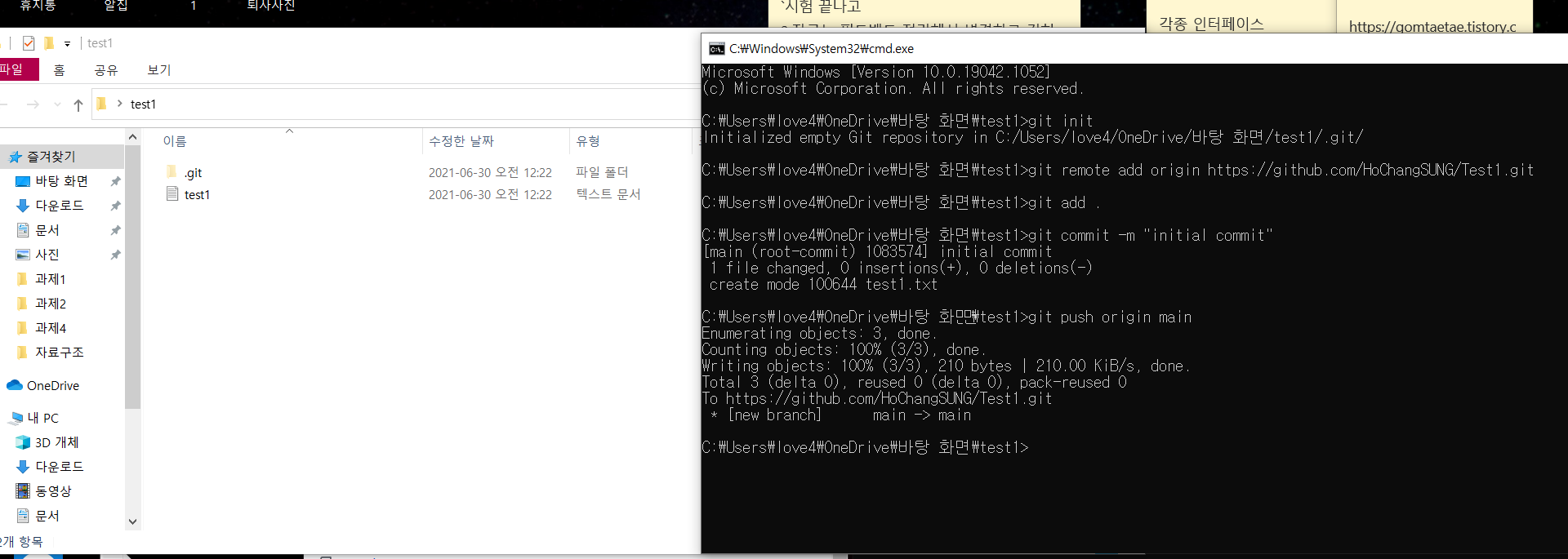
local repository와 동기화 후
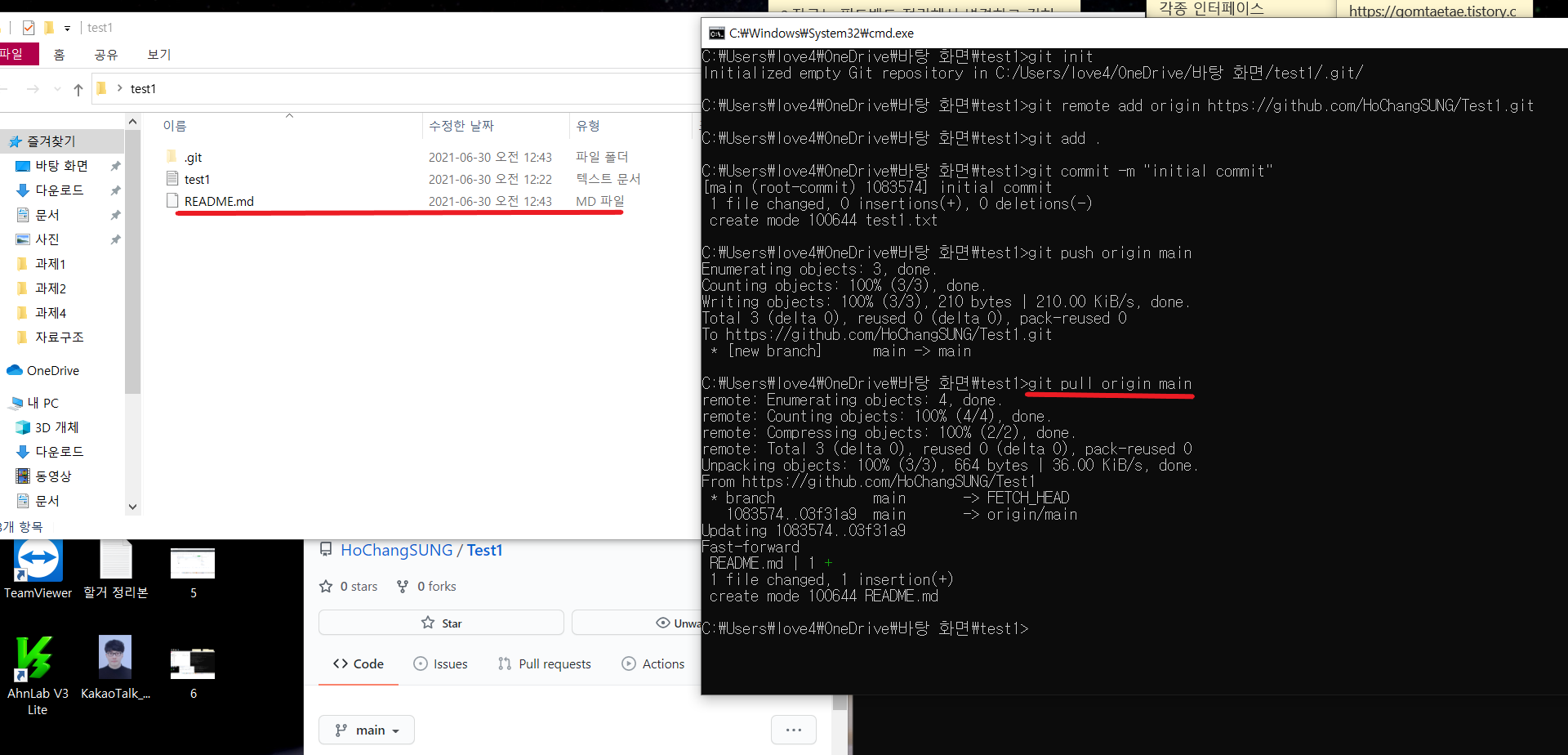
git pull origin main
해당 커밋으로 롤백
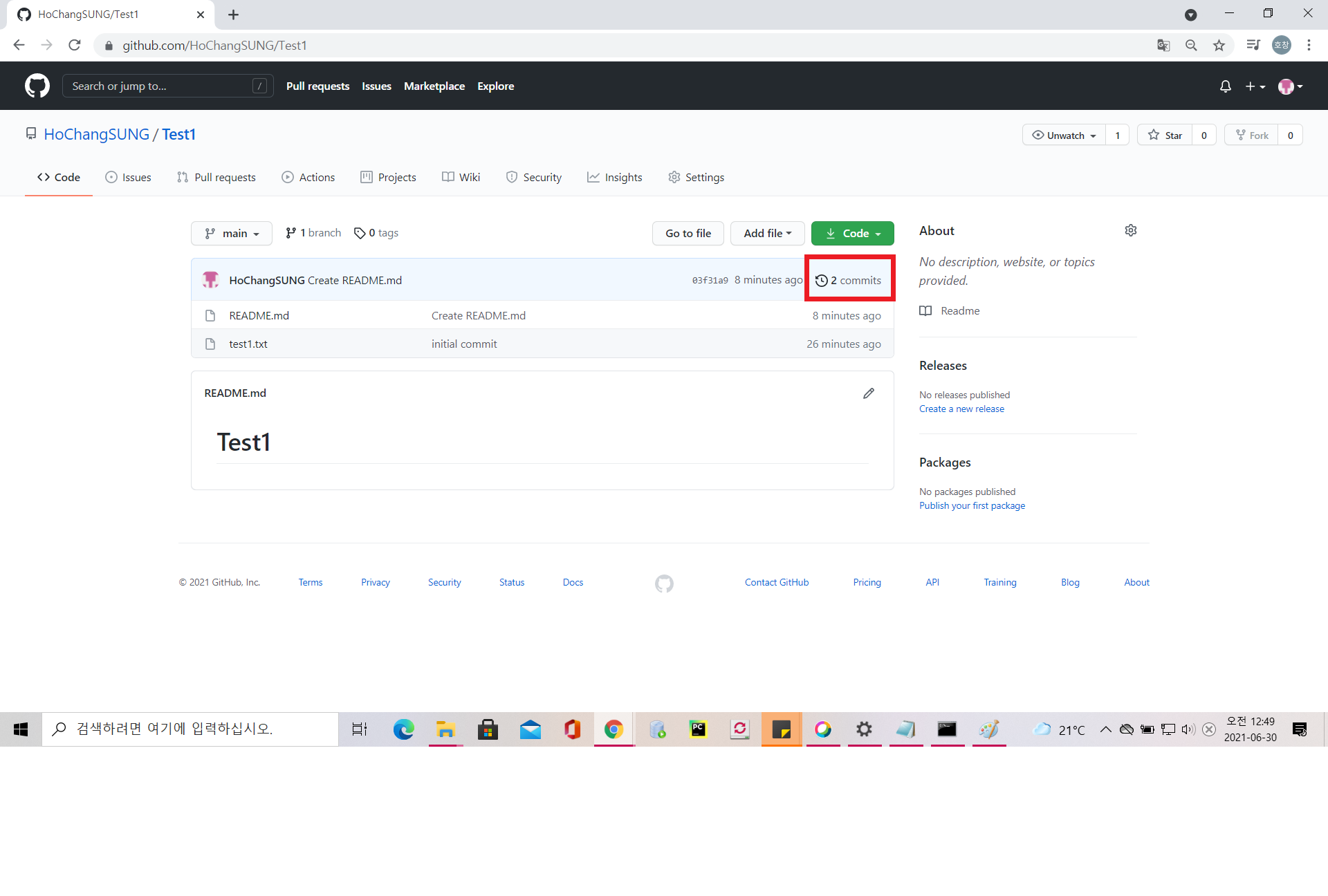
commit 클릭
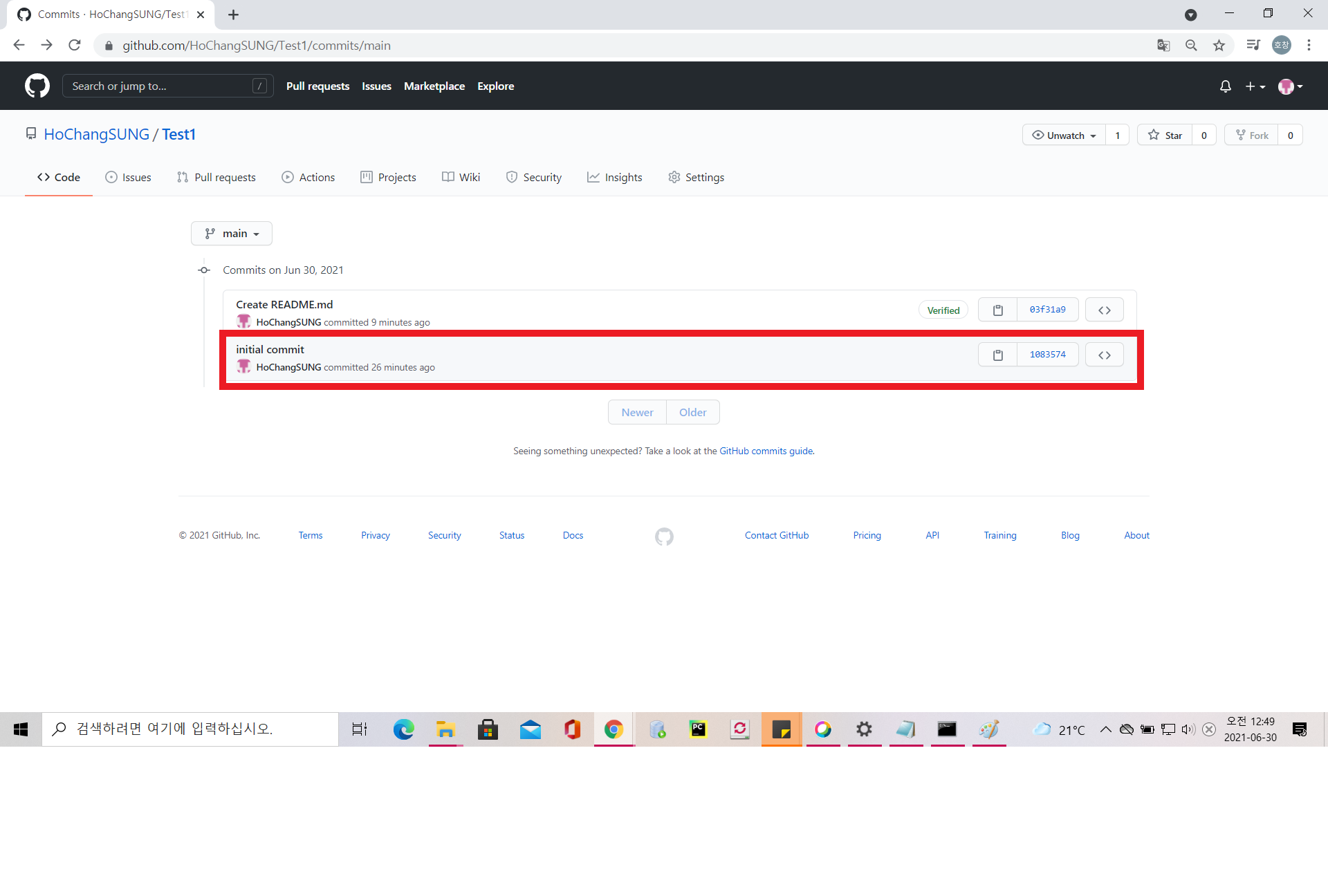
롤백할 커밋 클릭
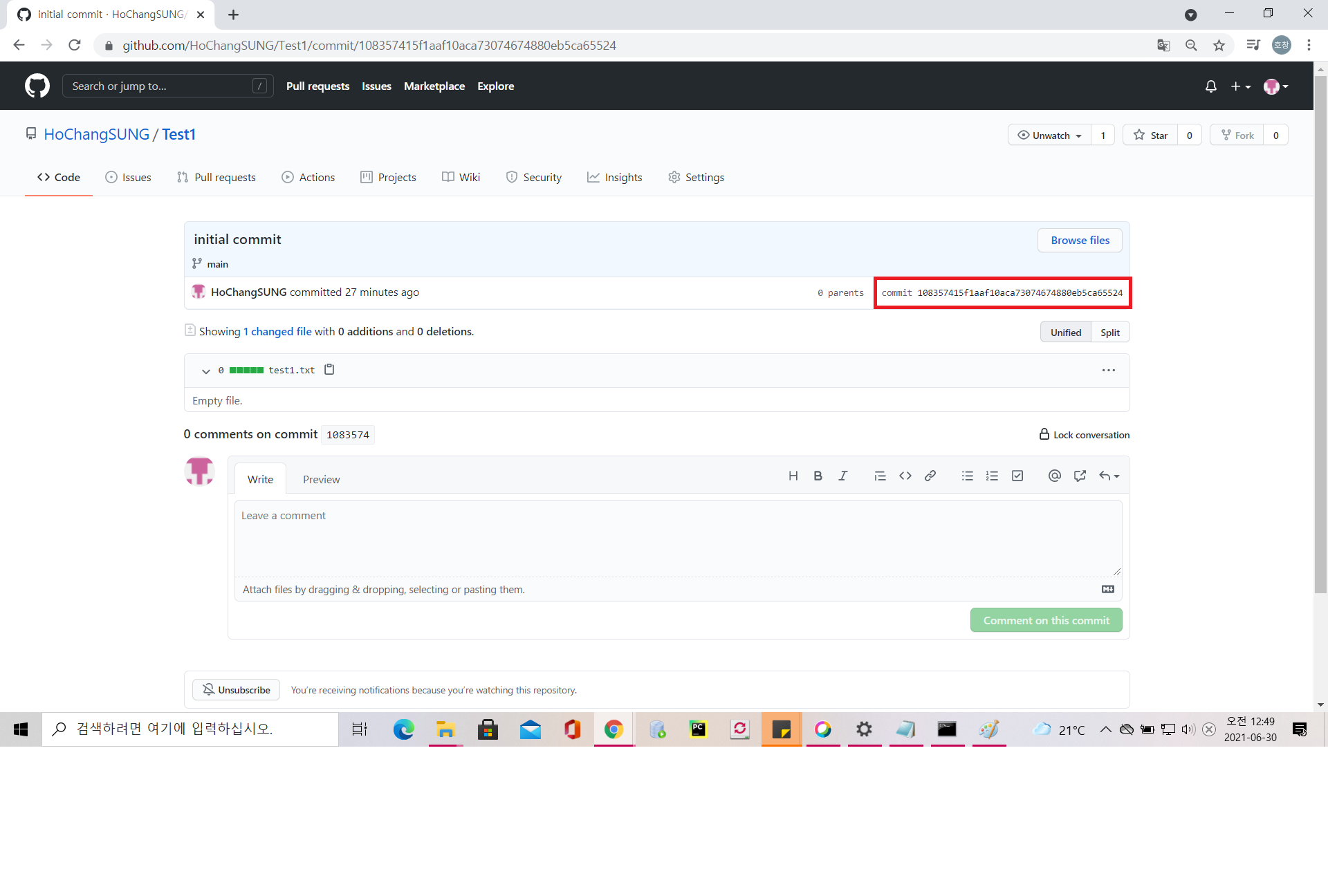
롤백할 커밋 해쉬코드 복사
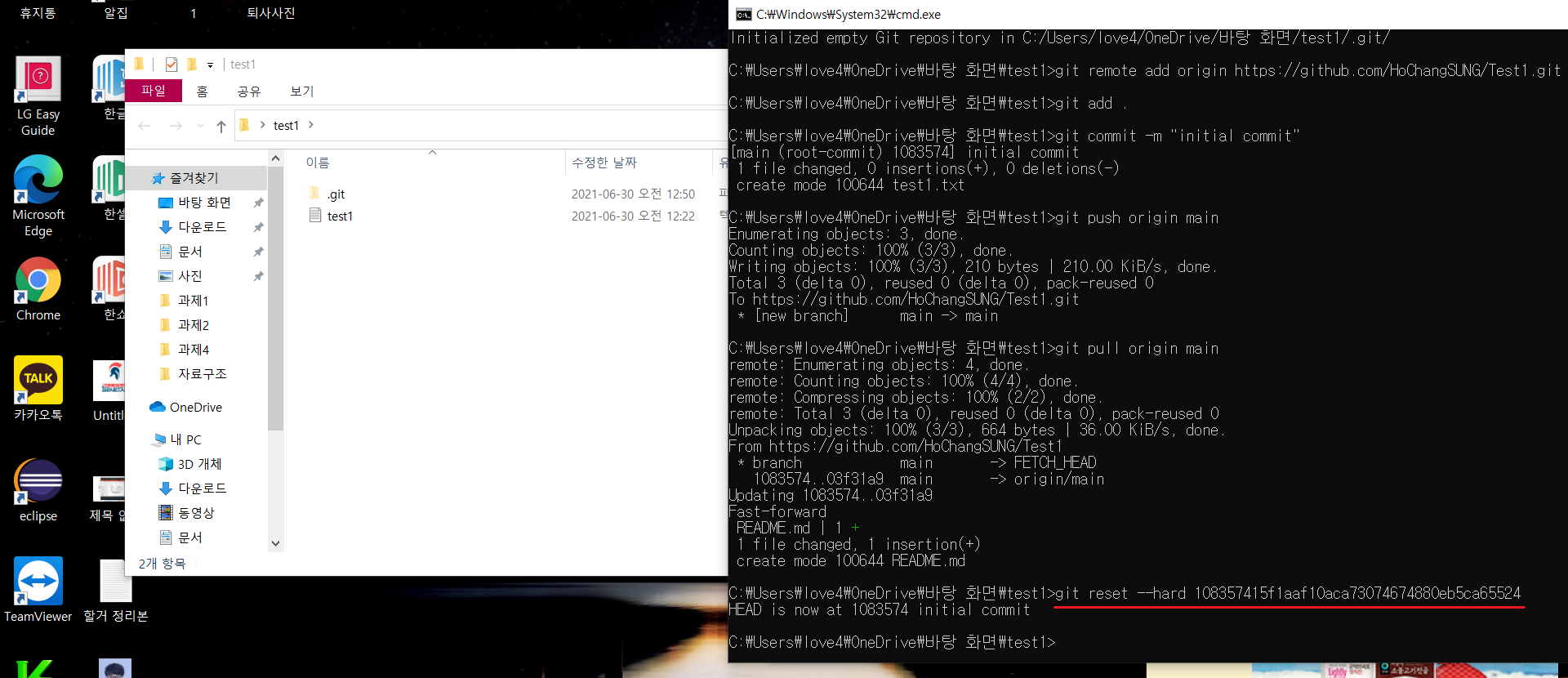
git reset --hard 커밋해쉬코드 -> git reset --hard 108357415f1aaf10aca73074674880eb5ca65524
연동 방법 2. github 리포지토리 -> 로컬 리포지토리 연동(처음 생성시)
github repository 만들기
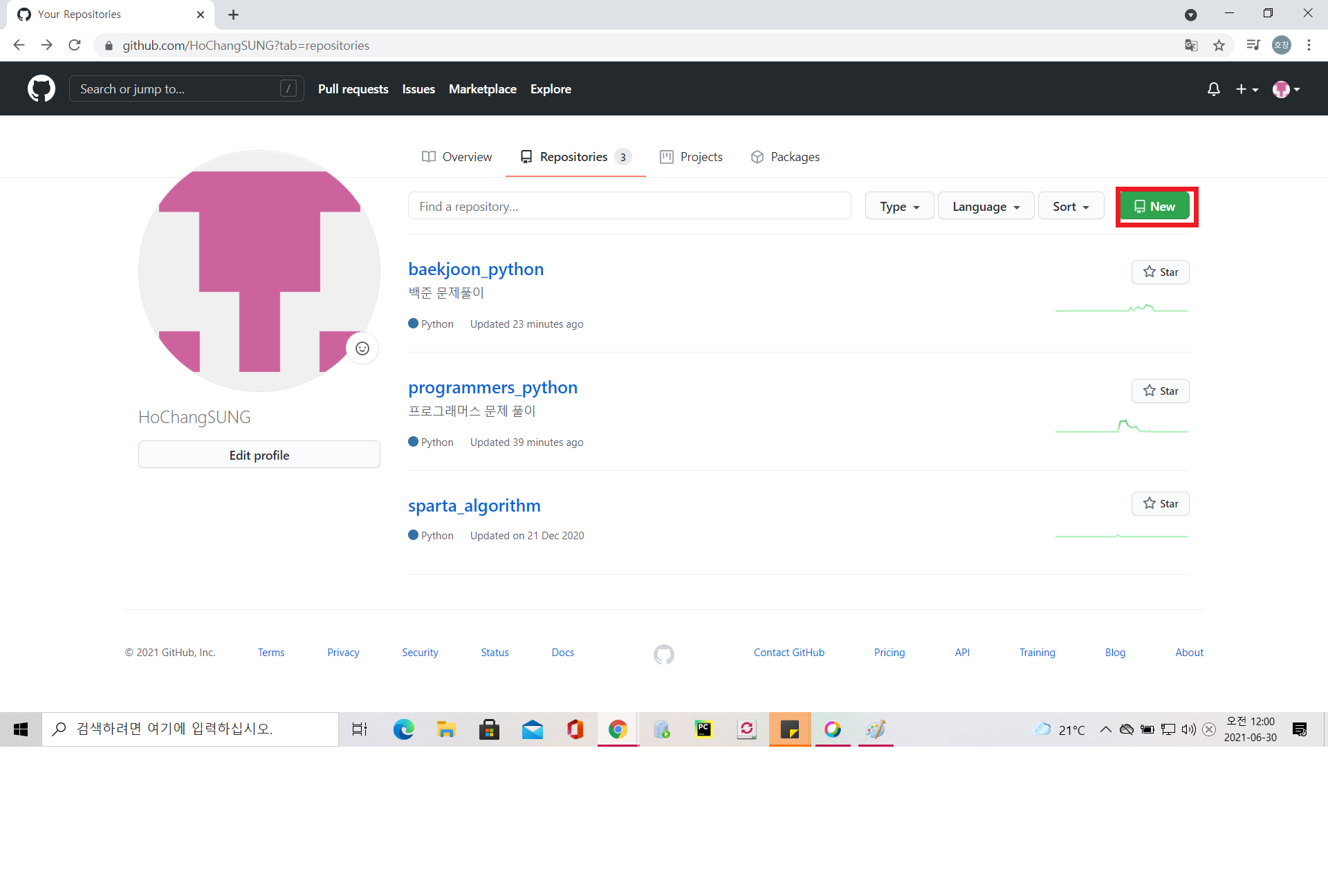
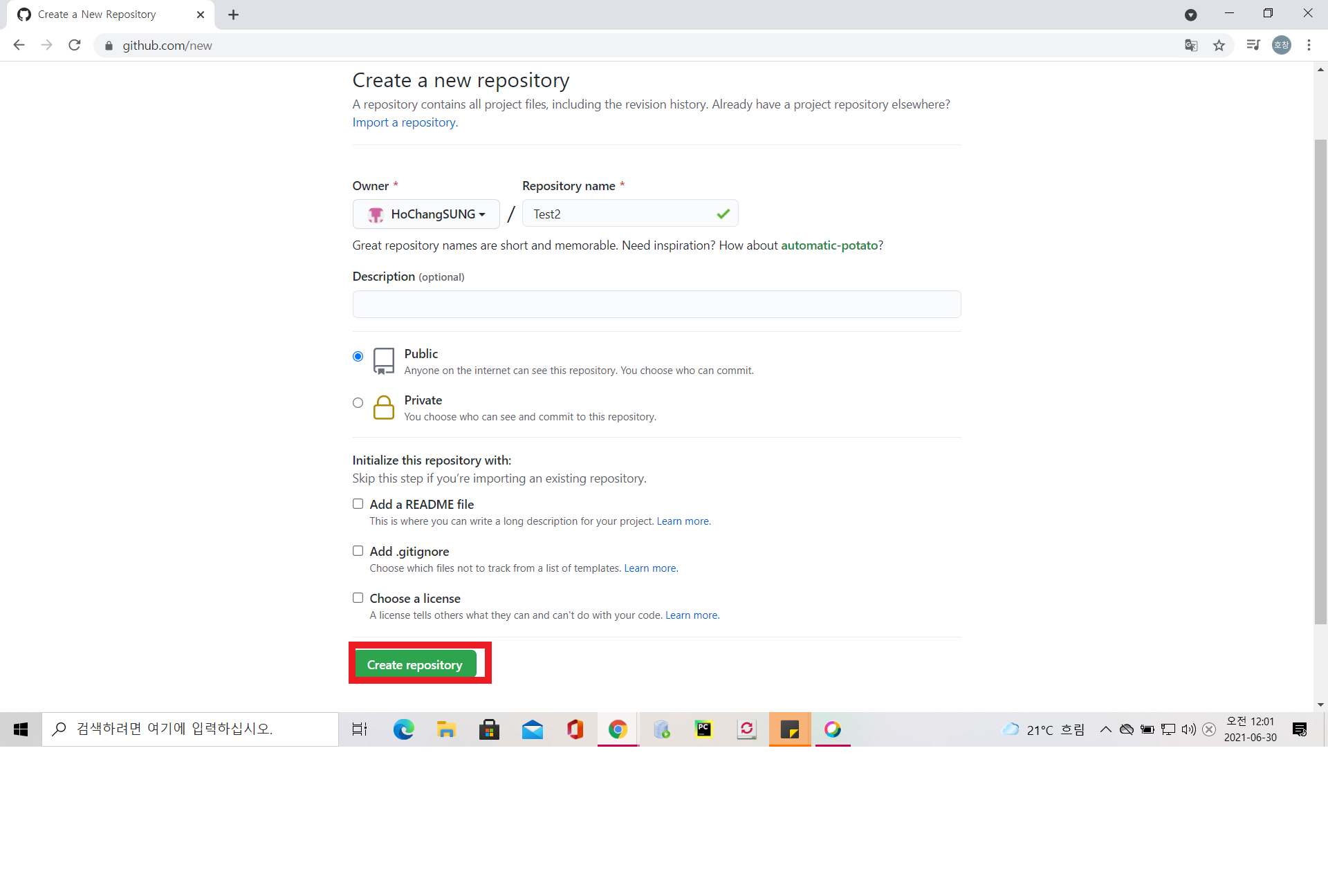
비어있는 github repository를 clone
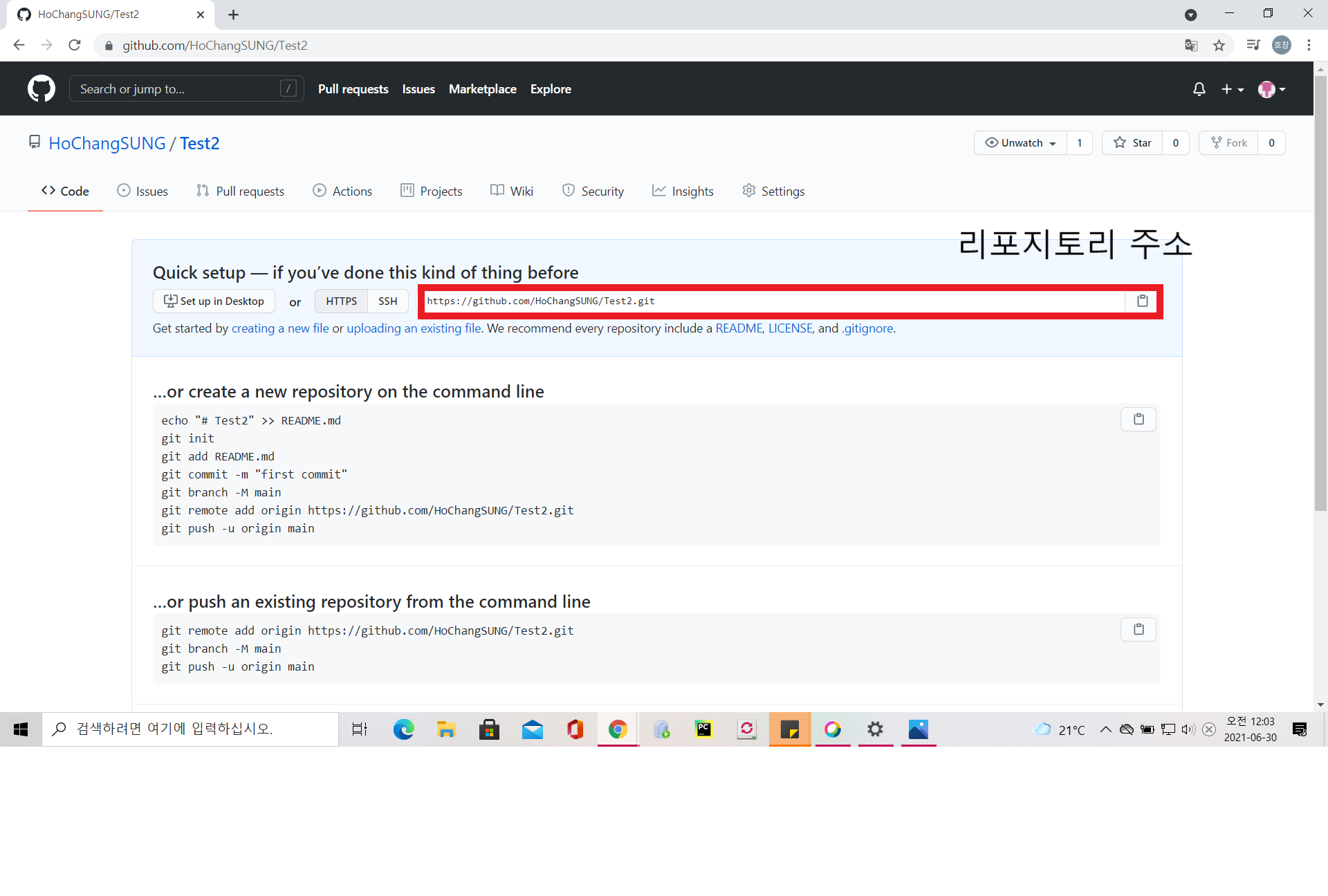
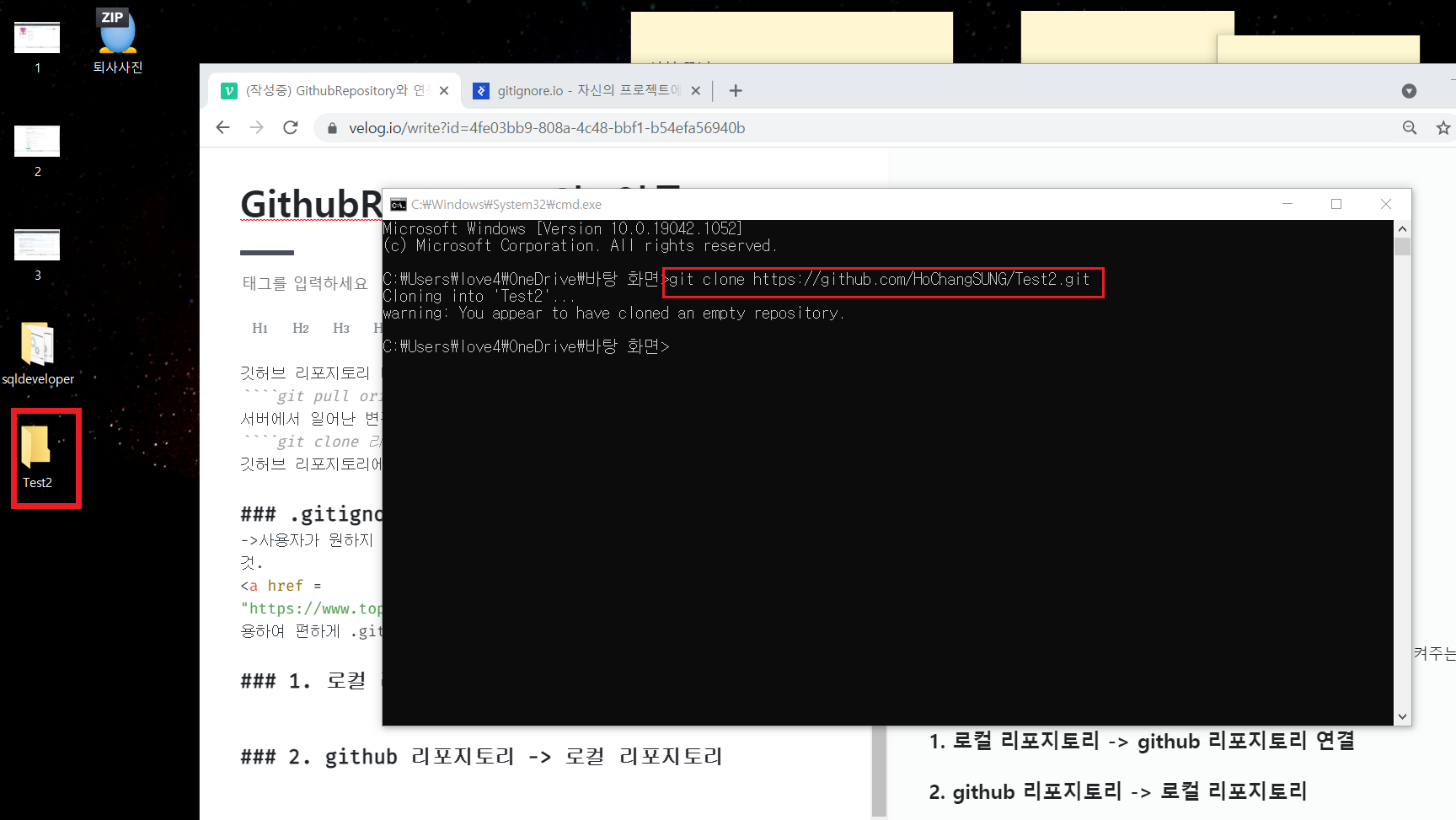
git clone 리포지토리 주소 -> git clone https://github.com/HoChangSUNG/Test2.git
연동 성공
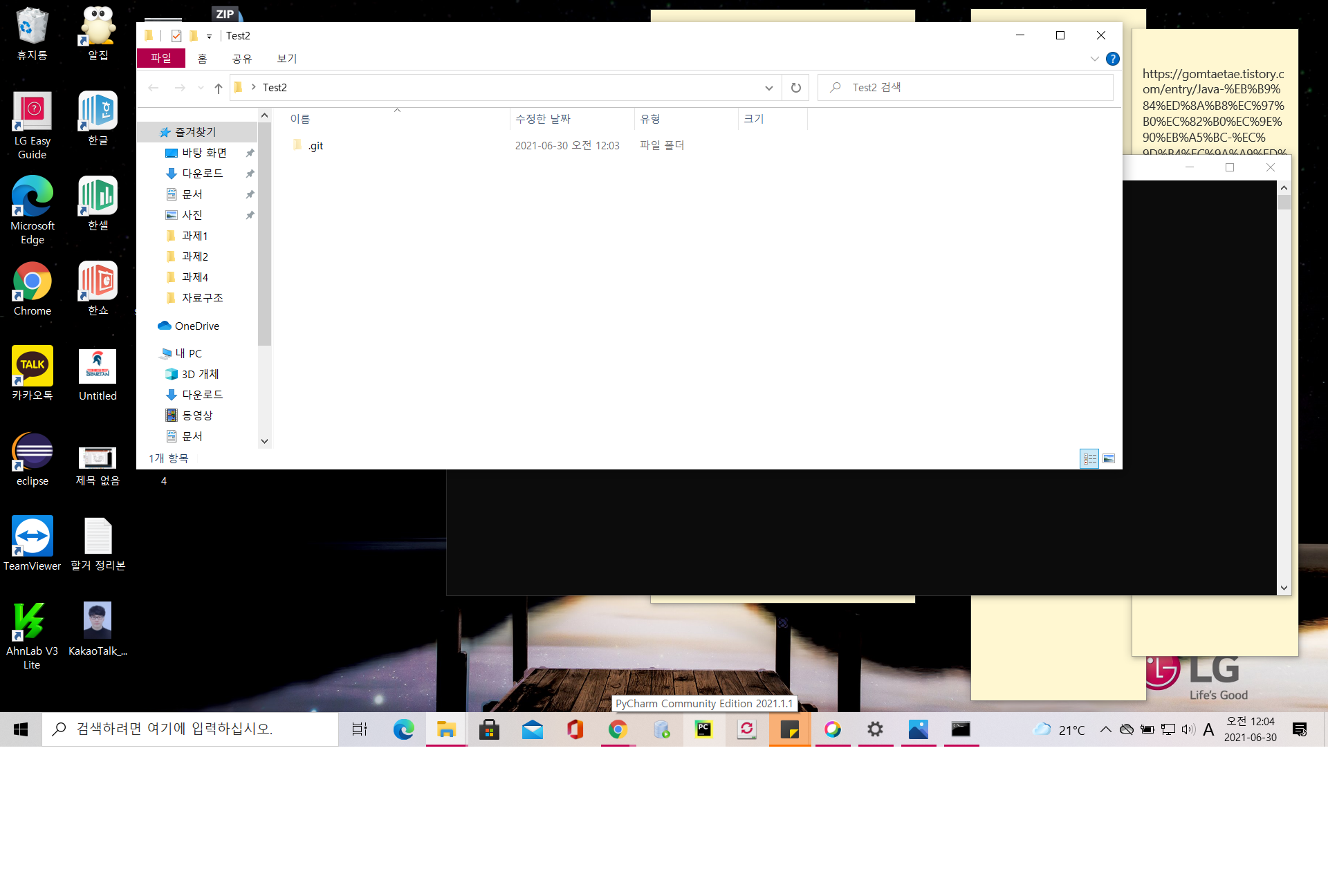
github 리포지토리 -> 로컬 리포지토리 연동(다른 로컬 컴퓨터에서 github 리포지토리 내용 clone)
레포지토리 주소 복사
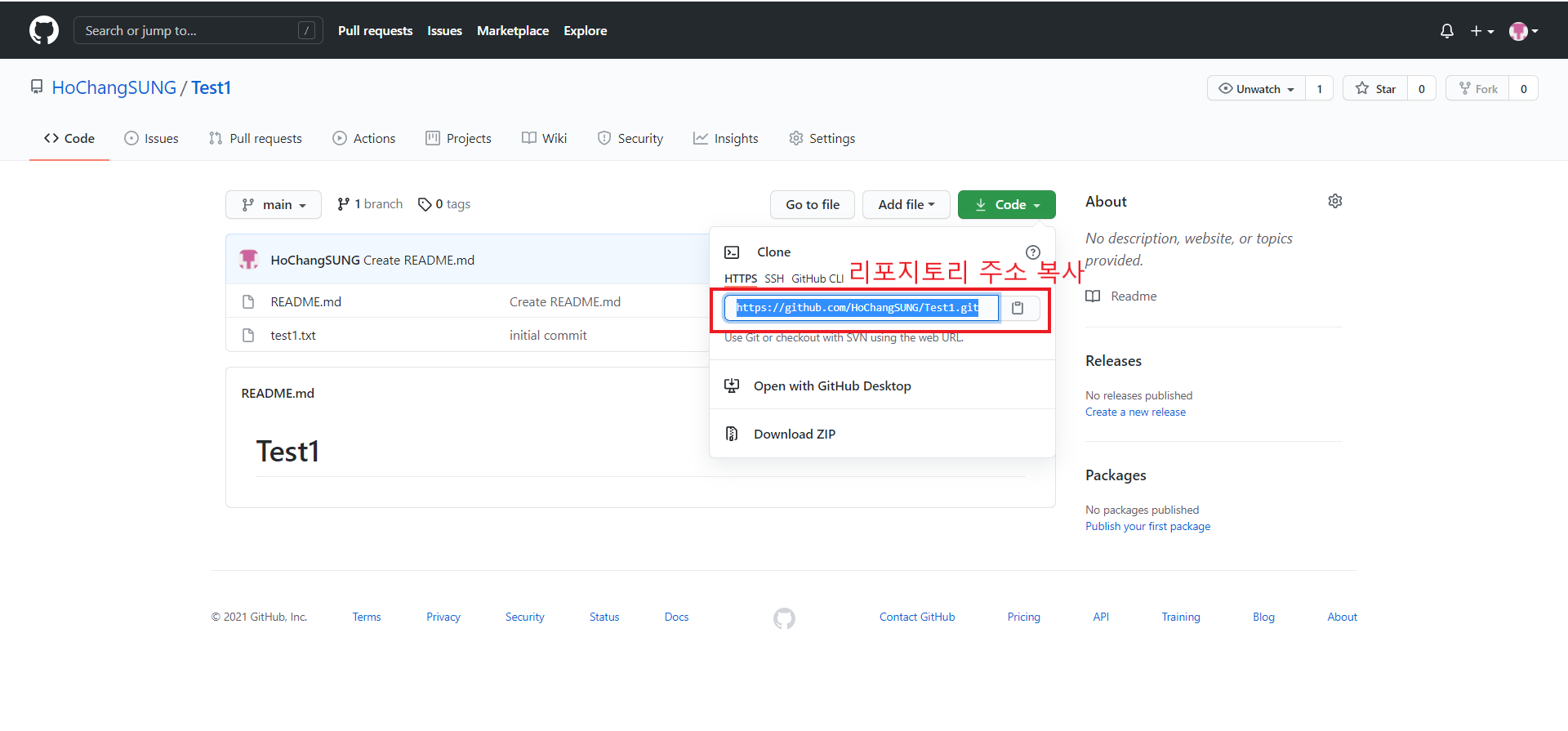
레포지토리 클론
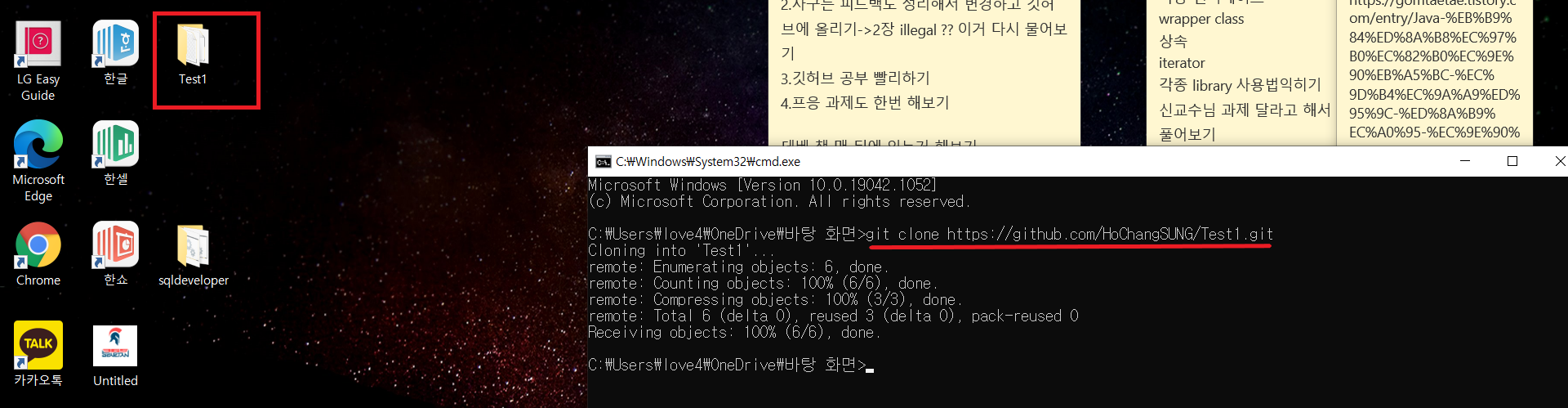
git clone 레포지토리 주소
