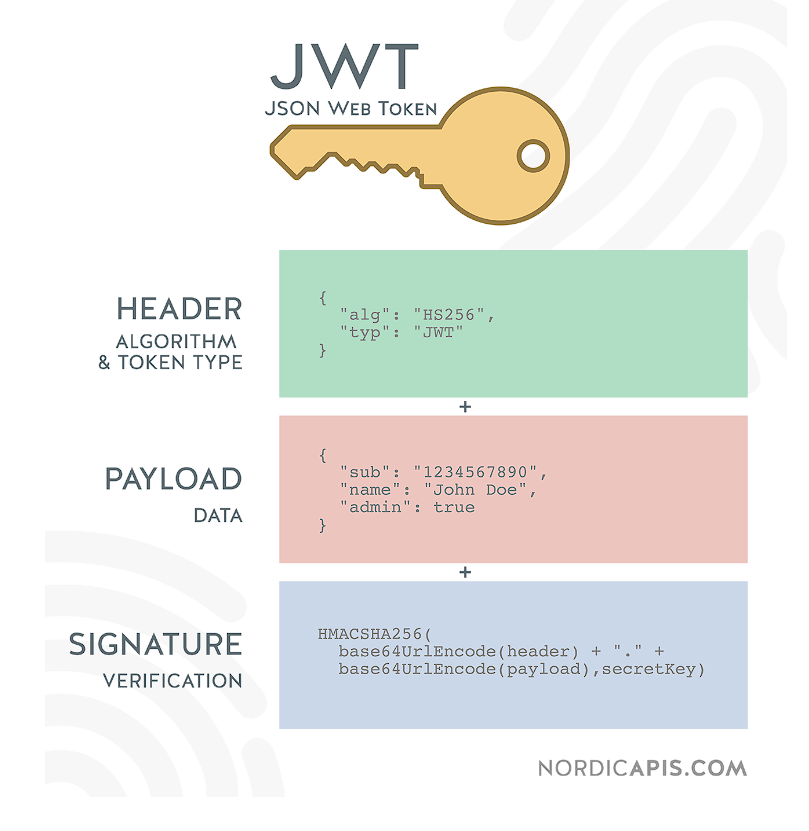
JWT( JSON Web Token)
- JSON 객체를 사용해서 토큰 자체에 정보들을 저장하고 있는 Web Token
무겁지 않고 간편해서 가볍게 사용할 때 편리하다 - JWT는 Header, Payload,Signature로 구성된다
JWT 구성
- Header - Signature를 Hashing하기 위한 알고리즘 정보가 담겨 있다.
- Payload - 서버-클라이언트가 주고받는 시스템에서 실제로 사용될
정보에 대한 내용을 담고 있다 - Signature - 토큰의 유효성을 검증하기 위한 문자열을 담고 있는데,
문자열을 통해 서버에서 토큰의 유효성을 검증한다.
JWT 장점
- 중앙의 인증서버, 데이터 저장에 대한 의존성이 없기때문에 시스템 수평적 확장 용이
- BASE64 URL Safe Encoding을 이용하기 때문에 URL,Cookie,Header 어디에서든 사용 가능
JWT 단점
- Payload의 정보가 많아지면 네트워크 사용량이 증가하고, 데이터 설계시 고려
- 토큰이 클라이언트에 저장되기 때문에 서버에서 클라이언트의 토큰 조작 불가
프로젝트 생성
lombok, spring security, jpa, spring web, h2 database, validation 추가
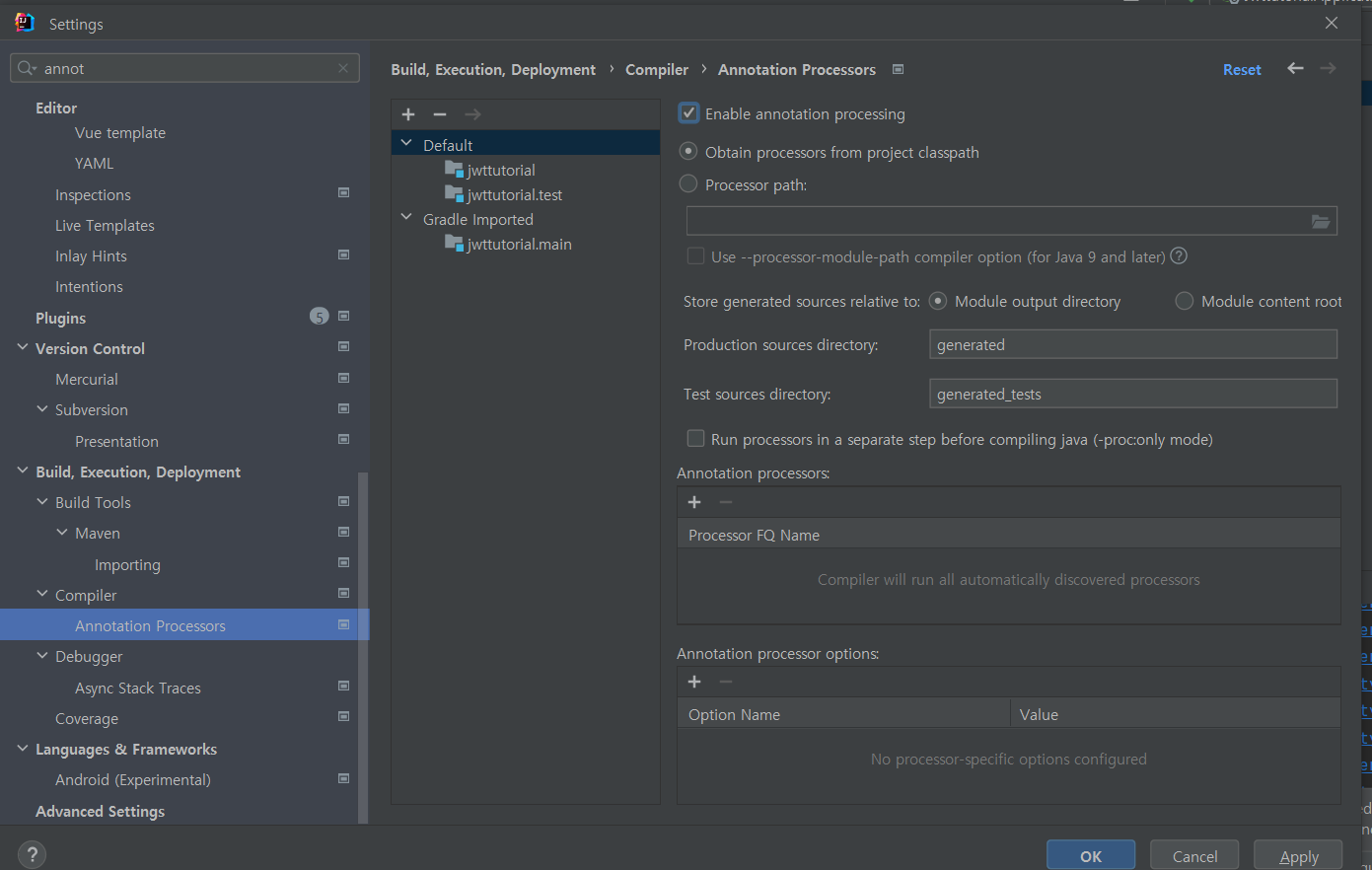
lombok- Enable annotation processing 체크
dependencies {
	implementation 'org.springframework.boot:spring-boot-starter-data-jpa'
	implementation 'org.springframework.boot:spring-boot-starter-security'
	implementation 'org.springframework.boot:spring-boot-starter-validation'
	implementation 'org.springframework.boot:spring-boot-starter-web'
	compileOnly 'org.projectlombok:lombok'
	runtimeOnly 'com.h2database:h2'
	annotationProcessor 'org.projectlombok:lombok'
	testImplementation 'org.springframework.boot:spring-boot-starter-test'
	testImplementation 'org.springframework.security:spring-security-test'
}
기본적인 동작 확인을 위한 테스트 코드
@RestController
@RequestMapping("/api")
public class HelloController {
    @GetMapping("/hello")ResponseEntity<String> hello(){
        return ResponseEntity.ok("hello");
    }
}
🎈결과
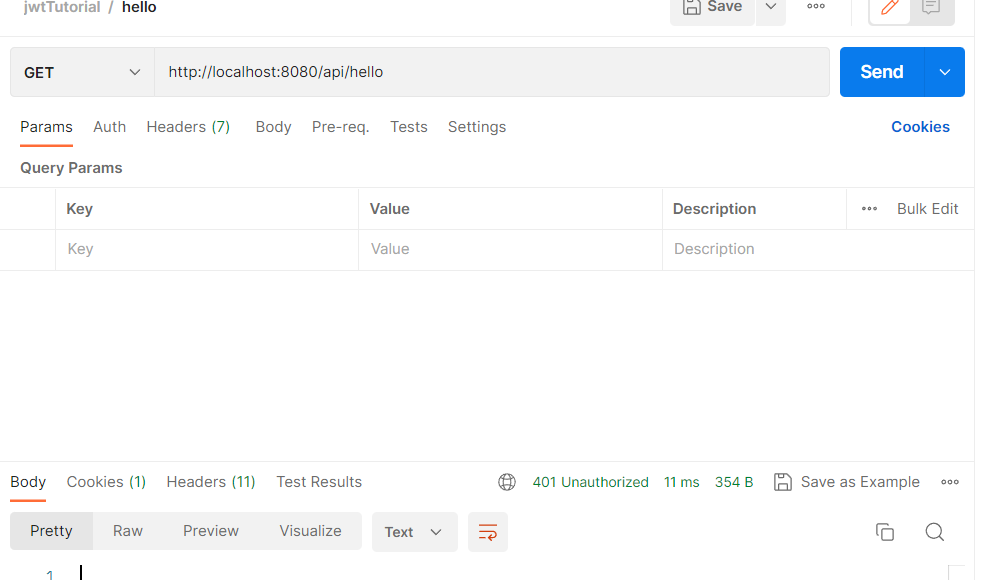 401 Unauthorized Error를 볼 수 있다.
이를 해결하기 위해서는 Security 설정을 해줘야하는데 다음과 같다.
/*
1) @EnableWebSecurity  - 기본적인 Web 보안 활성화
2) WebSecurityConfigurer implements - 추가적인 설정을 하고자 할때
3) WebSecurityConfigurerAdapter extends - deprecated 됐다. 다른 방식 사용

* */
@EnableWebSecurity//기본적인 Web 보안을 활성화 하겠다.
public class SecurityConfig extends WebSecurityConfigurerAdapter {
    @Override
    protected void configure(HttpSecurity http) throws Exception {
        http
                .authorizeRequests()//HttpServletRequest 를 사용하는 요청들에 대한 접근제한을 설정하겠다.
                .antMatchers("/api/hello").permitAll()// "/api/hello"에 대한 요청은 인증없이 접근을 허용하겠다.
                .anyRequest().authenticated();//나머지 요청에 대해서는 모두 인증을 받아야한다.
    }
}
WebSecurityConfigurerAdapter는 Spring Security 5.0부터 deprecated 되었다.
대신WebSecurityConfigurerAdapter를 확장한WebSecurityConfigurer를 사용하거나SecurityFilterChain사용하여 구현이 가능하다.
@Configuration
@EnableWebSecurity
public class SecurityConfig {
    @Bean
    public SecurityFilterChain filterChain(HttpSecurity http)throws Exception {
        http
                .authorizeRequests((auth)->auth
                        .antMatchers("/api/hello").permitAll().anyRequest().authenticated())
                .httpBasic();
        return http.build();
    }
}
📌결과
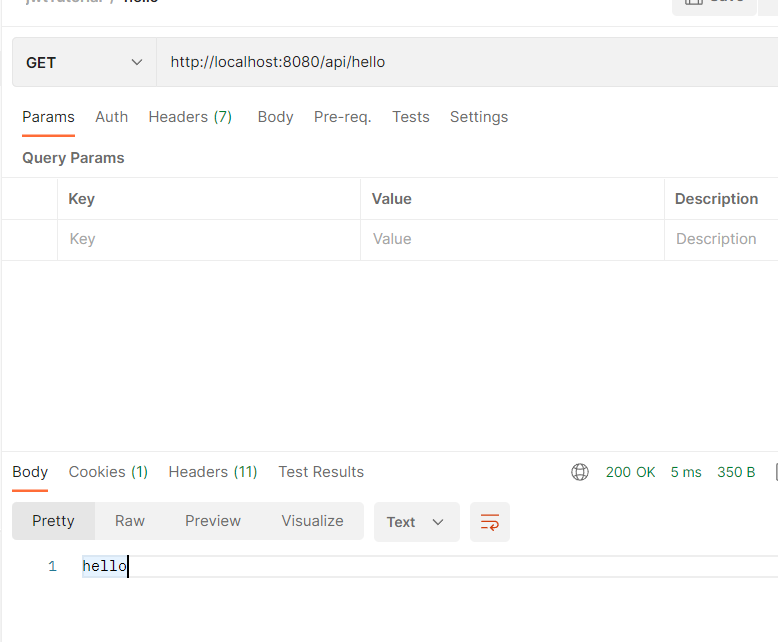
H2 DB 사용, 메모리 저장
spring:
  h2:
    console:
      enabled: true
  datasource:
    url: jdbc:h2:mem:jwttutorial
    driver-class-name: org.h2.Driver
    username: sa
    password:
    //create-drop의 의미
    //sessionFactory 시작될때 - (Drop,Create,Alter) 종료시 - Drop
  jpa:
    database-platform: org.hibernate.dialect.H2Dialect
    hibernate:
      ddl-auto: create-drop
    properties:
      hibernate:
        format_sql: true
        show_sql: true
logging:
  level:
    com.studyjwt: DEBUG

22