2023.11.14
Development History
- Monster(Basic/Middle/Boss) 애니메이션 적용
- Basic Monster (Basic.ver / Angry.ver)을 랜덤으로 떨어뜨리기
1. Monsters Animation 적용
Monster들의 애니메이션을 제작 및 애니메이션 컨트롤러 설정
Unity > Window > Animation
Monster(Basic/Middle/Boss) 애니메이션 적용
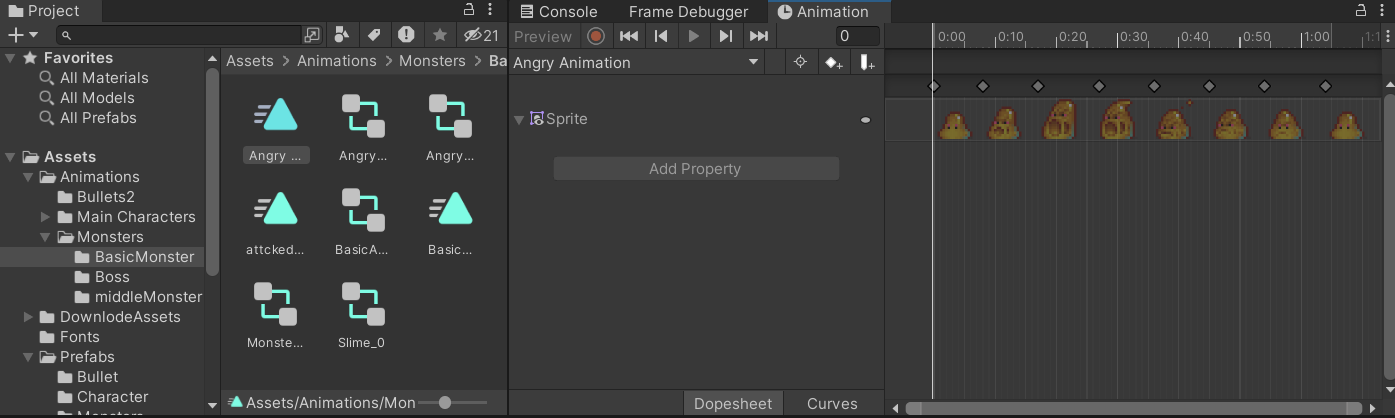
Asset을 이용하여 움직이는 몬스터 애니메이션을 제작했다.
1. 기본 움직이는 애니메이션
2. 공격 당하는 애니메이션
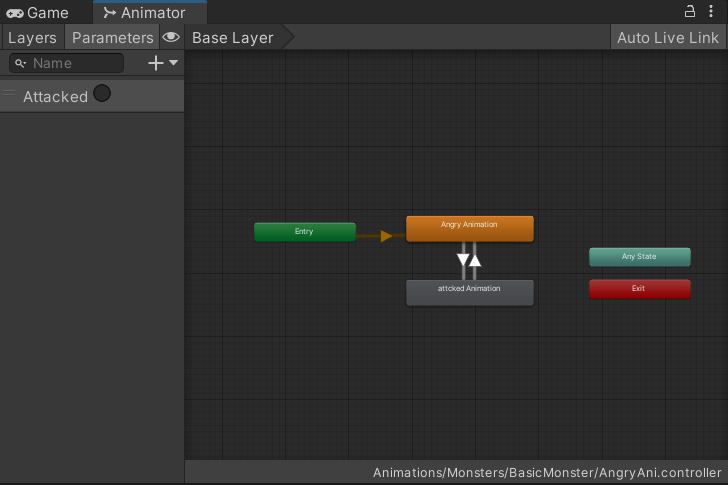
2. Monsters 랜덤으로 떨어뜨리기
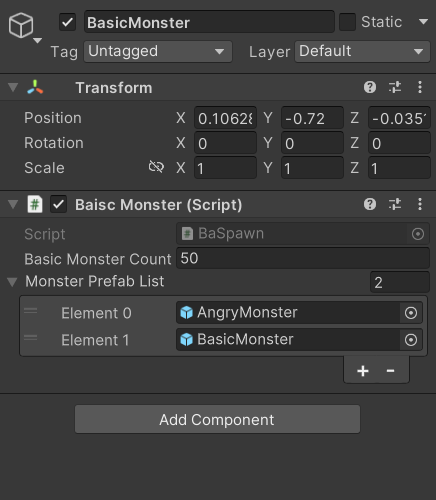
- Basic Monster (Basic.ver / Angry.ver)을 랜덤으로 떨어지도록 List<> 클래스 생성해서 인터페이스 창에서 랜덤으로 떨어질 몬스터 prefab을 넣어준다.
- Random.Range()를 통해 설정된 X좌표에서 랜덤으로 나타나도록 설정해준다.
List<자료형> 변수명 = new List<자료형>();
- <자료형>에 모든 class, Type 등이 들어간다.
- new 연산자를 통해 객체로 선언해준다.
Random.Range(float minInclusive, float maxInclusive);
- int로 작성할 경우, 읽기 전용
using System.Collections;
using System.Collections.Generic;
using UnityEngine;


public class BaiscMonster : MonoBehaviour
{
    public int BasicMonsterCount = 50;

    //List를 이용해서 유니티 인스펙터창에 랜덤으로 넣을 프리팹 설정
    public List<GameObject> MonsterPrefabList = new List<GameObject>();
    private float randomX;

    // Start is called before the first frame update
    void Start()
    {
        InvokeRepeating(nameof(spawn), 0.5f, 3f);
    }


    // Update is called once per frame
    void spawn()
    {
        randomX = Random.Range(-2, 3);
        int RandomMonsterIndex = Random.Range(0, MonsterPrefabList.Count);
        GameObject newObject = Instantiate(MonsterPrefabList[RandomMonsterIndex], new Vector3(randomX, gameObject.transform.position.y, 0f), transform.rotation);
        Destroy(newObject, 4f);
    }
}

Hi :)