기본 단축키
실행하기 - ctrl + enter
주석처리 - (ctrl + /)
select 필드 from 테이블명; (조회하기)
(실무에서는 이렇게 조회하면 안됨 데이터가 너무 많이 실행되서)
select * from help;
help라는 테이블의 모든 필드를 불러오기
- select는 그 다음에 오는 value의 column을 보여주는것
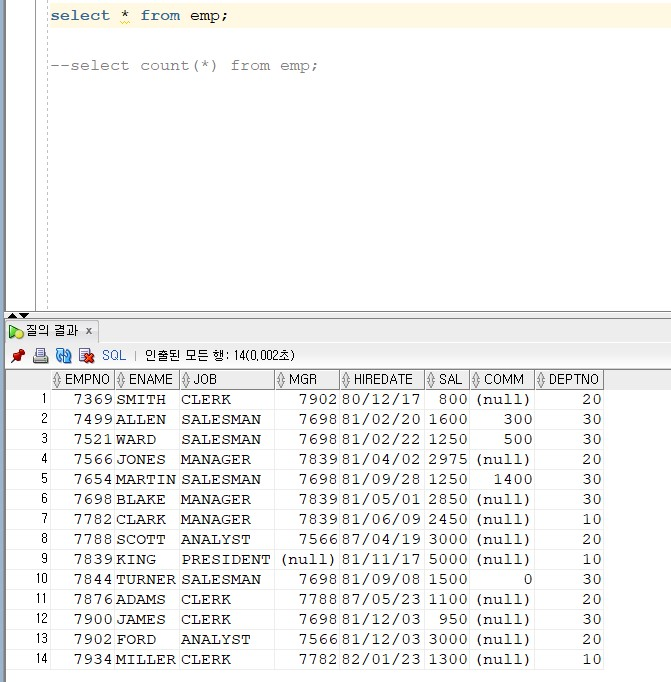
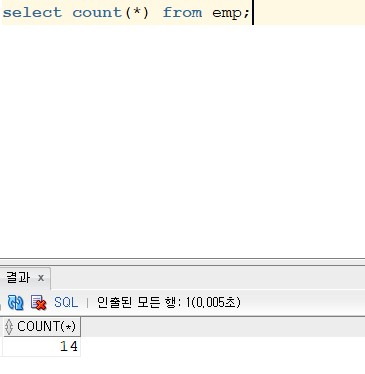
- select count (*) from emp; > emp의 모든 필드의 갯수
기본적인 테이블 예시
- SCOTT (임시)테이블
- BONUS (상여금)
- DEPT (부서)
- EMP (이름 직책 언제 고용됬는지 부서 등등 나옴)
- SALGRADE (급여등급)
Department Number
- 코드로 적혀져있음 (ex, 10,20,30) 주키
- DEPT라는 테이블과 같이 EMP에도 적힘
주의사항
- 테이블 안에 번호가 중복이 되어서는 안됨
- 그러나 이름같은경우는 중복되는 경우가 있음 primary key (pk,주키)
주키란?(primary key, pk)
- pk : 기본키는 해당 테이블에서 가장 기본적인 값을 가짐
- 기본키는 다른 항목과 절대로 중복되어 나타날 수 없는 단일 값(unique)을 가집니다.
- 기본키는 절대 null(아무런 값이 없는 상태) 값을 가질 수 없습니다.
- ex) 주민등록번호같은 개념 ( 이름과 생일은 동일할 수 있지만 주민등록번호는 고유의 개념이기때문에 중복될 수 없음)
- 테이블은 기본키를 하나까지만 가질 수 있습니다.
- 관계형 DB 이론상 모든 테이블은 반드시 하나의 기본 키를 가져야 합니다.
- “_”가 있으면 주키라는 뜻
MADANG 서점의 데이터를 예시로 여러가지 쿼리문 사용해보기
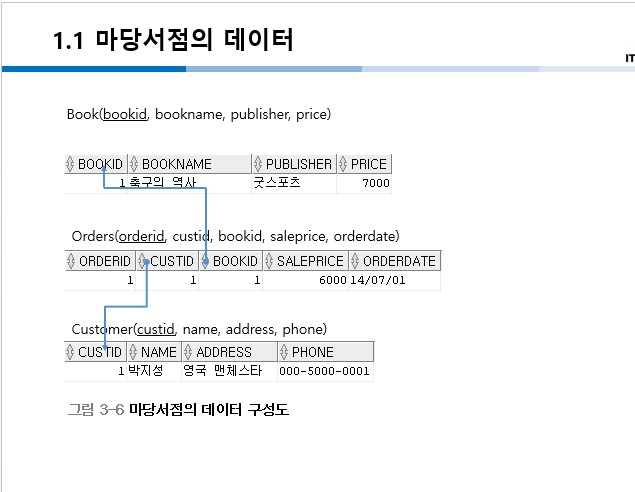
테이블 조회하기
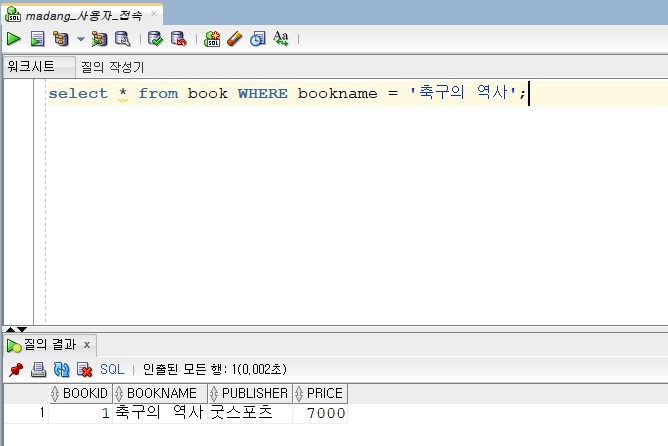
select * from book WHERE bookname = 'value값';
=대신 like를 사용가능
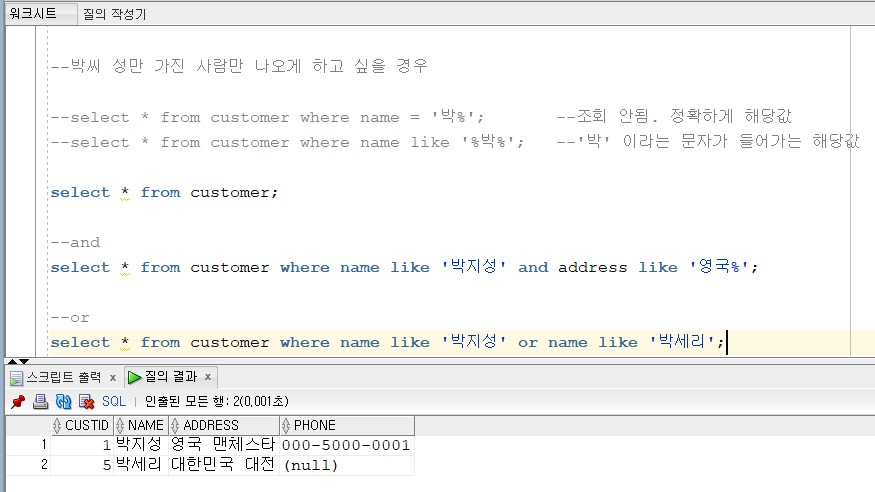
and 와 or
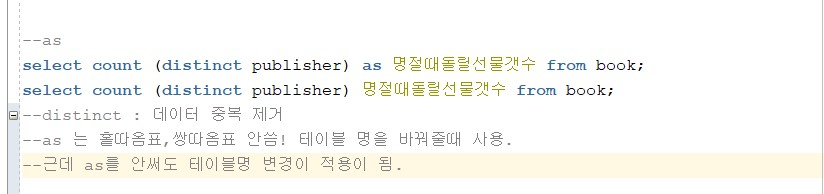
as
select DISTINCT publisher from book;
select count(DISTINCT publisher) as 명절때돌릴선물갯수 from book;
select count(DISTINCT publisher) 명절때돌릴선물갯수 from book; --집계함수(SUM, avg, COUNT, max, min)
별칭(Alias)
- from 절에 지정한 테이블에는 select 절의 열에 (as) 사용한 것 처럼 별칭을 지정할 수 있다.
select * from emp e, dept d where e.deptno = d.deptno;
select * from emp e, dept d where e.deptno = d.deptno order by e.empno;
집계함수( sum, avg, count, max, min)
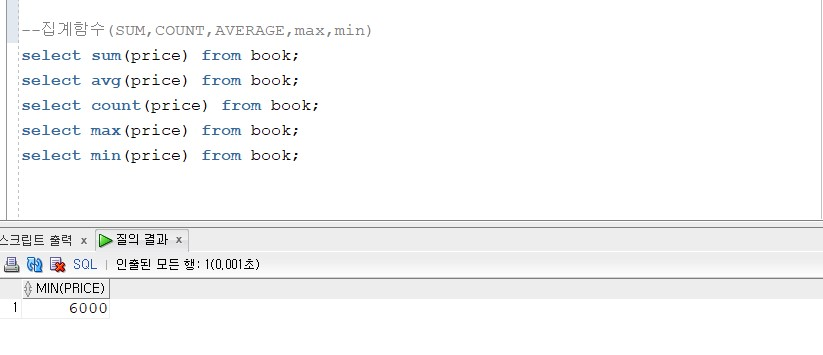
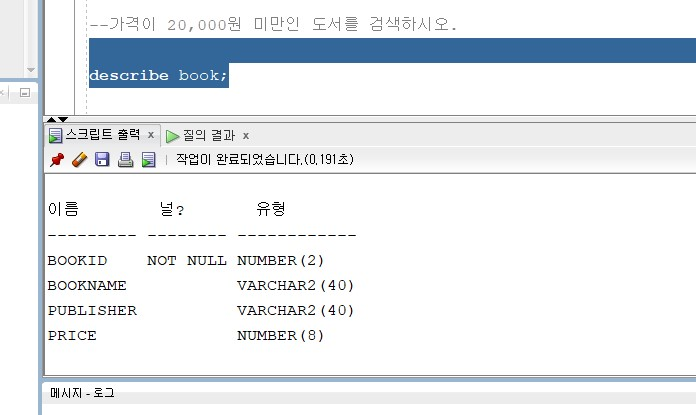
- 유형안의 ( ) : 물리적으로 하드웨어에 저장해야하기때문에 그 이상 들어가지 않도록 설계해놓은것
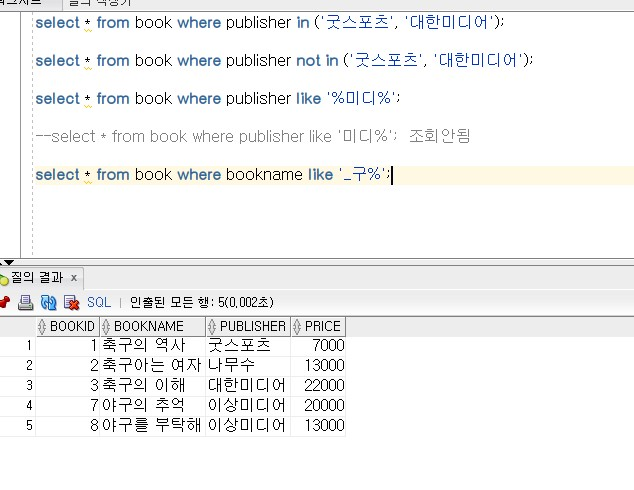
where in, not in
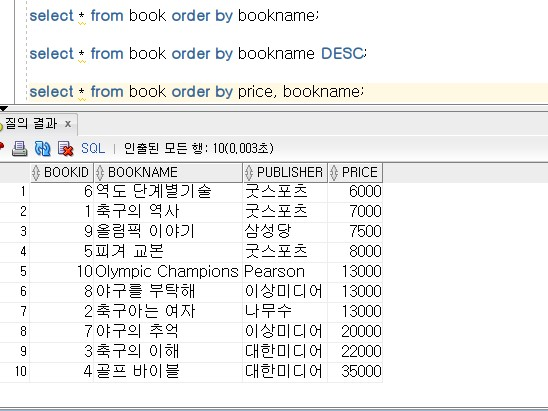
order by
- 대한미디어에서 출판한 도서를 구매한 고객의 이름을 보이시오
select name from customer where custid in(select custid from orders where bookid in(select bookid from book where publisher = '대한미디어'));
select * from orders;
select bookid from book where publisher = '대한미디어';
select custid from orders where bookid in(select bookid from book where publisher = '대한미디어');
group by
select * from customer;
- 고객이 주문한 도서의 총 판매액, 평균값, 최저가, 최고가
SELECT sum(saleprice) as 총판매액, avg(saleprice) as 평균값, max(saleprice) 최고가, min(saleprice) 최저가 from orders;
- 고객별(group by)로 주문한 도서의 총 수량과 총 판매액
select * from orders group by custid; (group by 함수는 집계함수(sum, count, avg, min, max)와 같이 사용해야함)
select custid, sum(saleprice) from orders group by custid;
//select 다음 custid를 입력했을때 다음 필드인 sum(saleprice)의 앞에 custid이랑 price가 일치하는지 확인할수있음
--select custid, sum(saleprice) from customer,orders group by customer.custid = orders.orderid order by customer.custid = orders.orderid;
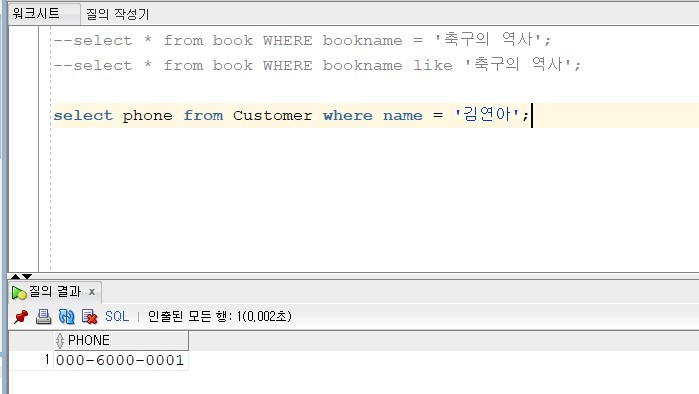
특정 고객의 전화번호 찾기
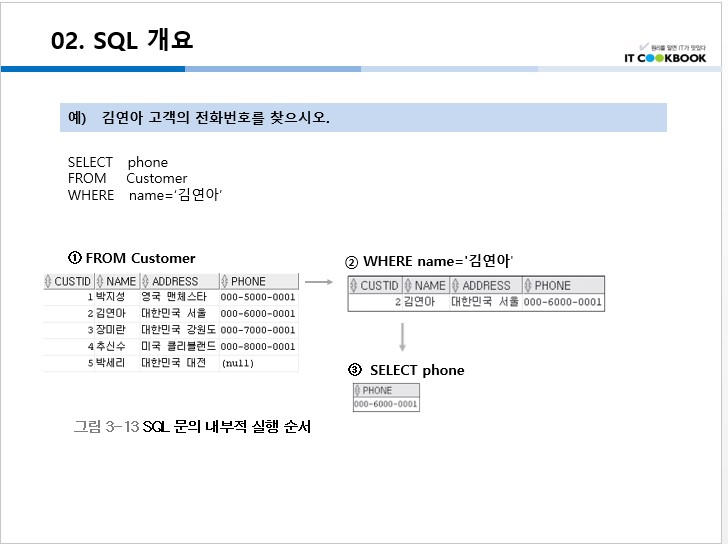
- Customer 테이블의 phone 필드(행)에 있는 ‘김연아’라는 이름의 데이터를 조회하는 방법
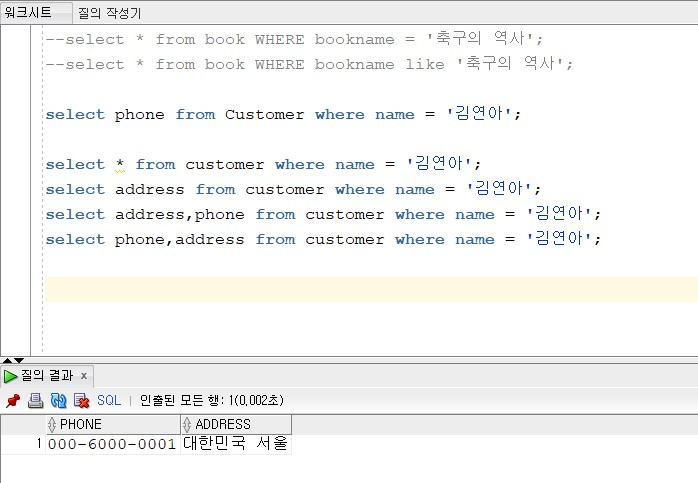
- 다양하게 조회해보기
-
조회 오류 예시

-
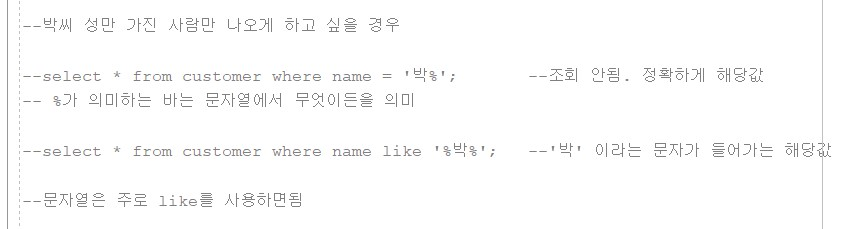
특정 글자가 포함된 경우를 조회해보기
쿼리문 정리
--select * from book WHERE bookname = '축구의 역사';
--select * from book WHERE bookname like '축구의 역사';

--SELECT price,bookname from book;
SELECT * from customer;
SELECT * from customer where name = '김연아' ;  -- 정확하게 김연아
--SELECT * from customer where name = "김연아" ; 불가
--SELECT * from customer where name = 김연아 ; 불가
SELECT * from customer where name like '김연아' ;


-- 박씨 성만 가진 사람만 나오게 하고 싶을 경우

select * from customer where name = '박%'; -- 정확하게 해당값 =

select * from customer where name like '박지성';  -- 문자열은 like를 주로 사용하시면 됨
-- %가 의미하는 바는 문자열에서 무엇이든을 의미
select * from customer where name like '박%'; -- '박' 이라는 문자가 들어가는 형태로 하고자 할경우 like

select * from customer;
--and
select * from customer where name like '박지성' and address like '영국%';

-- or
select * from customer where name like '박지성' or name like '박세리';

--SELECT address from customer where name = '김연아' ;
--SELECT address, phone from customer where name = '김연아' ;
--SELECT phone, address from customer where name = '김연아' ;- 2번 김연아 고객이 주문한 도서의 총 판매액을 구해보자 (김연아 고객이 몇 번인지 확인)
select * from customer;
- 2번인 것을 알았으니 custid = 2인 조건으로 주문테이블에서 조회
select * from orders where custid=2;
위 예시는 2번에 걸쳐서 실행하므로 효율이 떨어짐 ! 따라서 두개의 테이블을 합쳐서(join) 보고 싶다.
- 합치는 방법(join)은 테이블 자리에 customer, orders
select * from customer, orders;
select * from customer, orders where orders.custid = customer.custid and customer.name like '%김연아%';
- sum(합계) 구하기
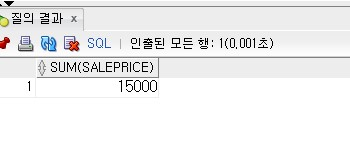
select sum(saleprice) from customer, orders where orders.custid = customer.custid and customer.name like '%김연아%';
결과
-
의미없는 나열
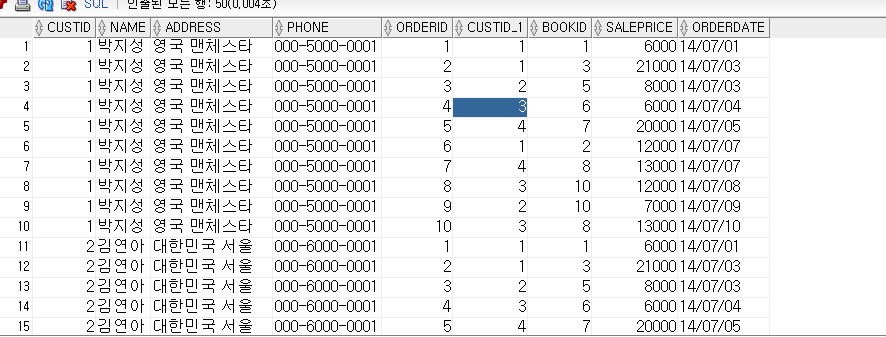
-
김연아라는 이름의 orderid와 custid가 일치하는 데이터

- 합계 데이터