Mongodb 설치 오류[오해]및 Fast api 연결
FastAPI를 사용한 파이썬 웹 개발 책을 보며, FastAPI와 MongoDB를 연결하고 설정하는 와중 Mongodb에 연결되지 않는 에러가 계속발생했다.
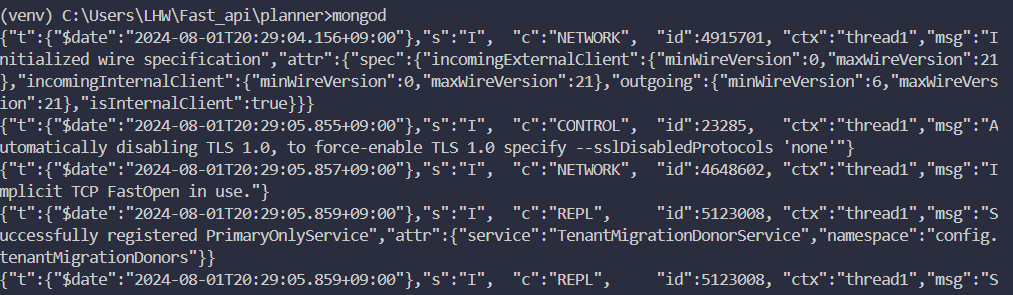
처음에는 JSON 타입의 데이터가 프람프트에 나오길래 제대로 연결된줄 알고 넘어갔으나, CRUD처리 라우트를 설정하는 과정에서 MongoDB에 제대로 연될된게 아니라는것을 알게 되었다.
해결과정:
- 의심되는 원인: 의존성 library를 설치하는 와중에 오류가 발생했고, 몽고db 관련 환경변수 파일을 생성하는 과정에서 문제가 있었던것 같다.
- 몽고db삭제 및 재설치
시스템 환경 변수 편집에서 mongod.exe가 있는 file 경로를 path에 추가해 줬다.

powershell에서 mongod를 입력했을 때도 위에 사진처럼 오류가 발생했다. 즉, 정상적으로 연결돼었는데 chat-gpt를 참고하니 이미 mongodb가 실행중이기 때문에 오류가 발생했다는 것을 알게됐다.
mongodb 정상 작동 확인하기 post,get,put,delete
-POST: 이벤트를 생성
curl -X POST "http://127.0.0.1:8000/event/new" -H "accept: application/json" -H "Content-Type: application/json" -d "{\"title\": \"FastAPI Book Launch\", \"image\": \"https://linktomyimage.com/image.png\", \"description\": \"We will be discussing the contents of the FastAPI book in this event. Ensure to come with your own copy to win gifts!\", \"tags\": [\"python\", \"fastapi\", \"book\", \"launch\"], \"location\": \"Google Meet\"}"출력: {"message":"Event created successfully"}
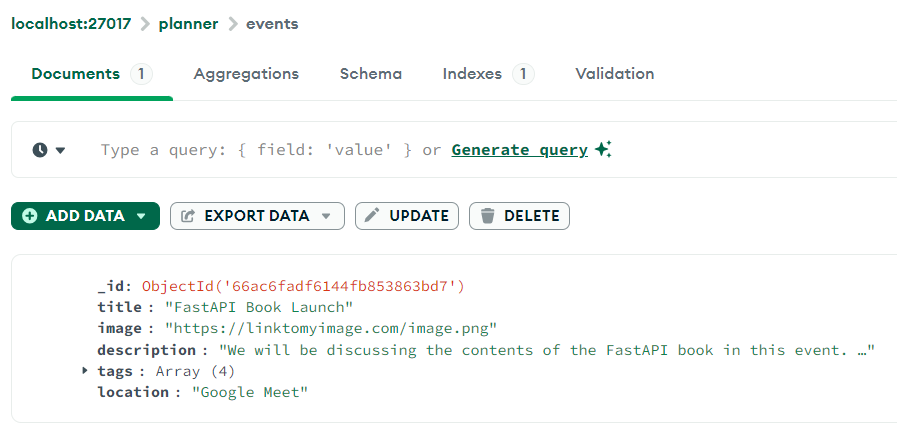
이벤트가 성공적으로 데이터베이스에 저장됨.
get: 생성된 이벤트 조회
curl -X GET "http://127.0.0.1:8000/event/" -H "accept: application/json" 결과 :
put: 생성된 이벤트의 필드를 변경
curl -X PUT "http://127.0.0.1:8000/event/624daab1585059e8a3fa77ac" -H "accept: application/json" -H "Content-Type: application/json" -d "{\"location\": \"Hybrid\"}"출력
{"detail":[{"type":"missing","loc":["body","title"],"msg":"Field required","input":{"location":"Hybrid"}},{"type":"missing","loc":["body","image"],"msg":"Field required","input":{"location":"Hybrid"}},{"type":"missing","loc":["body","description"],"msg":"Field required","input":{"location":"Hybrid"}},{"type":"missing","loc":["body","tags"],"msg":"Field required","input":{"location":"Hybrid"}}]}Delete : 생성한 이벤트 삭제
curl -X DELETE "http://127.0.0.1:8000/event/66ac6fadf6144fb853863bd7" -H "accept: application/json" 출력
{"message":"Event deleted successfully."}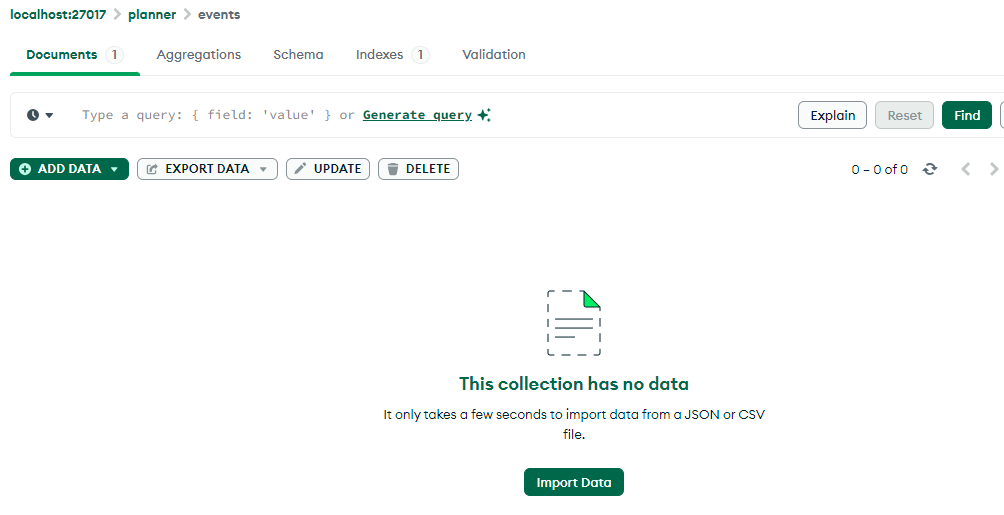
정상적으로 삭제됐다!
이번에는 유저를 등록해보자.
curl -X POST curl -X POST "http://localhost:8000/user/signup" -H "accept: application/json" -H "Content-Type: application/json" -d "{\"email\": \"fastapi@packt.com\",\"password\": \"strong!!!\"}"출력
{"message":"User created successfully"}
- 유저 모델에서 events =None으로 두어 요청할 때 events 필드를 누락해도 오류가 발생하지 않도록 했음.
로그인
curl -X POST "http://127.0.0.1:8000/user/signin" -H "accept: application/json" -H "Content-Type: application/json" -d "{\"email\": \"fastapi@packt.com\",\"password\": \"strong!!!\"}"출력
{"message":"User signed in successfully."}
성공적으로 유저를 생성하고 로그인까지 됐다!
느낀점 및 배운점
- 터미널에서 나온 오류와 디버깅 코드 자세하기 읽어보기
=> 뭐가 문제인지 모르는 상태로 chat-gpt를 괴롭혀봤자 잘못된 답변만 생성된다. - Postgresql 만 써오다가 MongoDB를 처음 써봐서 지정한 데이터베이스에 입력한 데이터가 저장되었다고 시각적으로 볼 수 없어서 어색했다.
-> MongoDB Compass를 사용해서 해결!

데이터 엔지니어를 꿈꾸는 통계학도