google colab에서 flask 사용하는 법

오늘은 google colab에서 flask를 사용하는 법을 알아볼 것이다
1
colab에서 flask를 사용하기 위해서는 ngrok이 필요하다
!pip install flask flask-ngrok이런식으로 install 하면 된다
- ngrok이란?
- 로컬 웹 서버를 SSH 접속이나 모바일 테스트 할 수 있도록 public URL로 접근할 수 있도록 해주는 것이다
2
ngrok 에 가입한 후 token을 받아와서
!ngrok authtoken '토큰 붙여넣기'이런식의 코드를 작성해줘야 한다
참고로 토큰은
아래 ngrok 페이지에서
https://dashboard.ngrok.com/get-started/setup/windows
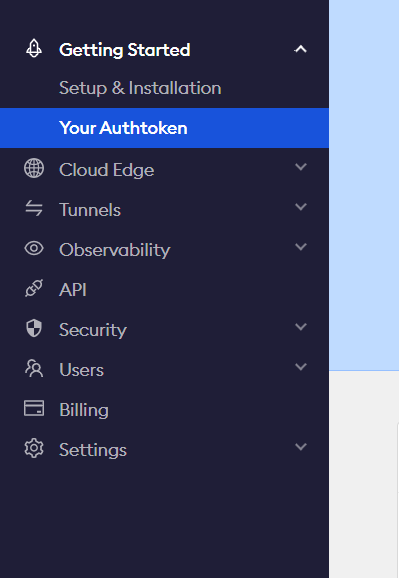
왼쪽 상단 메뉴바의 your authtoken 메뉴에서 확인할 수 있다
3
from flask import Flask, jsonify, request,render_template
from flask_ngrok import run_with_ngrok
import requests

app = Flask(__name__)
run_with_ngrok(app)

@app.route('/')
def index():

    return render_template('index.html')

if __name__ == "__main__":
    app.run()
4
이때 content/template 폴더가 필요하다
ngrok이 html을 이 폴더 내부에서의 경로로 받아오기 때문이다
만약 여기서 html 경로를 잘 받아오지 못해 에러가 난다면 다음 코드처럼 작성해보자
app.template_folder = '/content/template'
5
이런 식의 코드를 돌리면 output이 나오는데 이때 ngrok-free.app으로 끝나는 url을 클릭하면 index.html에 작성한 내용이 잘 나오는 것을 볼 수 있습니다
이를 확인하고 나면 로그에
NFO:werkzeug:127.0.0.1 - - [23/Nov/2023 12:57:27] "GET / HTTP/1.1" 200 -이렇게 200이 뜨는 모습을 발견할 수 있습니다