
EFS (Elastic File System)
- EFS는 Elastic File System이다.
- AWS의 NFS라고 볼 수 있다.
- VPC에서 SG를 생성하는 것부터 시작한다.
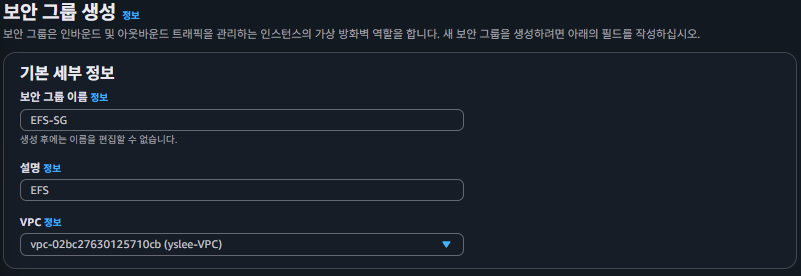
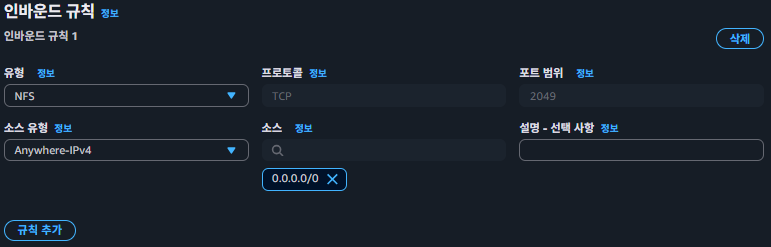
- 인바운드 규칙을 작성한다.
- EFS를 검색해서 파일시스템에 들어간다. EC2용 파일 스토리지

- 파일시스템을 생성한다.
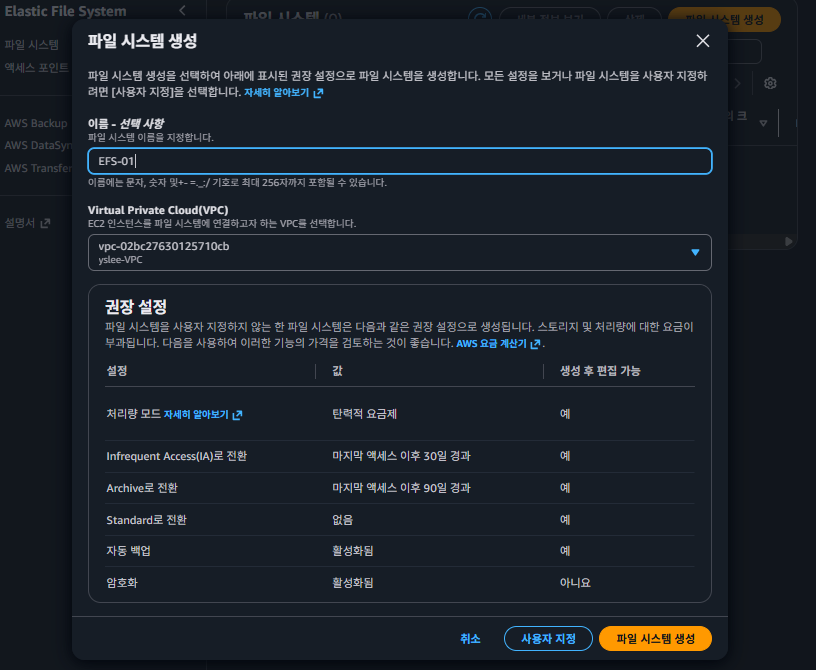
- 네트워크에 관리 버튼을 누른다.
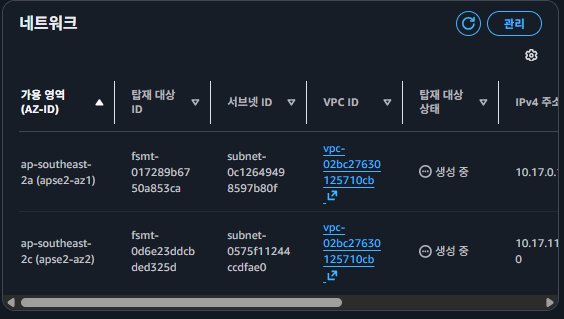
- 보안 그룹 보면 default로 되어 있을 탠데 지우고, EFS-SG로 변경한다.
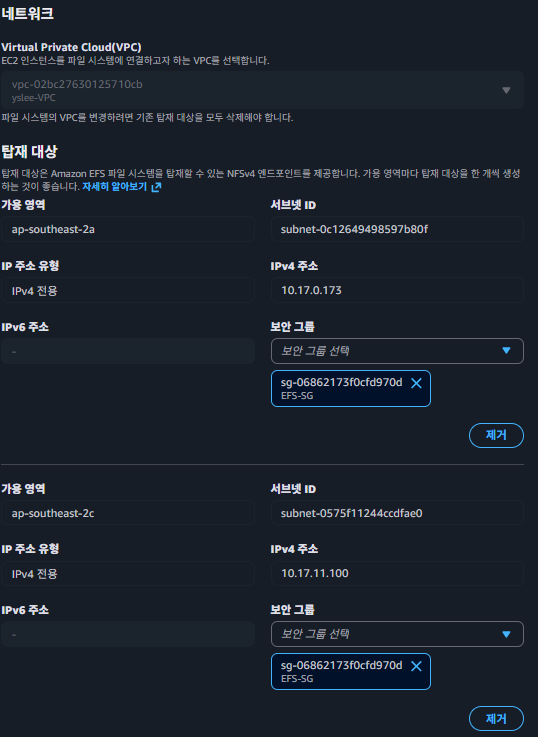
- 액세스 포인트에 들어가서 연결 작업을 해줘야 한다. 아래의 연결 버튼을 클릭한다.
- (1) NFS로 mount:
EFS만들면 명령어를 알려준다. 복사해서 사용한다.
sudo mount -t nfs4 -o nfsvers=4.1,rsize=1048576,wsize=1048576,hard,timeo=600,retrans=2,noresvport fs-<<>>.efs.ap-southeast-2.amazonaws.com:/ efs- NGINX-2A-00에 NFS를 적용해본다.
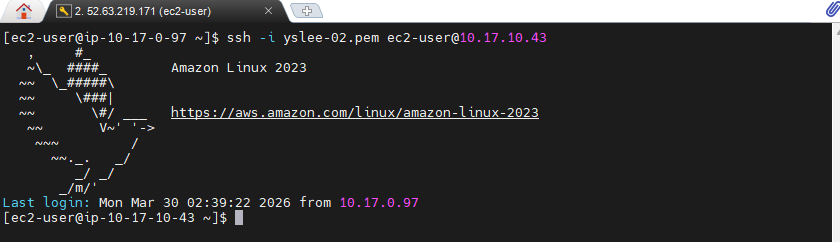
- BASTION에서 NGINX-2A-00으로 접속해서 해본다.
ssh -i yslee-02.pem ec2-user@10.17.10.43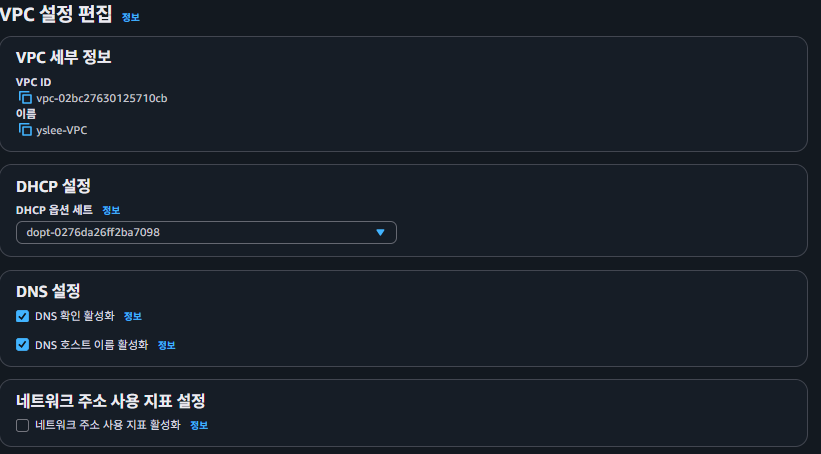
- 명령어를 쳐보면 efs가 없다고 뜰 것이다. VPC에서 추가로 처리를 해줘야한다.
mount.nfs4: mount point efs does not exist
[ec2-user@ip-10-17-10-43 ~]$
- VPC로 간 다음에 VPC 설정 편집으로 들어간다.

- 호스트 이름 활성화를 누른다.

- 나온 명령어의
/usr/share/nginx/html/뒷부분을 수정한다.
sudo mount -t nfs4 -o nfsvers=4.1,rsize=1048576,wsize=1048576,hard,timeo=600,retrans=2,noresvport fs-0ab42c49357c2b609.efs.ap-southeast-2.amazonaws.com:/ /usr/share/nginx/html/
- 이 상태가 완료되면, ping 테스트를 해본다. Received 떠 있는 것을 볼 수 있다.
ping fs-0ab42c49357c2b609.efs.ap-southeast-2.amazonaws.com
- 아마존 부분 추가된 것을 볼 수 있다.
df -h
- HOSTNAME도 확인해본다.
ls -l /usr/share/nginx/html

echo $HOSTNAME
- Hostname을 적용한다.
- tee 명령어 : 리눅스/유닉스 환경에서 표준 입력(stdin)을 받아 표준 출력(stdout)과 파일에 동시에 쓰는 명령어
hostname | sudo tee /usr/share/nginx/html/index.html

cat /usr/share/nginx/html/index.html

curl localhost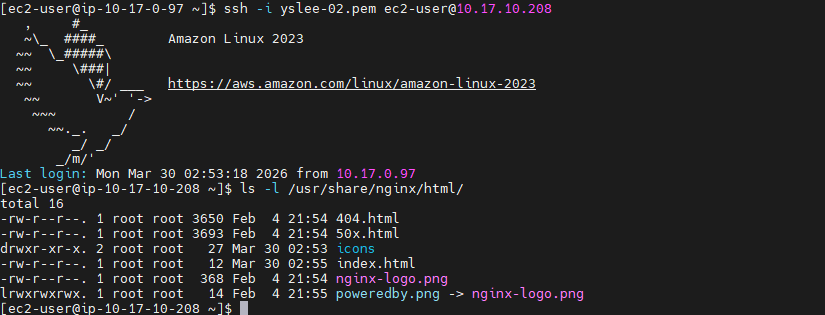
- 다른 서버인 NGINX-2A-01(10.17.10.208)로 간다.
- EFS로 연결되어 연결되어 있어서 nginx/html 안에 파일들이 있는 것을 볼 수 있다.
# NGINX-2A-01
ssh -i yslee-02.pem ec2-user@10.17.10.208

# NGINX-2A-00
ssh -i yslee-02.pem ec2-user@10.17.10.43

# NGINX-2A-00 에서 재시작도 한번 해본다.
sudo systemctl restart nginx.service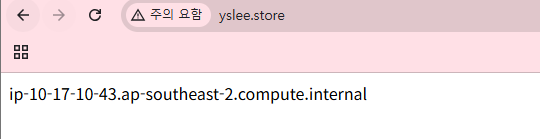
-
(2) EFS로 mount
-
NGINX-2A-01(10.17.10.208)으로 들어가본다
# NGINX-2A-01
ssh -i yslee-02.pem ec2-user@10.17.10.208- amazon-efs-utils를 다운로드 한다.
- 뒷부분에
/usr/share/nginx/html로 수정한다.
# efs 패키지
sudo dnf install -y amazon-efs-utils

# EFS 설정할 때 나온 주소로 변경
sudo mount -t efs -o tls fs-0ab42c49357c2b609:/ /usr/share/nginx/html
- 잠시 수정할 사항이 있어서, index.html 지우고, 마운트도 해제하였다.

-
파일을 조금 탐색해봤다.
-
vi /etc/nginx/nginx.conf부분 수정 -
Default로 되어 있는거 주석처리 해준다. 37번줄부터 주석
sudo vi /etc/nginx/nginx.conf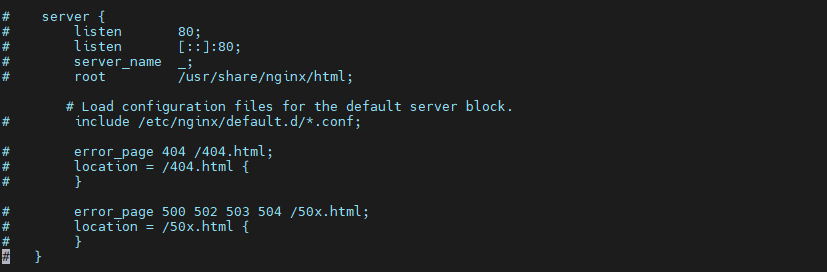
- nginx 문법 검사
sudo nginx -t
- 마운트는 /etc/nginx/conf.d/ 이쪽으로 되어야 한다.
# 마운트가 이쪽으로 되어야 한다.
sudo mount -t efs -o tls fs-0ab42c49357c2b609:/ /etc/nginx/conf.d/- 마운트 했으면 default.conf를 수정한다.
# 마운트 한 후 default.conf에 들어있는 값
sudo vi /etc/nginx/conf.d/default.conf

server {
        listen  80;
        server_name     _;

        location / {
                return 200 "Hello! This is server: $hostname\n";
                add_header Content-Type text/plain;
        }

}
- nginx 재시작 한다.
sudo systemctl restart nginx.service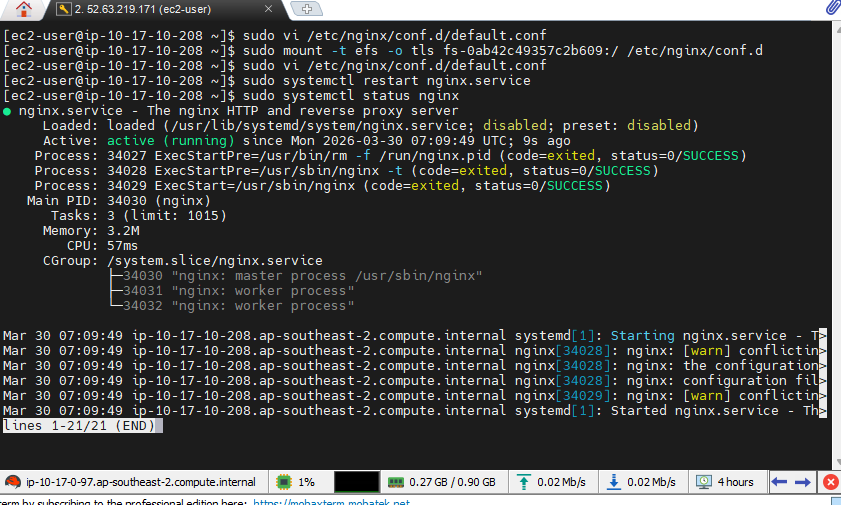
- 변경된 사항을 동일하게 반영하기 위해 BASTION으로 귀환한 후, NGINX-2A-00 간다.
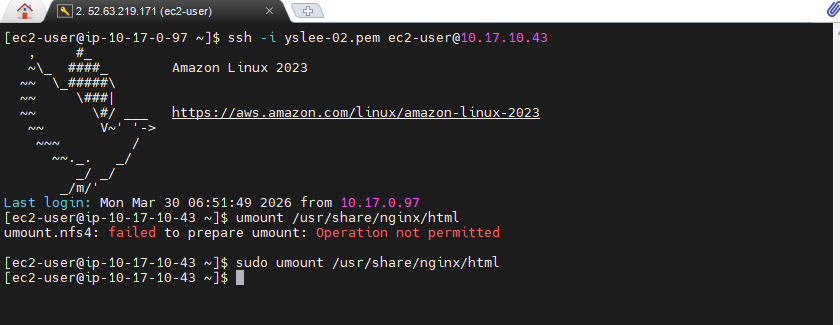
- 마운트를 해제한다.
sudo umount /usr/share/nginx/html
- 수정한 경로로 접속시킨다. NGINX-2A-00은 NFS로 연결 시켰으니까 NFS 명령어를 넣어야 한다.
# NGINX-2A-00에서 설정
sudo mount -t nfs4 -o nfsvers=4.1,rsize=1048576,wsize=1048576,hard,timeo=600,retrans=2,noresvport fs-0ab42c49357c2b609.efs.ap-southeast-2.amazonaws.com:/ /etc/nginx/conf.d/- nginx를 재시작해서 적용한다.
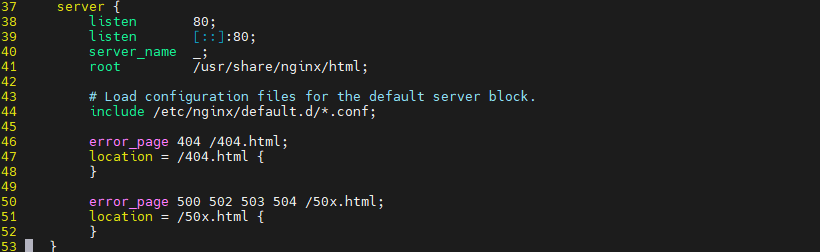
- (긴급 수정) NGINX-2A-01로 다시 돌아가서 작업을 진행한다.
- 위에서 주석했던 것 다시 주석 풀었다.

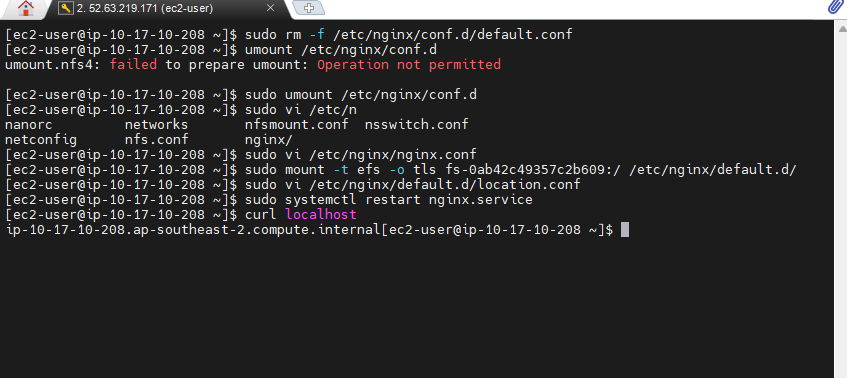
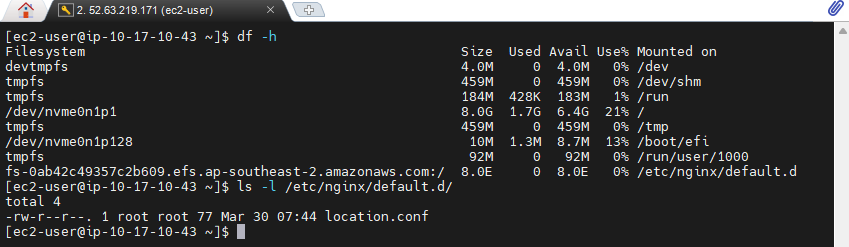
- NGINX-2A-01에서 마운팅을 다시 한다. /etc/nginx/default.d/ 여기로 했다.
sudo mount -t efs -o tls fs-0ab42c49357c2b609:/ /etc/nginx/default.d/

# 파일을 새롭게 만들었다.
sudo vi /etc/nginx/default.d/location.conf

# 작성 내용
location / {
        return 200 "$hostname";
        add_header Content-Type text/plain;
}
- NGINX-2A-00 으로 다시 들어간다.
umount /etc/nginx/conf.d/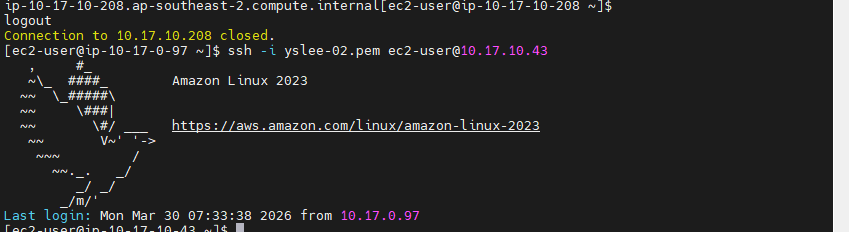
- 경로 정확히 수정해서 마운팅 다시 한다.
sudo mount -t nfs4 -o nfsvers=4.1,rsize=1048576,wsize=1048576,hard,timeo=600,retrans=2,noresvport fs-0ab42c49357c2b609.efs.ap-southeast-2.amazonaws.com:/ /etc/nginx/default.d
- nginx 가 재실행되면 변경사항이 반영되어 있을 것이다.
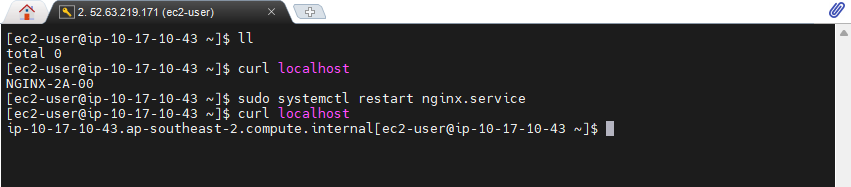
- 공유가 잘되어 있는지를 확인한다. location.conf가 있다.
- location.conf안에 있는 내용도 한 번 확인해본다.
sudo vi /etc/nginx/default.d/location.conf
- 이 location.conf 파일의 내용을 수정한후 nginx를 restart하면 변경될 것이다.