TopPostsSection 스타일 수정
import useFetchTopPosts from '@/hooks/useFetchTopPosts';
import Link from 'next/link';
import Image from 'next/image';
import Loading from '../common/Loading';
import { orbitron } from '../../../public/fonts/orbitron';

interface Post {
  id: string;
  title: string;
  content: string;
  created_at: string;
  likes?: number;
  comments?: number;
}

const TopPostsSection: React.FC = () => {

  const formatDate = (dateString: string) => { // 날짜 포맷팅
    const options: Intl.DateTimeFormatOptions = {
      year: 'numeric',
      month: '2-digit',
      day: '2-digit',
      hour: '2-digit',
      minute: '2-digit',
      hour12: false,
    };
    return new Date(dateString).toLocaleDateString('ko-KR', options);
  };

  const { posts, loading, error } = useFetchTopPosts();

  if (loading) return <Loading />;
  if (error) return <div>{error}</div>;

  return (
    <section className='section h-screen flex items-center justify-center relative'>
      <div className='w-full max-w-6xl mx-auto p-4'>
        <h1 className={`text-4xl left-28 mb-8 mt-8 ${orbitron.className} font-semibold`}>
          FREE BOARD
        </h1>
        <Link href='/community'>
          <p className='absolute top-60 right-8'>MORE+</p>
        </Link>
        <div className='grid grid-cols-2 gap-8 relative'>
          {posts.map((post: Post) => (
            <Link
              href={`/posts/${post.id}`}
              key={post.id}
              className='p-6 md:p-8 rounded-md block bg-black text-white hover:bg-gray-700 transition-colors'
            >
              <div className='flex flex-col justify-between h-full'>
                <div>
                  <Image
                    src={'/images/chips.png'}
                    alt='chips'
                    width={55}
                    height={28}
                    className='mb-3'/>
                  <h2 className='text-base font-pretendard font-semibold mb-2 md:text-xl md:mb-4 '>
                    {post.title}
                  </h2>
                  <p className='text-black-300 mb-4 text-sm md:text-base'>
                    {post.content.length > 120
                      ? `${post.content.substring(0, 120)}...`
                      : post.content}
                  </p>
                </div>
                <div className='text-black-50 flex justify-between items-center mt-auto text-xs md:text-sm'>
                  <span>{formatDate(post.created_at)}</span>
                  <span>
                    좋아요 {post.likes} 댓글 {post.comments}
                  </span>
                </div>
              </div>
            </Link>
          ))}
          <div className='absolute inset-0 flex items-center justify-center pointer-events-none'>
            <Image
              src='/images/free-board.svg'
              alt='Center Star'
              width={1200}
              height={1200}
            />
          </div>
        </div>
      </div>
    </section>
  );
};

export default TopPostsSection;
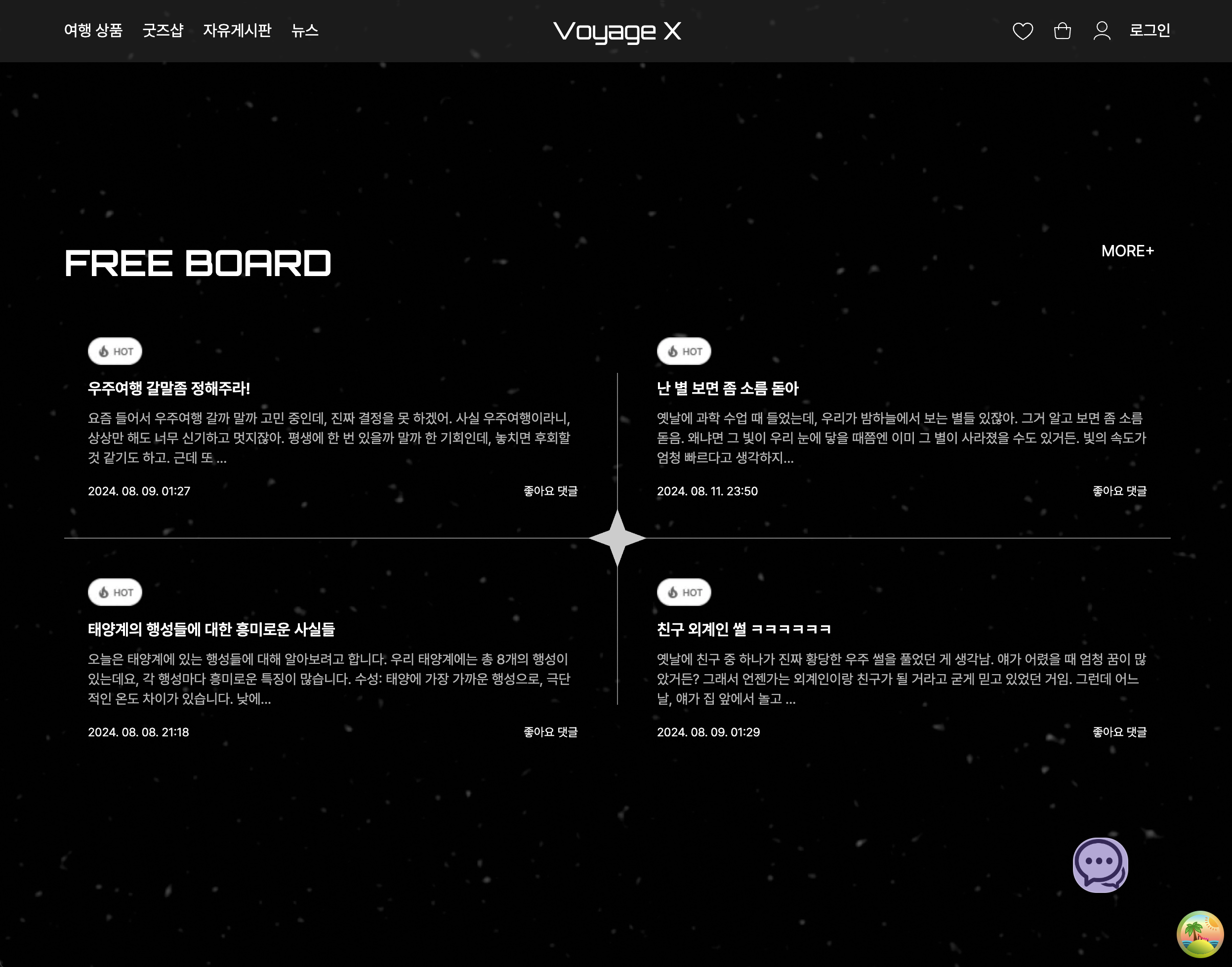
폰트 적용 및 사소한 css 위치 조정, 날짜 포맷팅 함수를 추가했습니다.
결과물
MORE+ 클릭 안되는 현상 해결
해당 사진의 MORE+ 를 누르면 /tour 로 이동을 해야 하는데 다른 섹션에서는 클릭하면 잘만 /tour url로 이동을 하는데 2번째 섹션에서는 MORE+ 를 아무리 클릭을 해도 아무런 반응도 없길래 뭐가 문제일까 서칭을 해보니, 다른 요소들과 겹쳐있기에 그럴 수도 있으니 zIndex를 넣으면 해결될 수도 있다는 방법을 찾았습니다.
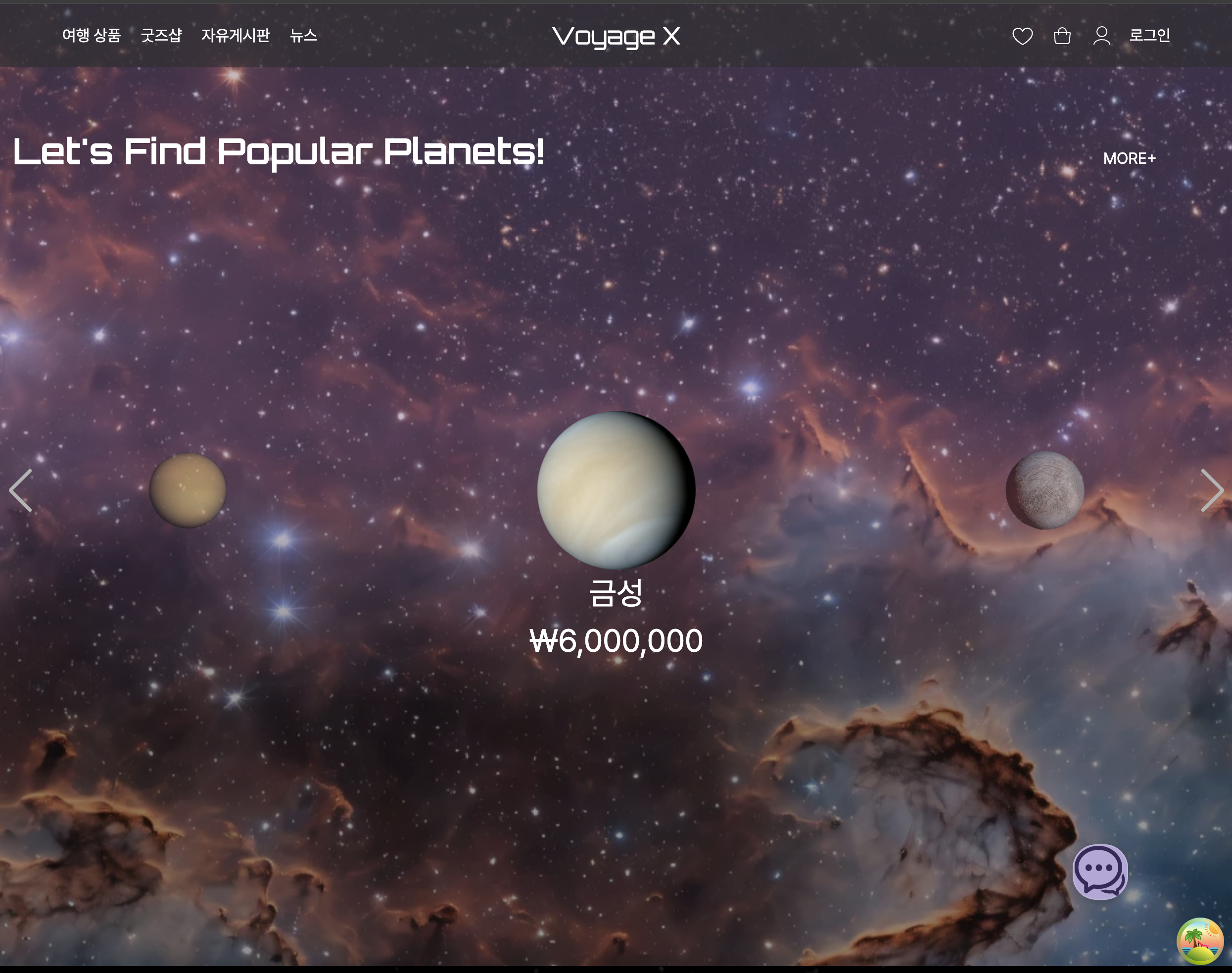
해당 Link 태그 안에 있는 p 태그의 className에 z-10을 부여하니 해결됐습니다. 클릭 시 정상적으로 해당 url로 이동됩니다


개발자가 되고 싶어~~~