자세한 사항은 공식문서 참고하자. 구글에 spring developer tools doc이라고 치면 나옴
1. devtools
devtools를 사용하면 서버를 재시작하지 않아도 변경된 사항을 확인할 수 있다.
(1) build.gradle 파일 수정
dependencies {
    implementation 'org.springframework.boot:spring-boot-starter-thymeleaf'
    implementation 'org.springframework.boot:spring-boot-starter-web'
    testImplementation ('org.springframework.boot:spring-boot-starter-test') {
        exclude group: 'org.junit.vintage', module: 'junit-vintage-engine'
    }
    developmentOnly 'org.springframework.boot:spring-boot-devtools'
}
dependencies에 developmentOnly 'org.springframework.boot:spring-boot-devtools' 추가하기
(2) Automatic restart
Restart vs Reload
1. Restart
restart는 두 개의 classloaders를 사용한다. 하나는 base classloader(바뀌지 않음)이고 다른 하나는 restart classloader(바뀜)이다. Application이 재시작되면 restart classloader만 다시 새로 만들어지기 때문에 완전히 프로그램을 껐다 키는 "cold starts"보다 restart가 훨씬 빠르다.
2. Reload
Restart를 할 여건이 되지 않을 때(속도저하, classlaoding issue 등) Reload를 하면 된다. 하지만 프레임워크가 많이 지원되지 않고 상업적으로 이용할 수 없다.
여러 옵션이 있지만 그냥 default로 설정할 것이다. 만약 옵션을 커스터마이징하고싶으면 공식문서 보고 application.properties파일에 들어가서 설정하면 된다.
일단 아래 두개만 설정해놓자
spring.devtools.restart.enabled = true
spring.devtools.livereload.enabled = true
(3) LiveReload
resource가 바뀌면 자동으로 reload하는 기능이다. 크롬에 livereload++ 확장 프로그램을 설치하면 된다. 이 프로그램을 설치하면 브라우저를 새로고침하지 않아도 수정사항이 자동으로 반영된다.
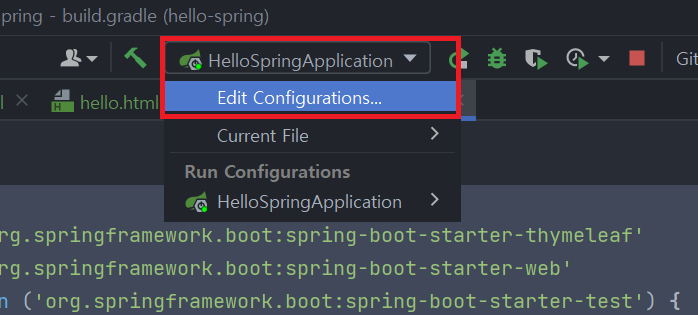
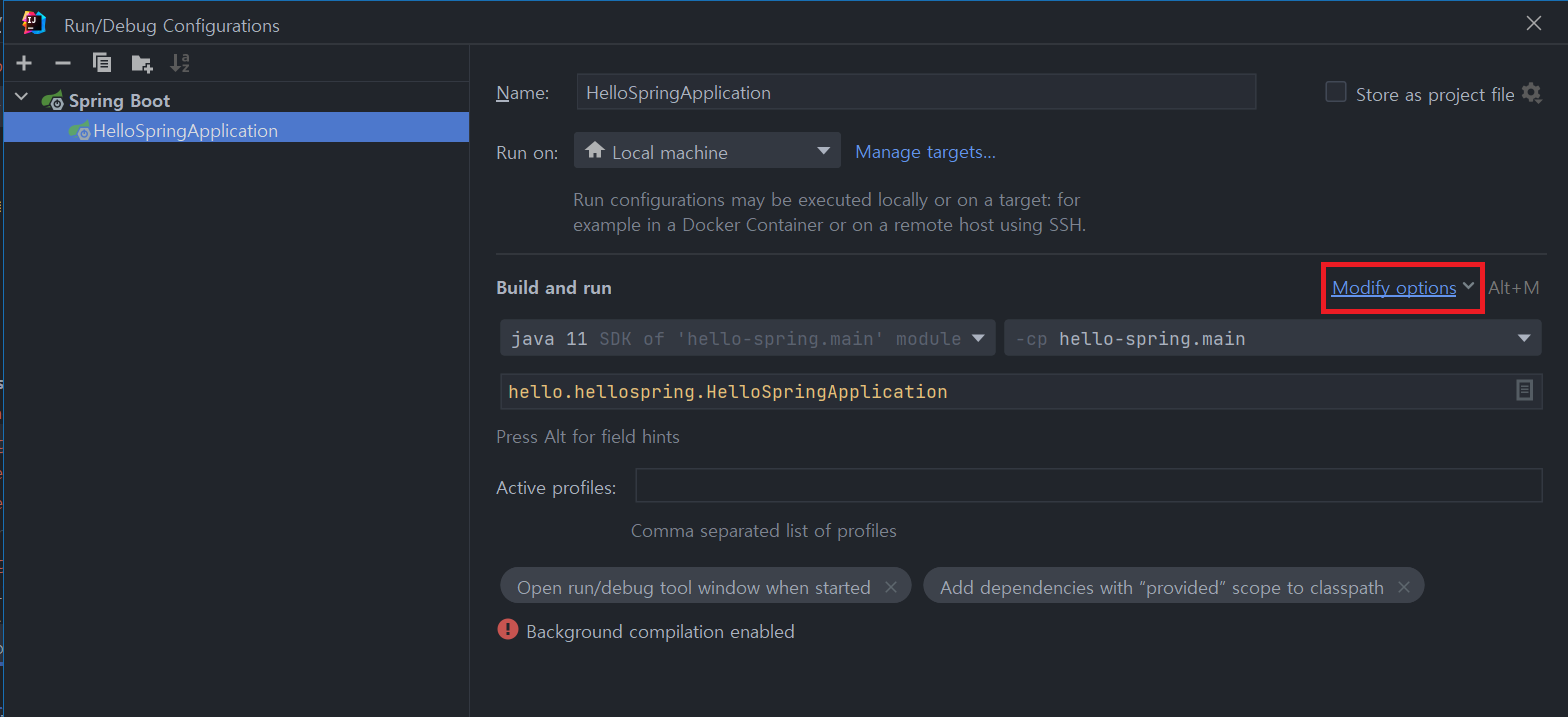
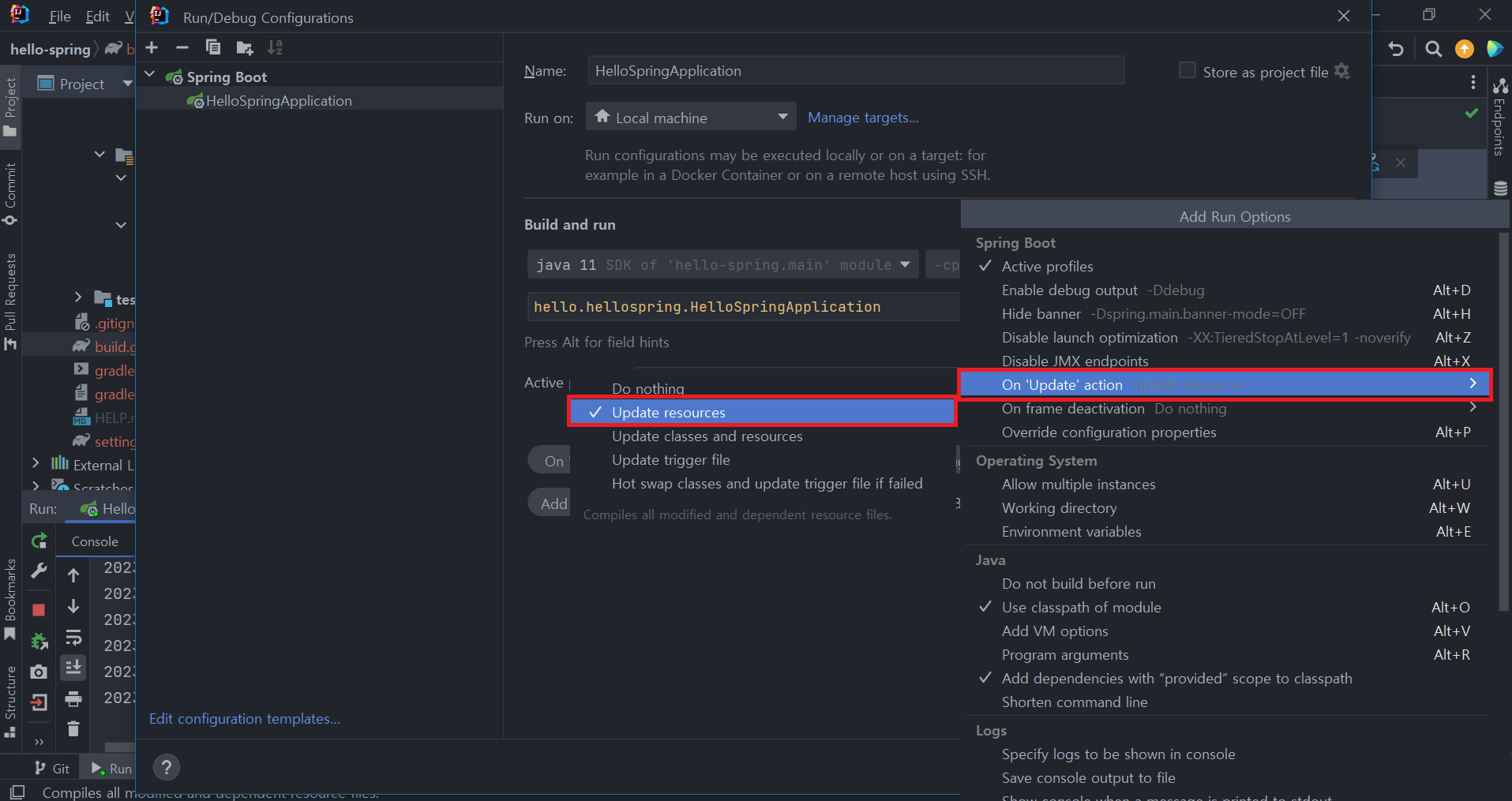
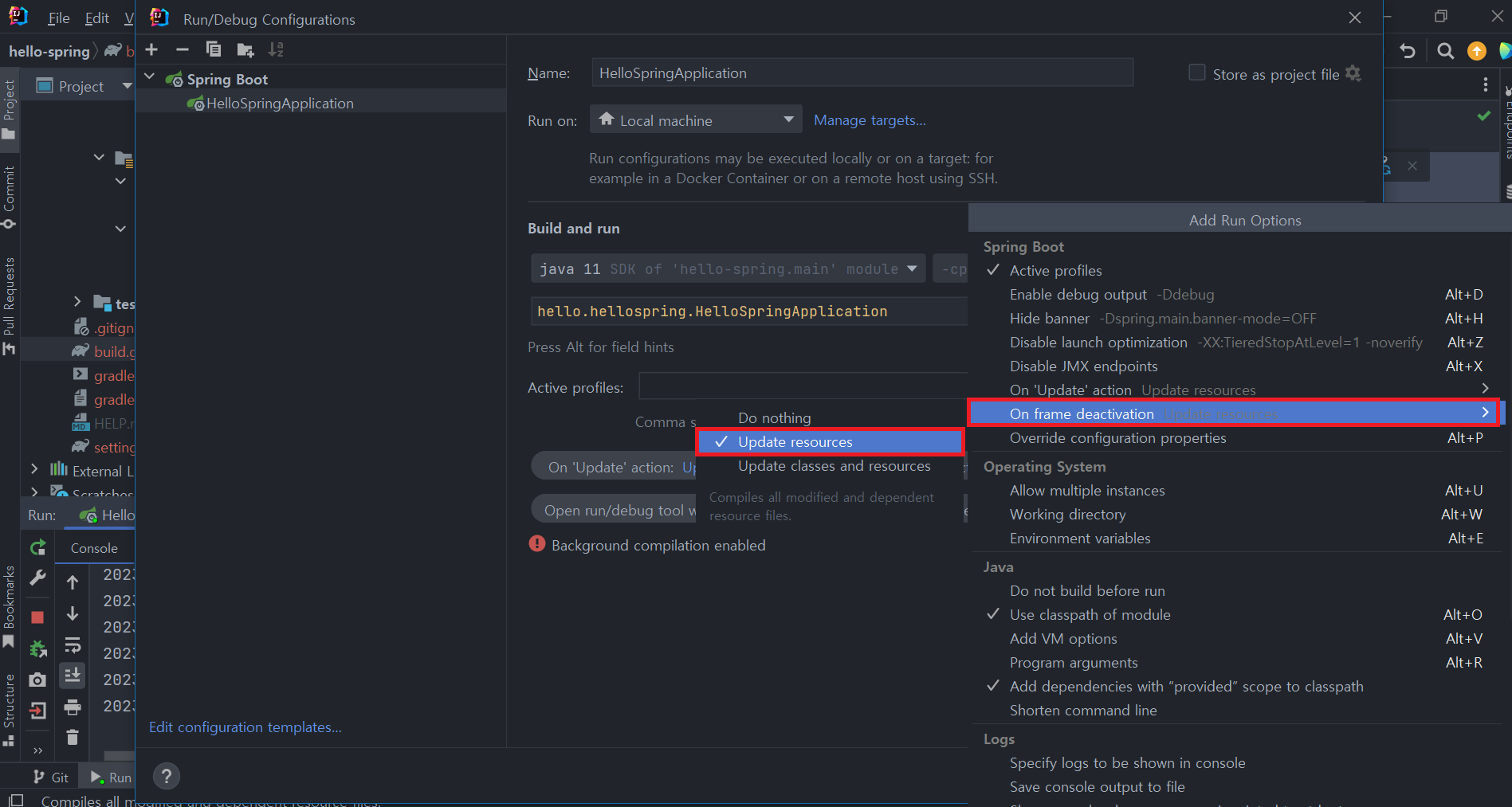
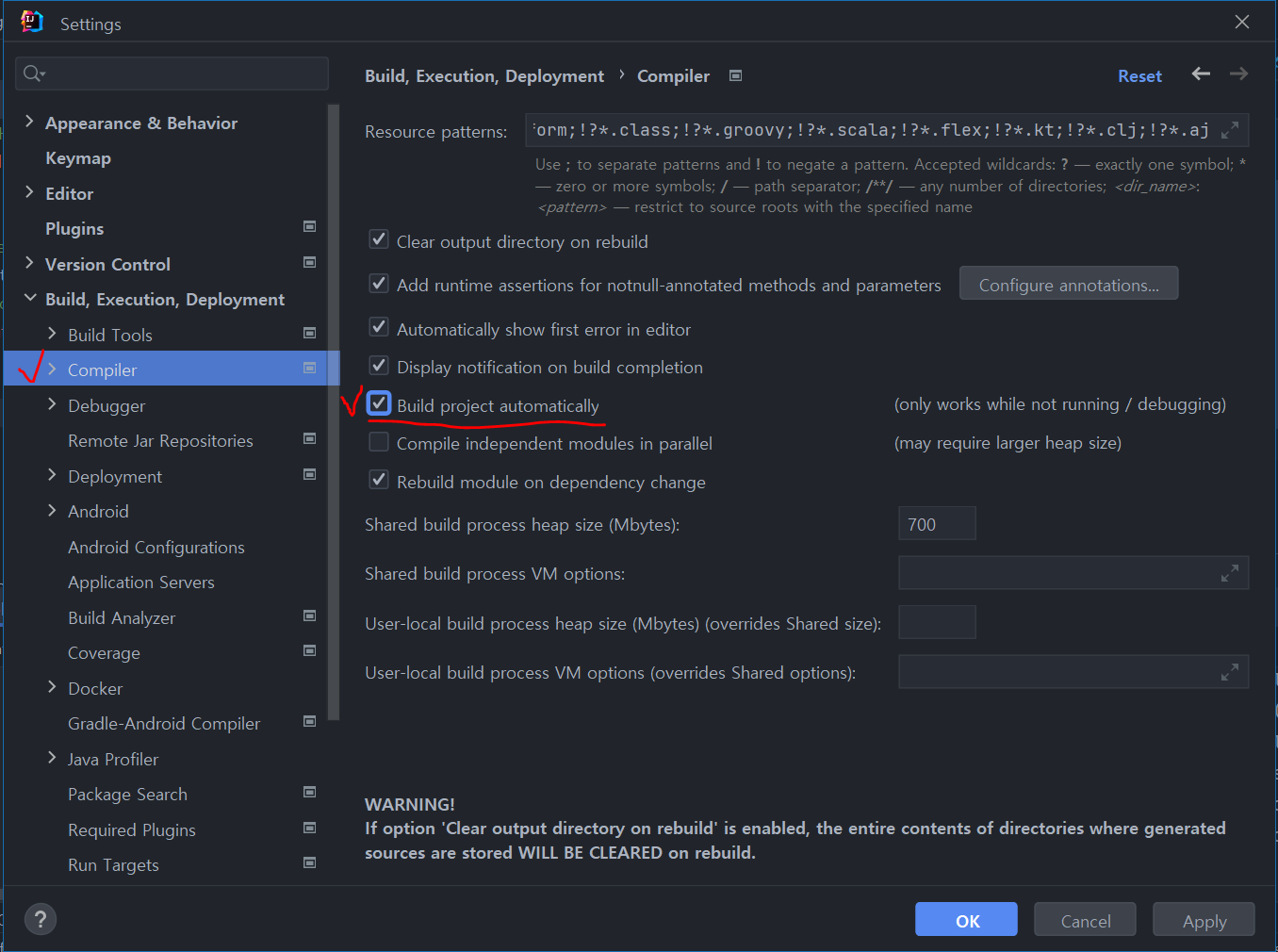
(4) 인텔리제이 설정
자동으로 project build하기 (restart위함)
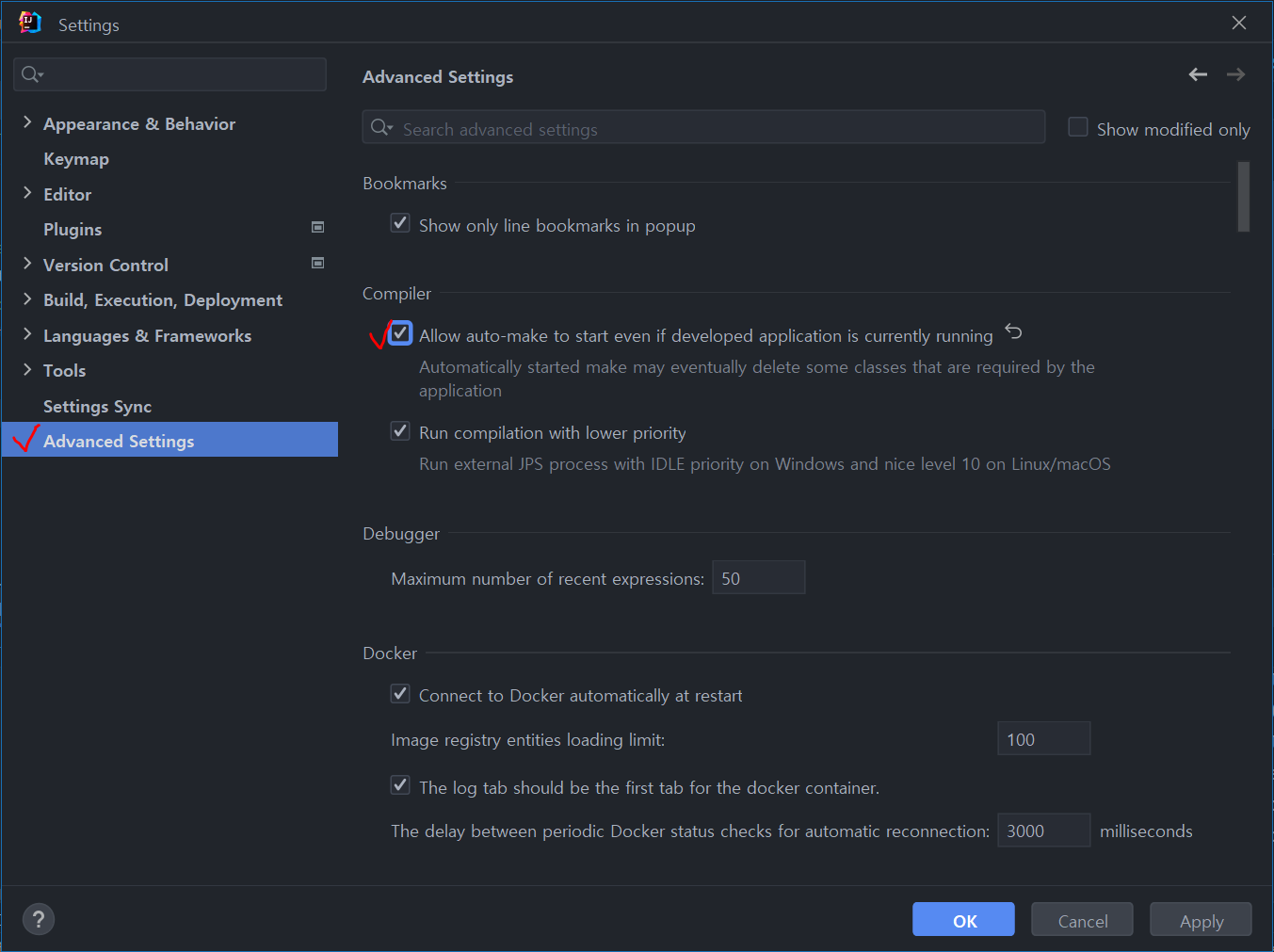
Live Reload 설정하기