SPRING 설치
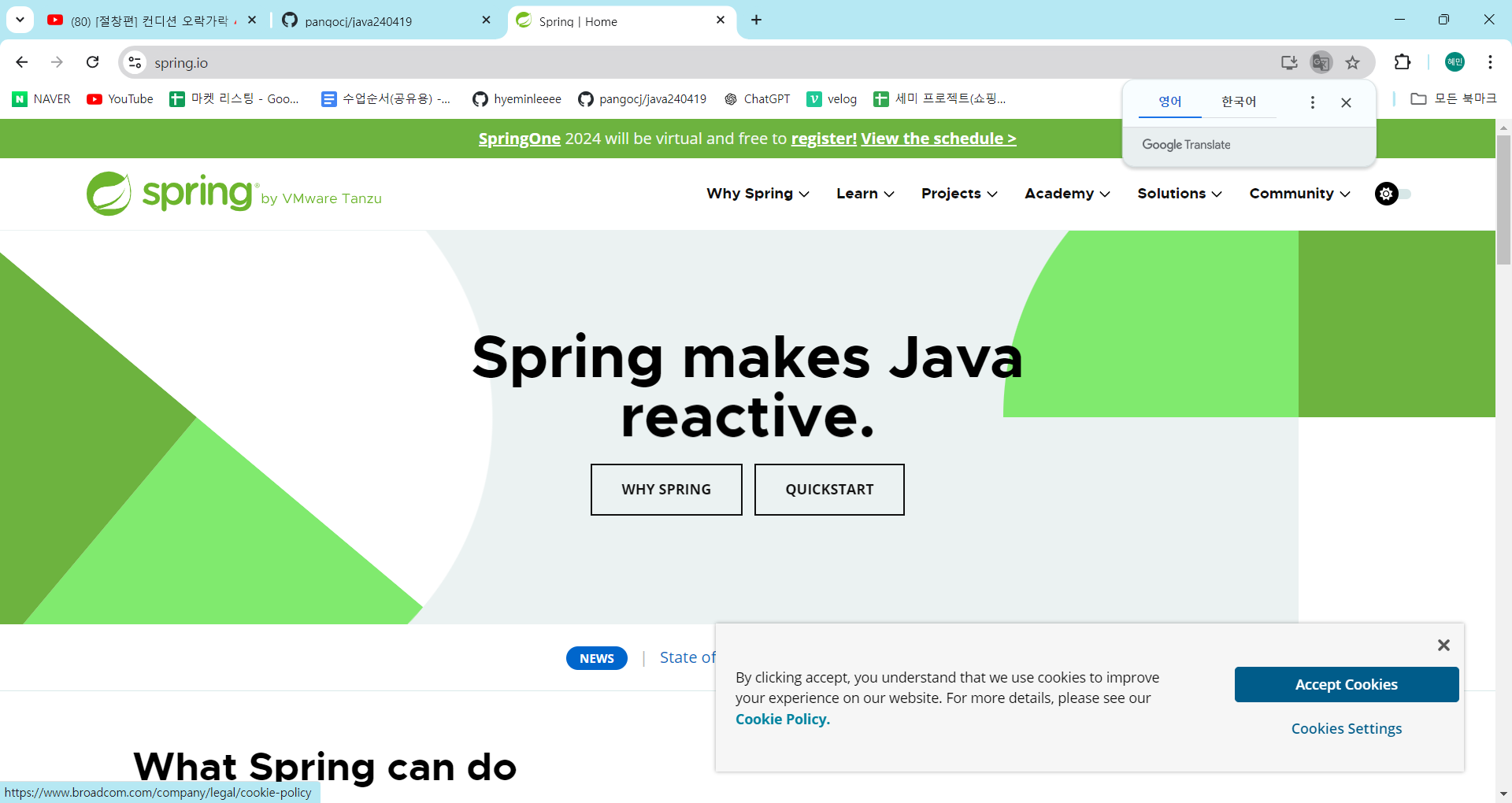
- spring.io : 스프링에 관련된 설명 제공
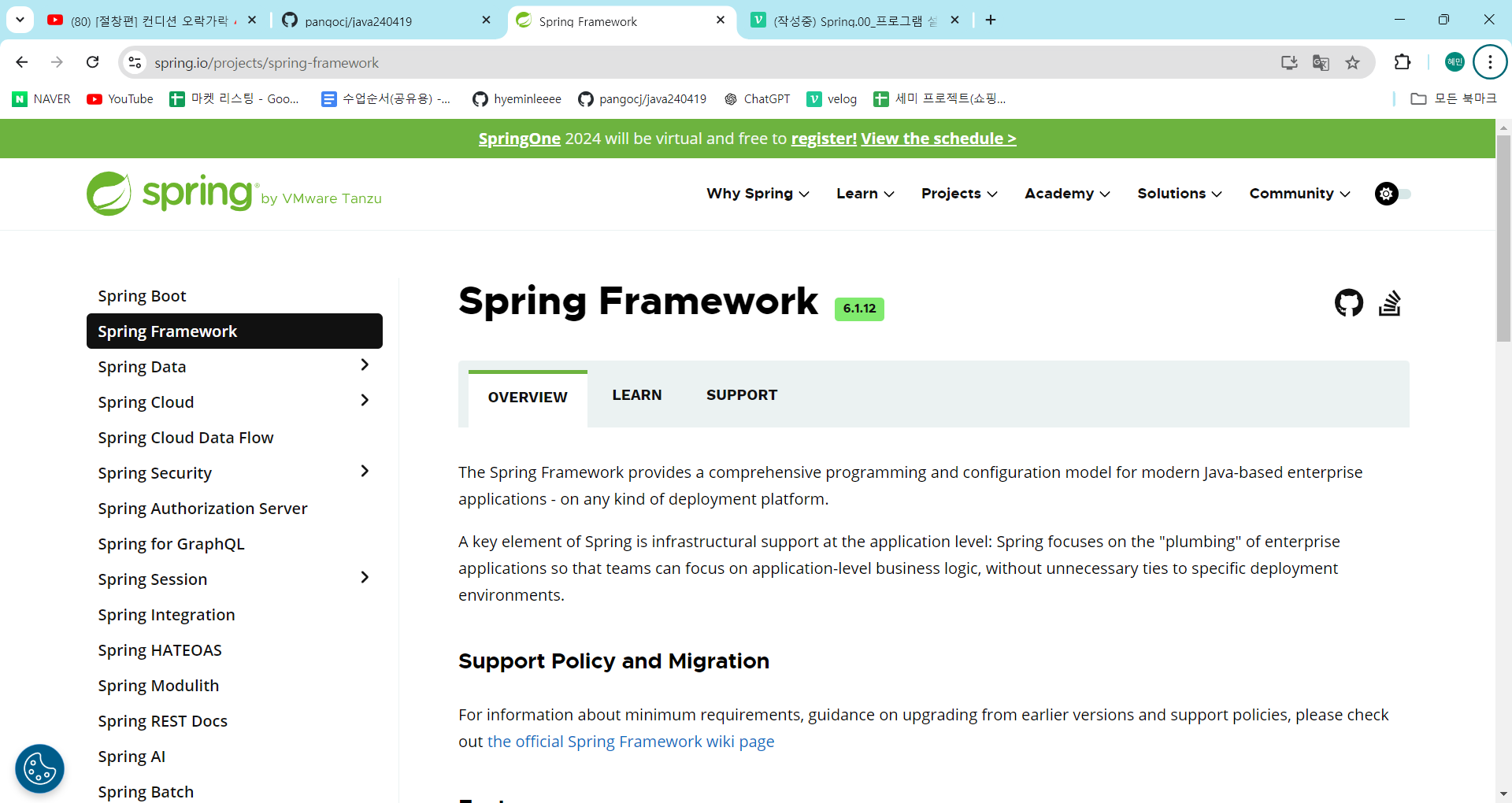
- Spring Framwork에서 모든 project들이 파생됨
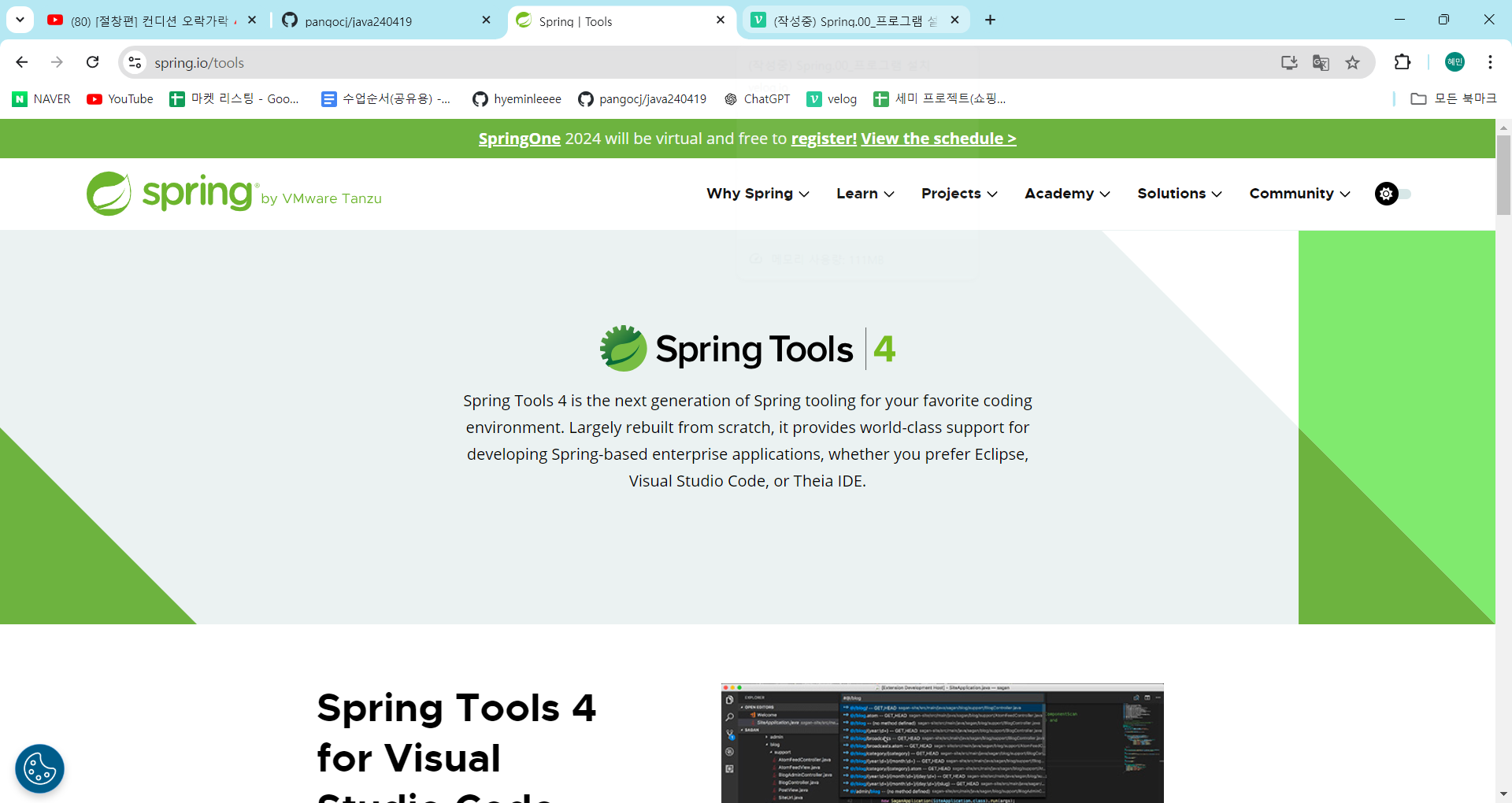
- projects → spring Tools 4
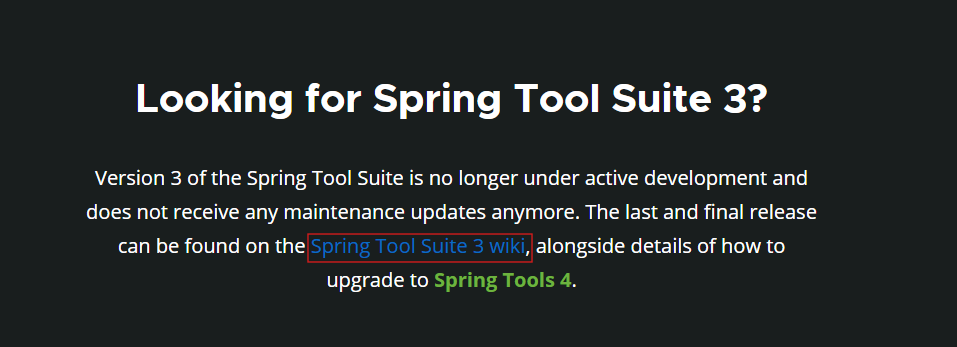
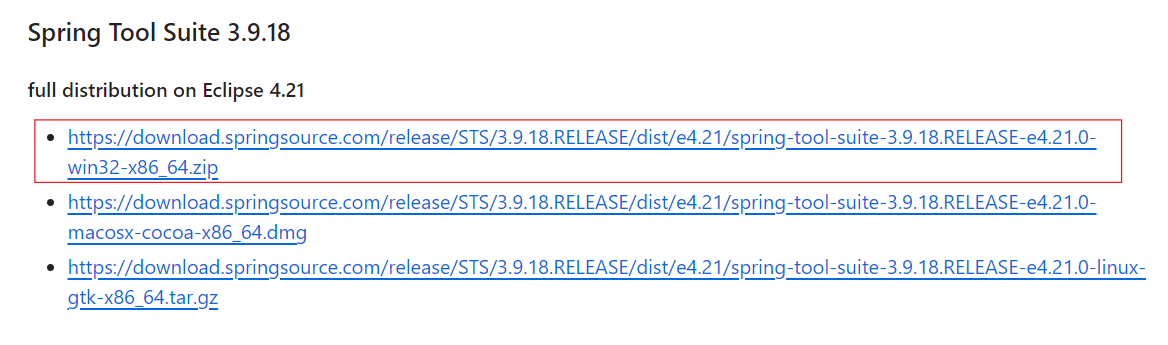
- Spring Tool Suite 3 wiki 설치(하단 위치) → 4.21 다운로드
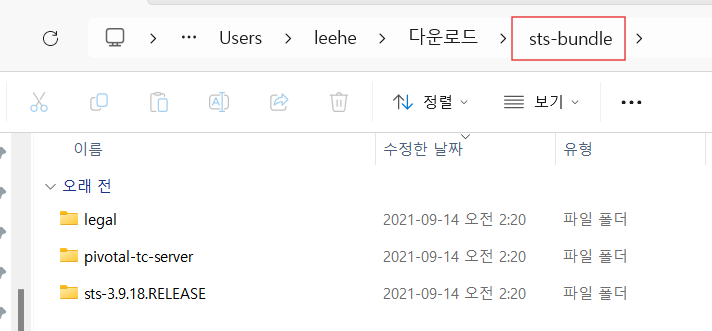
- 압축 해제 → sts.bundle 파일 생성
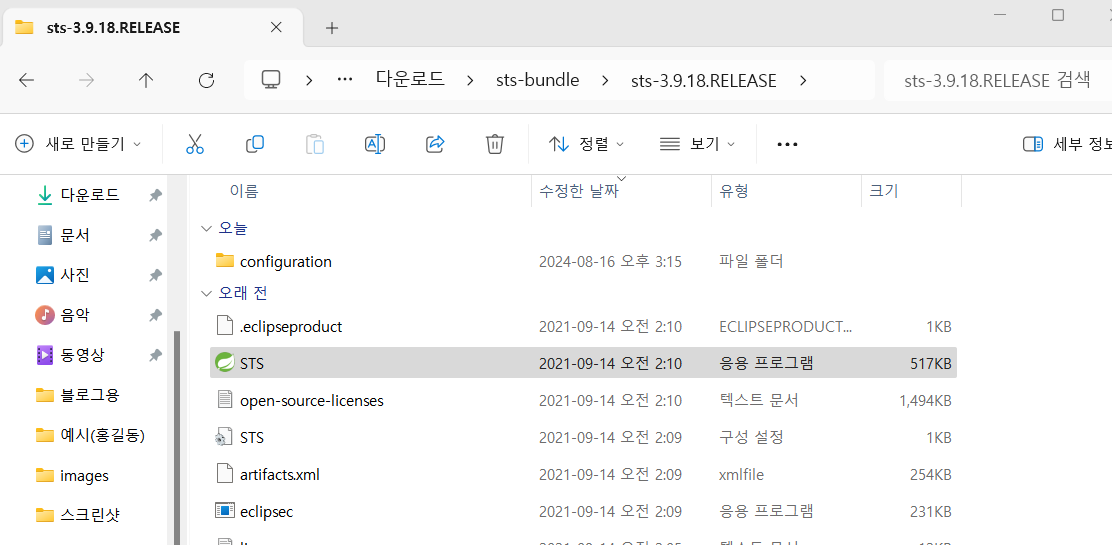
- STS 더블 클릭하여 실행
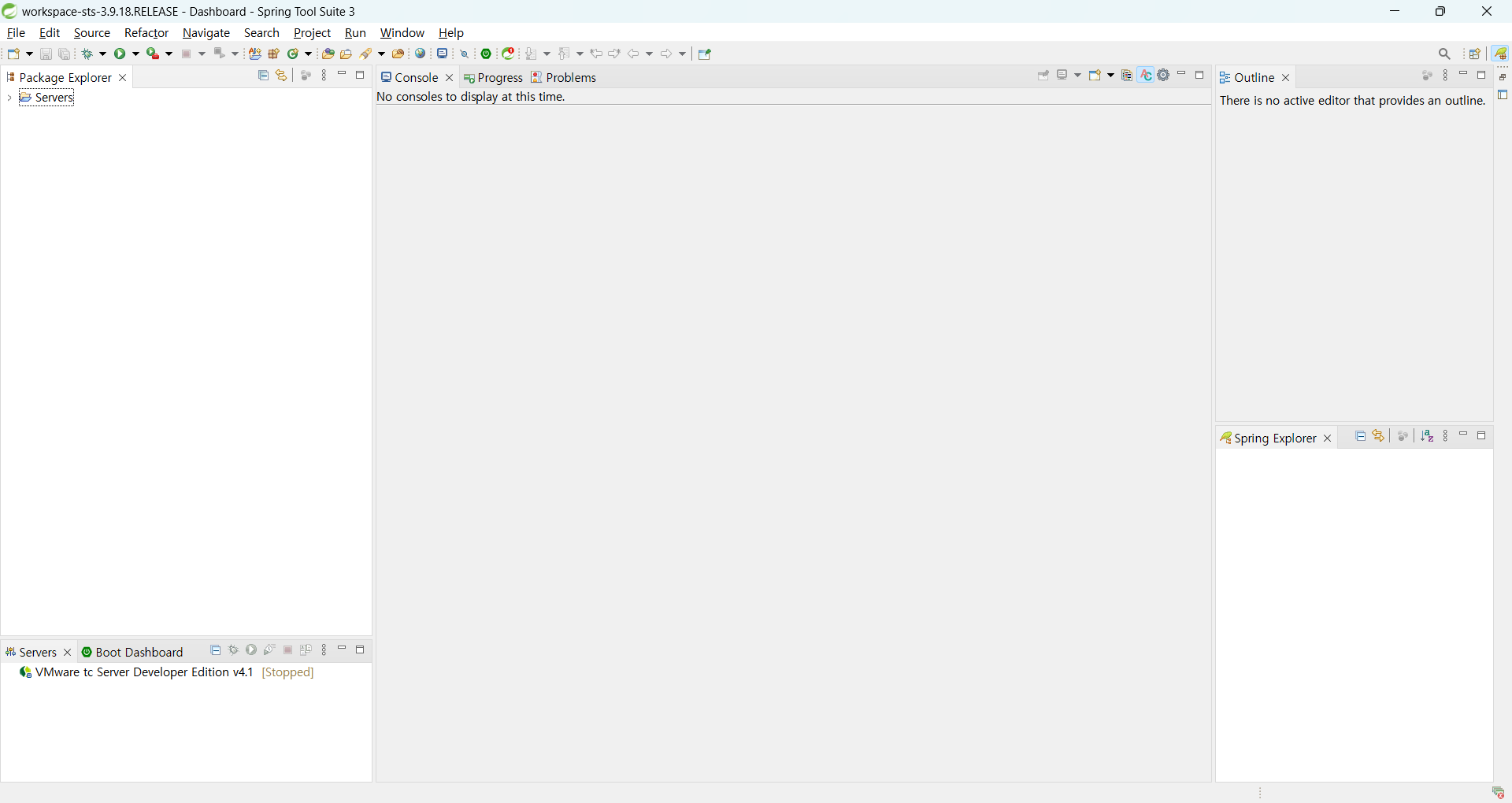
- 설치 완료.
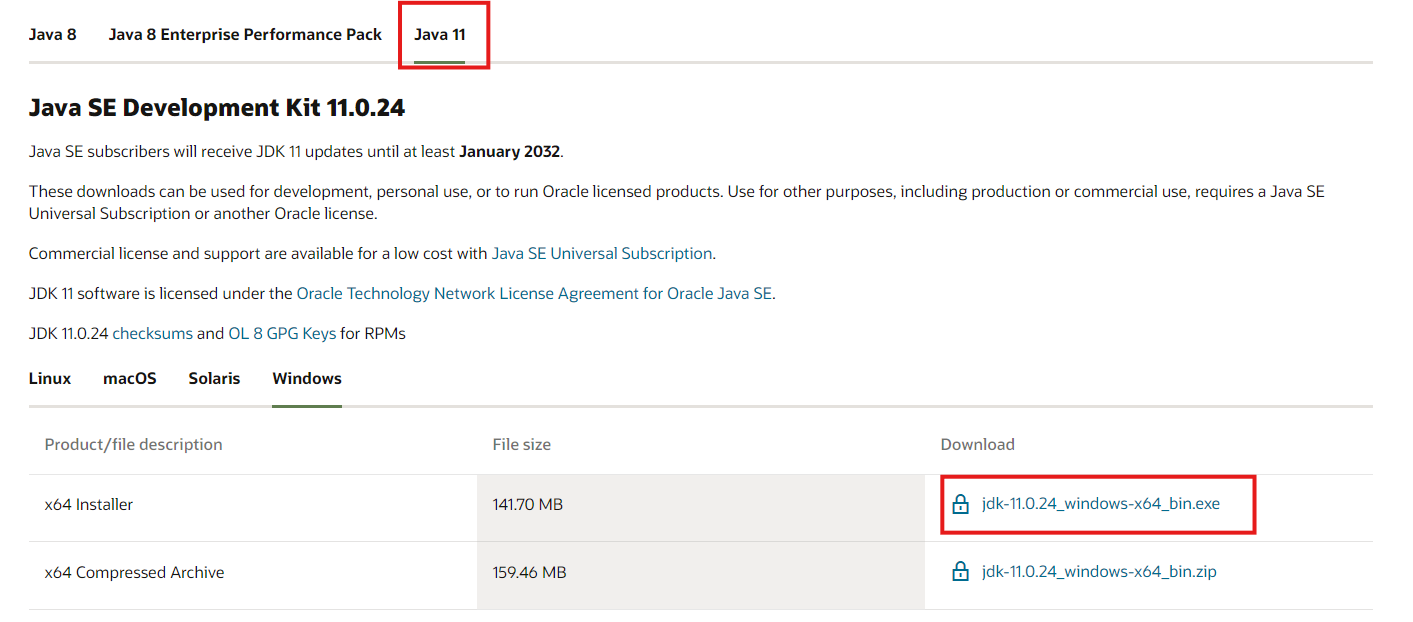
JDK-11 다운로드 및 환경 설정
- STS 는 JDK-11 버전 필요
- Spring Legacy Project 만들기 위함
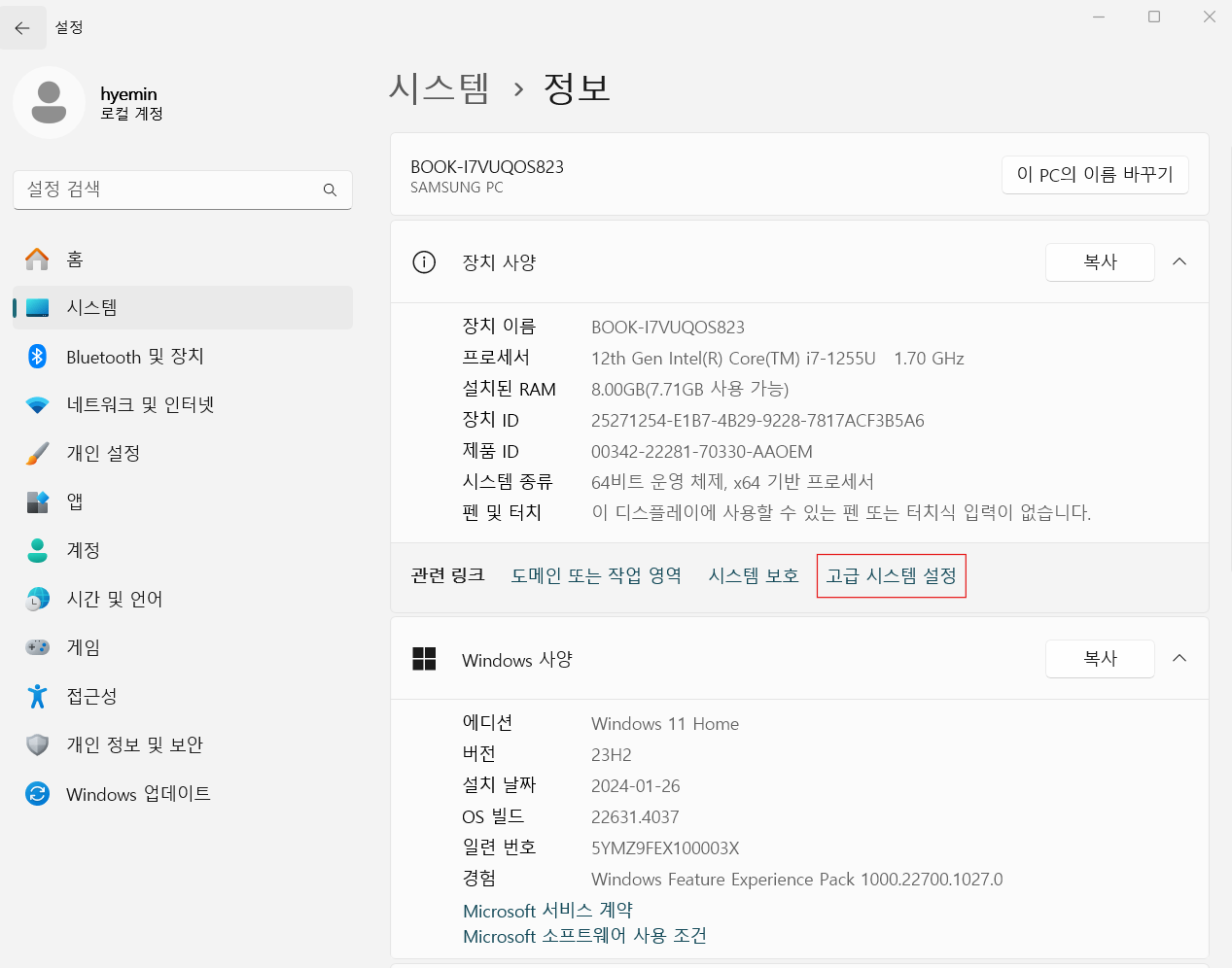
- 내 PC 오른쪽 마우스 클릭 → 속성 → 고급시스템 설정
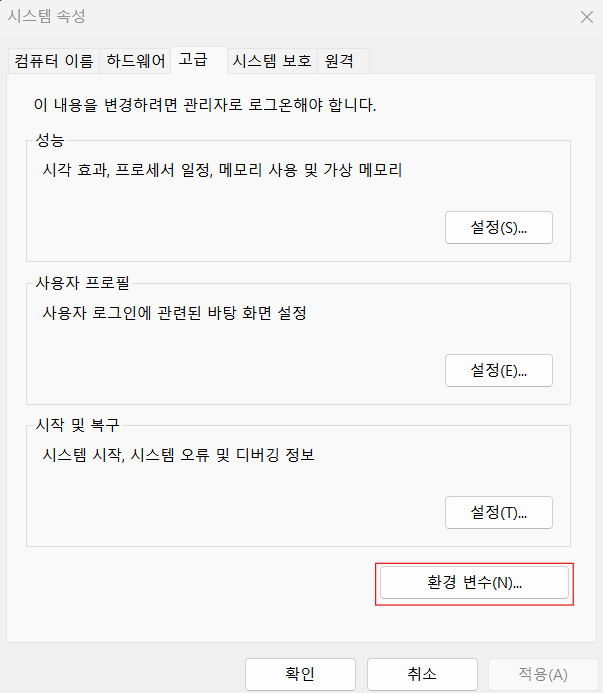
- 환경 변수
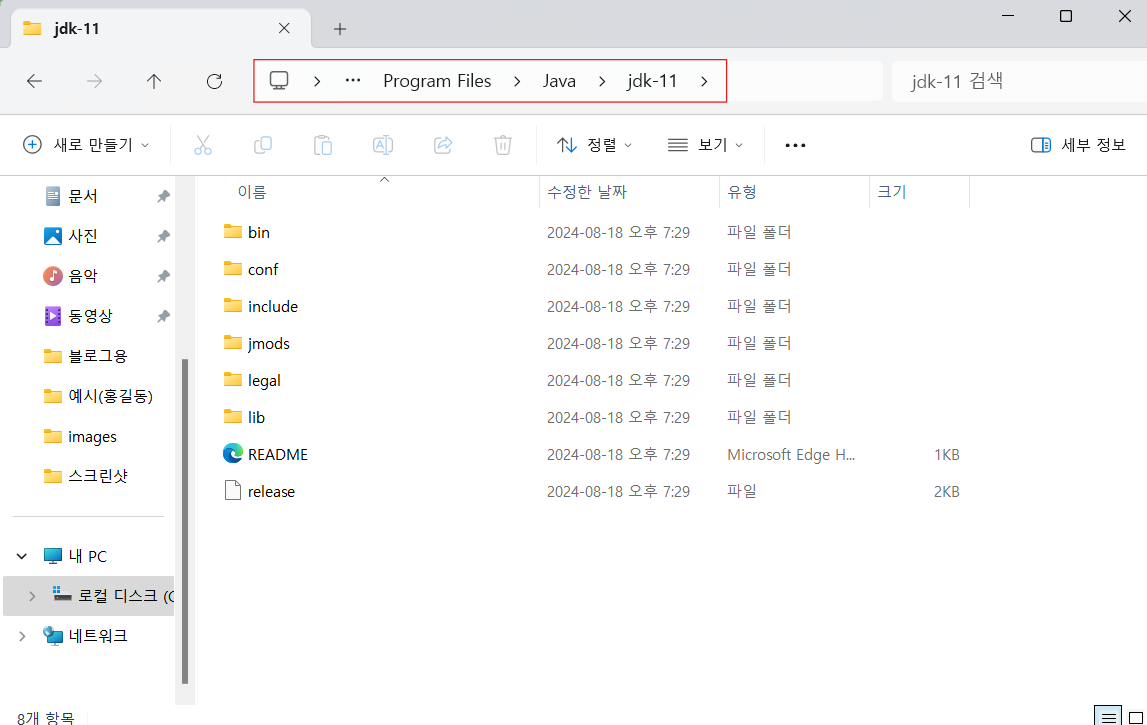
- 주소 복사
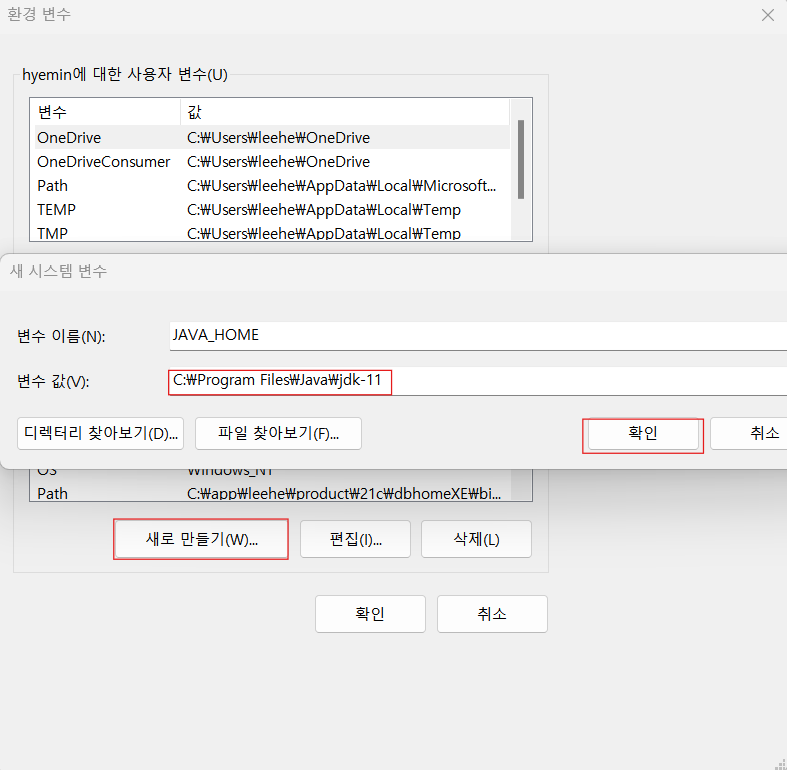
- 환경 변수 설정 → 새로 만들기 → JAVA_HOME / 복사된 주소 변수값으로 입력 → 확인
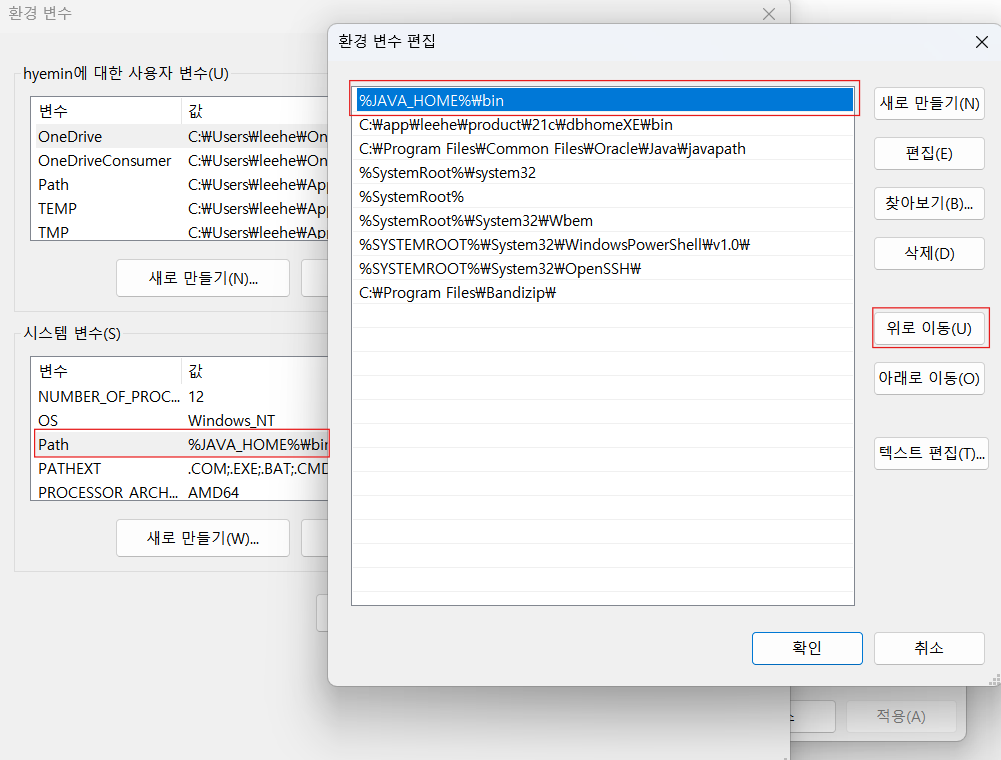
- path 편집 → 맨 위로 이동
- 편집 마치고 모든 확인 버튼 필수!
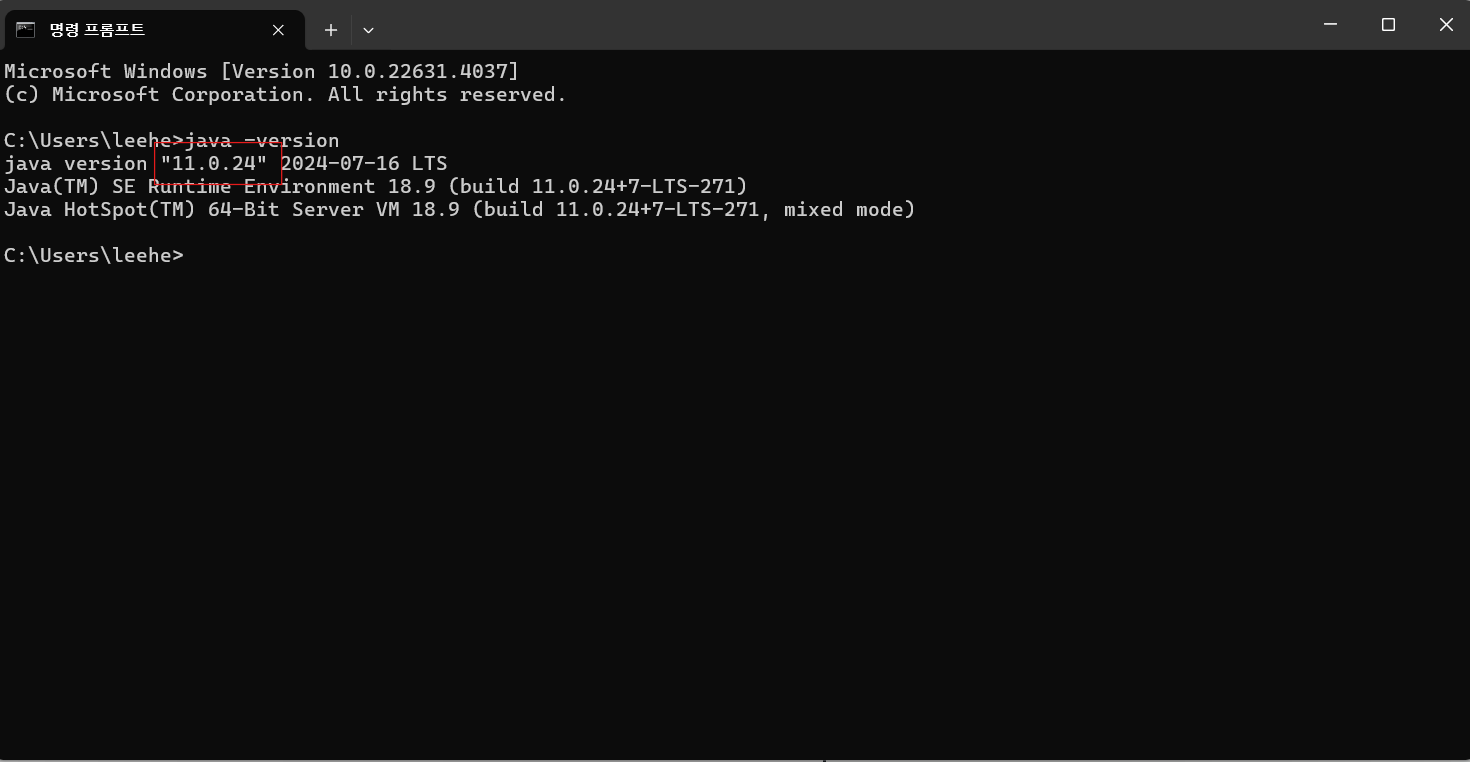
- 환경 변수 설정 완료 되었는 지 확인(java -version)
SPRING 환경 설정
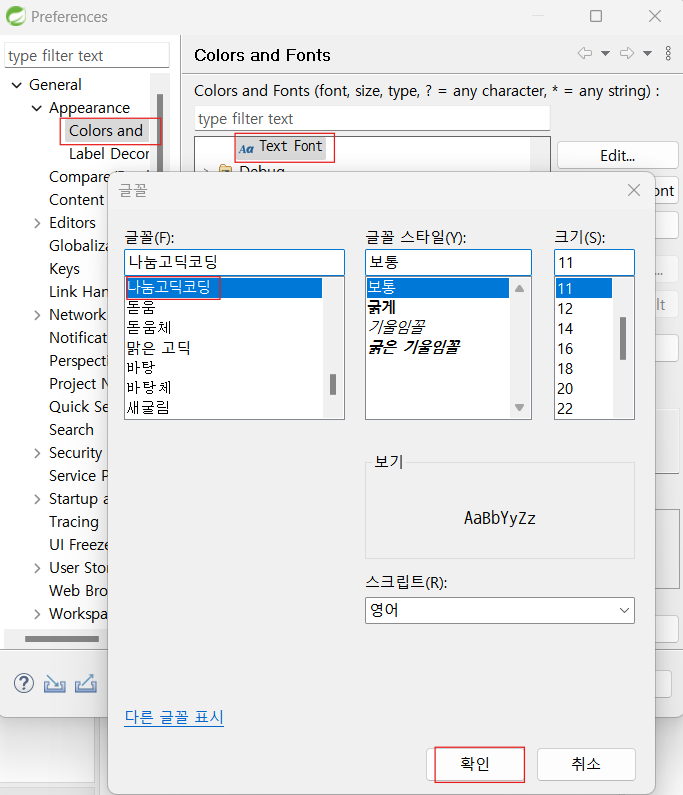
- 글꼴 변경 : Windows → Preperences → Colors and Fonts → 나눔고딕코딩으로 변경
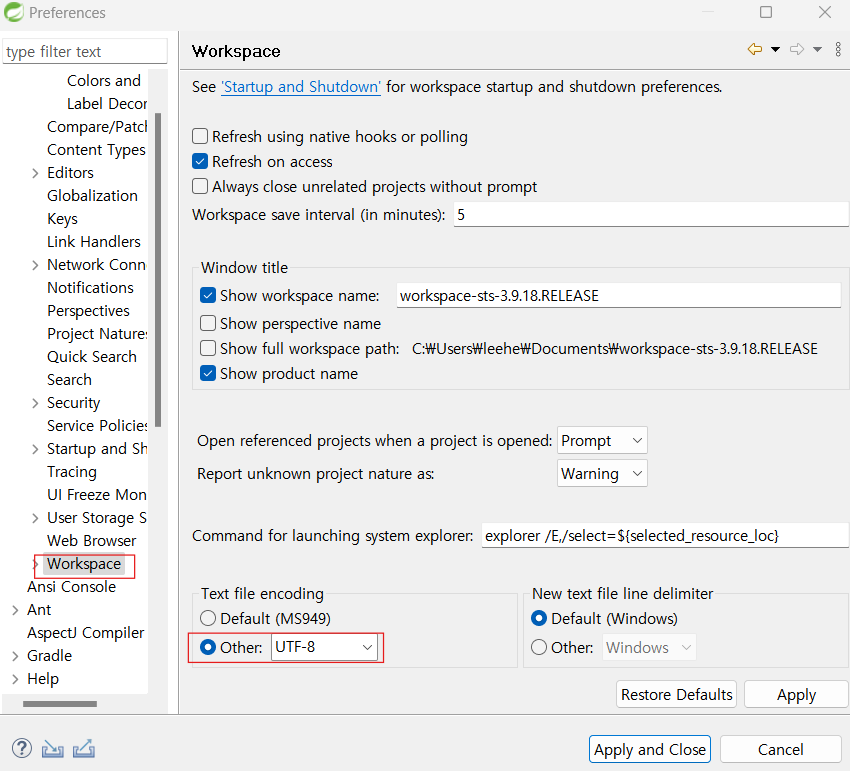
- Workspace → UTF-8로 변경
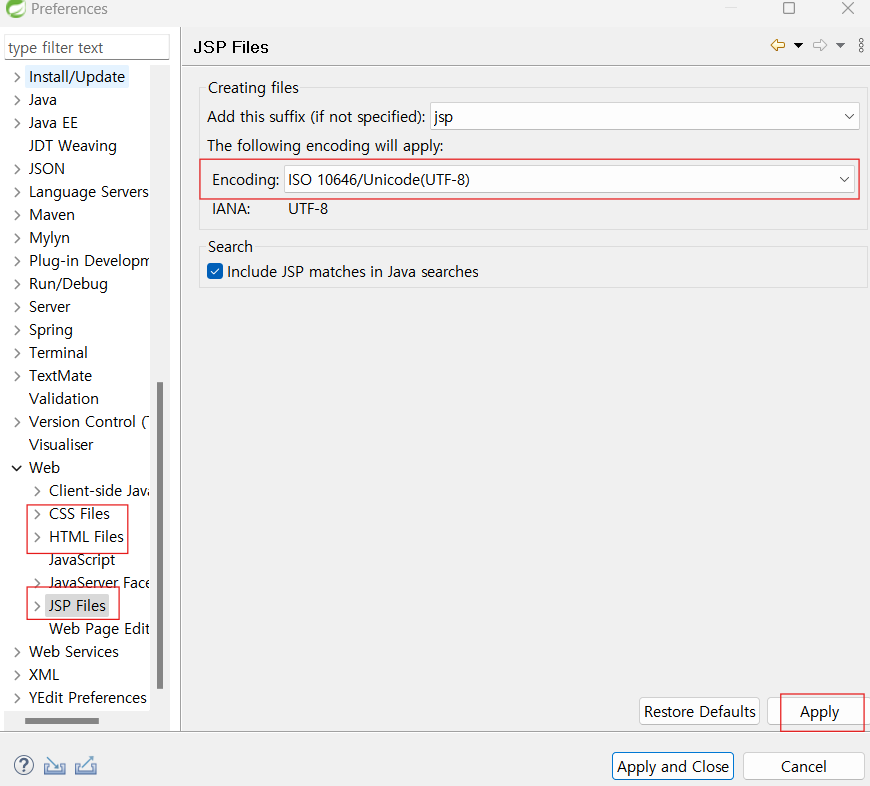
- CSS, HTML, JSP 파일 캐릭터 셋 변경 → UTF-8
WAS 등록
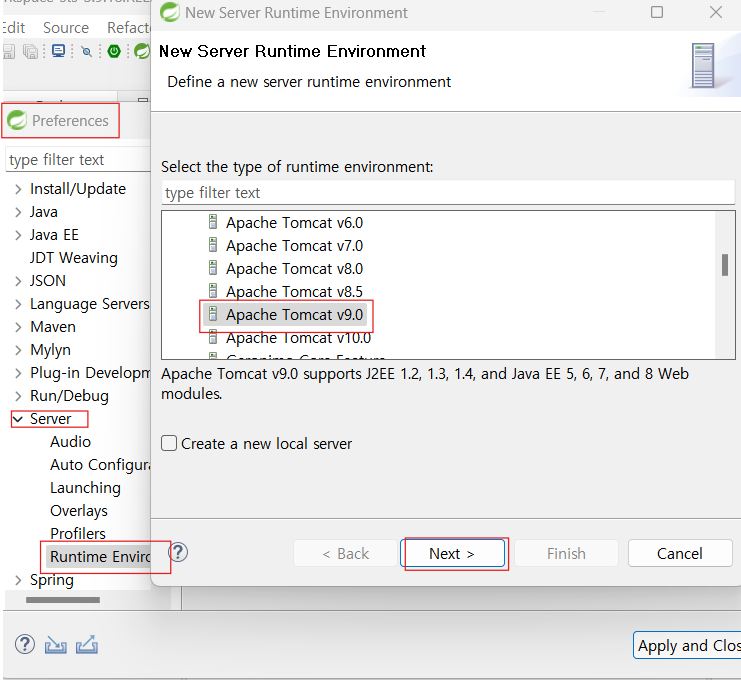
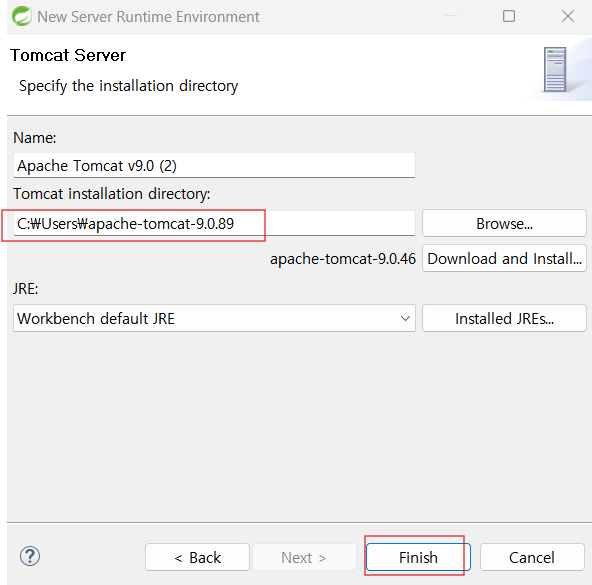
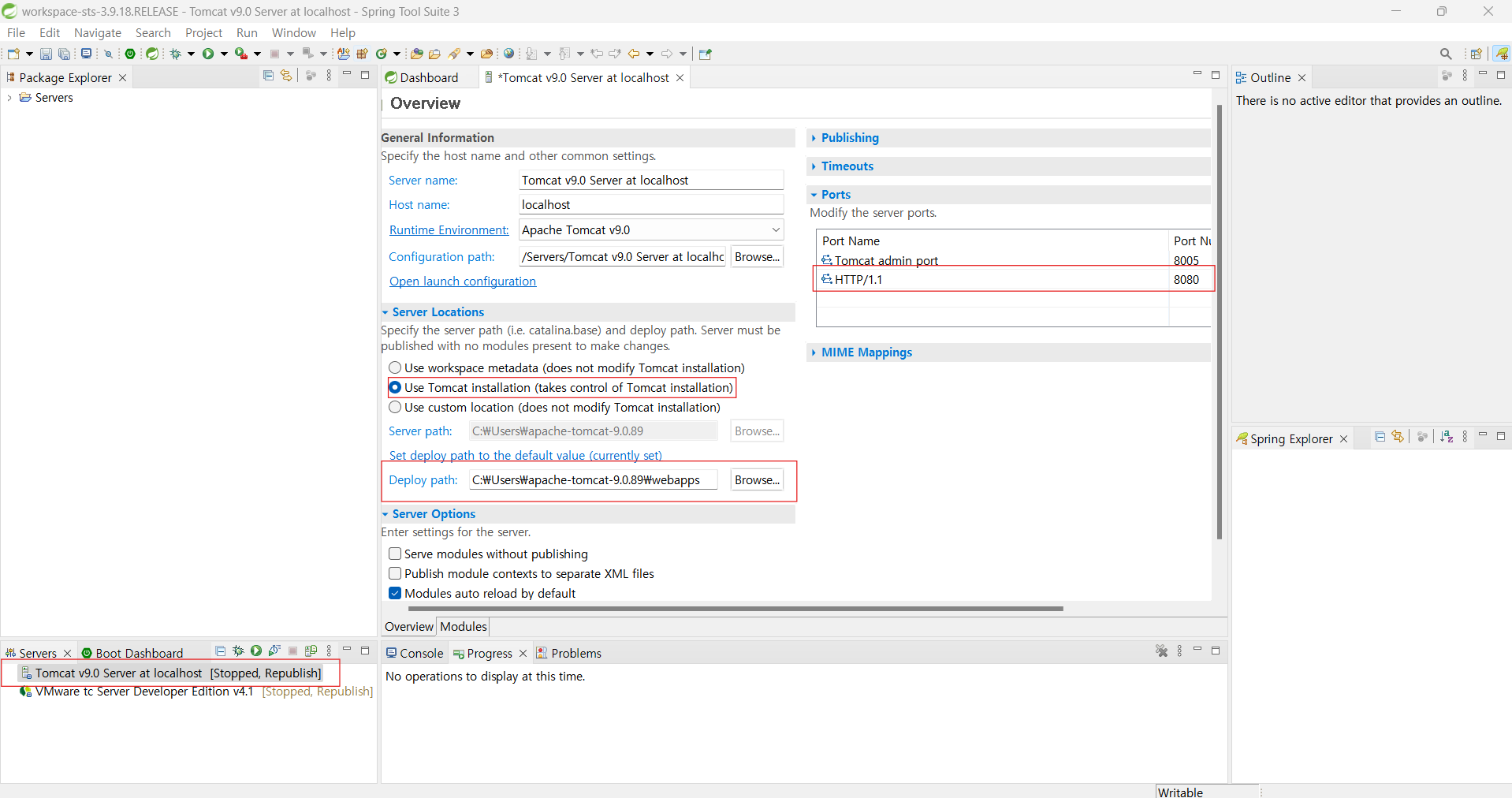
- apache-tomcat-9.0.89 위치 붙여넣기 후 Finish
-
apache 서버 더블 클릭 → 선택 → Deploy Path 설정(webapps)
-
HTTP Port 8000으로 수정
-
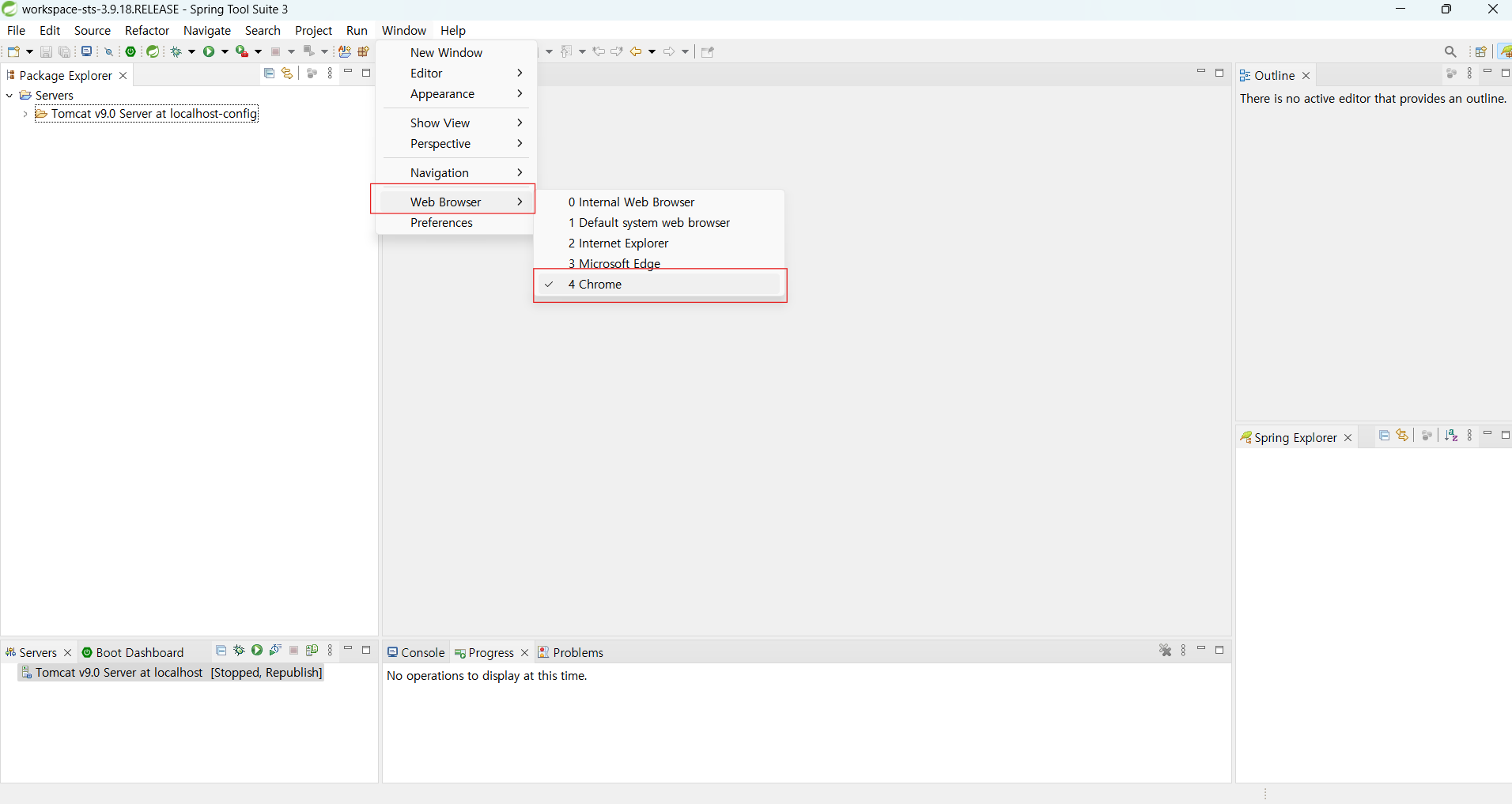
web Browser chrome 으로 변경
Git 설정
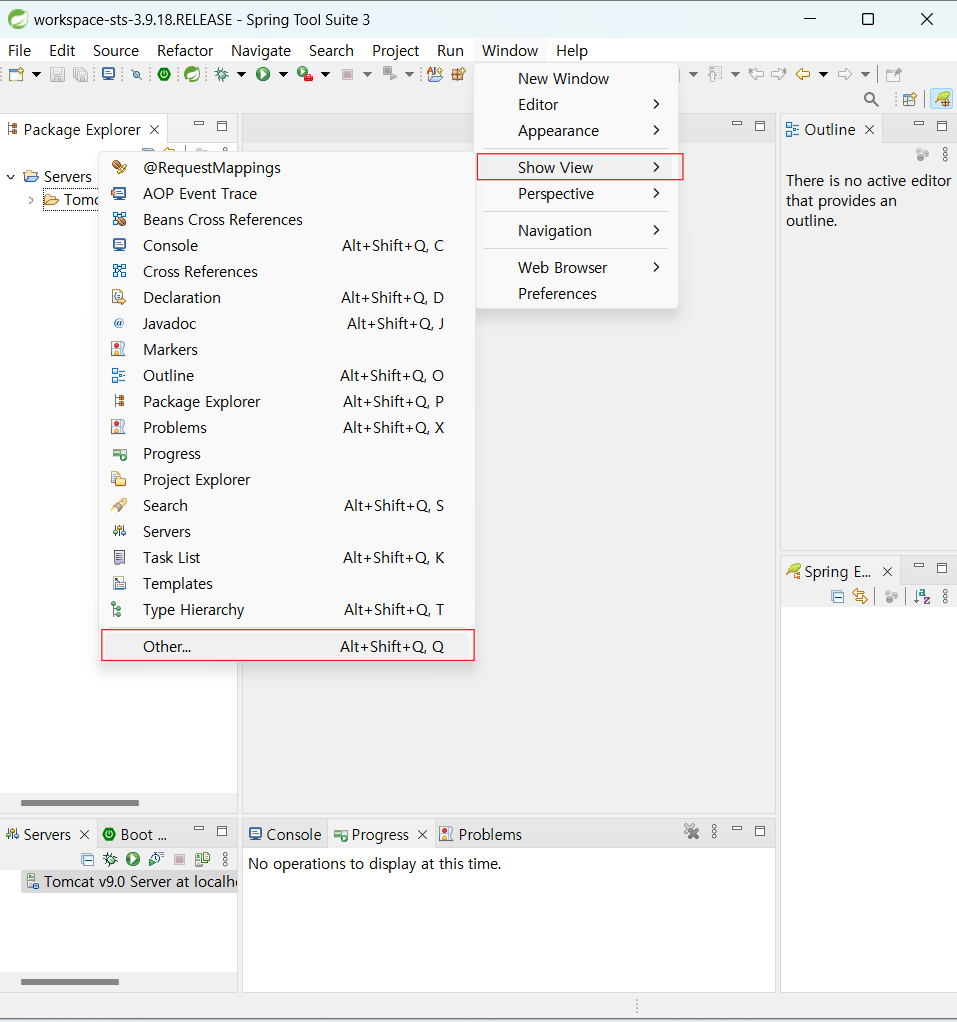
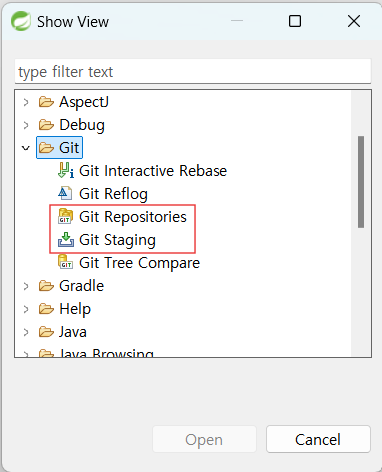
- SHOW VIEW 추가(Git Repositories, Git Staging)
- Tool 위치 변경
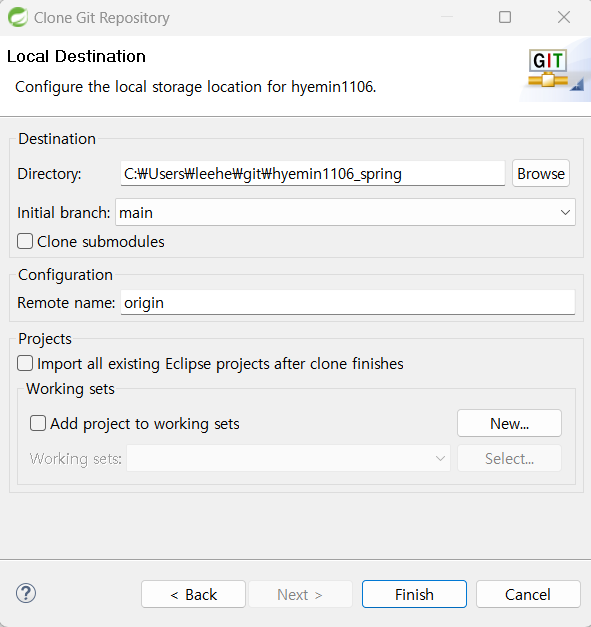
- Local Repositories 설정
tern 설정
- 자동완성 플러그인
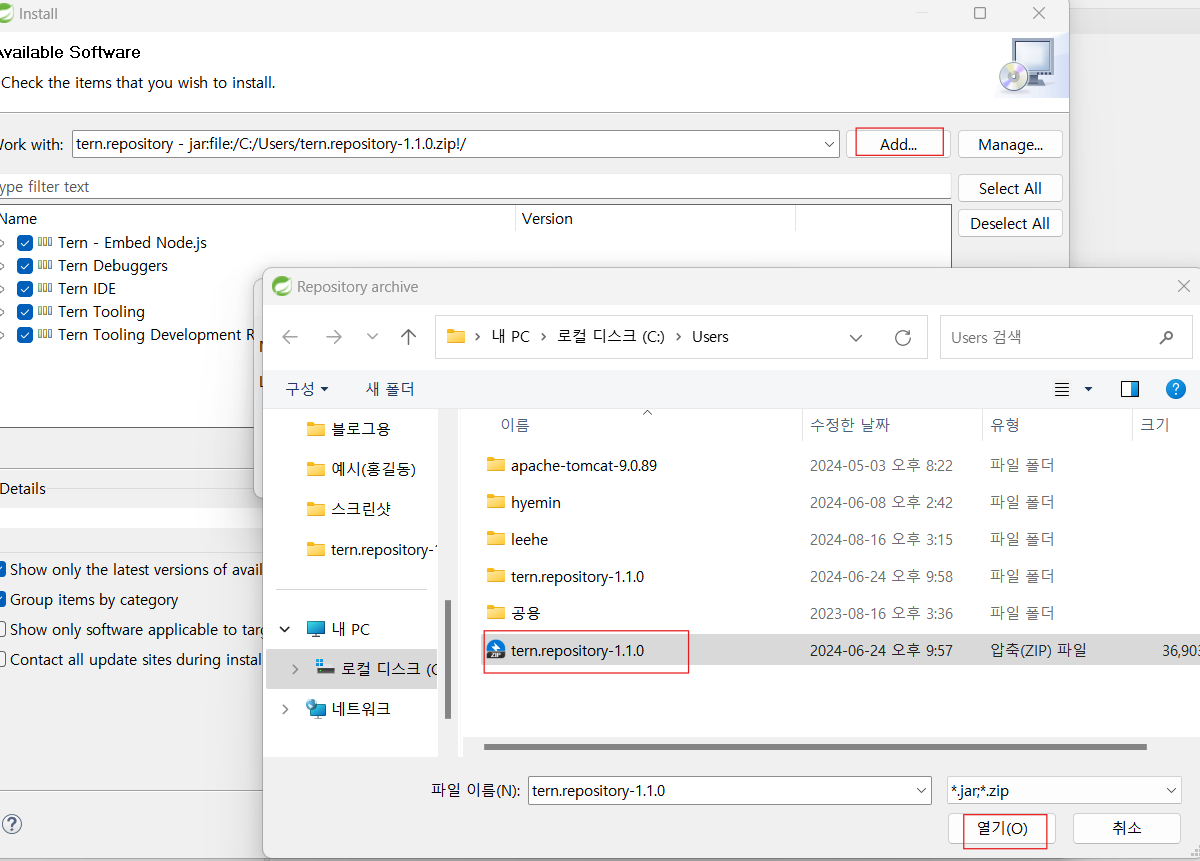
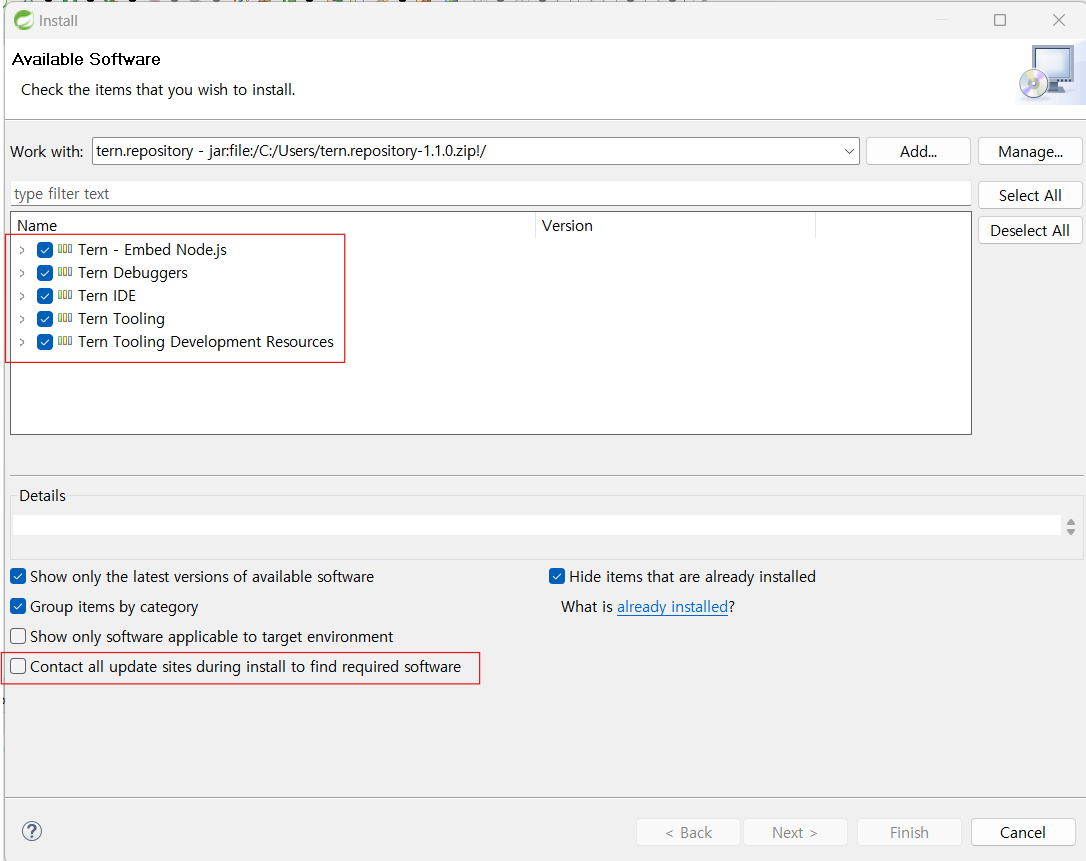
- help → install new software - tern 설정
- Tern 모두 Check
- 4번째 항목 check 해제
- 설치 완료 후 Restart Now
Project 만들기
- Spring MVC Project 만들기

- C:\Users\itwill\Documents\workspace-sts-3.9.18.RELEASE.metadata.plugins\org.springsource.ide.eclipse.commons.content.core : 업로드 위치
- http-content.xml 복붙
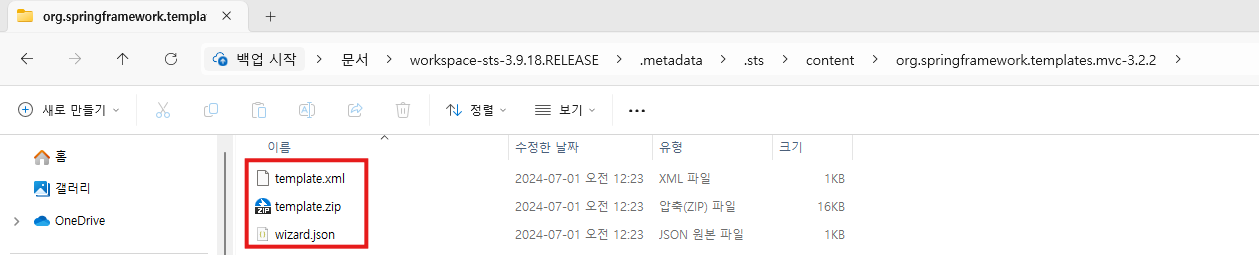
- C:\Users\itwill\Documents\workspace-sts-3.9.18.RELEASE.metadata.sts\content\org.springframework.templates.mvc-3.2.2 : 업로드 위치
- org.springframework.templates.mvc-3.2.2.zip 압축 해제 후 폴더 내 파일 모두 복붙
※ content 폴더 없을 시 STS에서 Legacy 프로젝트 MVC로 만들어보도록! 그 후에 content 생성됨.
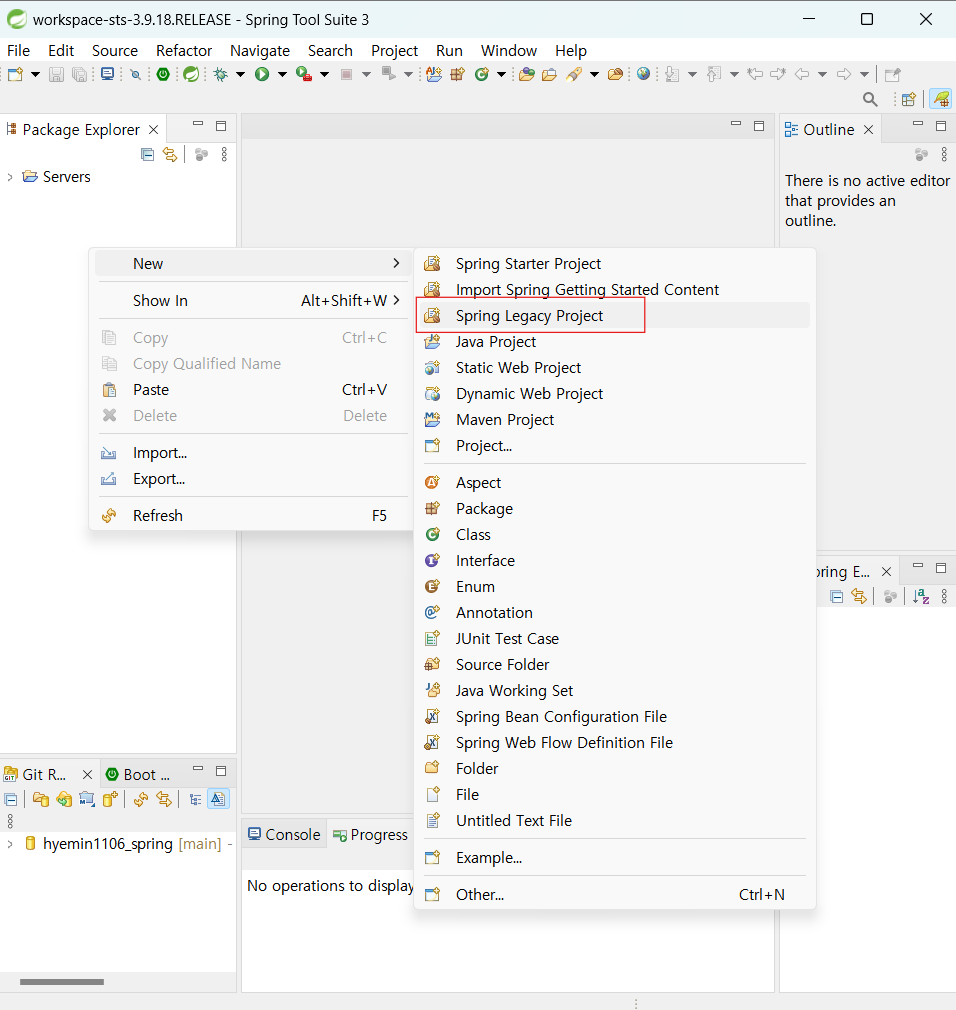
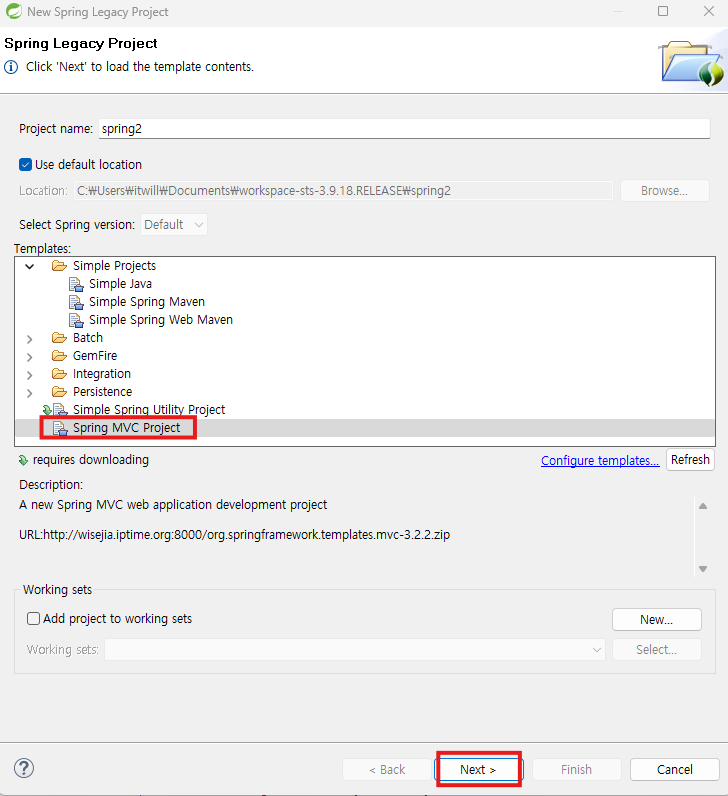
- Templetes 설정
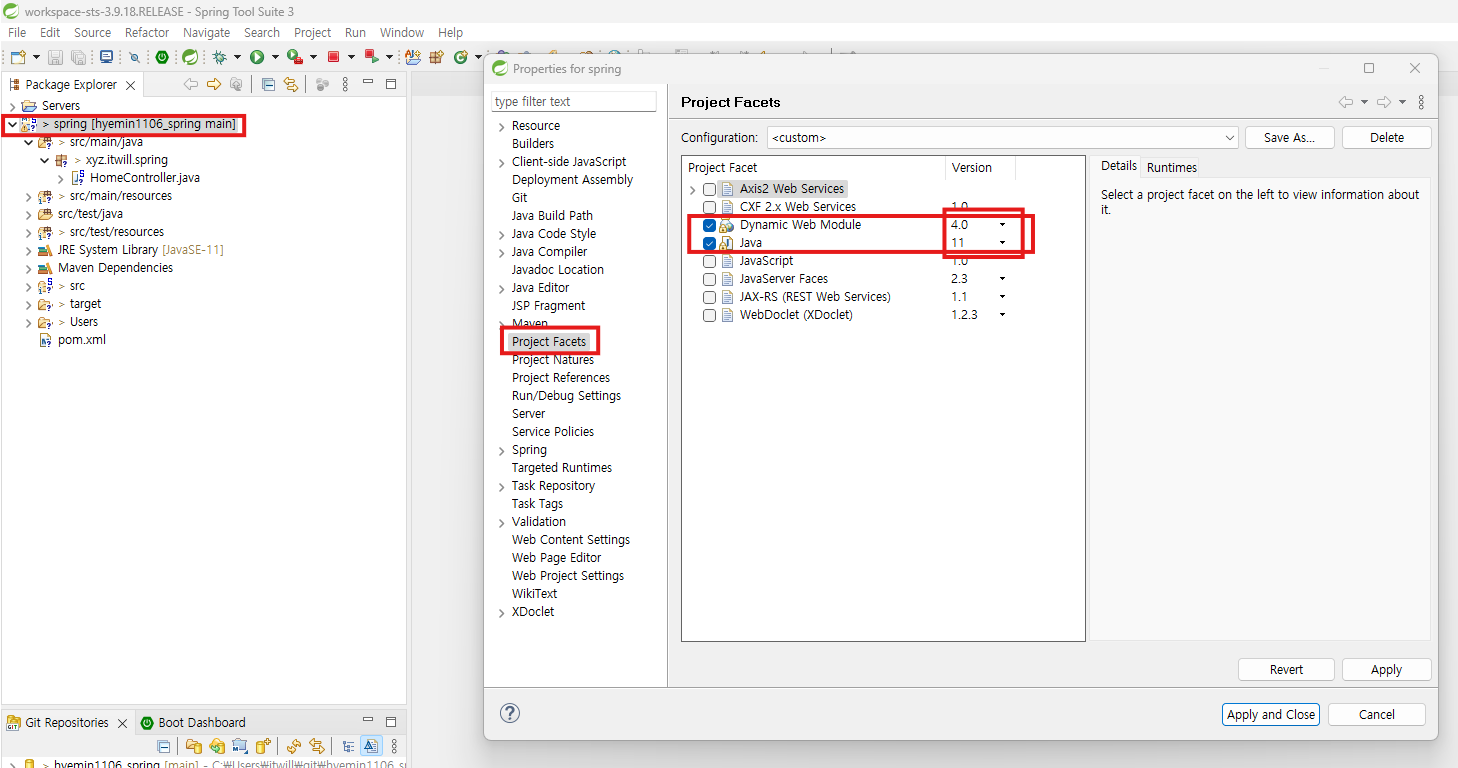
- src 에러 해결
- 프로젝트 오른쪽 마우스 → properties → Project Facets → Dynamic web Module 4.0으로 변경/java 11로 변경 → Apply and Close
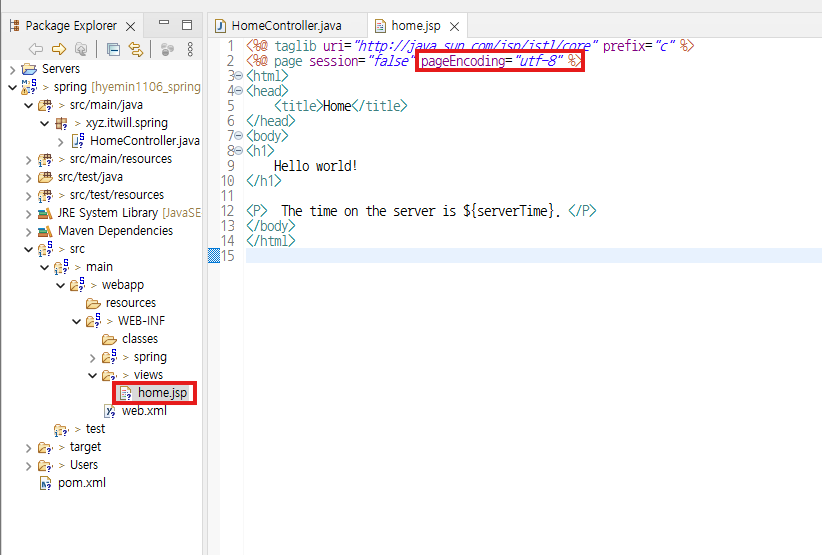
- home.jsp 에서 pageEncoding="utf-8"로 변경
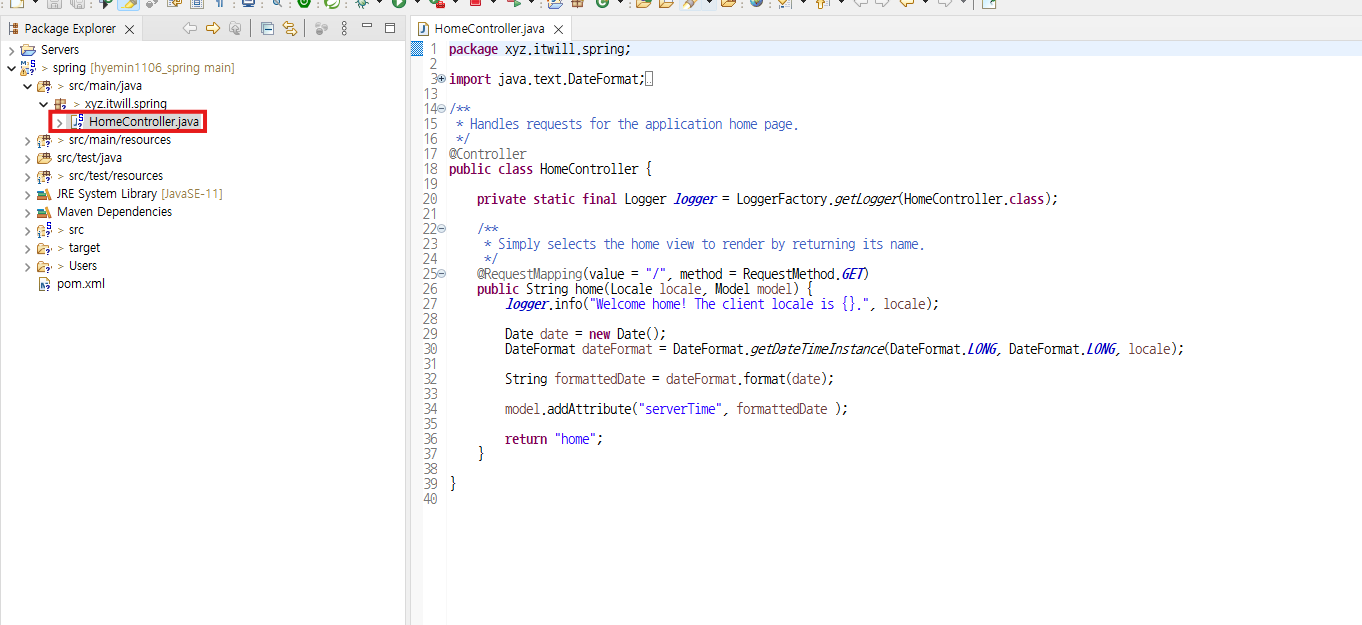
- 환경 설정 완료 확인 : HomeController.java 실행해보기
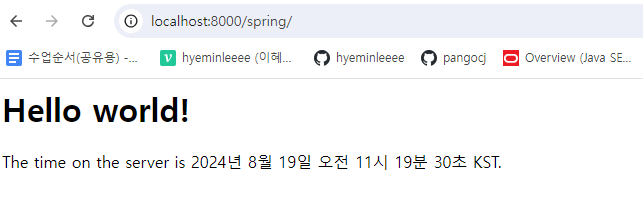
- 완료 : GET 방식으로 URL 요청(localhost:8000/spring/)