✏️ 오늘의 끄적거림 ✏️

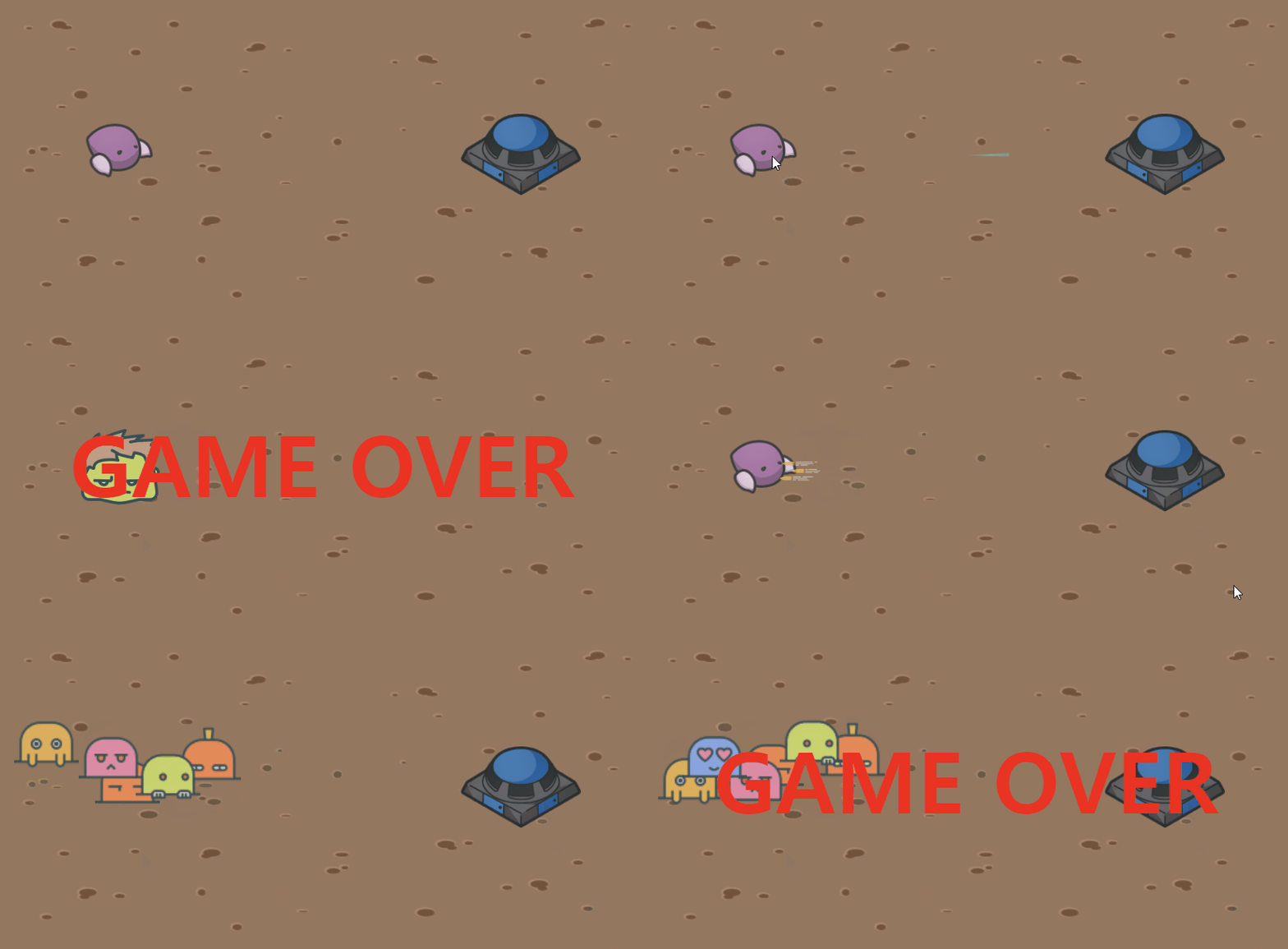
소소하고 하찮은 초미니 스타크래프트 게임....
기능이라곤 🪡독침쏘기와 🔫총알 날리기  ㅎㅎ
근데 🧌초록헐크와 🔨두더지가 눈치없이 등장하는?
그런 요상한 게임이 탄생했다...
귀여움과 낌찍함으로 승부한닷! 호호호 하하하
🎮 미니 스타크래프트 게임
🪄 게임 규칙
왼쪽 저그 종족 -> 드론
- 드론 독침으로 벙커를 파괴한다.
- 드론을 클릭하면 독침으로 공격해 벙커의 HP를 1씩 감소시킨다.
- 0이 되면 벙커가 사라지고 초록 헐크가 등장해 저그를 잡아먹으러 출동출동!
오른쪽 테란 종족 -> 벙커
- 벙커에서 사격으로 드론를 파괴한다.
- 벙커를 클릭하면 총알로 공격해 드론의 HP를 1씩 감소시킨다.
- 0이 되면 드론이 사라지고 두더지 무리가 등장해 벙커를 약올리면서 댄스댄스!
🪄 게임 만들기
1. 레이아웃, 이미지 및 스타일 구현
[ index.html ]
<!-- body 내부 -->
<main class="container">

  <!-- 캐릭터 체력을 나타내는 부분 -->
  <header class="header">
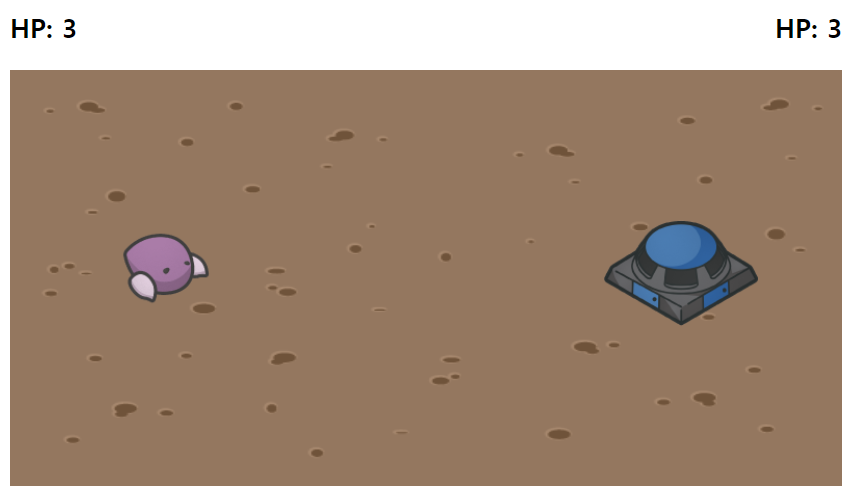
    <p id="hp">HP: 3</p>
    <p id="hp2">HP: 3</p>
  </header>

  <!-- 배경 안에 들어갈 이미지 -->
  <section class="background">
    <img id="drone" src="./images/drone.png" alt="drone" />
    <img id="spit" src="./images/spit.png" alt="spit" />
    <img id="bunker" src="./images/bunker.png" alt="bunker" />
    <img id="bullets" src="./images/bullets.png" alt="bullets" />
    <img id="greenMonster" src="./images/greenMonster.png" alt="greenMonster" />
    <img id="monster1" src="./images/monster1.png" alt="monster1" />
    <img id="monster2" src="./images/monster2.png" alt="monster2" />
    <img id="monster3" src="./images/monster3.png" alt="monster3" />
    <img id="monster4" src="./images/monster4.png" alt="monster4" />
    <img id="monster5" src="./images/monster5.png" alt="monster5" />
    <img id="monster6" src="./images/monster6.png" alt="monster6" />
  </section>

  <!-- 게임 오버 -->
  <div id="gameOver"><h2>GAME OVER</h2></div>
</main>

<script
   src="https://code.jquery.com/jquery-3.6.4.min.js"
   integrity="sha256-oP6HI9z1XaZNBrJURtCoUT5SUnxFr8s3BzRl+cbzUq8="
   crossorigin="anonymous"
></script>

<script src="index.js"></script>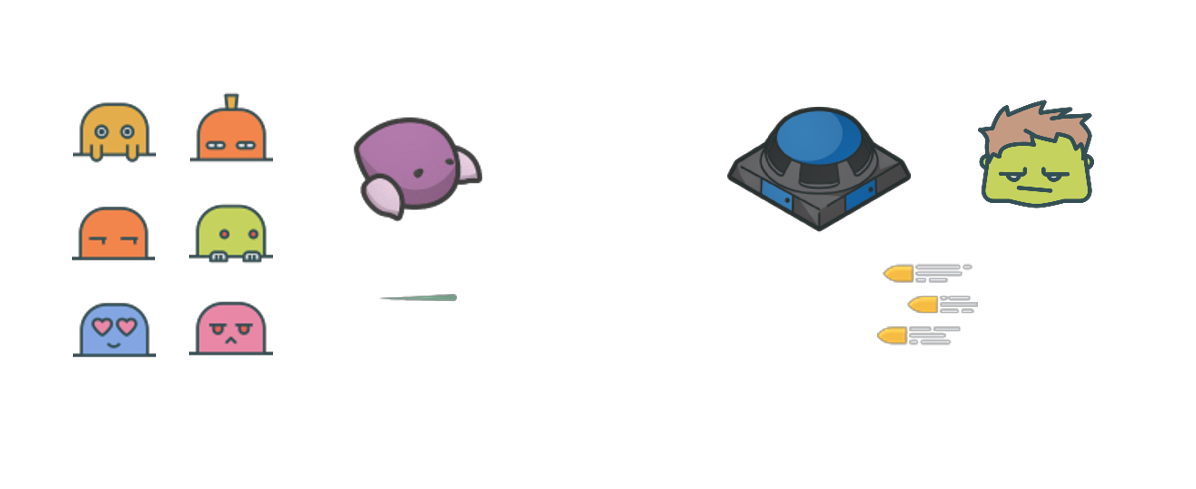
[ style.css ]
.container {
  width: 800px;
  margin: 0 auto;
}

.header {
  font-size: 25px;
  display: flex;
  justify-content: space-between;
  font-weight: bold;
}

.background {
  position: relative;
  background-image: url('./images/background.png');
  background-size: 800px 400px;
  max-width: 800px;
  height: 400px;
}

/* 드론 */
#drone {
  position: absolute;
  width: 100px;
  height: 100px;
  top: 140px;
  left: 100px;
}

/* 벙커 */
#bunker {
  position: absolute;
  width: 150px;
  height: 150px;
  top: 120px;
  right: 80px;
}

/* 독침, 총알, 초록헐크 */
#spit,
#bullets,
#greenMonster {
  display: none;
  position: absolute;
  width: 50px;
  height: 30px;
  z-index: 2;
}

/* 독침 */
#spit {
  top: 180px;
  left: 170px;
}

/* 총알 */
#bullets {
  top: 180px;
  right: 210px;
}

/* 초록헐크 */
#greenMonster {
  width: 100px;
  height: 100px;
  top: 140px;
  right: 100px;
}

/* 게임오버 */
#gameOver {
  display: none;
  position: absolute;
  top: 36%;
  left: 50%;
  transform: translate(-50%, -50%);
  width: 100%;
  max-width: 800px;
  height: 400px;
  text-align: center;
  font-size: 70px;
  color: red;
  z-index: 3;
}

/* monster 애니메이션 */
@keyframes bounce {
  0% {
    top: 150px;
  }
  50% {
    top: 100px;
  }
  100% {
    top: 150px;
  }
}

#monster1,
#monster2,
#monster3,
#monster4,
#monster5,
#monster6 {
  display: none;
  position: absolute;
  width: 80px;
  z-index: 2;
  animation: bounce 1s infinite;
}

#monster1 {
  top: 150px;
  left: 120px;
}

#monster2 {
  top: 100px;
  left: 220px;
}

#monster3 {
  top: 40px;
  left: 100px;
}

#monster4 {
  bottom: 70px;
  left: 170px;
}

#monster5 {
  top: 120px;
  left: 20px;
}

#monster6 {
  bottom: 90px;
  left: 50px;
}
2. 드론 - 독침 공격 기능
[ index.js ]
$('#drone').click(function () {
  let hp = parseInt($('#hp2').text().split(' ')[1]);
  $('#spit')
    .fadeIn()
    .animate({ left: '+=370' })
    .fadeOut(function () {
      $(this).css({ left: '170px' });
      hp--;
      $('#hp2').text('HP: ' + hp);
      if (hp === 0) {
        $('#bunker').fadeOut(function () {
          // 벙커가 fadeOut될 때 monster 이미지 등장 및 움직임
          $('#greenMonster')
            .fadeIn()
            .animate({ top: '+=20px', right: '+=50px' }, 200)
            .animate({ top: '-=40px', right: '+=150px' }, 400)
            .animate({ top: '+=20px', right: '+=300px' }, 200, function () {
              setTimeout(function () {
                $('#gameOver').fadeIn();
              }, 300);
            });
        });
      }
    });
});
드론 클릭 시 독침 공격
.click()이미지에 클릭 이벤트 리스너를 추가한다.
- 변수
hp를 선언하고,$('#hp2')요소의 텍스트를 가져와서.split(' ')을 통해 문자열을 공백으로 분할한다.
- 그 다음,
['HP:', '3']배열에서 인덱스 1에 있는 값 3을 가져오고,parseInt를 이용해 숫자로 변환한다.
$('#spit').fadeIn()은 spit 이미지를 스르륵 나타나게 한다.
.animate({ left: '+=370' })는 spit 이미지를 왼쪽으로370픽셀이동시키는 애니메이션을 수행한다.
.fadeOut( function () { })과$(this).css({ left: '170px' })는 spit 이미지를 스르륵 사라지게 하고, 왼쪽 위치를170픽셀로 설정한다.
$(this)는 현재 선택된 spit 이미지를 가리키고,hp--는hp변수 값을 1 감소시킨다.
$('#hp2').text('HP: ' + hp)는 hp2 요소의 텍스트를 갱신해 변경된 HP 값을 표시한다.
hp === 0일 경우
$('#bunker').fadeOut(function () { })은 bunker 이미지를 스르륵 사라지게 하고, 사라진 후에 콜백 함수를 정의한다.
$('#greenMonster').fadeIn()는 greenMonster 이미지를 스르륵 나타나게 한다.
.animate()를 통해 greenMonster 이미지 위치를 이동시키는 애니메이션을 적용한다.
setTimeout(function () { })은300밀리초후에 실행되는 함수를 지정하고,
$('#gameOver').fadeIn()을 통해 gameOver 요소를 스르륵 나타나게 한다.
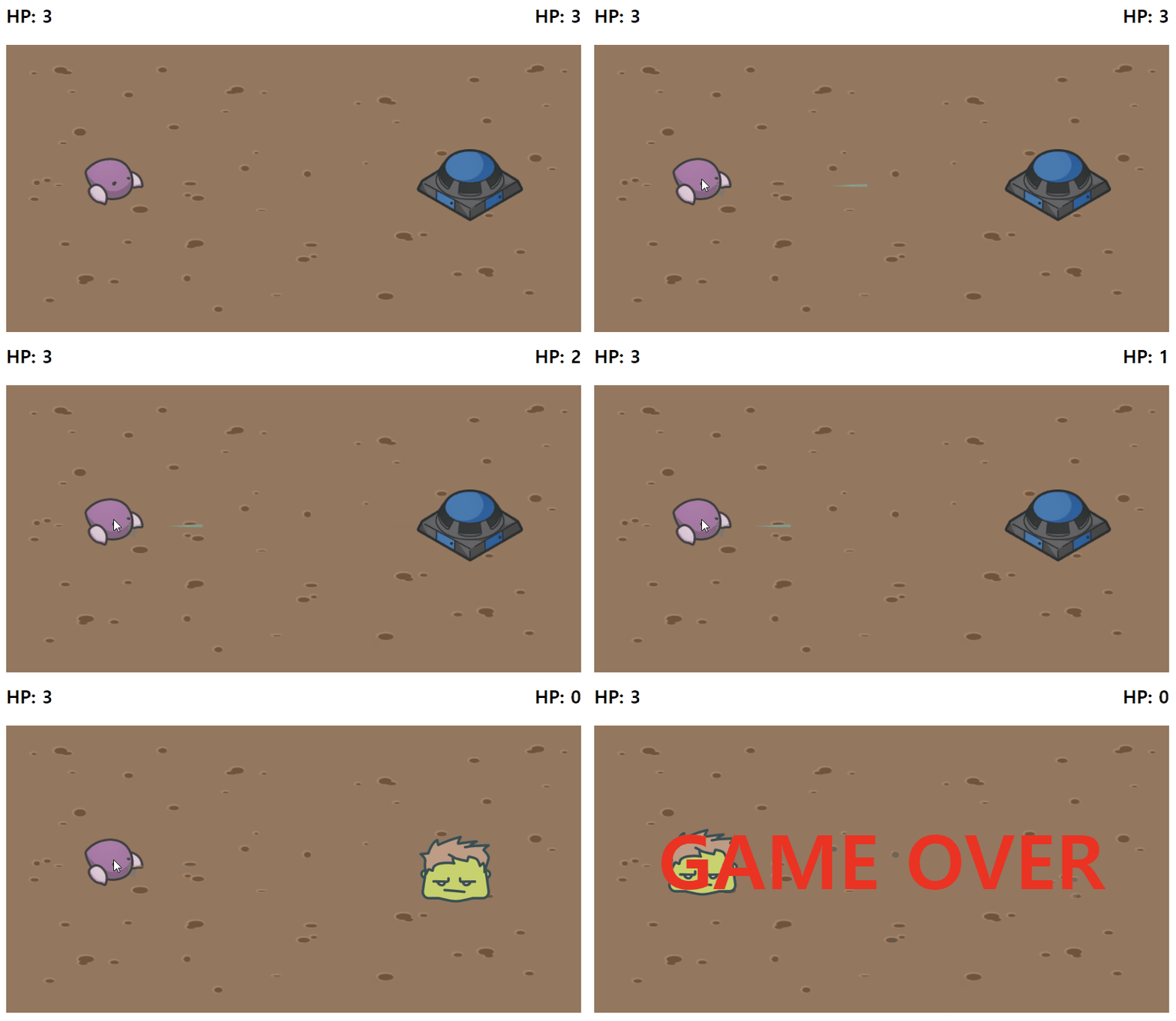
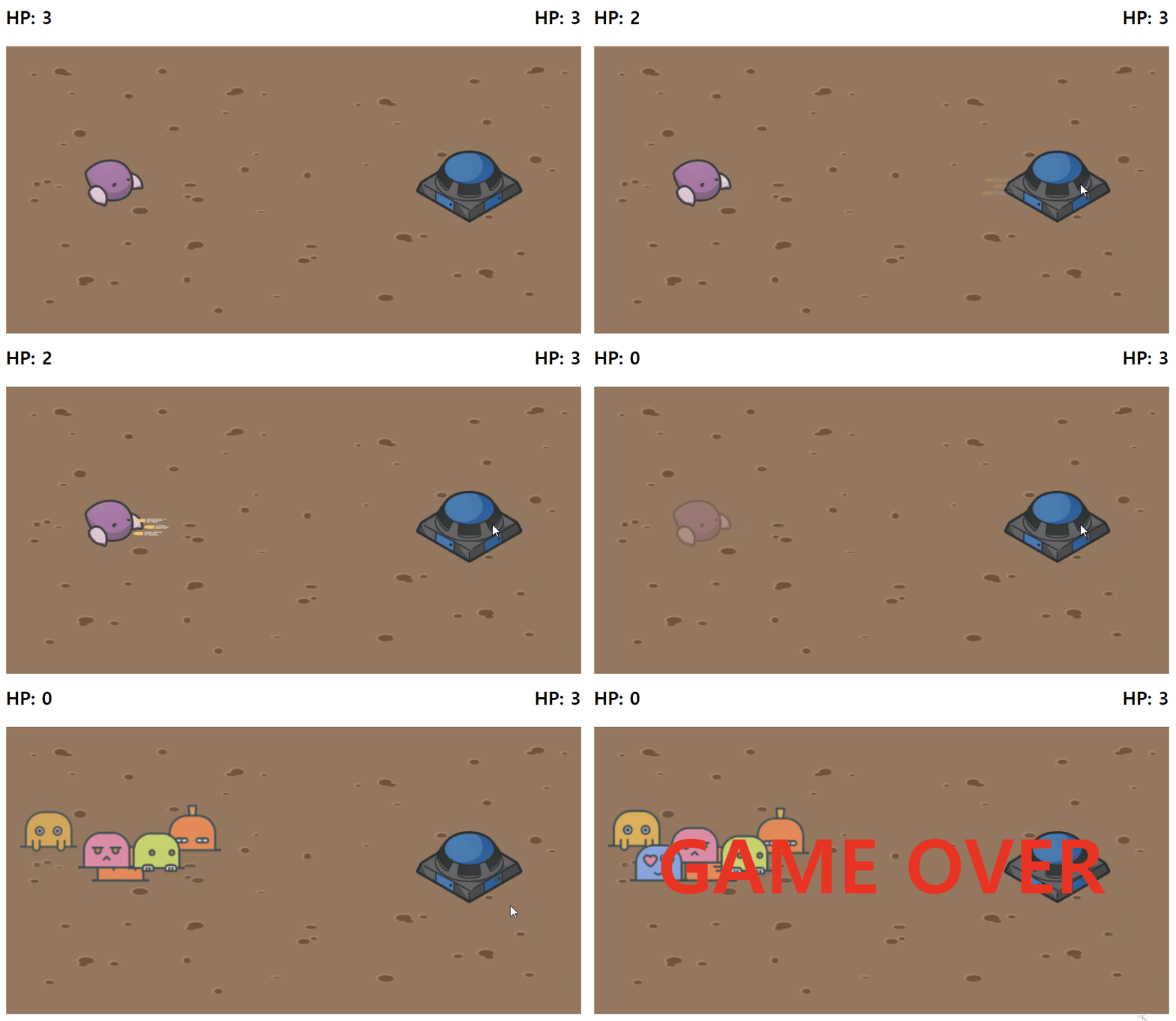
아래의 GIF를 살펴보자!드론이 벙커를 공격하고 벙커의 HP(체력)가 감소하자,
벙커가 초록헐크로 변해 드론을 잡아먹고 게임 오버로 끝난다!
3. 벙커 - 총알 공격 기능
[ index.js ]
$('#bunker').click(function () {
  let hp = parseInt($('#hp').text().split(' ')[1]);
  $('#bullets')
    .fadeIn()
    .animate({ right: '+=370' })
    .fadeOut(function () {
      $(this).css({ right: '210px' });
      hp--;
      $('#hp').text('HP: ' + hp);
      if (hp === 0) {
        $('#drone').fadeOut(function () {
          // 드론이 fadeOut될 때 monster 이미지 등장 및 움직임
          let monsters = [
            '#monster1',
            '#monster2',
            '#monster3',
            '#monster4',
            '#monster5',
            '#monster6',
          ];
          fadeInMonsters(monsters, function () {
            setTimeout(function () {
              $('#gameOver').fadeIn();
            }, 200);
          });
        });
      }
    });
});

// 모든 두더디 몬스터를 스르륵 나타나게 하는 함수
function fadeInMonsters(monsters, callback, index = 0) {
  $(monsters[index])
    .fadeIn()
    .queue(function (next) {
      $(this).fadeIn(next);
      if (index + 1 < monsters.length) {
        fadeInMonsters(monsters, callback, index + 1);
      } else {
        callback();
      }
      next();
    });
}
벙커 클릭 시 독침 공격
hp === 0전까지 코드가 동일하기에 방향이 다른 부분만 설명하겠다.
.animate({ right: '+=370' })는 bullets 이미지를 오른쪽으로370픽셀이동시키는 애니메이션을 수행한다.
.fadeOut(function () { })과$(this).css({ right: '210px' })는 bullets 이미지를 스르륵 사라지게 하고, 오른쪽 위치를210픽셀로 설정한다.
hp === 0일 경우
$('#drone').fadeOut(function () { })은 drone 이미지를 스르륵 사라지게 하고, 사라진 후에 콜백 함수를 정의한다.
let monsters=[]는monsters라는 배열을 선언하고, 몬스터 이미지의 선택자를 요소로 갖는다.
fadeInMonsters(monsters, function () { })를 통해monsters배열과 콜백 함수를 인자로 전달해fadeInMonsters함수를 호출한다.
setTimeout(function () { })은200밀리초후에 실행되는 함수를 지정하고,
$('#gameOver').fadeIn()을 통해 gameOver 요소를 스르륵 나타나게 한다.
fadeInMonsters 함수
function fadeInMonsters(monsters, callback, index = 0) { }의
fadeInMonsters함수는monsters배열과 콜백 함수를 인자로 받고,
몬스터 이미지를 순차적으로fadeIn()한 뒤, 마지막 몬스터 등장 후에 콜백 함수를 호출한다.
$(monsters[index]).fadeIn()은monsters배열에서 현재 인덱스에 해당하는 몬스터 이미지를 스르륵 나타나게 한다.
.queue()는 큐는 순차적으로 실행되며 이전 작업이 완료된 후에 다음 작업을 실행하고,
$(this).fadeIn(next)는 현재 몬스터를 스르륵 나타나게 하고, 다음 동작을 수행하는 함수next를queue에 추가한다.
if (index + 1 < monsters.length) { }는 현재 처리 중인 몬스터의 다음 인덱스가 배열의 길이보다 작은지 확인한다.
- 만약 다음 인덱스가
monsters배열의 길이보다 작다면,
재귀적으로fadeInMonsters함수를 호출해 다음 몬스터 이미지를 처리한다.
index + 1은 재귀 호출 시에 다음 몬스터를 선택하는 식이다.
else { callback() }은 조건이 거짓이면, 모든 몬스터 이미지가 처리되었을 경우 콜백 함수를 호출한다.
아래의 GIF를 살펴보자!벙커가 드론을 공격하고 드론의 HP(체력)가 감소하자,
드론이 사라진 자리에 두더지 무리 몬스터들이 차례대로 등장해 벙커를 놀리다 게임 오버로 끝난다!

할 수 있다고 믿는 사람은 결국 그렇게 된다 😄😊