
1. Introduction
In June 2024, I joined the Lee Jae-hoon professor's Network Research Lab at Dongguk University, focusing on AI-enabled networking technologies.
As part of the lab activities, I worked extensively with ONOS (Open Network Operating System) to understand and apply Software-Defined Networking (SDN) concepts through hands-on labs.
This blog post summarizes my journey.
detailed version also exists in korean.
ONOS Practice - Connecting virtual networks using Mininet with ONOS 2.7.0 on Ubuntu 22.04
ONOS Practice - Setting flow rules in ONOS to control VLAN-tagged packets
2. Setting up ONOS and Mininet
To start, I set up the ONOS 2.7.0 controller on Ubuntu 22.04 and connected it with Mininet, a popular network emulator for SDN.
I practiced creating virtual networks consisting of multiple switches and hosts, and then linked them to ONOS to control the flow of network traffic.
Key tools:
- Ubuntu 22.04
- Mininet
- ONOS 2.7.0
3. Connecting Virtual Networks
I created virtual topologies in Mininet (such as linear and tree structures) and verified that ONOS correctly discovered all devices and links.
I also explored how ONOS automatically installs default flow rules to manage packet forwarding in the network.
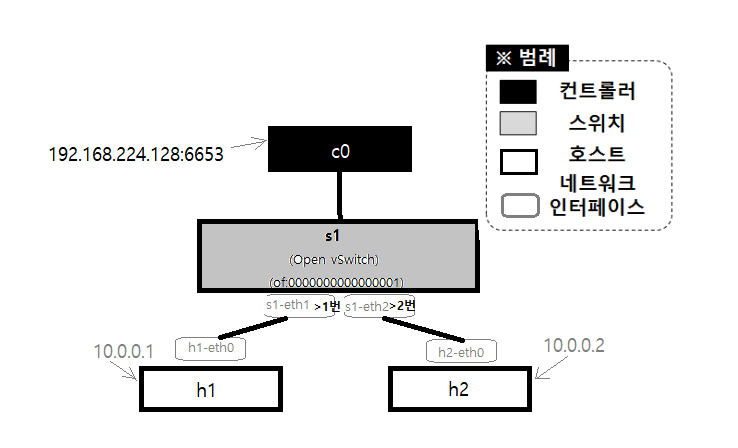
I built flow rules by two ways.
one in reactive mode, where the SDN controller makes decision, and the other in proactive mode, where the user defines the rules manually.
4. Installing Open vSwitch on Raspberry Pi
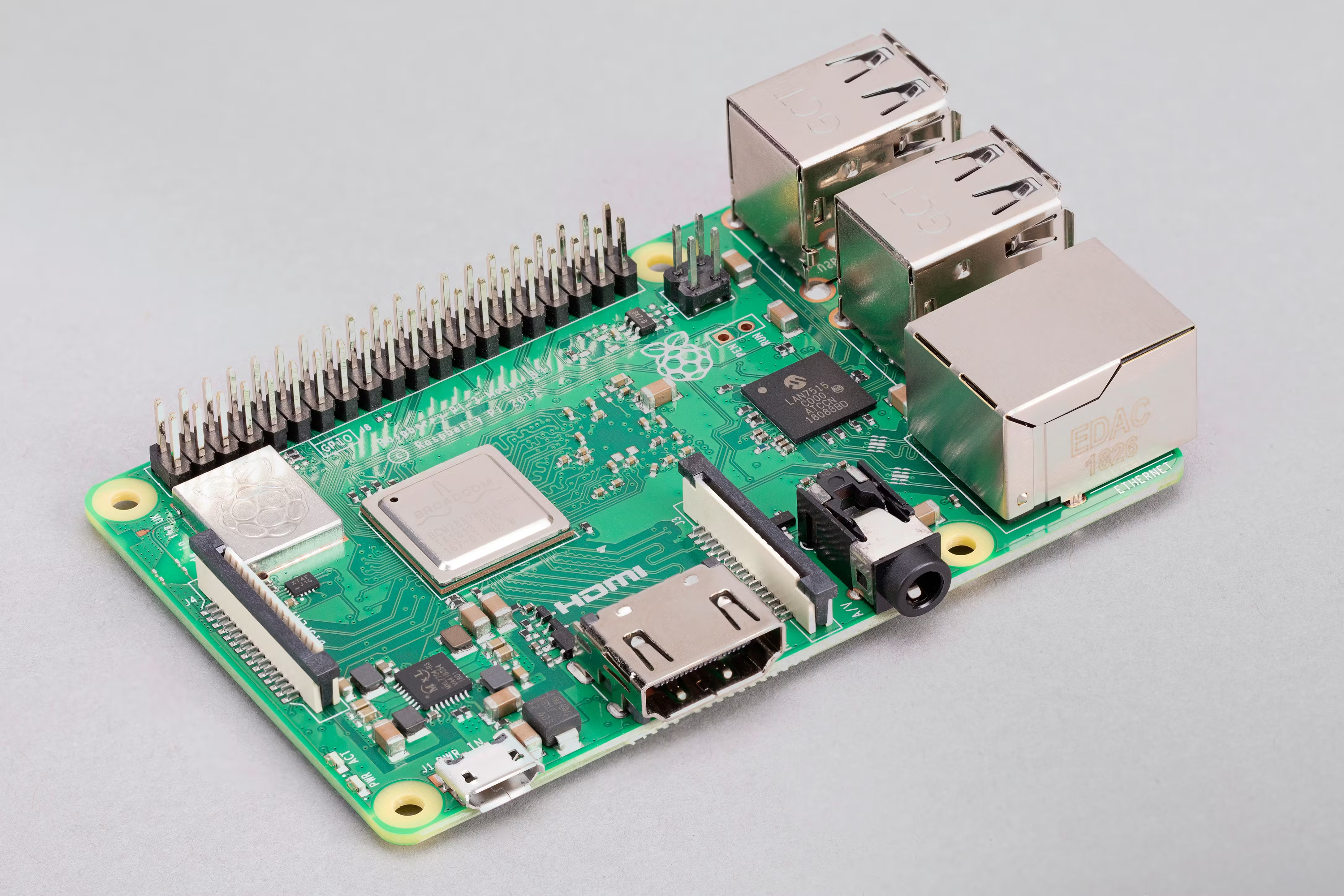
Taking a step further, I installed Open vSwitch (OVS) on Raspberry Pi 3 devices to build a real-world SDN testbed.
After configuring the OVS bridges and ports, I connected the Raspberry Pi switches to ONOS as external network elements.
5. Controlling VLAN Packets with ONOS
Using ONOS’s Flow Rule functionality, I wrote flow rules to control VLAN-tagged packets.
This included filtering specific VLAN IDs and forwarding traffic based on VLAN properties, allowing me to manage network segmentation dynamically.
6. Visualizing Switch Traffic in Real Time
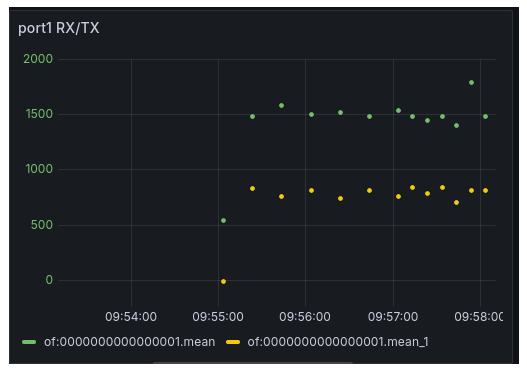
To monitor network performance, I visualized real-time switch port traffic data using ONOS metrics combined with open-source visualization tools.
This helped me gain insights into traffic patterns, detect bottlenecks, and understand SDN monitoring strategies.
7. Key Takeaways and Reflections
Through these hands-on experiences, I learned:
- How SDN controllers like ONOS manage and orchestrate network flows.
- Practical skills in setting up and controlling virtual and physical network devices.
- The importance of real-time network visualization for operational insights.
This project sparked my interest in developing custom ONOS applications and exploring deeper into SDN-enabled smart networking.
I look forward to continuing this journey by building my first ONOS application and contributing to open-source networking initiatives!
Resources
Thank you for reading! 🚀