
ASM 이란 ?
################
디스크 나누기(root)
################
fdisk -l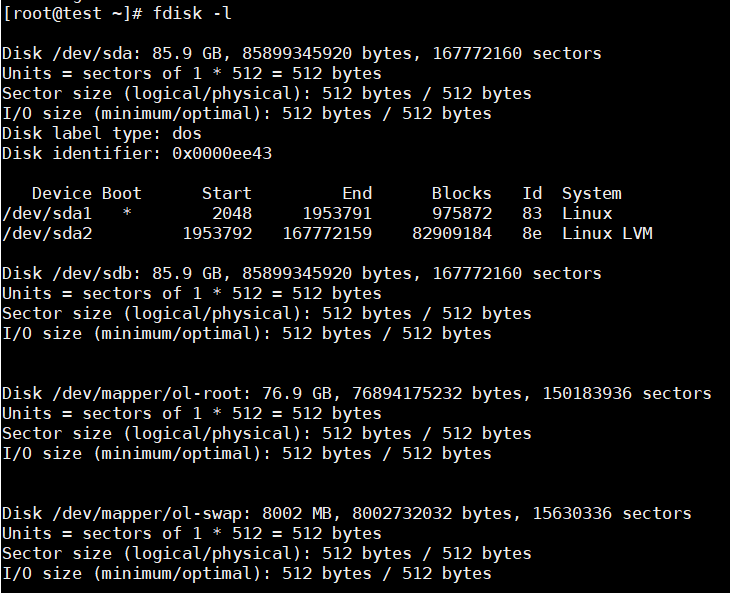
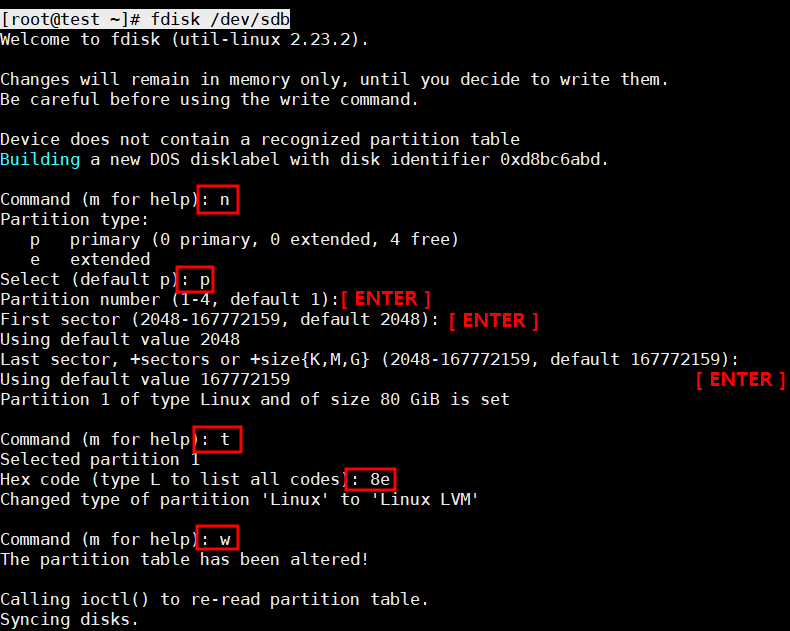
[root@test ~]# fdisk /dev/sdb
Welcome to fdisk (util-linux 2.23.2).

Changes will remain in memory only, until you decide to write them.
Be careful before using the write command.

Device does not contain a recognized partition table
Building a new DOS disklabel with disk identifier 0xd8bc6abd.

Command (m for help): n
Partition type:
   p   primary (0 primary, 0 extended, 4 free)
   e   extended
Select (default p): p
Partition number (1-4, default 1):
First sector (2048-167772159, default 2048):
Using default value 2048
Last sector, +sectors or +size{K,M,G} (2048-167772159, default 167772159):
Using default value 167772159
Partition 1 of type Linux and of size 80 GiB is set

Command (m for help): t
Selected partition 1
Hex code (type L to list all codes): 8e
Changed type of partition 'Linux' to 'Linux LVM'

Command (m for help): w
The partition table has been altered!

Calling ioctl() to re-read partition table.
Syncing disks.
############
pv create
############
pvcreate /dev/sdb1
pv (물리적 볼륨)
실제 디스크 장치를 분할한 파티션된 상태를 의미 한다.
- pvcreate 의 목적
lvm 에 사용될 파티션을 생성하기 위해 물리 디스크를 초기화 한다.
pvdisplay ------- 생성한 pv 확인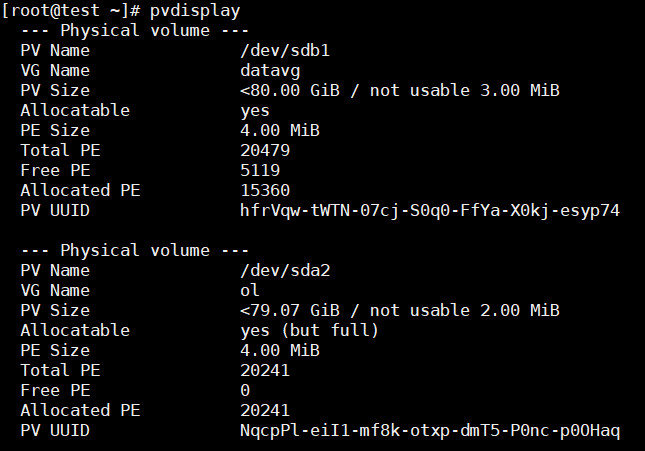
# lvmdiskscan------- 물리 볼륨으로 사용된 블록 장치를 확인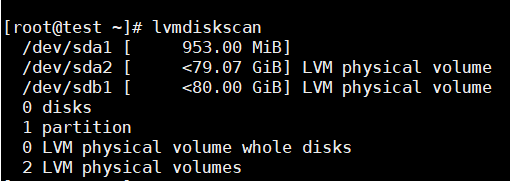
############
vg create
############
vgcreate <name> /dev/sdb1

vgcreate datavg /dev/sdb1
vg (볼륨 그룹)
############
lv create
############
데이터 디스크그룹
DATA_DG=25G
아카이브 디스크그룹
RECO_DG=20G
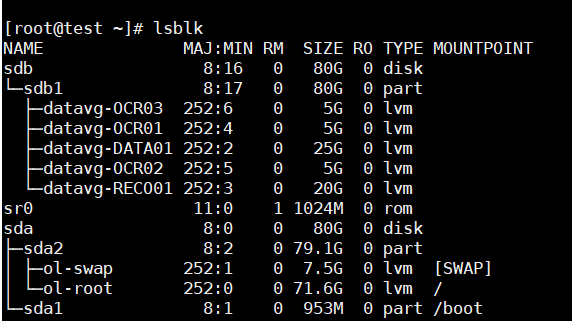
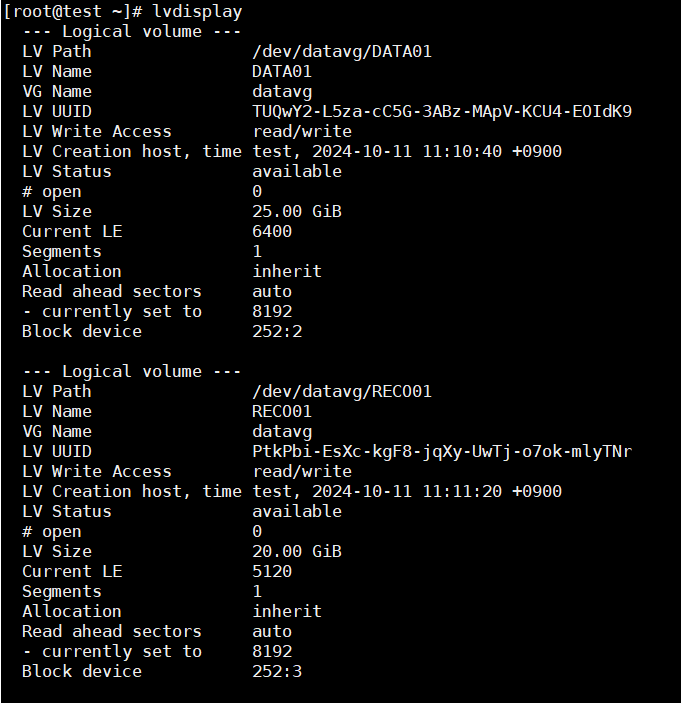
lvcreate -n DATA01 -L 25G /dev/datavg             ------ -n 은 뭘까     -L 은 뭘까 ?
lvcreate -n RECO01 -L 20G /dev/datavg
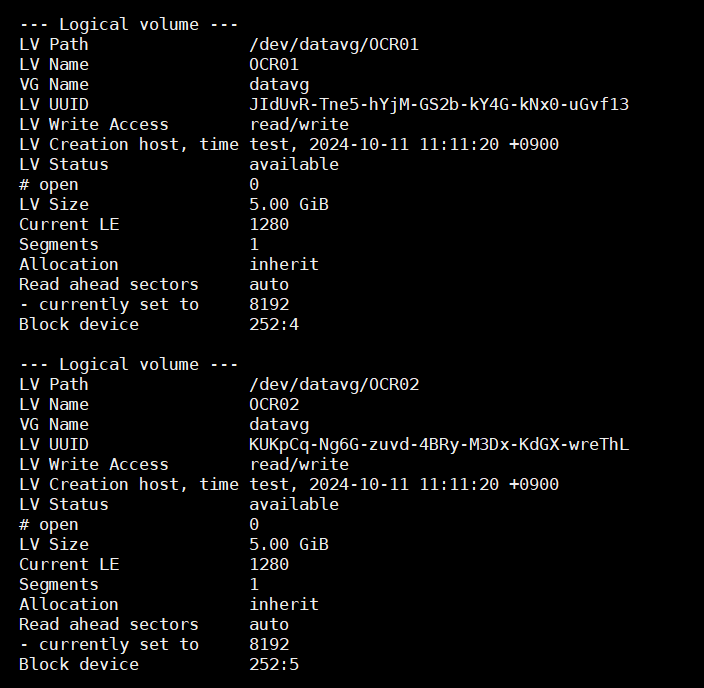
lvcreate -n OCR01 -L 5G /dev/datavg
lvcreate -n OCR02 -L 5G /dev/datavg
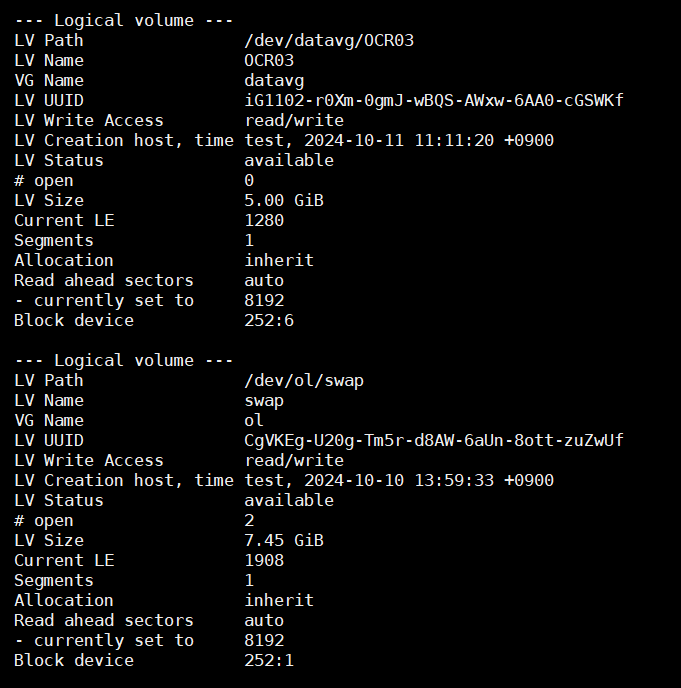
lvcreate -n OCR03 -L 5G /dev/datavg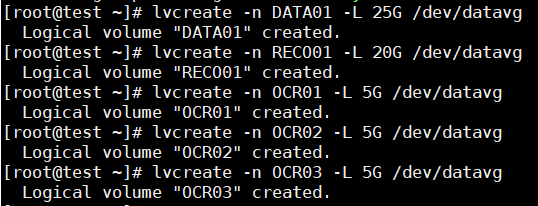
lv (논리적 볼륨)
- 사용자가 최종적으로 사용하는 단위
- vg에서 필요한 크기로 할당 받아 lv를 생성한다.
lvcreate -L 50G -n gfslv vg0

lvcreate -l 60%VG -n mylv testvg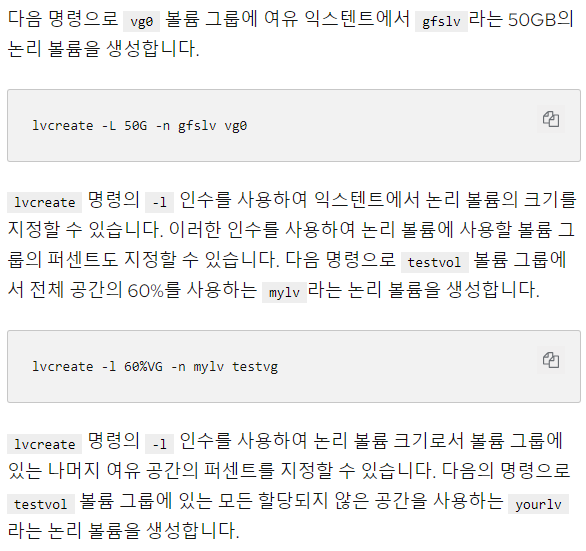
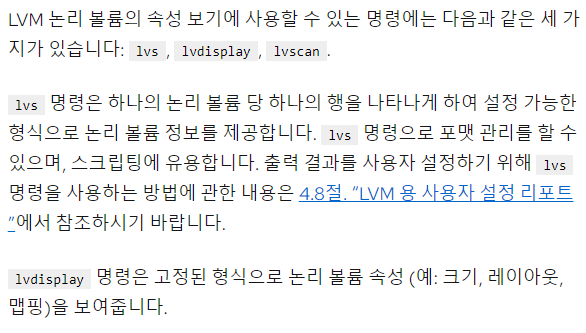
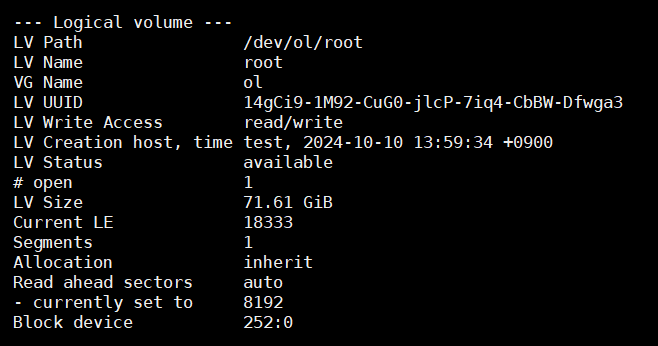
# lvscan ----- 시스템에 있는 모든 논리 볼륨을 찾고 이를 나열합니다.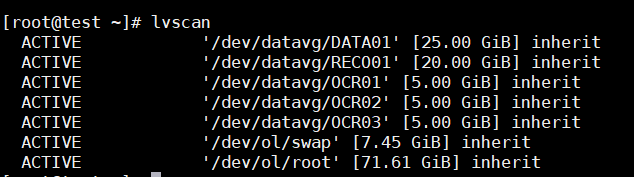

˗ˋˏ O R A C L E ˎˊ˗