
현재 grid 계정에서 rac1, rac2, rac1-priv 에는 SSH 키 인증이 정상적으로 작동하지만, rac2-priv에서는 여전히 비밀번호를 요구하고 있는 상황
[grid@rac1 ~]$ ssh rac1 date;ssh rac2 date;ssh rac1-priv date;ssh rac2-priv date         ;
Wed Feb 12 11:02:07 KST 2025
Wed Feb 12 11:02:08 KST 2025
The authenticity of host 'rac1-priv (10.0.0.11)' can't be established.
ECDSA key fingerprint is SHA256:3uCcTXbIZSvFARcuu7w6+HRapZ0HULCK3WhKDymgjfQ.
Are you sure you want to continue connecting (yes/no/[fingerprint])? yes
Warning: Permanently added 'rac1-priv,10.0.0.11' (ECDSA) to the list of known ho         sts.
Wed Feb 12 11:02:12 KST 2025
The authenticity of host 'rac2-priv (10.0.0.12)' can't be established.
ECDSA key fingerprint is SHA256:qG5mvk1flP4d8m2AOcSGWfm4hB78EvBSJUdJeyQEfgE.
Are you sure you want to continue connecting (yes/no/[fingerprint])? yes
Warning: Permanently added 'rac2-priv,10.0.0.12' (ECDSA) to the list of known ho         sts.
grid@rac2-priv's password:
Wed Feb 12 10:52:02 KST 2025
🔧 해결 방법
✅ 1️⃣ known_hosts 문제 해결 (rac1-priv & rac2-priv)
현재 rac2-priv에서 "Host key verification failed." 오류가 발생했으므로, 해당 호스트 키를 제거하고 다시 연결한다.
- rac1과 rac2에서 아래 명령 실행하여 known_hosts에서 제거:
ssh-keygen -R rac1-priv
ssh-keygen -R 10.0.0.11
ssh-keygen -R rac2-priv
ssh-keygen -R 10.0.0.12- SSH 키 재등록:
ssh rac1-priv
ssh rac2-priv- 이제 known_hosts 파일이 새롭게 업데이트됨.
✅ 2️⃣ SSH 키 인증이 동작하지 않는 문제 해결 (rac1-priv)
현재 rac1-priv에서 SSH 접속 시 비밀번호를 요구하고 있음.
이는 SSH 키 인증이 제대로 설정되지 않았음을 의미한다.
1️⃣ grid 계정의 SSH 키 확인 (rac1에서 실행)
ls -l ~/.ssh/id_rsa.pub만약 id_rsa.pub 파일이 없다면 SSH 키를 생성해야 합니다.
ssh-keygen -t rsa -b 4096
(Enter 눌러 기본 경로 저장, 패스프레이즈는 선택)
2️⃣ grid 계정의 SSH 공개 키를 rac1-priv과 rac2-priv로 복사
ssh-copy-id grid@rac1-priv
ssh-copy-id grid@rac2-priv
🔹 만약 ssh-copy-id가 실패하면, 수동으로 복사:
cat ~/.ssh/id_rsa.pub | ssh grid@rac1-priv "mkdir -p ~/.ssh && chmod 700 ~/.ssh && cat >> ~/.ssh/authorized_keys && chmod 600 ~/.ssh/authorized_keys"
cat ~/.ssh/id_rsa.pub | ssh grid@rac2-priv "mkdir -p ~/.ssh && chmod 700 ~/.ssh && cat >> ~/.ssh/authorized_keys && chmod 600 ~/.ssh/authorized_keys"
3️⃣ rac1-priv & rac2-priv에서 SSH 설정 확인
SSH 키 인증이 활성화되어 있는지 확인 (rac1-priv, rac2-priv에서 실행)
sudo vi /etc/ssh/sshd_config아래 값이 설정되어 있는지 확인:
PubkeyAuthentication yes
AuthorizedKeysFile .ssh/authorized_keys
PasswordAuthentication no  # (비밀번호 로그인 차단하려면)
SSH 서비스 재시작:
sudo systemctl restart sshd✅ 3️⃣ SSH 키 인증이 정상적으로 동작하는지 테스트
이제 rac1에서 다시 실행하여 SSH 키 인증이 정상적으로 동작하는지 확인한다.
ssh grid@rac1-priv date
ssh grid@rac2-priv date
비밀번호 없이 접속 가능하면 성공 🎉
[grid@rac1 ~]$ ssh rac1 date;ssh rac2 date;ssh rac1-priv date;ssh rac2-priv date         ;
Wed Feb 12 11:07:13 KST 2025
Wed Feb 12 11:07:15 KST 2025
Wed Feb 12 11:07:14 KST 2025
grid@rac2-priv's password:    <<<<<<<<<<<<<<<<<<<< 또 물어봤다
Wed Feb 12 10:57:02 KST 2025
[grid@rac1 ~]$ ssh-copy-id grid@rac2-priv
/usr/bin/ssh-copy-id: INFO: Source of key(s) to be installed: "/home/grid/.ssh/i         d_rsa.pub"
/usr/bin/ssh-copy-id: INFO: attempting to log in with the new key(s), to filter          out any that are already installed
/usr/bin/ssh-copy-id: INFO: 1 key(s) remain to be installed -- if you are prompt         ed now it is to install the new keys
grid@rac2-priv's password:

Number of key(s) added: 1

Now try logging into the machine, with:   "ssh 'grid@rac2-priv'"
and check to make sure that only the key(s) you wanted were added.
중간에
grid@rac2-priv's password: 라고 뜨면서 다시 한번 물어봐서
ssh-copy-id grid@rac2-priv
하여
카피 해준다.
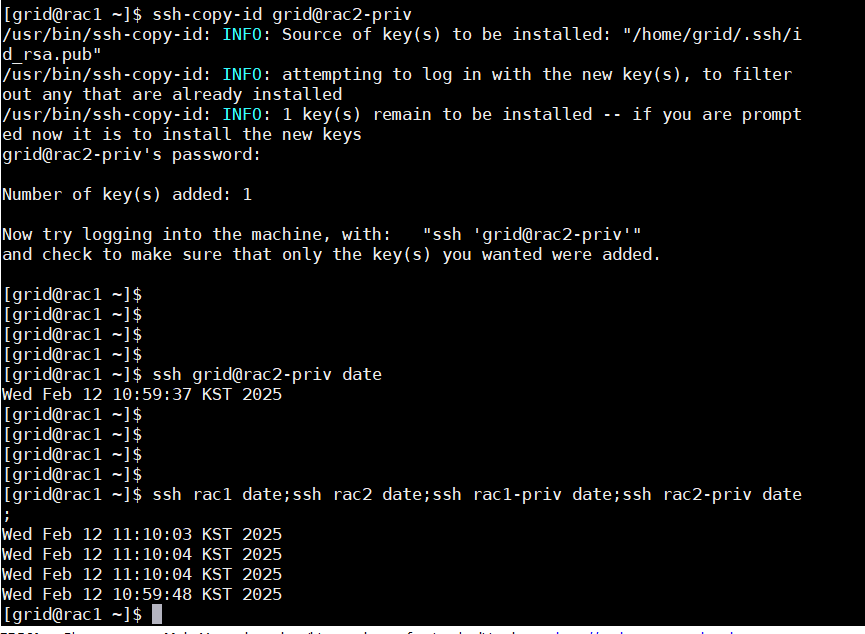
카피 이후엔 연결 되는 것을 볼 수 있다 !!
싹 지우고 -> 등록하고 -> 안되면 비번 다시 카피 !
oracle 계정으로도 하는데 에러가 또 난다
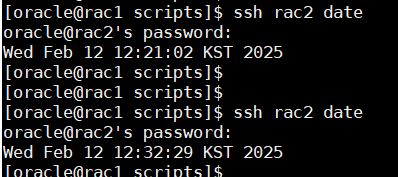
[oracle@rac1 scripts]$ ssh rac2 date
oracle@rac2's password:
Wed Feb 12 12:32:29 KST 2025
[oracle@rac1 scripts]
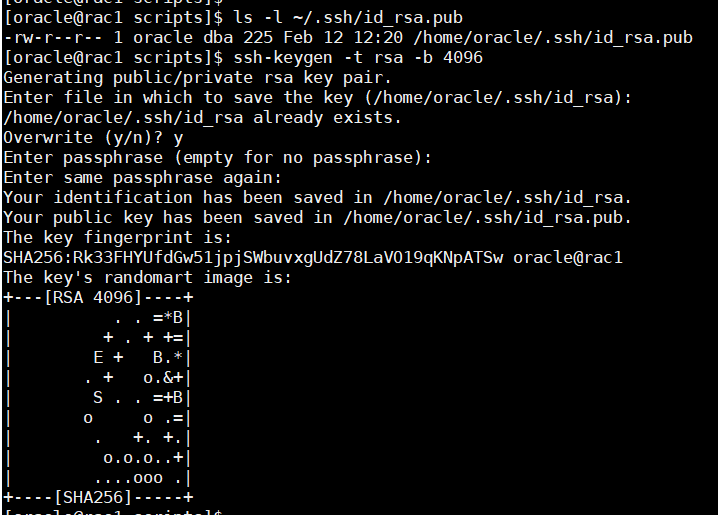
[oracle@rac1 scripts]$ ls -l ~/.ssh/id_rsa.pub
-rw-r--r-- 1 oracle dba 225 Feb 12 12:20 /home/oracle/.ssh/id_rsa.pub
[oracle@rac1 scripts]$ ssh-keygen -t rsa -b 4096
Generating public/private rsa key pair.
Enter file in which to save the key (/home/oracle/.ssh/id_rsa):
/home/oracle/.ssh/id_rsa already exists.
Overwrite (y/n)? y
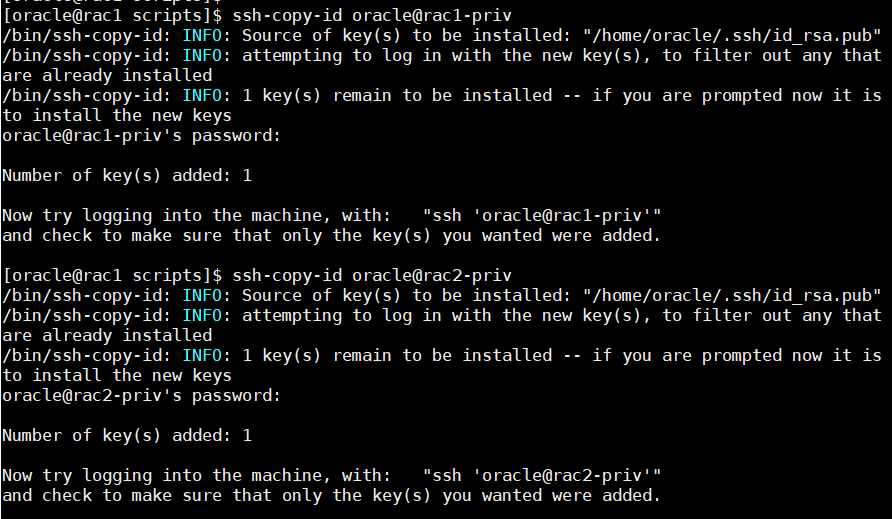
[oracle@rac1 scripts]$ ssh-copy-id oracle@rac1-priv
/bin/ssh-copy-id: INFO: Source of key(s) to be installed: "/home/oracle/.ssh/id_rsa.pub"
/bin/ssh-copy-id: INFO: attempting to log in with the new key(s), to filter out any that are already installed
/bin/ssh-copy-id: INFO: 1 key(s) remain to be installed -- if you are prompted now it is to install the new keys
oracle@rac1-priv's password:
Number of key(s) added: 1
Now try logging into the machine, with: "ssh 'oracle@rac1-priv'"
and check to make sure that only the key(s) you wanted were added.
[oracle@rac1 scripts]$ ssh-copy-id oracle@rac2-priv
/bin/ssh-copy-id: INFO: Source of key(s) to be installed: "/home/oracle/.ssh/id_rsa.pub"
/bin/ssh-copy-id: INFO: attempting to log in with the new key(s), to filter out any that are already installed
/bin/ssh-copy-id: INFO: 1 key(s) remain to be installed -- if you are prompted now it is to install the new keys
oracle@rac2-priv's password:
Number of key(s) added: 1
Now try logging into the machine, with: "ssh 'oracle@rac2-priv'"
and check to make sure that only the key(s) you wanted were added.
[oracle@rac1 ~]$ ssh rac1 date;ssh rac2 date;ssh rac1-priv date;ssh rac2-priv date;
Wed Feb 12 12:44:23 KST 2025
Wed Feb 12 12:44:25 KST 2025
Wed Feb 12 12:44:25 KST 2025
Wed Feb 12 12:34:09 KST 2025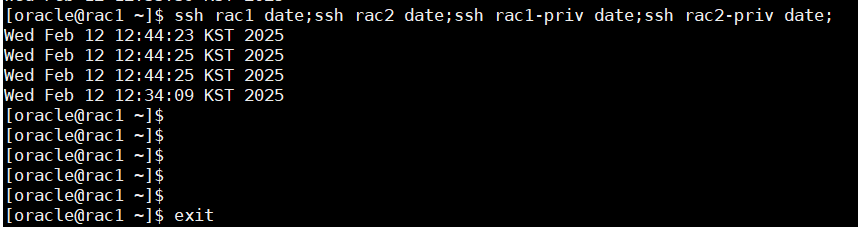
오라클도 ssh 성공 !
해결 방법은
ssh-copy-id oracle@rac1-priv
