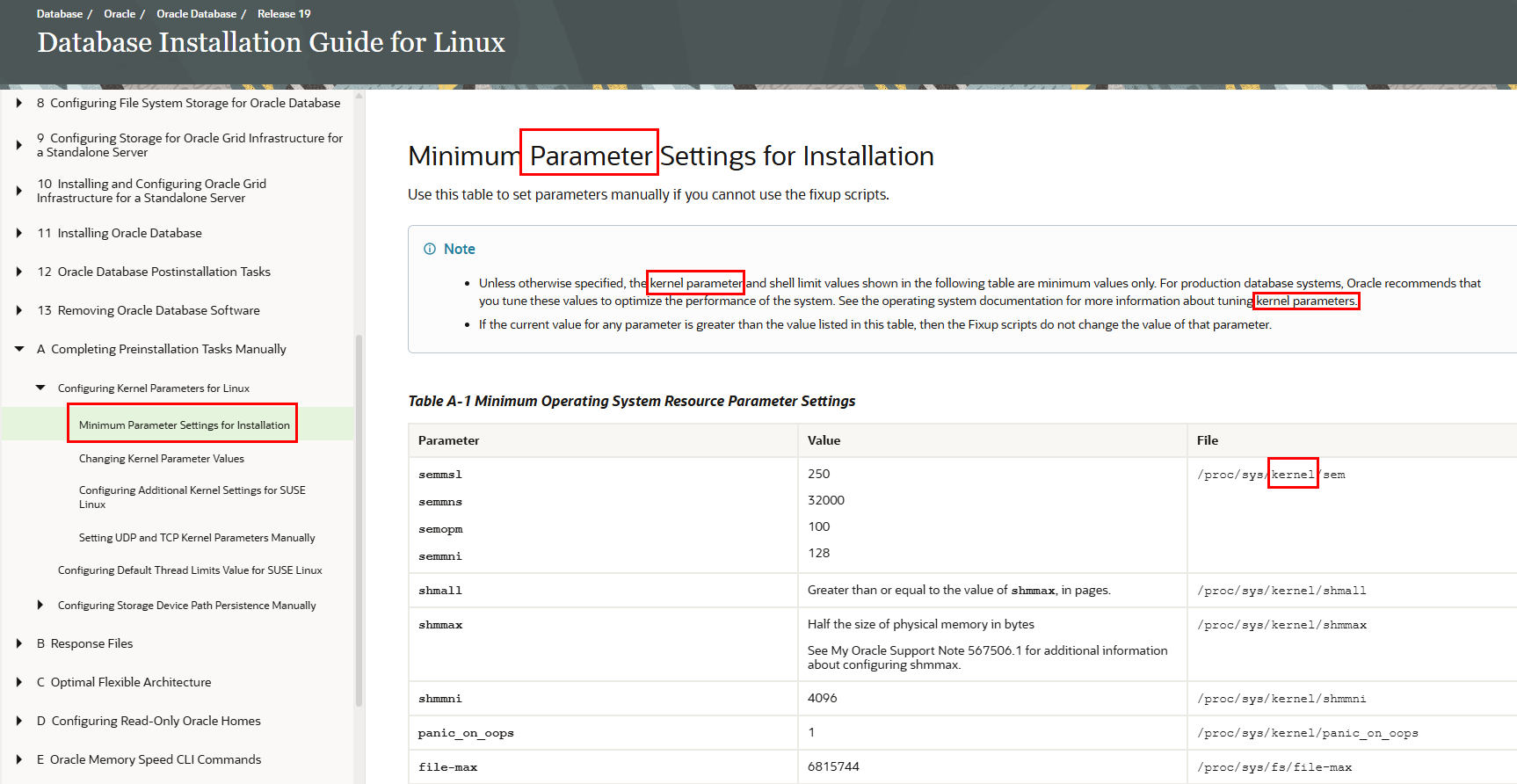
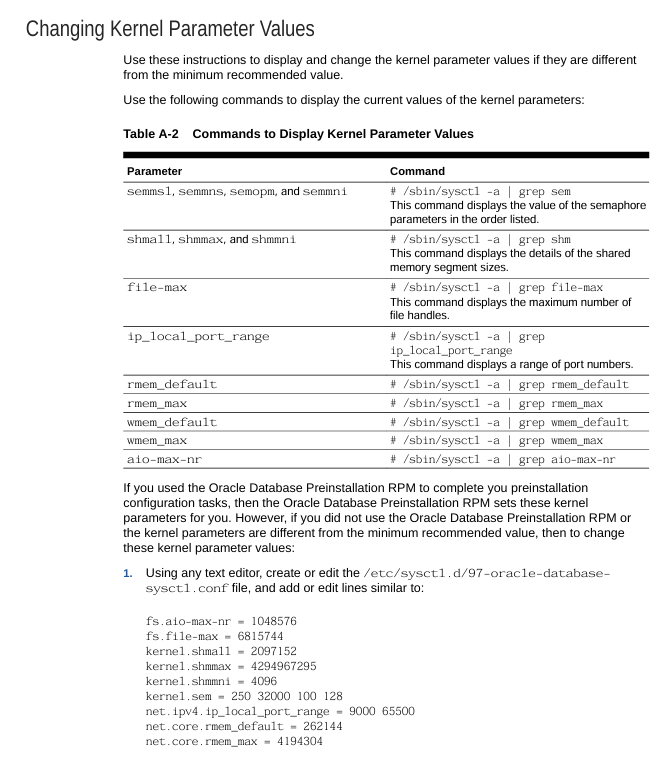
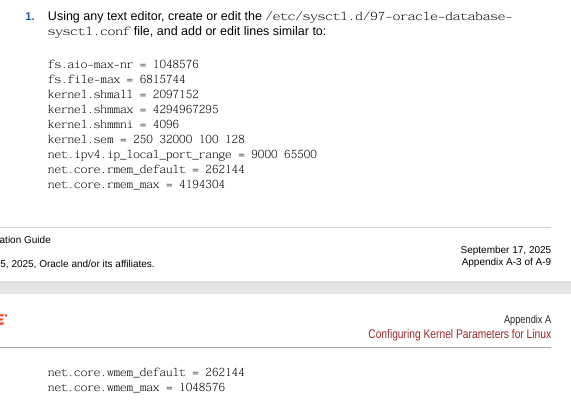
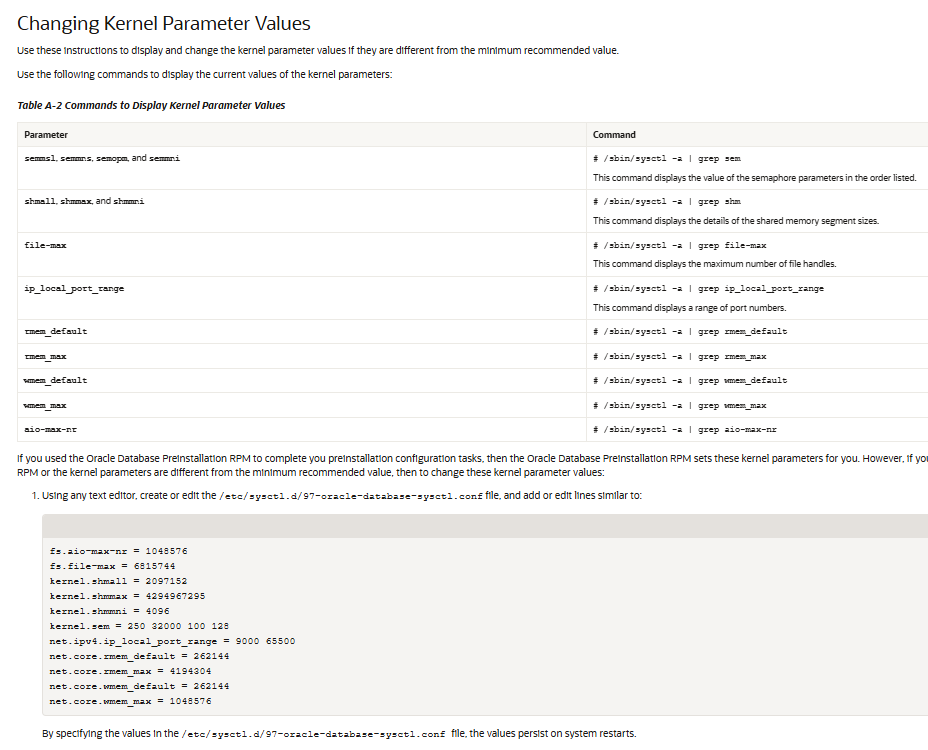
1. Kernel parameter 찾기
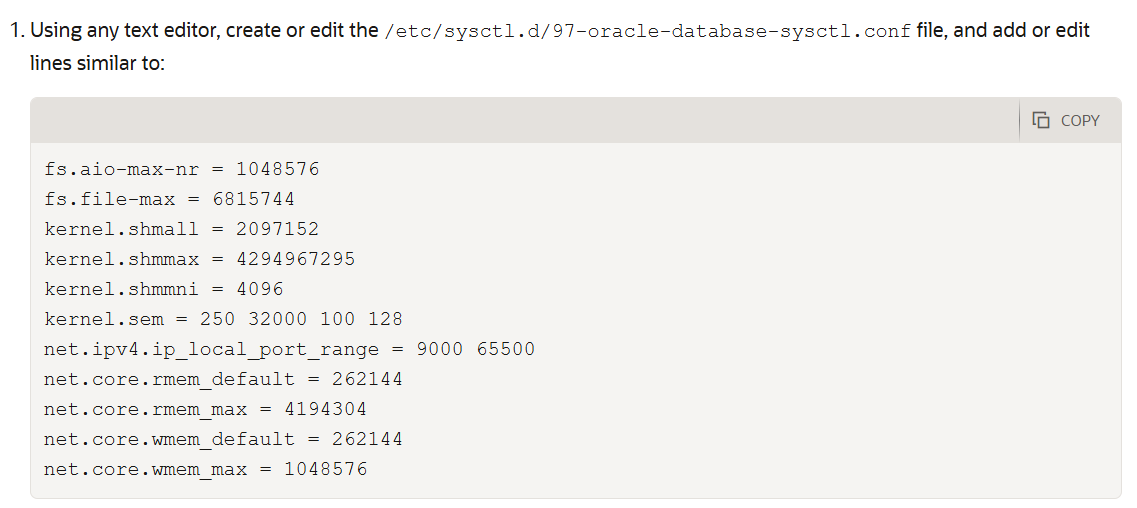
oracle docs 참고
vi /etc/sysctl.conf


fs.aio-max-nr = 1048576
fs.file-max = 6815744
kernel.shmall = 2097152
kernel.shmmax = 4294967295
kernel.shmmni = 4096
kernel.sem = 250 32000 100 128
net.ipv4.ip_local_port_range = 9000 65500
net.core.rmem_default = 262144
net.core.rmem_max = 4194304
net.core.wmem_default = 262144
net.core.wmem_max = 1048576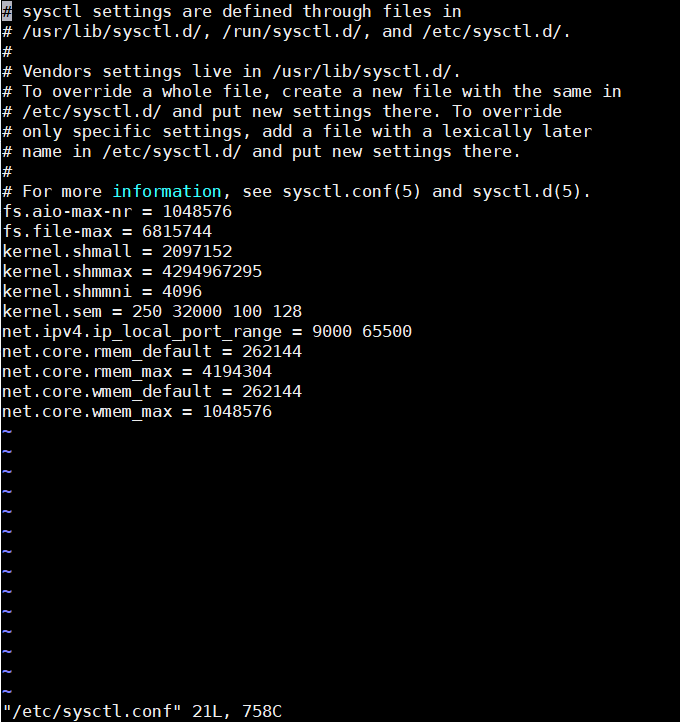
2. resource limit 찾기
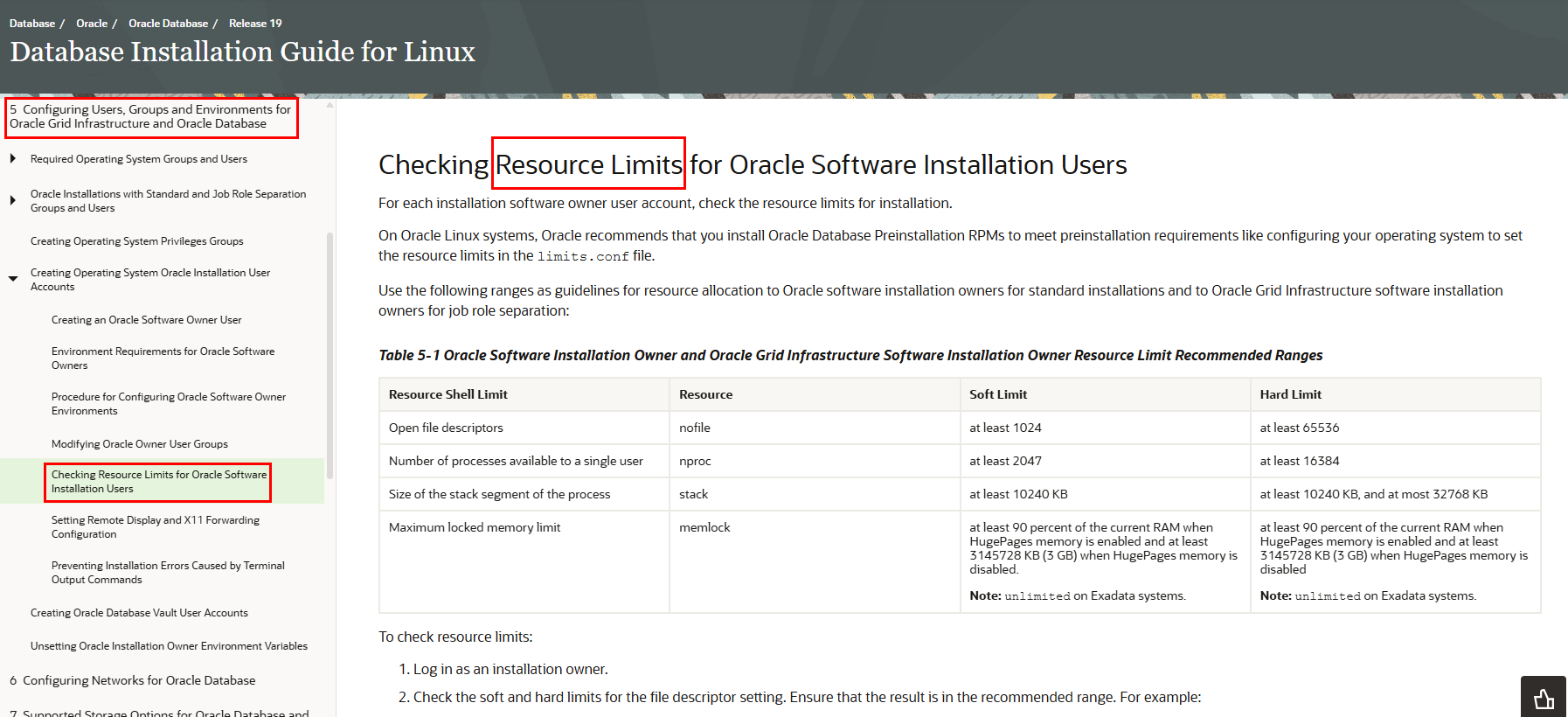
# oracle-database-preinstall-19c setting for nofile soft limit is 1024
oracle   soft   nofile    1024
grid   soft   nofile    1024

# oracle-database-preinstall-19c setting for nofile hard limit is 65536
oracle   hard   nofile    65536
grid   hard   nofile    65536

# oracle-database-preinstall-19c setting for nproc soft limit is 16384
# refer orabug15971421 for more info.
oracle   soft   nproc    16384
grid   soft   nproc    16384

# oracle-database-preinstall-19c setting for nproc hard limit is 16384
oracle   hard   nproc    16384
grid   hard   nproc    16384

# oracle-database-preinstall-19c setting for stack soft limit is 10240KB
oracle   soft   stack    10240
grid   soft   stack    10240

# oracle-database-preinstall-19c setting for stack hard limit is 32768KB
oracle   hard   stack    32768
grid   hard   stack    32768

# oracle-database-preinstall-19c setting for memlock hard limit is maximum of 128GB on x86_64 or 3GB on x86 OR 90 % of RAM
oracle   hard   memlock    134217728
grid   hard   memlock    134217728

# oracle-database-preinstall-19c setting for memlock soft limit is maximum of 128GB on x86_64 or 3GB on x86 OR 90% of RAM
oracle   soft   memlock    134217728
grid   soft   memlock    134217728

# oracle-database-preinstall-19c setting for data soft limit is 'unlimited'
oracle   soft   data    unlimited
grid   soft   data    unlimited

# oracle-database-preinstall-19c setting for data hard limit is 'unlimited'
oracle   hard   data    unlimited
grid   hard   data    unlimited
3. rpm 설치
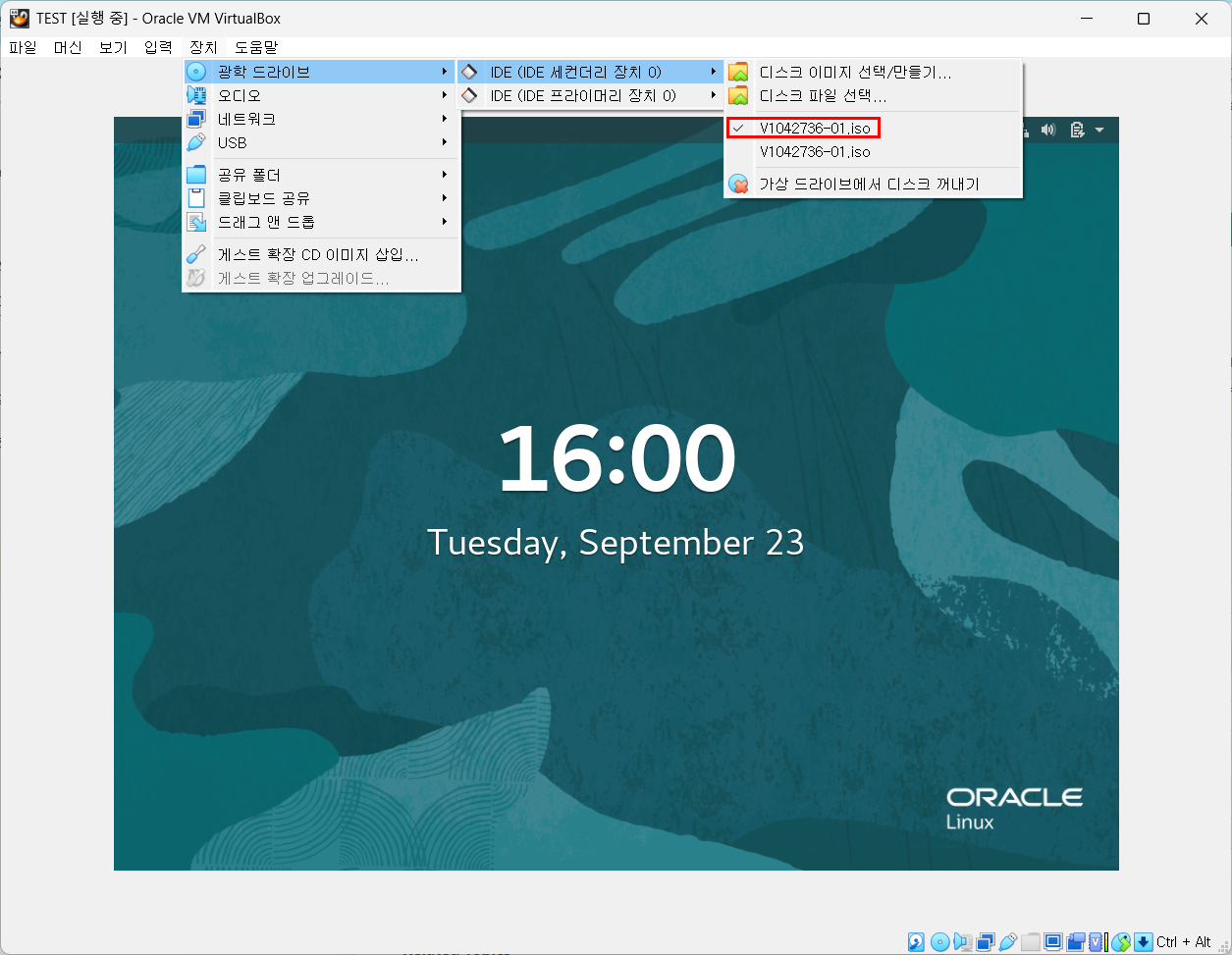
디스크 넣기
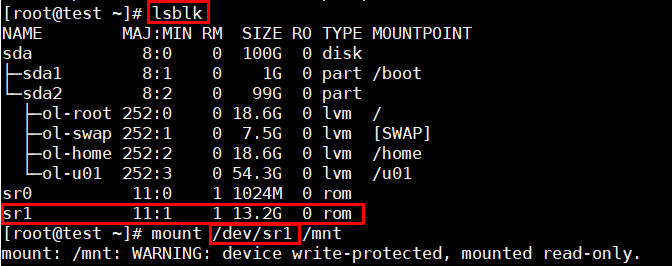
[root@test ~]# mount /dev/sr1 /mnt
df -h | grep /mntls /mntcd /etc/yum.repos.d
ls
mkdir back
mv *.repo back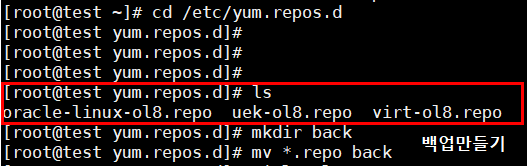
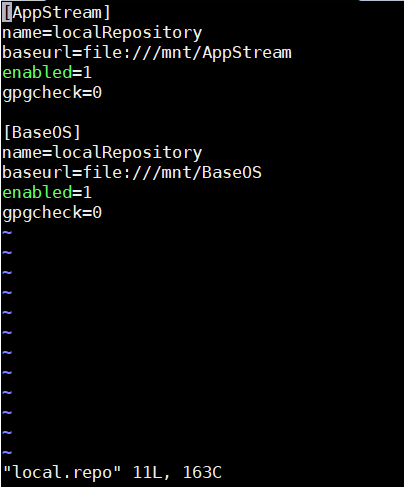
vi local.repo

[AppStream]
name=localRepository
baseurl=file:///mnt/AppStream
enabled=1
gpgcheck=0

[BaseOS]
name=localRepository
baseurl=file:///mnt/BaseOS
enabled=1
gpgcheck=0
~


##위의 내용 적용하고 exit
dnf update 후
dnf rpm
dnf install -y libnsl
dnf install -y libnsl.i686
dnf install -y libnsl2
dnf install -y libnsl2.i686
dnf -y groupinstall 'Development Tools'
dnf install bc -y
dnf install binutils -y
dnf install compat-openssl10 -y
dnf install compat-libcap1 -y
dnf install compat-libstdc++ -y
dnf install elfutils-libelf -y
dnf install elfutils-libelf-devel -y
dnf install fontconfig -y
dnf install glibc -y
dnf install glibc-devel -y
dnf install ksh -y
dnf install libaio -y
dnf install libaio-devel -y
dnf install libasan -y
dnf install liblsan -y
dnf install libX11 -y
dnf install libXau -y
dnf install libXi -y
dnf install libXrender -y
dnf install libXtst -y
dnf install libxcrypt-compat -y
dnf install libXrender-devel -y
dnf install libgcc -y
dnf install libibverbs -y
dnf install libnsl -y
dnf install librdmacm -y
dnf install libstdc++ -y
dnf install libxcb -y
dnf install libvirt-libs -y
dnf install make -y
dnf install policycoreutils -y
dnf install policycoreutils-python-utils -y
dnf install smartmontools -y
dnf  install sysstat -y
dnf install libstdc++-devel -y
dnf install -y gcc
dnf install -y unixODBC
dnf install -y glibc-headers
dnf install -y ipmiutil
dnf install -y libnsl2
dnf install -y libnsl2-devel
dnf install -y net-tools
dnf install -y nfs-utils
dnf install -y rng-tools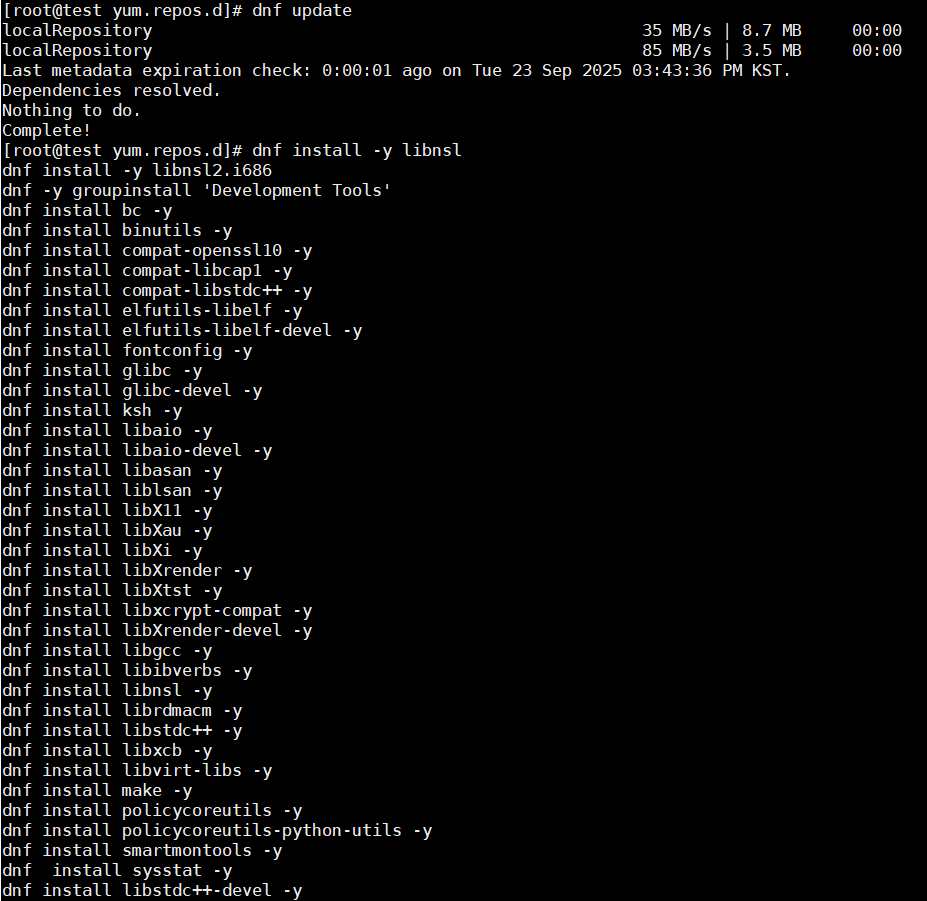
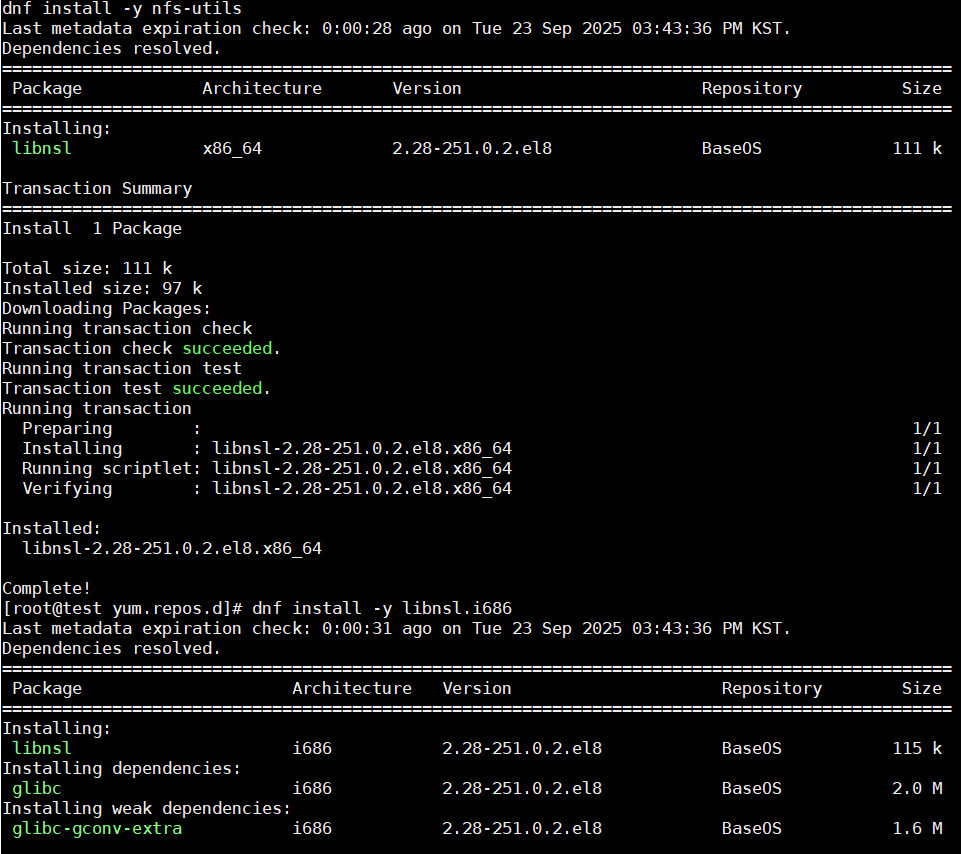
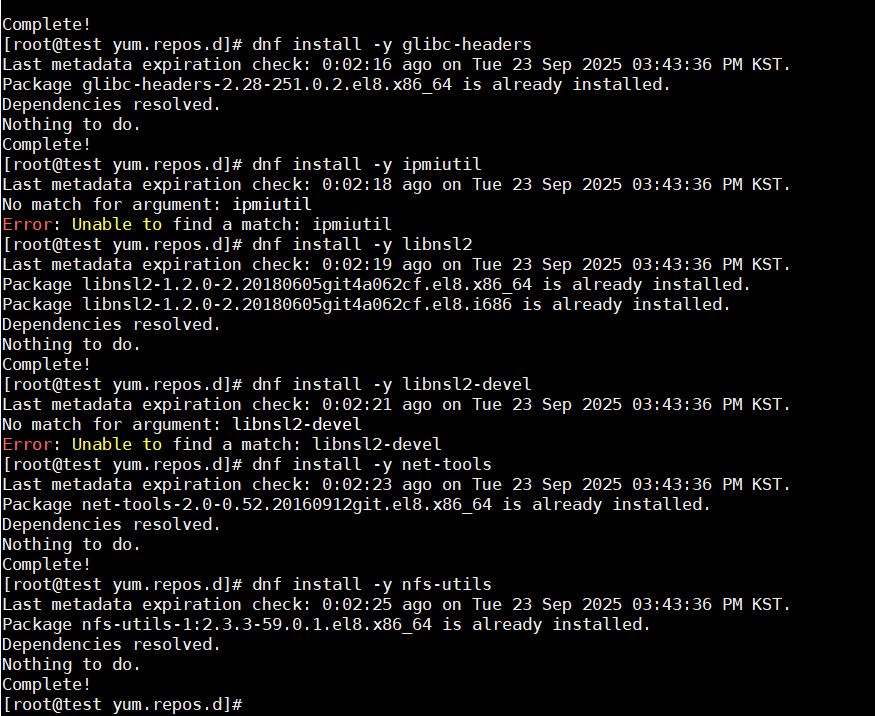
local.repo 관련된 문서
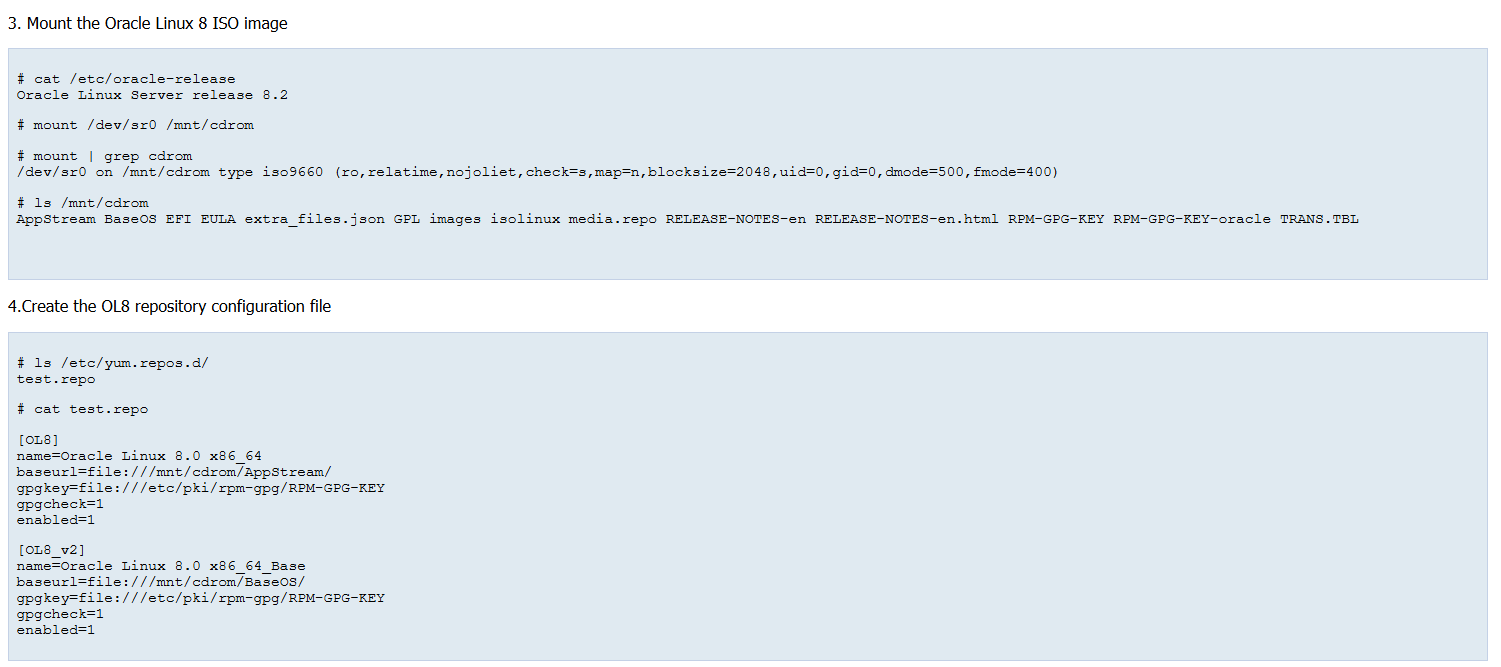
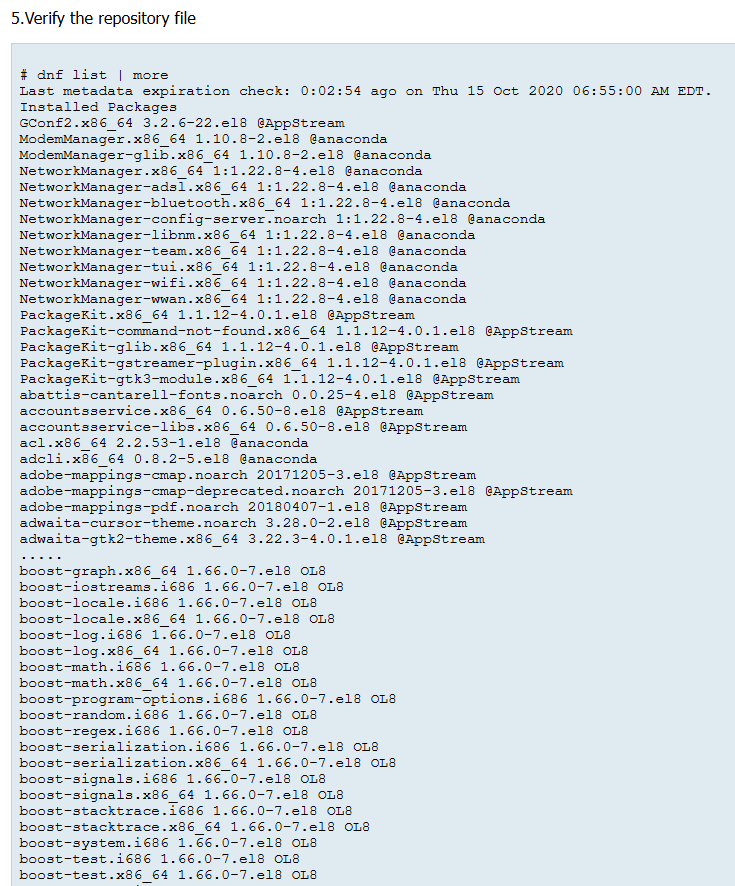
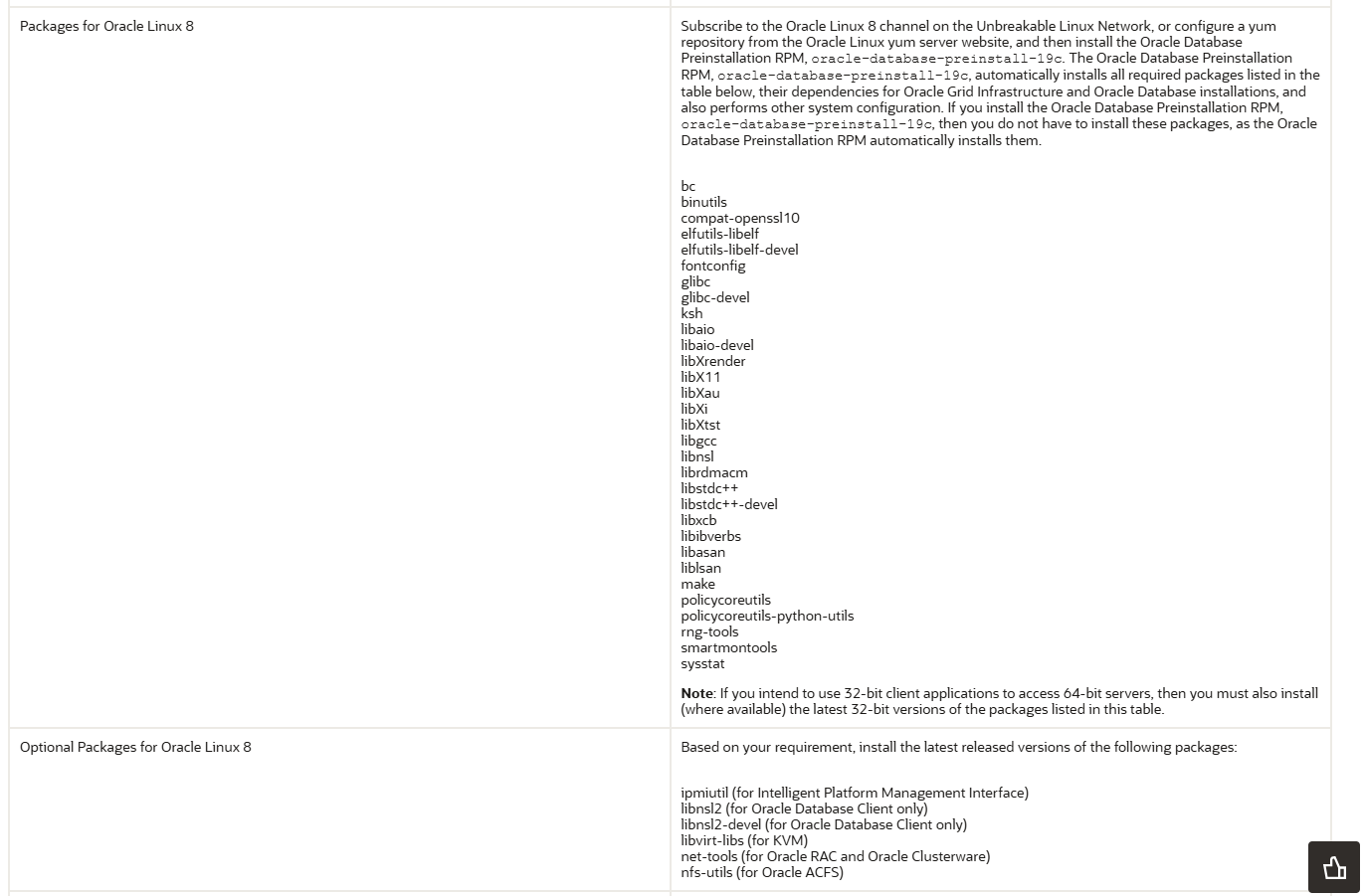
bc
binutils
compat-openssl10
elfutils-libelf
elfutils-libelf-devel
fontconfig
glibc
glibc-devel
ksh
libaio
libaio-devel
libXrender
libX11
libXau
libXi
libXtst
libgcc
libnsl
librdmacm
libstdc++
libstdc++-devel
libxcb
libibverbs
libasan
liblsan
make
policycoreutils
policycoreutils-python-utils
rng-tools
smartmontools
sysstat
dnf install -y bc binutils compat-openssl10 elfutils-libelf elfutils-libelf-devel fontconfig glibc glibc-devel ksh libaio libaio-devel libXrender libX11 libXau libXi libXtst libgcc libnsl librdmacm libstdc++ libstdc++-devel libxcb libibverbs libasan liblsan make policycoreutils policycoreutils-python-utils rng-tools smartmontools sysstat net-tools- 공유 데이터
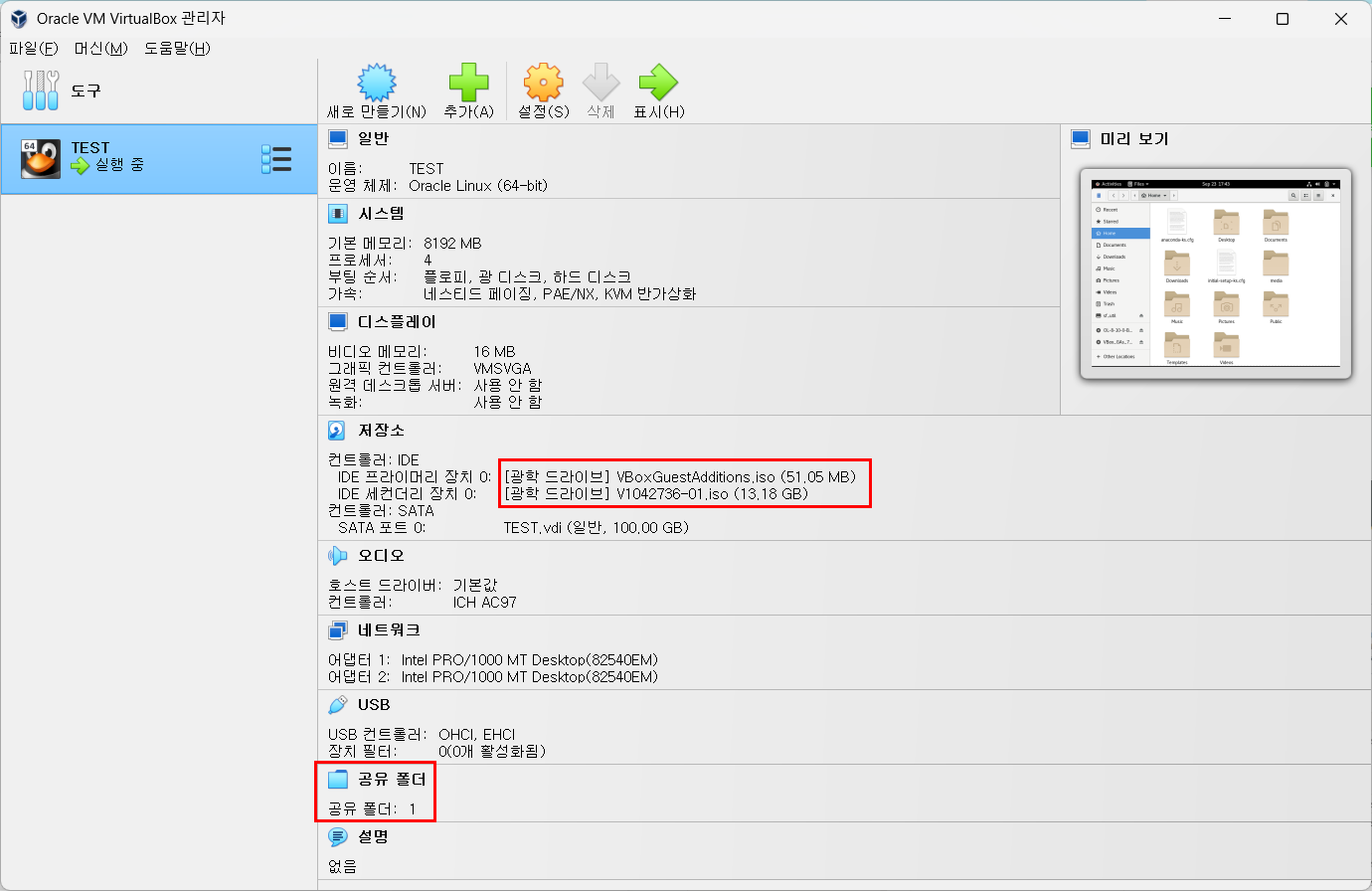
공유 폴더 설정했음.
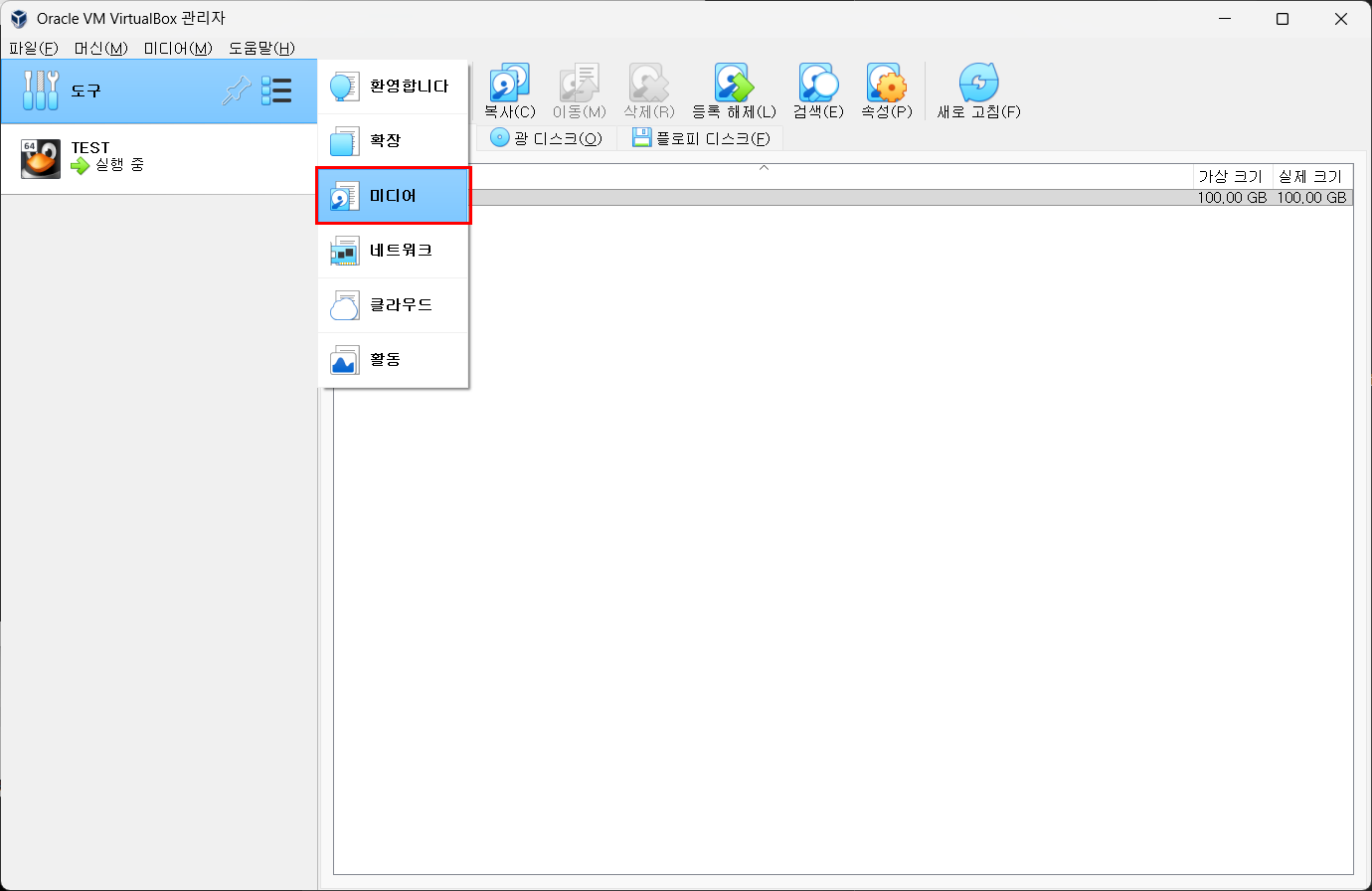
도구 - 미디어 - 만들기
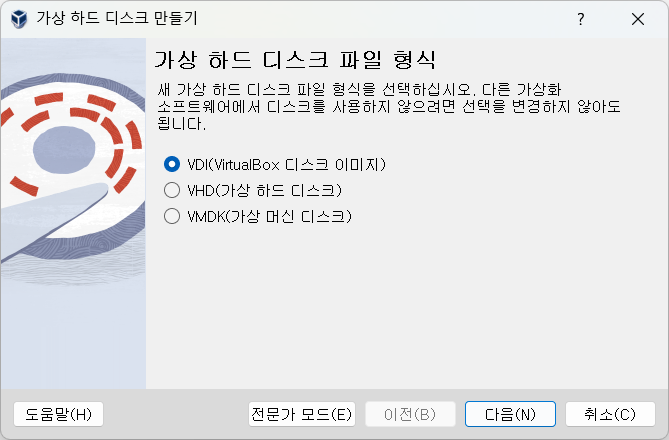
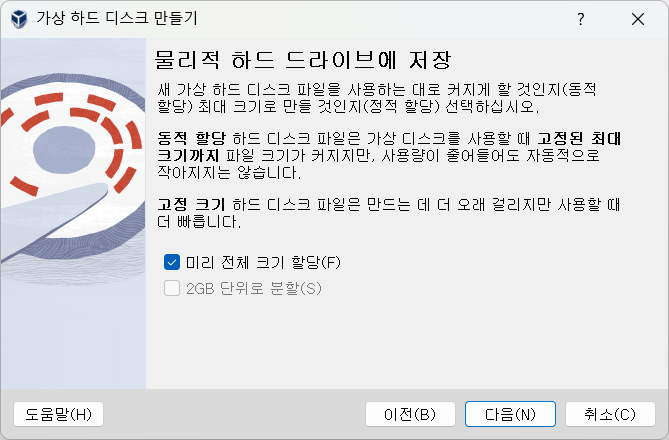
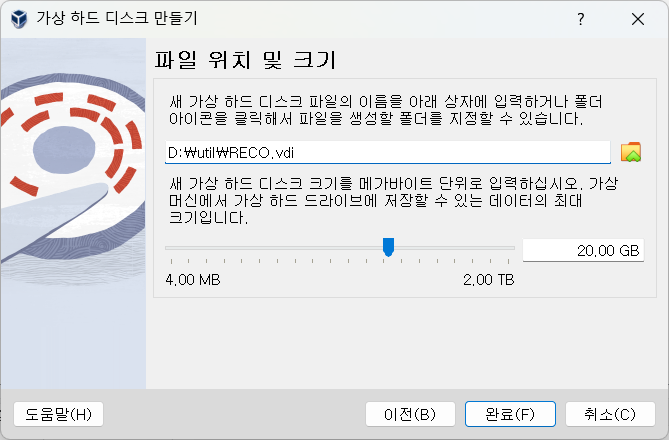
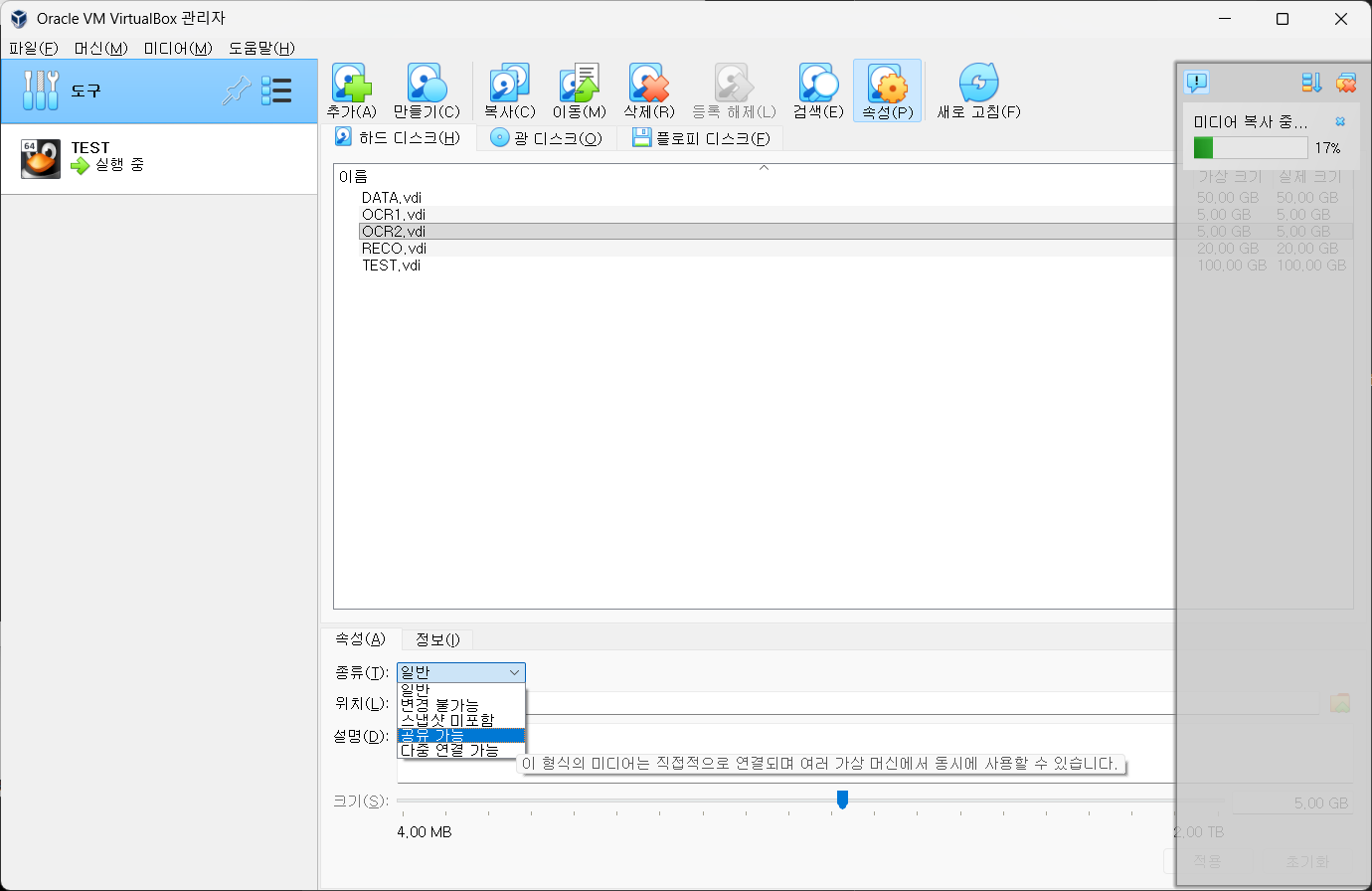
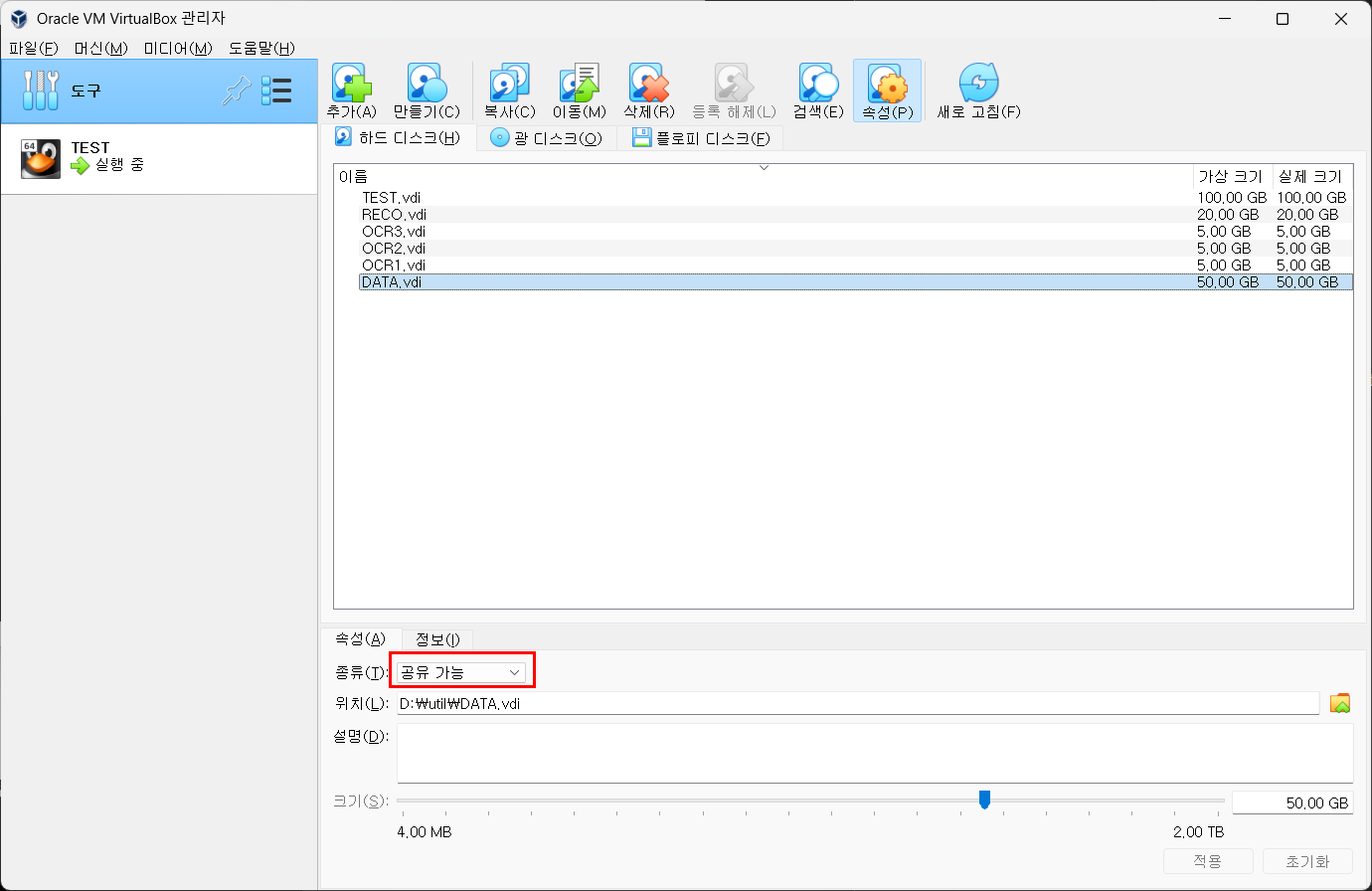
여기에 엔진 올려놓기
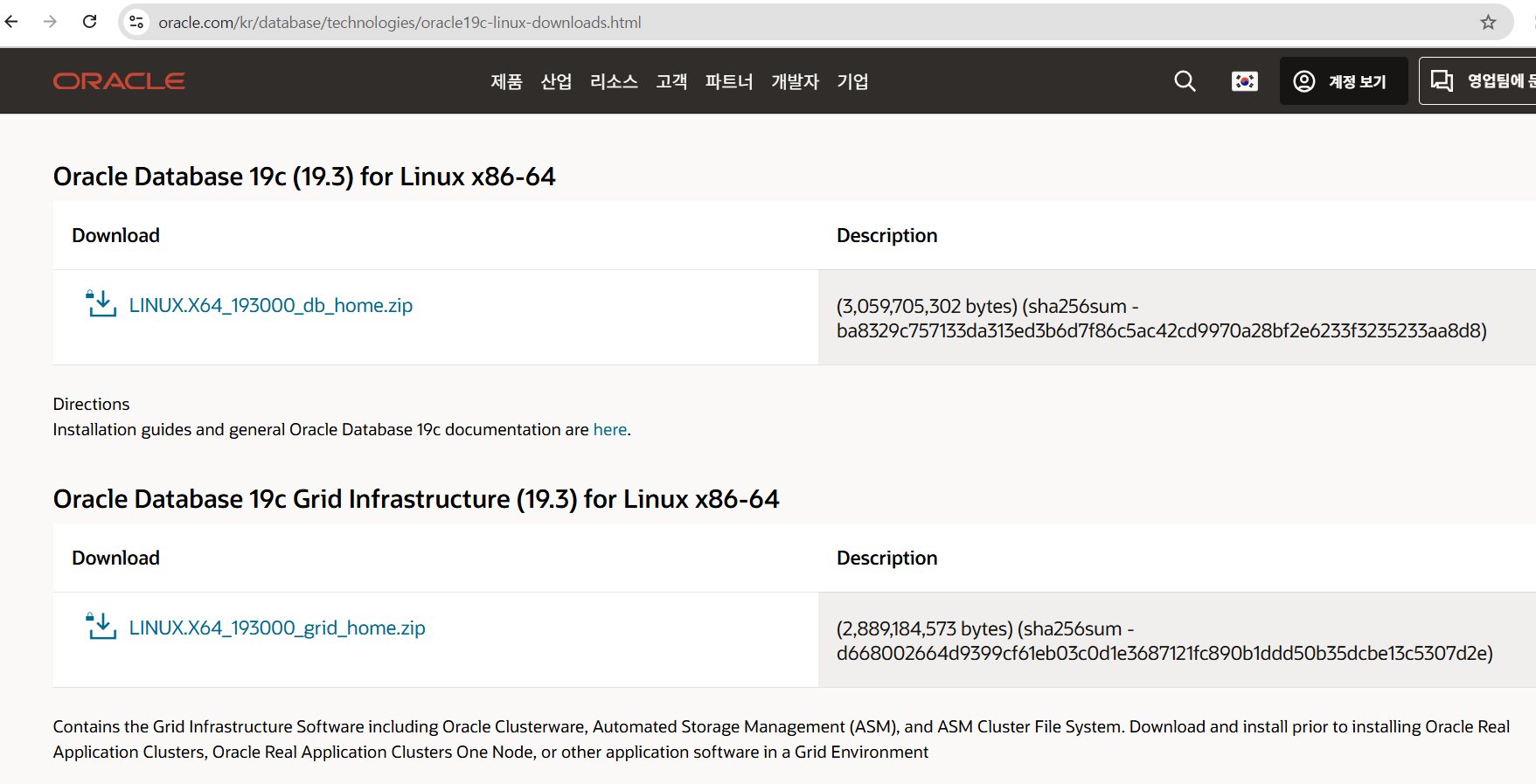
https://www.oracle.com/kr/database/technologies/oracle19c-linux-downloads.html
여기서 다운받아서

˗ˋˏ O R A C L E ˎˊ˗