Udemy Labs - Certified Kubernetes Application Developer - Labs - Install Helm 오답노트
Kubernetes
목록 보기
31/53
1
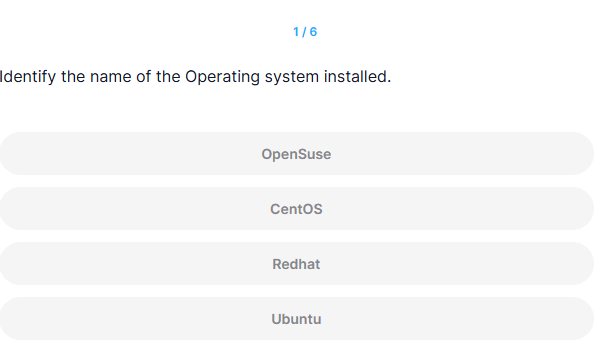
Identify the name of the Operating system installed.
정답
Ubuntu
풀이
controlplane ~ ➜  cat /etc/*release*
DISTRIB_ID=Ubuntu
DISTRIB_RELEASE=22.04
DISTRIB_CODENAME=jammy
DISTRIB_DESCRIPTION="Ubuntu 22.04.5 LTS"
PRETTY_NAME="Ubuntu 22.04.5 LTS"
NAME="Ubuntu"
VERSION_ID="22.04"
VERSION="22.04.5 LTS (Jammy Jellyfish)"
VERSION_CODENAME=jammy
ID=ubuntu
ID_LIKE=debian
HOME_URL="https://www.ubuntu.com/"
SUPPORT_URL="https://help.ubuntu.com/"
BUG_REPORT_URL="https://bugs.launchpad.net/ubuntu/"
PRIVACY_POLICY_URL="https://www.ubuntu.com/legal/terms-and-policies/privacy-policy"
UBUNTU_CODENAME=jammy
2
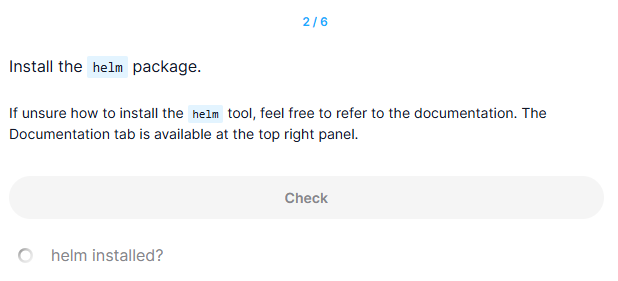
Install the helm package.
If unsure how to install the helm tool, feel free to refer to the documentation. The Documentation tab is available at the top right panel.
정답
controlplane ~ ✖ curl https://baltocdn.com/helm/signing.asc | apt-key add -
  % Total    % Received % Xferd  Average Speed   Time    Time     Time  Current
                                 Dload  Upload   Total   Spent    Left  Speed
  0     0    0     0    0     0      0      0 --:--:-- --:--:-- --:--:--     0Warning: apt-key is deprecated. Manage keyring files in trusted.gpg.d instead (see apt-key(8)).
100  1699  100  1699    0     0   9129      0 --:--:-- --:--:-- --:--:--  9183
OK

controlplane ~ ➜  apt-get install apt-transport-https --yes
Reading package lists... Done
Building dependency tree... Done
Reading state information... Done
apt-transport-https is already the newest version (2.4.13).
0 upgraded, 0 newly installed, 0 to remove and 23 not upgraded.

controlplane ~ ➜  echo "deb https://baltocdn.com/helm/stable/debian/ all main" | tee /etc/apt/sources.list.d/helm-stable-debian.list
deb https://baltocdn.com/helm/stable/debian/ all main

controlplane ~ ➜  apt-get update
Hit:2 https://download.docker.com/linux/ubuntu jammy InRelease
Hit:1 https://prod-cdn.packages.k8s.io/repositories/isv:/kubernetes:/core:/stable:/v1.31/deb  InRelease
Hit:3 http://security.ubuntu.com/ubuntu jammy-security InRelease
Get:4 https://baltocdn.com/helm/stable/debian all InRelease [7,652 B]
Hit:5 http://archive.ubuntu.com/ubuntu jammy InRelease
Hit:6 http://archive.ubuntu.com/ubuntu jammy-updates InRelease
Hit:7 http://archive.ubuntu.com/ubuntu jammy-backports InRelease
Get:8 https://baltocdn.com/helm/stable/debian all/main amd64 Packages [5,313 B]
Fetched 13.0 kB in 1s (13.1 kB/s)
Reading package lists... Done
W: https://baltocdn.com/helm/stable/debian/dists/all/InRelease: Key is stored in legacy trusted.gpg keyring (/etc/apt/trusted.gpg), see the DEPRECATION section in apt-key(8) for details.

controlplane ~ ➜  apt-get install helm
Reading package lists... Done
Building dependency tree... Done
Reading state information... Done
The following NEW packages will be installed:
  helm
0 upgraded, 1 newly installed, 0 to remove and 23 not upgraded.
Need to get 17.5 MB of archives.
After this operation, 58.2 MB of additional disk space will be used.
Get:1 https://baltocdn.com/helm/stable/debian all/main amd64 helm amd64 3.17.0-1 [17.5 MB]
Fetched 17.5 MB in 1s (27.2 MB/s)
debconf: delaying package configuration, since apt-utils is not installed
Selecting previously unselected package helm.
(Reading database ... 20629 files and directories currently installed.)
Preparing to unpack .../helm_3.17.0-1_amd64.deb ...
Unpacking helm (3.17.0-1) ...
Setting up helm (3.17.0-1) ...
Processing triggers for man-db (2.10.2-1) ...
풀이
1. Helm의 서명 키 추가
curl https://baltocdn.com/helm/signing.asc | apt-key add -- Helm의 서명 키(signing key)를 다운로드하여 시스템의 APT 키 저장소에 추가
- Helm을 설치할 때 패키지의 무결성을 확인하기 위해 이 서명 키가 필요
- curl 명령어를 사용하여 Helm 서명 키를 다운로드하고, apt-key add를 사용하여 시스템에 추가
- APT transport 설치
apt-get install apt-transport-https --yes- APT가 HTTPS를 통해 패키지를 다운로드할 수 있게 하는 apt-transport-https 패키지를 설치
- Helm의 패키지 저장소는 HTTPS 프로토콜을 사용하므로, 이를 처리할 수 있는 도구가 필요
- Helm 저장소 추가
echo "deb https://baltocdn.com/helm/stable/debian/ all main" | tee /etc/apt/sources.list.d/helm-stable-debian.list- Helm의 공식 Debian 저장소를 시스템의 APT 소스 목록에 추가
- Helm을 설치하려면 이 저장소를 APT 패키지 관리자가 인식할 수 있어야 함
- tee 명령어를 사용하여 Helm의 패키지 저장소 정보를 /etc/apt/sources.list.d/에 추가
- 패키지 목록 업데이트
apt-get update
- APT 패키지 관리자가 새로운 저장소 정보를 인식하도록 패키지 목록을 업데이트
- Helm 저장소를 추가한 후, 새로운 저장소에서 사용할 수 있는 패키지 목록을 가져오는 과정
- Helm 설치
apt-get install helm
- apt-get install helm 명령어를 통해 Helm을 시스템에 설치