launchSettings.json
launchSettings.json은 ASP.NET Core 애플리케이션 실행 환경을 설정하는 파일이다. (스프링 부트의application.yml과 비슷한 느낌...?)- 이 파일은 프로젝트의
Properties폴더에 위치하며, 주로 Visual Studio,dotnet run, Kestrel, IIS Express 실행 설정들을 포함한다. - 포트, 실행 프로필, 환경 변수, 브라우저 자동 실행 여부 등을 설정할 수 있다.
파일 위치는 /Properties/launchSettings.json에 존재한다!
1. 기본 구조
{
  "$schema": "http://json.schemastore.org/launchsettings.json",
  "iisSettings": {
    "windowsAuthentication": false,
    "anonymousAuthentication": true,
    "iisExpress": {
      "applicationUrl": "http://localhost:12969",
      "sslPort": 44392
    }
  },
  "profiles": {
    "http": {
      "commandName": "Project",
      "dotnetRunMessages": true,
      "launchBrowser": true,
      "applicationUrl": "http://localhost:5280",
      "environmentVariables": {
        "ASPNETCORE_ENVIRONMENT": "Development"
      }
    },
    "https": {
      "commandName": "Project",
      "dotnetRunMessages": true,
      "launchBrowser": true,
      "applicationUrl": "https://localhost:7261;http://localhost:5280",
      "environmentVariables": {
        "ASPNETCORE_ENVIRONMENT": "Development"
      }
    },
    "IIS Express": {
      "commandName": "IISExpress",
      "launchBrowser": true,
      "environmentVariables": {
        "ASPNETCORE_ENVIRONMENT": "Development"
      }
    }
  }
}
주요 설정 항목은 다음과 같다.
profiles: 실행 프로필을 정의하는 객체commandName: 실행할 서버 (IISExpress,Project,Executable)launchBroswer: 실행 시 자동으로 브라우저를 열지 여부(true,false)applicationUrl: 애플리케이션 실행 URL 및 포트 설정enviromenVariables: 환경 변수 설정(ASPNETCORE_ENVIROMENT)dotnetRunMessages:dotnet run실행 시 추가 정보를 출력할지 여부
실행 프로필 종류
1. iisSettings
"iisSettings": {
  "windowsAuthentication": false,
  "anonymousAuthentication": true,
  "iisExpress": {
    "applicationUrl": "http://localhost:12969",
    "sslPort": 44392
  }
}- IIS Express에서 실행할 때 적용되는 설정
applicationUrl: HTTP 기본 포트sslPort: HTTPS 기본 포트
2. "http" 프로필 (Kestrel HTTP 서버 실행)
"http": {
  "commandName": "Project",
  "dotnetRunMessages": true,
  "launchBrowser": true,
  "applicationUrl": "http://localhost:5280",
  "environmentVariables": {
    "ASPNETCORE_ENVIRONMENT": "Development"
  }
}
dotnet run 실행 시 Kestrel이 HTTP(5280 포트) 에서 실행된다.
3. https프로필 (Kestrel HTTPS 서버 실행)
"https": {
  "commandName": "Project",
  "dotnetRunMessages": true,
  "launchBrowser": true,
  "applicationUrl": "https://localhost:7261;http://localhost:5280",
  "environmentVariables": {
    "ASPNETCORE_ENVIRONMENT": "Development"
  }
}
dotnet run실행 시 Kestrel이 HTTPS(7261 포트) + HTTP(5280 포트) 에서 실행된다.
4. IIS Express 프로필
"IIS Express": {
  "commandName": "IISExpress",
  "launchBrowser": true,
  "environmentVariables": {
    "ASPNETCORE_ENVIRONMENT": "Development"
  }
}
Visual Studio에서 실행하면 IIS Express를 사용하여 실행된다.
실행 방법
dotnet run
dotnet run --launch-profile "IIS Express"
dotnet run 을 사용하면, 기본 프로필을 사용하여 실행된다. (http 또는 https프로필이 실행된다.)
dotnet run --launch-profile "IIS Express"을 사용하면 Ksetrel이 아닌 IIS Express에서 실행된다.
포트 변경 방법
아래와 같이, json의 포트를 변경시켜서 간단하게 포트를 변경할 수도 있다.
"applicationUrl": "http://localhost:6000"하지만 Program.cs에서 UseKestral설정으로 포트 번호를 동시에 바꾸면 어떻게 될까?
var builder = WebApplication.CreateBuilder(args);

builder.WebHost.UseKestrel(options =>
{
    options.ListenAnyIP(6000); // HTTP 6000 포트
    options.ListenAnyIP(7001, listenOptions => listenOptions.UseHttps()); // HTTPS 7001 포트
});

var app = builder.Build();
app.MapGet("/", () => "Hello from Kestrel!");

app.Run();Program.cs에서 설정하면,launchSettings.json보다 우선 적용된다!!
기본 실행 프로필 변경
현재 기본 실행 프로필은 http이다.
기본 프로필을 변경하려면 해당 프로필을 맨 위로 순서를 변경하면 된다.
"profiles": {
  "IIS Express": {  // 👈 이 프로필을 맨 위로 이동!
    "commandName": "IISExpress",
    "launchBrowser": true,
    "environmentVariables": {
      "ASPNETCORE_ENVIRONMENT": "Development"
    }
  },
  "http": { ... },
  "https": { ... }
}
이렇게 변경하면 dotnet run실행 시IIS Express가 기본 프로필이 된다.
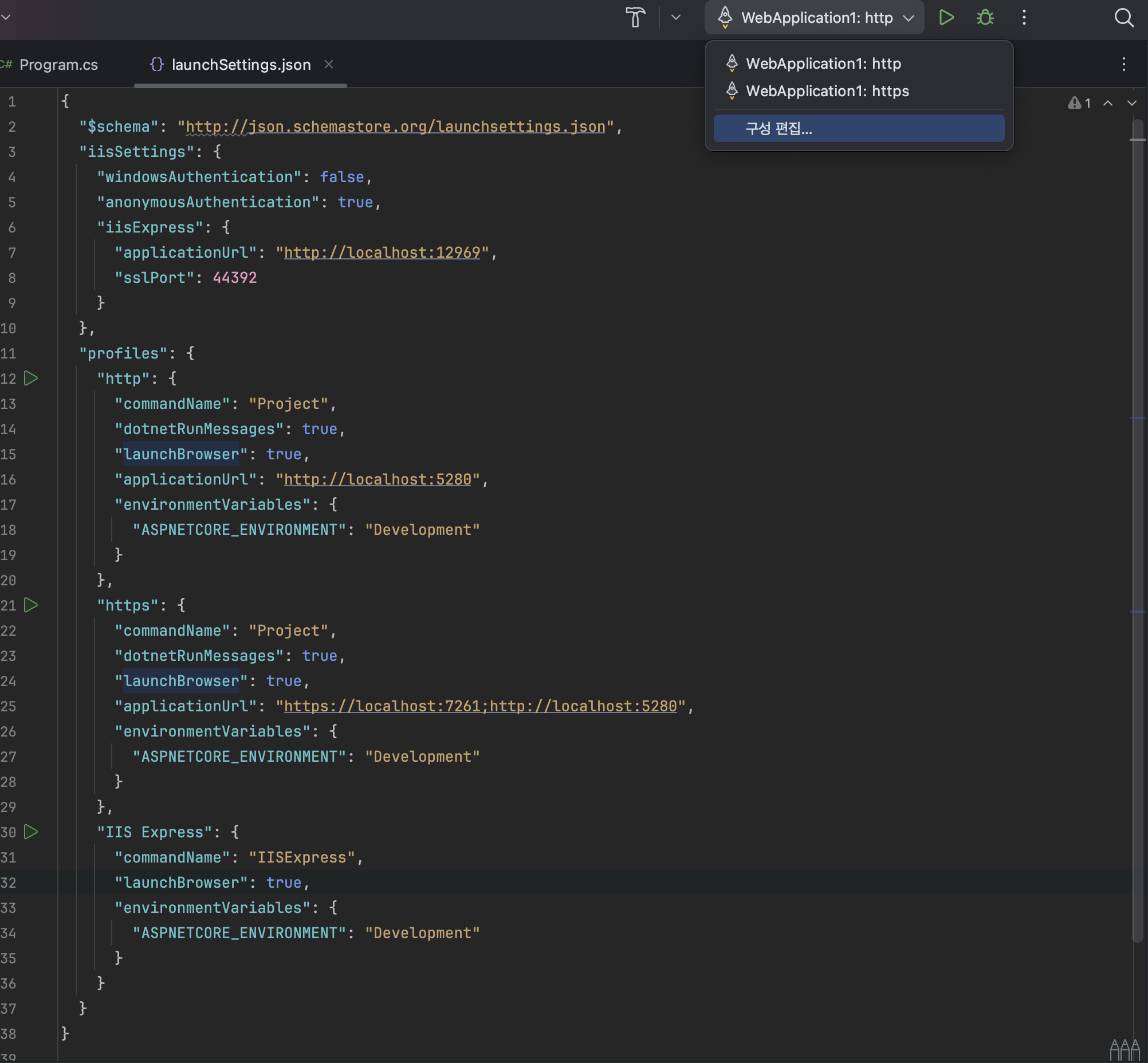
또는 Rider에서 기본 실행 프로필을 변경하면 된다.
정리
launchSettings.json은 실행 프로필을 정의하는 설정 파일HTTP,HTTPS,IIS Express프로필이 존재하며 각각 다른 실행 방식과 포트를 가진다.dotnet run --launch-profile "IIS Express"로 특정 프로필 실행 가능하다.- 포트 변경은
applicationUrl에서 설정 가능하며,Program.cs에서 직접 설정하면 더 우선 적용된다. IIS Express를 기본값으로 변경하려면launchSettings.json에서 프로필 순서를 변경하거나 Visual Studio에서 설정해야 한다.
즉, launchSettings.json은 개발 환경에서 실행 방법을 제어하는 중요한 파일이며, Kestrel 또는 IIS Express를 원하는 방식으로 실행할 수 있도록 설정하는 역할을 한다!

신입사원...