Model : 비즈니스 로직(데이터 CRUD 부분)
View : 사용자 화면
Controller : Model과 View 연결
//com\example\springproject\controller\SpringControl.java
package com.example.springproject.controller;

import org.springframework.stereotype.Controller;
import org.springframework.ui.Model;
import org.springframework.web.bind.annotation.GetMapping;

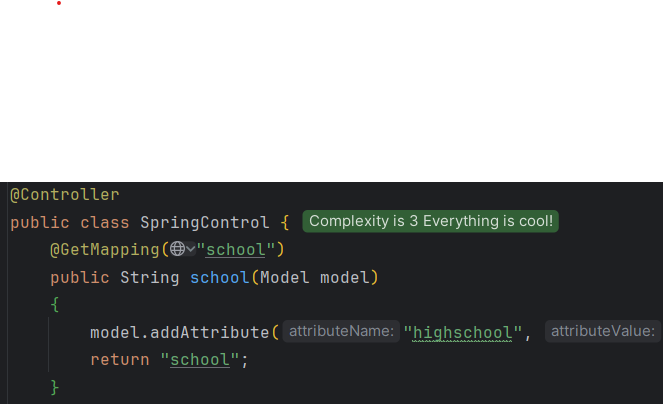
@Controller
public class SpringControl {
    @GetMapping("school")
    public String school(Model model)
    {
        model.addAttribute("highschool", "운암고등학교");
        return "school";
    }
}
<!-- resources\templates\school.html -->
<!doctype html>
<html lang="en" xmlns:th="http://www.thymeleaf.org">
    <head>
        <meta charset="UTF-8">
        <meta name="viewport"
              content="width=device-width,
                       user-scalable=no,
                       initial-scale=1.0,
                       maximum-scale=1.0,
                       minimum-scale=1.0">
        <meta http-equiv="X-UA-Compatible" content="ie=edge">
        <title>Document</title>
    </head>
    <body>
        <h1 th:text="'학교:' + ${highschool}">학교: 알 수 없음</h1>
    </body>
</html>- localhost:8080/school 요청을 보냄
- Spring안의 컨테이너에서 @Controller 탐색
- school에 대한 요청이 정의되어 있는지 확인(@GetMapping)
- 요청이 있을 시 해당 메소드 실행
- attribute는 "highschool" 이라는 파라미터에 "운암고등학교" 할당
- return "school" 은 templates/school.html 로 이동