
동적 URL 에서
:(콜론)과*(별표)뜻{ source: '/products/:id', destination: '/items/:id', }
/주소/:콜론: 뒤에 변하는 params 도 포함
/products/123⇒/items/123으로 이동한다{ source: '/products/*', destination: '/items/*', }
/주소/*별: 뒤에 어떤 주소가 오든지 모든 주소 포함
/products/abc/123/def/456⇒/items/abc/123/def/456으로 이동한다
redirects()
next.config.js 파일에 recdirects()를 추가해 특정 주소에 대해서 리다이렉트할 주소를 지정할 수 있다.
// next.config.js

/** @type {import('next').NextConfig} */
const nextConfig = {
  async redirects() {
    return [
      {
        source: '/products/:id', // `/products/:id`라는 주소로 들어오면
        destination: '/items/:id', // `/items/:id`라는 주소로 이동
        permanent: true,
      },
    ];
  },
}

module.exports = nextConfig;
permanent 속성: false로 하면 307 Temporary Redirect를 하고, permanent: true로 하면 브라우저에 리다이렉트 정보를 저장하는 308 Permanent Redirect를 할 수 있다.products/:id로 한번 더 접속 시 캐시로 저장된 값에서 불러온다
rewrites()
redirect 와 비슷하지만 유저에게 url이 바뀐 것이 노출되지 않는다
// next.config.js

/** @type {import('next').NextConfig} */
const nextConfig = {
 async rewrites() {
   return [
     {
       source: '/api/movies', // 노출할 주소
       destination: 'https://api.themoviedb.org/3/movie/popular?language=en-US&page=1', // 숨기고 싶은 주소
     },
   ]
 },
}

module.exports = nextConfig;
노출할 가짜 주소 source : /api/movies로 접속하면
숨기는 진짜 주소 destination : https://api.themoviedb.org/3/movie/popular?language=en-US&page=1 로 이동하지만 주소창에는 여전히 source: /api/movies 주소로 보이게 된다.
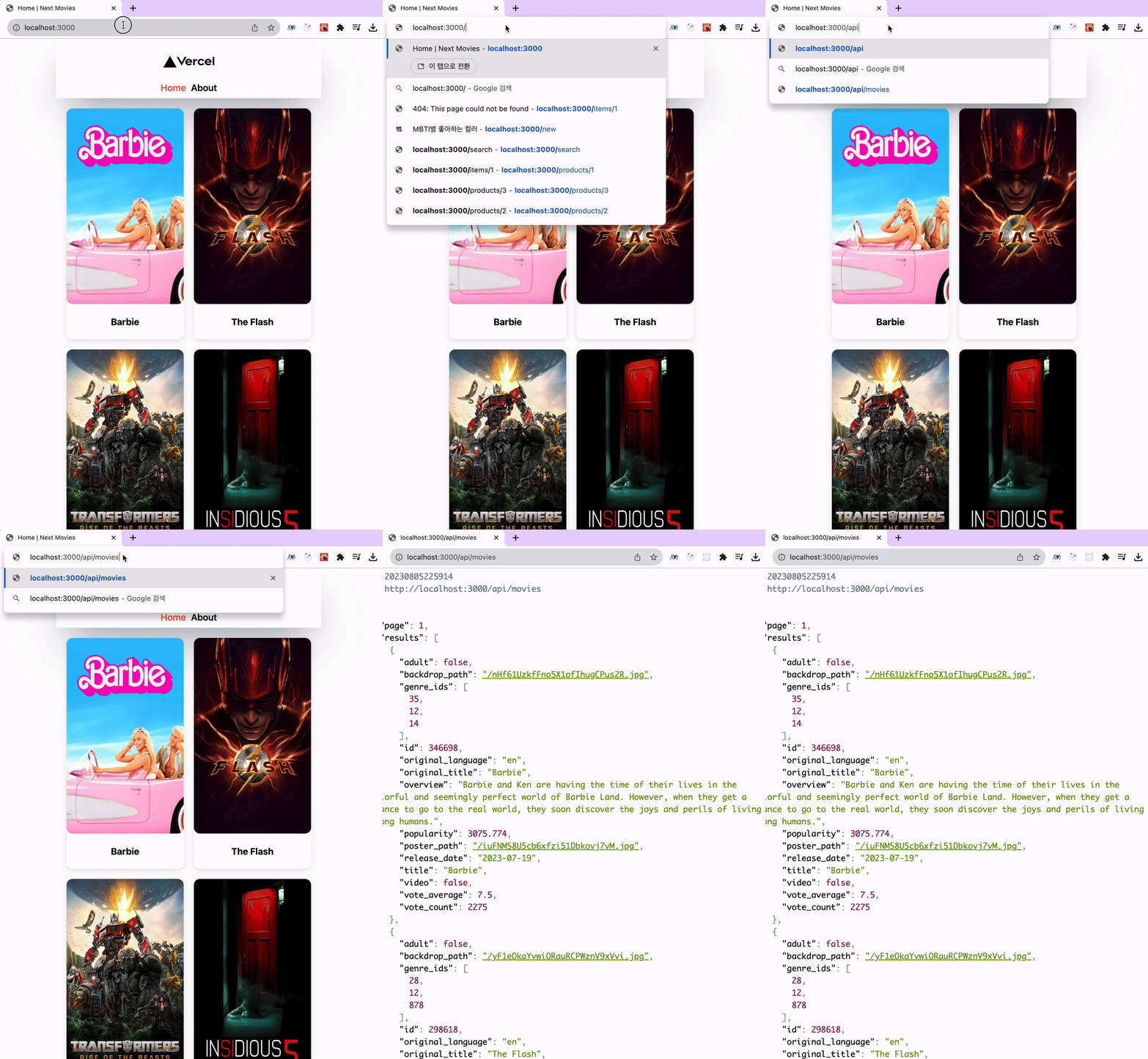
api 요청도 source 주소로 보낼 수 있다.
// /pages/idex.js

import { useEffect, useState } from 'react'

export default function Home({ movies = [] }) {
  const [movies, setMovies] = useState([])

  useEffect(()=>{
  	(async ()=>{
    	const response = await fetch('/api/movies') // 원본 주소 'https://api.themoviedb.org/3/movie/popular?language=en-US&page=1' 로 fetch 요청이 간다
    	const { results } = await response.json()
        setMovies(results)
    })()
  }, [])

  return (
    <div className='container'>
      {movies?.map(movie => (
        <div className='movie' key={movie.id}>
          ...
        </div>
      ))}
    </div>
  )
}
개발자 도구 → 네트워크 탭에서 fetch 요청 URL을 확인해봐도 숨긴 주소로 나오기 때문에, 요청 URL에 API KEY가 들어가는 등 숨기고 싶은 정보가 들어있을 때 감출 수 있다.
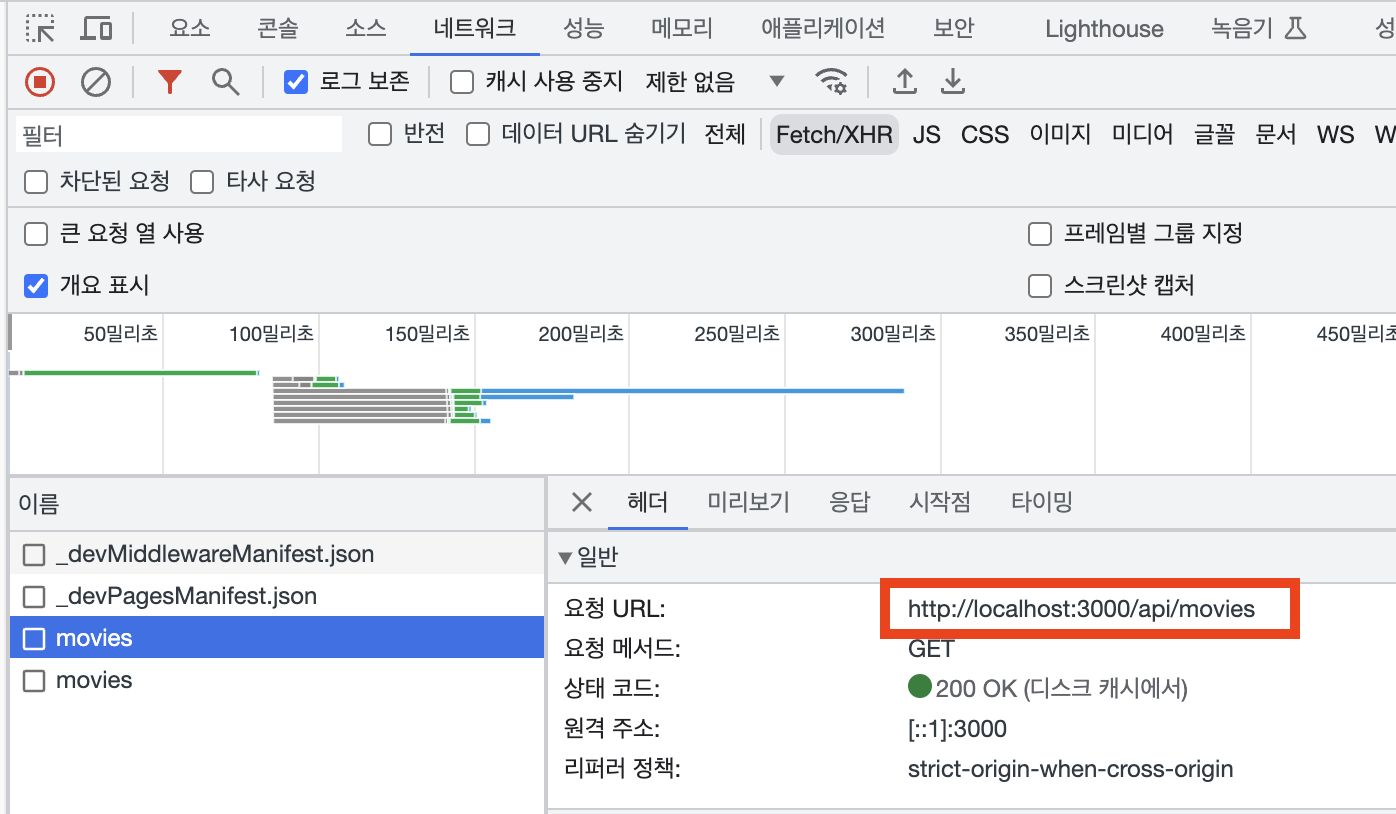
프리렌더링(정적 생성, 서버사이드 렌더링) 하며 api 요청을 할 때에도 source 주소로 가능하다.
- 단, /api/movies 가 아닌 http://localhost:3000/api/movies 로 완전한 주소를 적어야 한다
export const getStaticProps = async () => {
  const { results } = await (await fetch('http://localhost:3000/api/movies')).json()

  return { props: { movies: results } }
}

export default function Home( { movies = [] } ) {

  return (
    <div className='container'>
      <Helmet title='Home' />
      {movies?.map(movie => (
        <div className='movie' key={movie.id}>
			...
          <h4>{movie.original_title}</h4>
        </div>
      ))}
    </div>
  )
}

자동화와 기록으로 더 효율적으로 일하는 으른 개발자가 되려고 합니다.