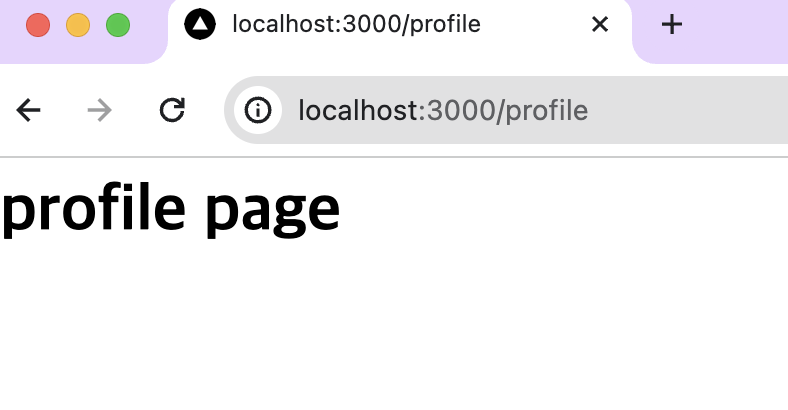
URL 의 구조
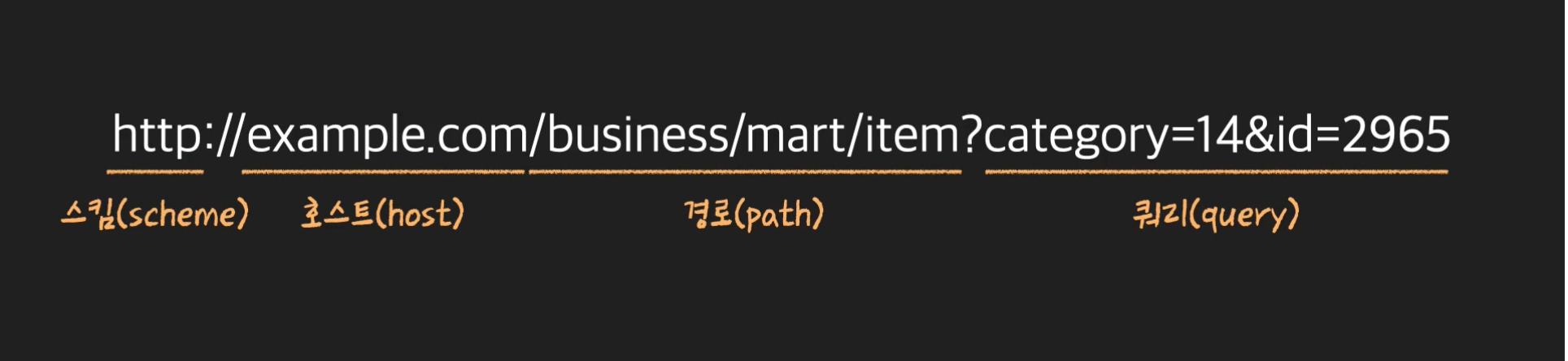
node js 에서 url의 각 부분을 가르키는 객체 속성
const url = new URL('https://www.example.com/business/mart/item?category=2&id=100');

console.log(url.protocol); // https:
console.log(url.host); // www.example.com
console.log(url.pathname); // /business/mart/item
console.log(url.search); // ?category=2&id=100
참고
http 프로토콜의 기본 포트 번호는 80번
https 프로토콜의 기본 포트 번호는 443번이다.
Domain Name Resolution
컴퓨터와 서버가 본격적으로 통신을 시작하기 전에, 도메인 네임을 IP 주소로 전환하는 작업(Domain Name Resolution)을 말한다.
URL의 호스트 부분에 IP 주소(ex: 172.217.25.238)가 아닌 도메인 네임을 넣어도 원하는 사이트에 접속 가능한 이유는 내 컴퓨터와 서버가 본격적으로 통신을 시작하기 전에, 네임 서버(Name Server)의 도움을 받아 Domain Name Resolution을 하는 과정을 거치기 때문이다.
참고 : 'Domain Name Resolution', 'DNS 서비스', 'Name Server' 키워드로 더 조사해볼 것
http 모듈
http 객체의 createServer 메소드를 실행하면, 서버 역할을 하는 객체를 만들 수 있다.
const http = require('http');

const server = http.createServer((req, res) => {
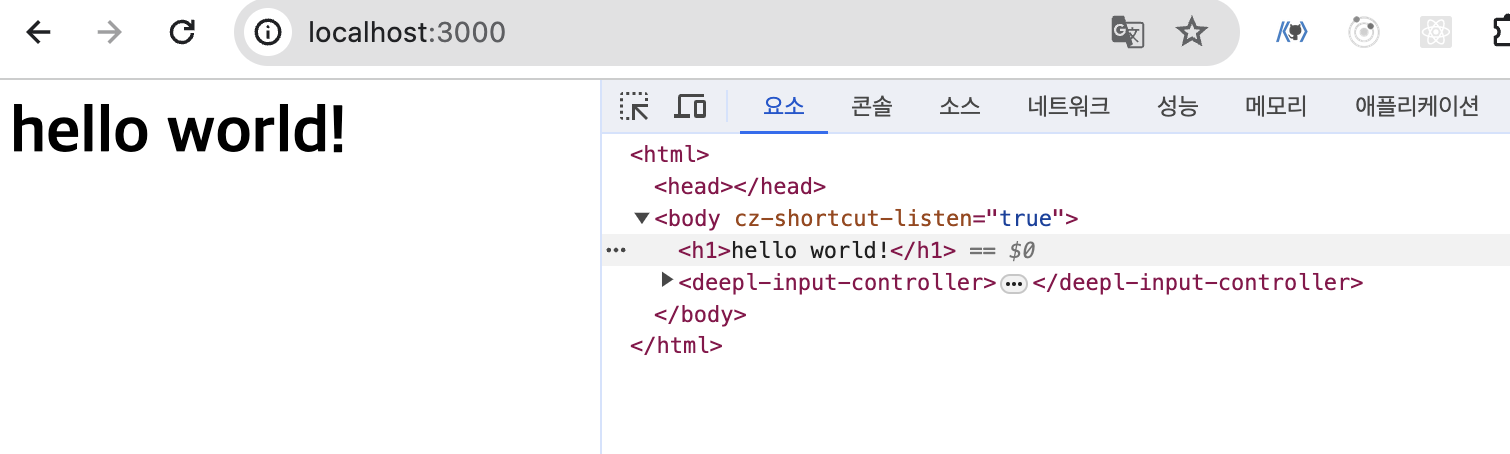
  res.end('<h1>hello world!</h1>');
});

server.listen(3000); // 서버에서 연결한 port 번호
response.end : 응답 메서드
createServer 메서드의 콜백 함수의 두 번째 파라미터인 response 객체를 사용하면 클라이언트의 요청에 대해 알맞은 응답을 줄 수 있다.
- response 객체의
end메소드를 사용하면 원하는 응답을 줄 수 있다.
listen : port 연결 메서드
createServer 객체의 listen 메소드를 실행하면 해당 포트번호의 클라이언트의 요청을 기다리게 된다.
브라우저에서 http://127.0.0.1:3000/ 또는 http://localhost:3000/ 으로 접속하면 응답 <h1>hello world!</h1> 을 확인할 수 있다.
request 에 따른 라우팅
createServer 메서드의 콜백 함수의 첫 번째 파라미터인 request 객체를 통해 클라이언트의 요청을 확인할 수 있다.
request.url로 클라이언트가 접속한 url의 path 를 확인할 수 있다.- 요청 path 에 따라 response 를 다르게 보낼 수 있다.
const http = require('http');

const server = http.createServer((req, res) => {
  console.log(req.url); // url의 host부분은 생략되고 path만 출력된다.

  if (req.url === '/') {
    res.end('<h1>home</h1>');
  } else if (req.url === '/profile') {
    res.end('<h1>profile page</h1>');
  } else {
    res.end('<h1>404 not found</h1>');
  }
});
server.listen(3000);