문제 상황
졸업 프로젝트 <깃털>을 개발 후, 유저 테스트를 시도하기 전 최종 점검으로 팀원들 4명이 동시에 사용하면서 안정성을 확인해보았다.
근데 메인 기능인 깃허브 레포지토리 분석 요약본 기능이 전원 실패했다...
원인
429 Too Many Requests on POST request for "https://api.openai.com/v1/chat/completions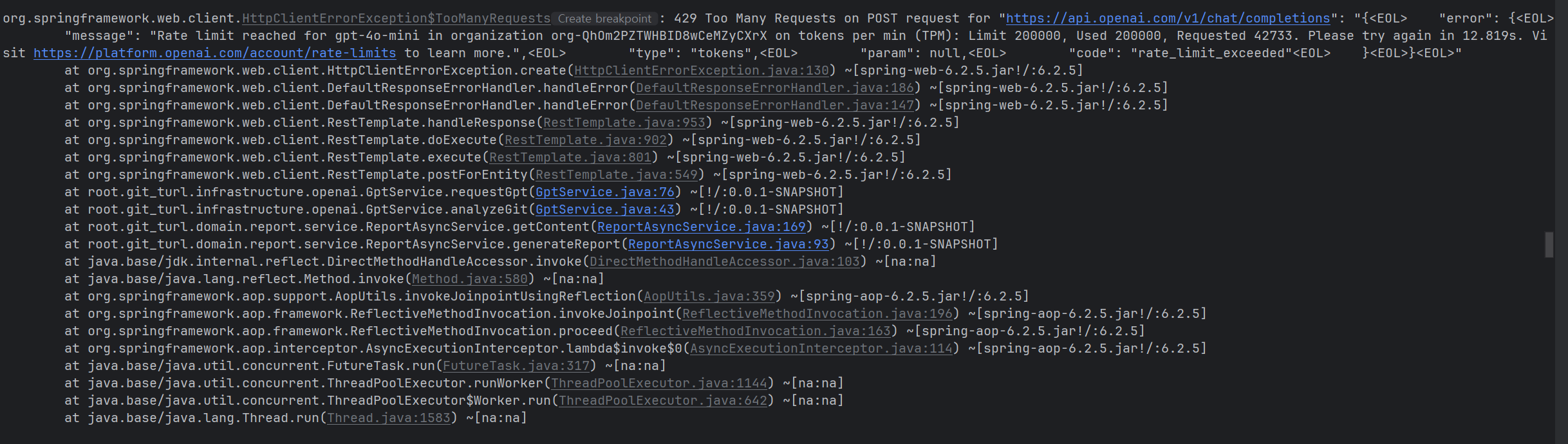
로그를 보니 openai rate-limits 때문에 실패라고 한다.
Rate limit reached for gpt-4o-mini in organization org-(생략) on tokens per min (TPM): Limit 200000, Used 200000, Requested 42733. Please try again in 12.819s. Visit https://platform.openai.com/account/rate-limits to learn more.
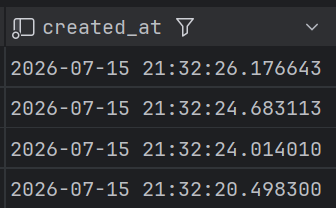
내가 쓰고 있는 gpt-4o-mini 모델은 분당 200000토큰만 사용 가능한데 4명이 거의 동시에 시도하니 42733 요청을 더 사용해야해서 거절된 것이다.
해결 방법
만약 앞선 요청으로 토큰을 사용할 수 없어 429오류가 발생한다면, 바로 실패 시키지 않고 대기 후 다시 시도하도록하는 로직을 추가했다.
@Service
@RequiredArgsConstructor
@Slf4j
public class RequestGpt {
    private final RestTemplate restTemplate;
    private final ObjectMapper objectMapper;

    private final String OPENAI_API = "https://api.openai.com/v1";

    @Value("${spring.ai.openai.api-key}")
    public String openAiApiKey;

    @Retryable(
            retryFor = HttpClientErrorException.class,
            maxAttempts = 3,
            backoff = @Backoff(
                    delay = 15000,
                    multiplier = 2
            )
    )
    public <T> T requestGpt(String prompt, Class<T> classType) {
        var retryContext = org.springframework.retry.support.RetrySynchronizationManager.getContext();
        int retryCount = (retryContext != null) ? retryContext.getRetryCount() : 0;

        log.warn("GPT 호출 재시도 {}회", retryCount);

        GptRequest request = new GptRequest();
        request.setMessages(List.of(
                GptMessage.builder()
                        .role("user")
                        .content(prompt)
                        .build()
        ));

        HttpHeaders headers = new HttpHeaders();
        headers.setContentType(MediaType.APPLICATION_JSON);
        headers.setBearerAuth(openAiApiKey);

        HttpEntity<GptRequest> entity = new HttpEntity<>(request, headers);

        ResponseEntity<GptResponse> response =
                restTemplate.postForEntity(
                        OPENAI_API + "/chat/completions",
                        entity,
                        GptResponse.class
                );

        String json = response.getBody().getChoices().get(0).getMessage().getContent().trim();
        if (json.startsWith("```")) {
            json = json.replaceFirst("^```(?:json)?\\s*", "");
            json = json.replaceFirst("\\s*```$", "");
        }

        try {
            objectMapper.readTree(json);  // JSON 문법 검사
            return objectMapper.readValue(json, classType);
        } catch (JsonProcessingException e) {
            try {
                Files.writeString(
                        Path.of("failed-json-" + System.currentTimeMillis() + ".json"),
                        json
                );
            } catch (IOException ex) {
                throw new RuntimeException(ex);
            }

            log.error("JSON parse failed", e);
            throw new RuntimeException("GPT 응답 파싱 실패: " + json, e);
        }
    }

    @Recover
    public <T> T recover(
            HttpClientErrorException.TooManyRequests e,
            String prompt,
            Class<T> classType) {

        log.error("GPT 호출이 모두 실패했습니다.", e);

        throw new ReportException(ReportErrorCode.OPENAI_RATE_LIMIT);
    }
}
테스트
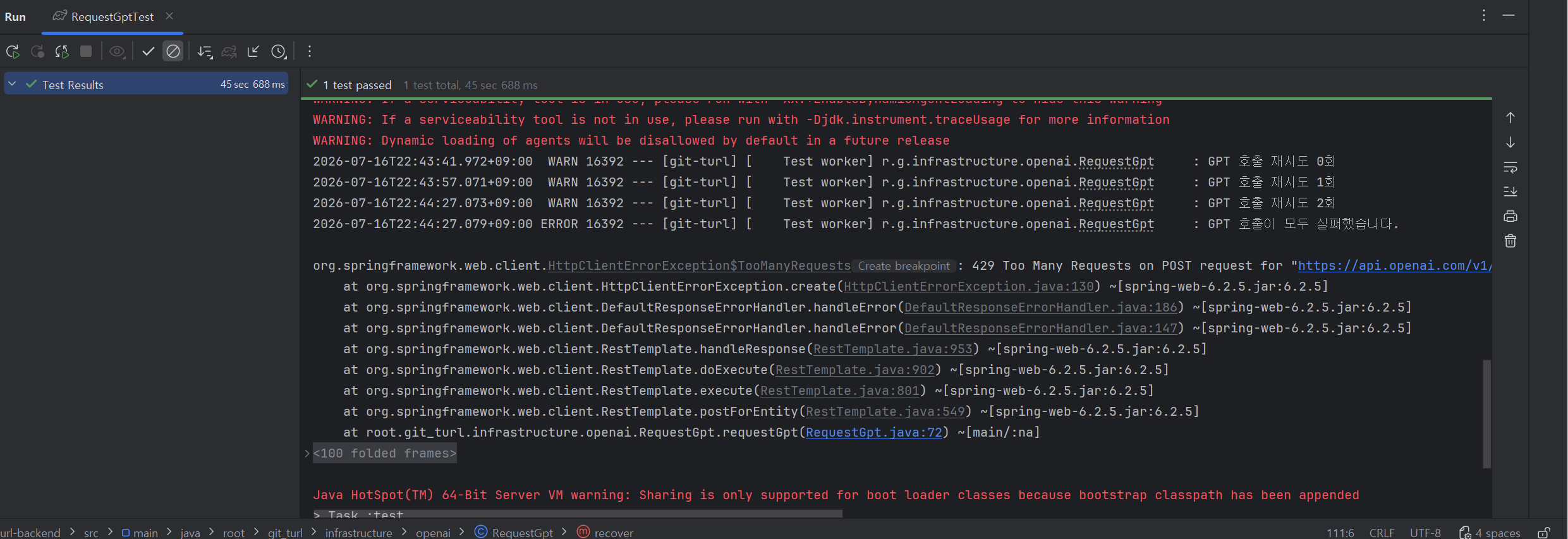
단위 테스트 코드를 작성했으며, 실제로도 동작하는지 추후 테스트할 예정이다.

감자의 공부기록🥔