getBoundingClientRect()
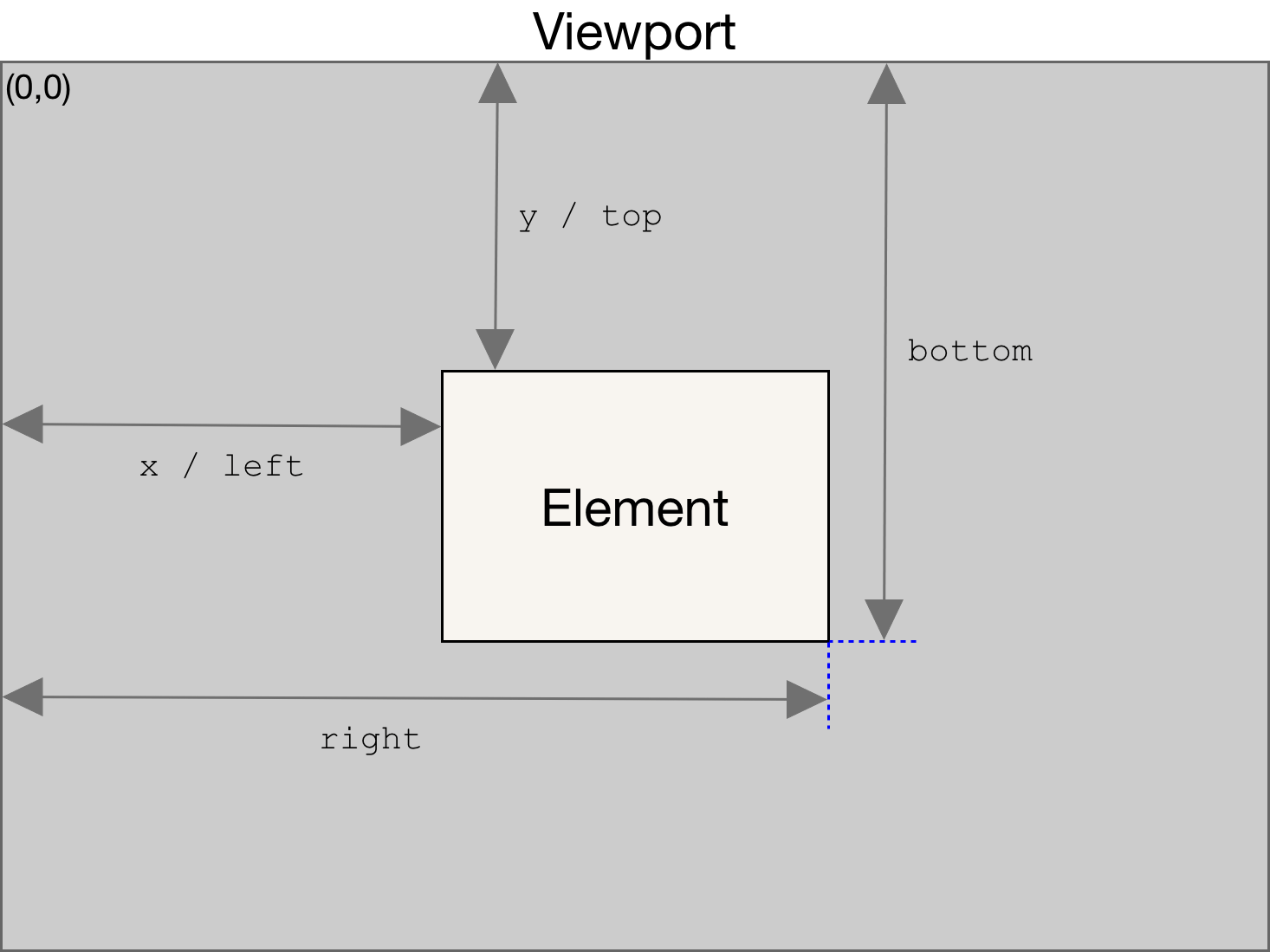
getBoundingClientRect() 메소드는 viewport를 기준으로 요소의 사이즈, 위치를 가진 DOMRect 객체를 반환합니다.
getBoundingClientRect()은 화면에서 DOM이 어디에 위치한지 알기 위해 사용됩니다.
예시
const Callback = (entries, observer) => {
  entries.forEach(entry => {
    if (!entry.isIntersecting && entry.intersectionRatio > 0) {
      const index = sectionIds.indexOf(entry.target.id);
      if (entry.boundingClientRect.y < 0) {
        selected = index + 1;
      } else {
        selected = index - 1;
      }
    }
  });
};
위의 콜백함수내에서 entry.boundingClientRect.y를 구해 해당 entry가 화면의 뷰포트에서 상대적으로 어디에 위치하는지 알 수 있습니다.
이 값을 이용하여 뷰포트를 기준으로 어디에 위치하는지에 따라 분기하도록 작성하였습니다.
https://developer.mozilla.org/en-US/docs/Web/API/Element/getBoundingClientRect
HTMLElement.offsetHeight
element.offsetHeight는 요소의 높이를 반환하는 특성으로 수직 패딩과 테두리를 포함합니다.
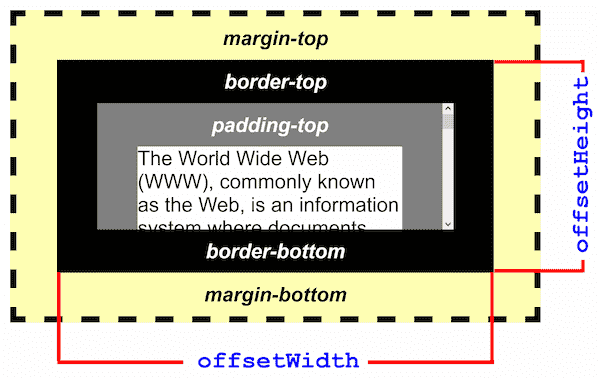
HTMLElement.offsetHeight은 정수값을 리턴하므로 실수 값을 얻기 위해서는 getBoundingClientRect()의 bottom과 top을 이용하여 높이를 구할 수 있습니다.
https://developer.mozilla.org/en-US/docs/Web/API/HTMLElement/offsetHeight
Window.innerHeight
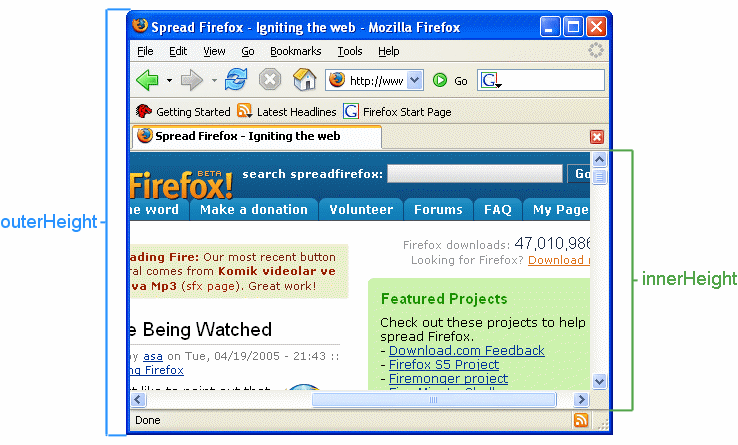
Window.innerHeight은 요소의 높이가 아닌 window의 뷰포트 내부 높이를 pixel단위의 정수로 반환합니다.
(수평 스크롤바가 존재한다면 스크롤바 높이도 포함)
https://developer.mozilla.org/en-US/docs/Web/API/Window/innerHeight