리액트 기록(3)
import './App.css';
import {useState} from 'react';

function Header(props){
  return(
    <header>
      <h1><a href="/" onClick={function(event){
        event.preventDefault();
        props.onChangeMode();
      }}>{props.title}</a></h1>
    </header>
  )
}

function Nav(props){
  const lis = []
  for(let i=0; i<props.topics.length; i++){
    let t = props.topics[i];
    lis.push(<li key={t.id}>
      <a id={t.id} href={'/read/'+t.id} onClick={event=>{
      event.preventDefault();
      props.onChangeMode(Number(event.target.id));
    }}>{t.title} </a>
    </li>)
  }
  return(
    <nav>
      <ol>
        {lis}
      </ol>
    </nav>
  )
}

function Article(props){
  return(
    <article>
      <h2>{props.title}</h2>
      {props.body}
    </article>
  )
}

function Create(props){
  return <article>
    <h2>Create</h2>
    <form onSubmit={event=>{
      event.preventDefault();
      const title = event.target.title.value;
      const body = event.target.body.value;
      props.onCreate(title, body);
    }}>
    <p><input type="text" name ="title" placeholder="title"/></p>
    <p><textarea name="body" placeholder ="body"></textarea></p>
    <p><input type="submit" value="Create"></input></p>
    </form>
  </article>
}
//submit 버튼을 클릭했을 떄 자바스크립트에 onSubmit이라는 props을 전달함
//onSubmit이란 submit 버튼을 클릭했을 때 form태그에서 발생하는 event

function Update(props){
  const[title, setTitle]=useState(props.title);
  const[body, setBody]=useState(props.body);
  return <article>
    <h2>Update</h2>
    <form onSubmit={event=>{
      event.preventDefault();
      const title = event.target.title.value;
      const body = event.target.body.value;
      props.onUpdate(title, body);
    }}>
    <p><input type="text" name ="title" placeholder="title" value={title} onChange={event=>{
      console.log(event.target.value);
      setTitle(event.target.value);
    }}/></p>
    <p><textarea name="body" placeholder ="body" value={body} onChange={event=>{
      setBody(event.target.value);
    }}></textarea></p>
    <p><input type="submit" value="Update"></input></p>
    </form>
  </article>
  //props는 어명 같은거임. update에서 title과 body 값이 수정이 안될 거임.
  //props는 외부자가 내부자에게 전달하는 값.
  //state는 내부자가 사용하는 데이터.
  //state는 컴포넌트 안에서 얼마든지 수정이 가능
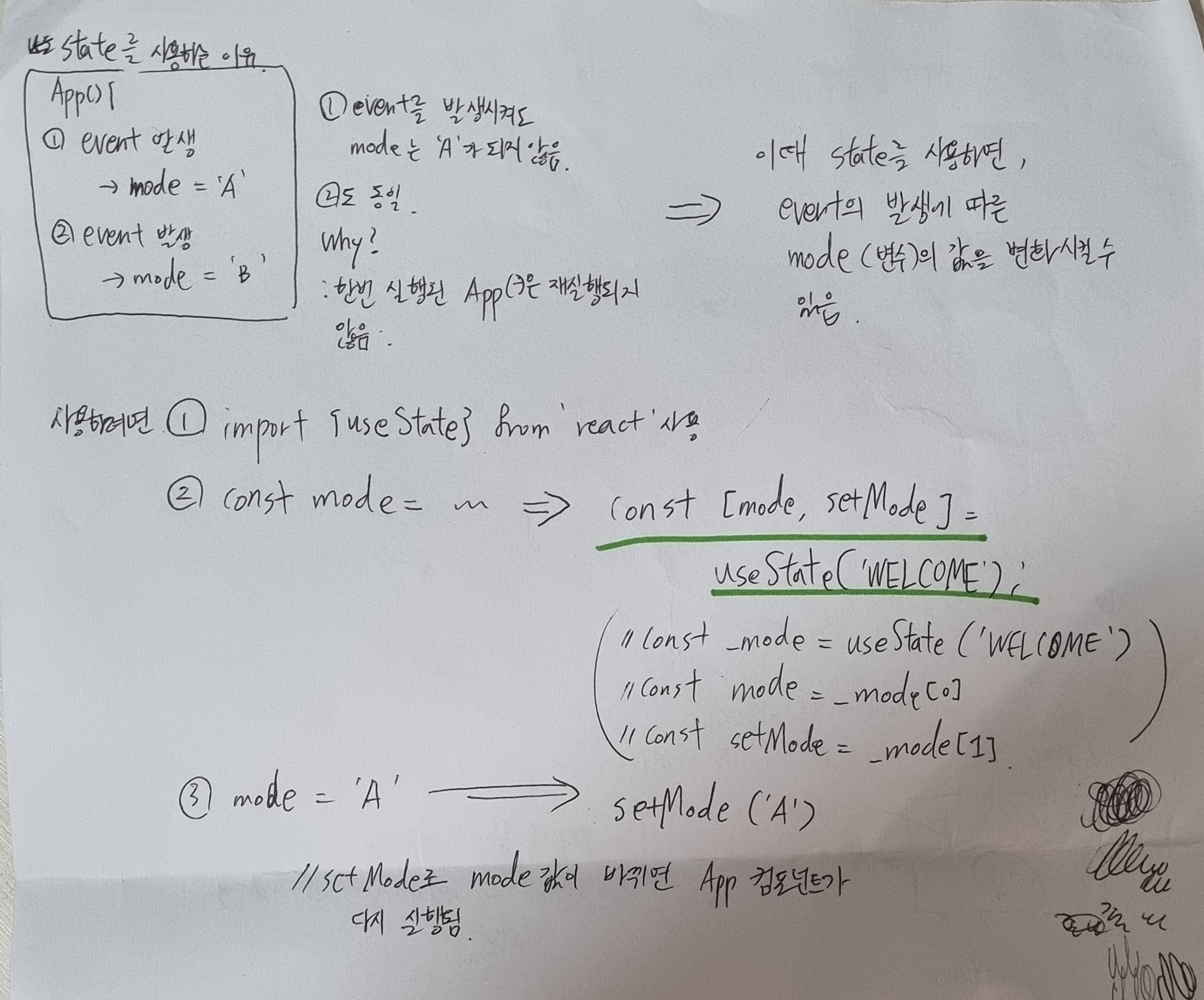
  //그래서, props을 state로 환승시켜야됨. const[title, setTitle]=useState(props.title)
}

function App() {
  const [mode, setMode] = useState('WELCOME');
  const [id, setId] = useState(null);
  const [nextId,setNextId] = useState(4);
  const [topics, setTopics] = useState([
    {id:1, title: 'html', body:'html is...'},
    {id:2, title: 'css', body:'css is...'},
    {id:3, title: 'javascript', body:'javascript is...'}
  ]);
  //create 컴포넌트를 이용해서 추가된 것을 topics 원소로 추가 시키고 싶음
  //그럼 topics를 state로 승격시키자. usestate!
  let content = null;
  let contextControl = null;
  if(mode === 'WELCOME'){
    content = <Article title="Welcome" body="Hello, WEB"></Article>
  } else if(mode === 'READ'){
    let title, body = null // 초기화
    for(let i=0; i<topics.length; i++){
      if(topics[i].id === id){
        title = topics[i].title;
        body = topics[i].body;
      }
    }
    content = <Article title={title} body={body}></Article>
    contextControl = <>
    <li><a href={'/update/'+id} onClick ={event=>{
      event.preventDefault();
      setMode('UPDATE');
    }}>Update</a></li>
    <li><input type="button" value="Delete" onClick={()=>{
      const newTopics = []
        for(let i=0; i<topics.length; i++){
          if (topics[i].id !== id){
            newTopics.push(topics[i]);
          }
        }
          setTopics(newTopics);
          setMode('Welcome');
      }} /> </li>
      </>
  } else if(mode === 'CREATE'){
      content = <Create onCreate={(_title, _body)=>{
        const newTopic = {id:nextId, title:_title, body:_body}
        //첫 번째 title은 객체의 property이름이고
        //두 번째는 파라미터로부터 온 이름
        const newTopics = [...topics]
        newTopics.push(newTopic);
        setTopics(newTopics);
        setMode('READ');
        setId(nextId);
        setNextId(nextId+1);
      }}></Create>
  } else if (mode === 'UPDATE'){
    let title, body = null // 초기화
    for(let i=0; i<topics.length; i++){
      if(topics[i].id === id){
        title = topics[i].title;
        body = topics[i].body;
      }
    }
    content = <Update title={title} body={body} onUpdate={(title, body)=>{
      console.log(title, body);
      const newTopics = [...topics]
      const updatedTopic = {id:id , title:title, body:body}
      for(let i=0; i<newTopics.length; i++){
          if (newTopics[i].id === id){
          newTopics[i] = updatedTopic;
          break;
        }
      }
      setTopics(newTopics);
      setMode('READ');
    }}></Update>
  }
  return (
    <div>
      <Header title="Web" onChangeMode={function(){
        setMode('WELCOME');
      }}></Header>
      <Nav topics={topics} onChangeMode={function(_id){
        setMode('READ');
        setId(_id);
      }}></Nav>
      {content}
      <ul>
        <li><a href="/create" onClick={event=>{
          event.preventDefault();
          setMode('CREATE');
        }}>Create</a></li>
        {contextControl}
      </ul>
    </div>
  );
}

export default App;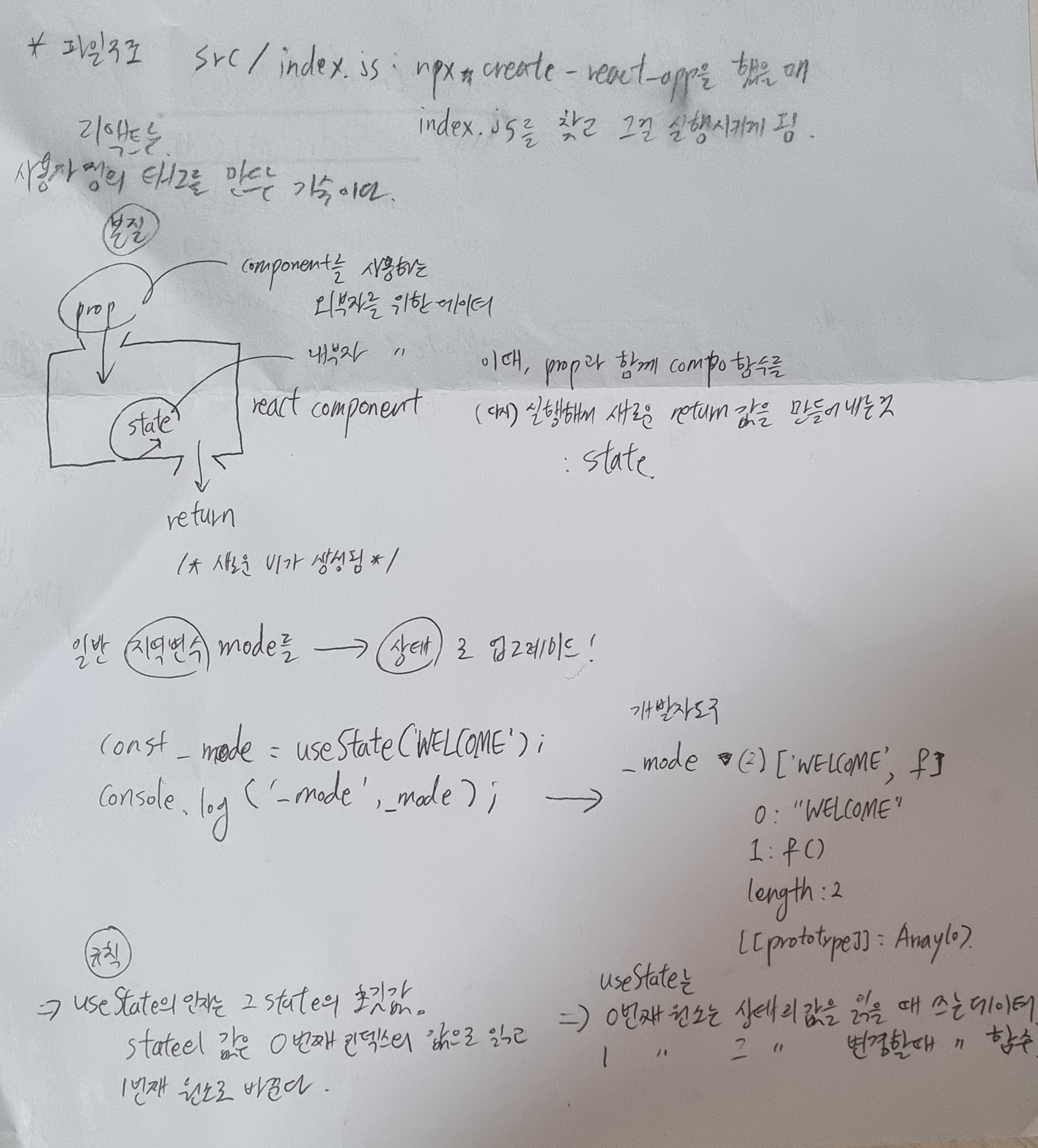

떨떠름하게 성공하는 게 목표