db연결
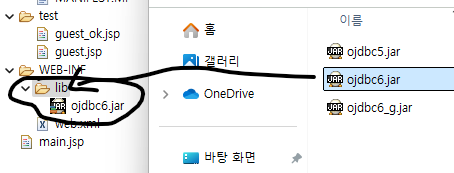
오라클과의 연결을 위해 jdbc6.jar이 필요하다.
외부에서 사용한 자료들은
이클립스 안에 물리적으로 넣어줘야한다.
C:\oraclexe\app\oracle\product\11.2.0\server\jdbc\lib
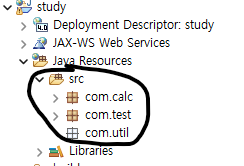
공통으로 사용할 package com.util 생성
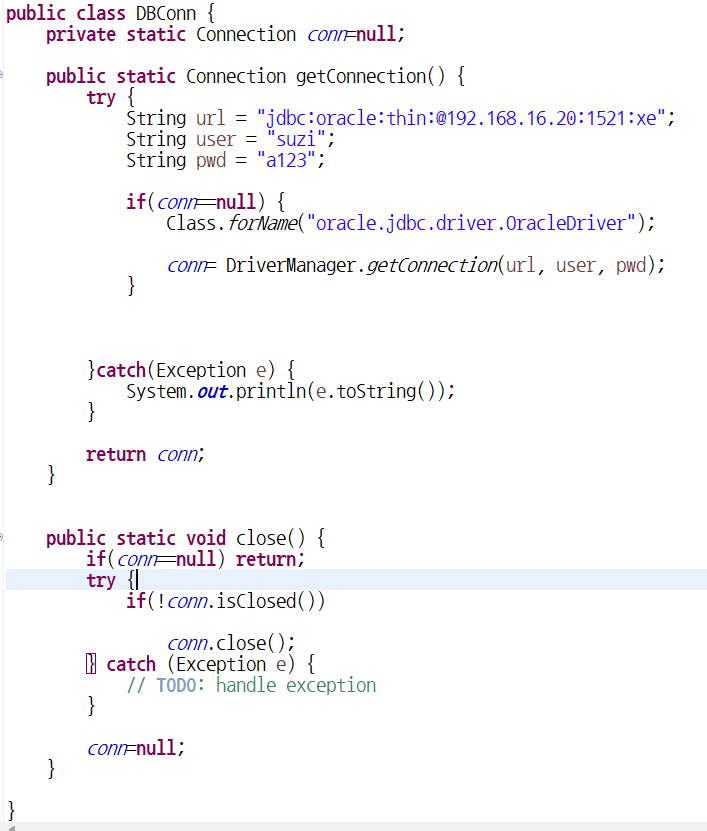
DBConn연결해주기
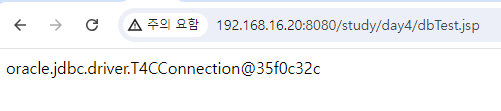
만드는 순서
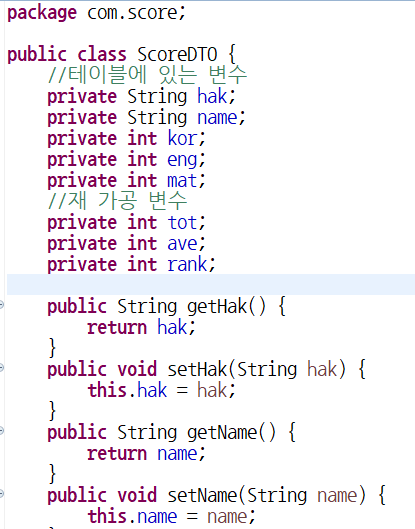
1. src/com.score/ScoreDTO
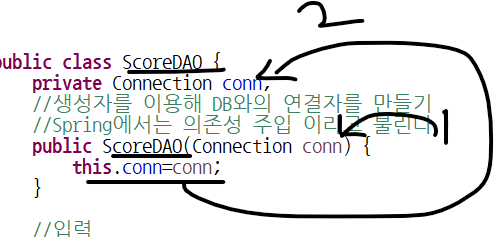
- src/com.score/ScoreDAO
java에서는 일반적으로 생성했지만
web에서는 생성자를 이용하여 객체를 생성해야한다.
DAO는 DB까지 가야하는 길이 필요하다.
따라서 DB연결자가 필요하다.
//스프링에서는 의존성주입 이라고 불린다.
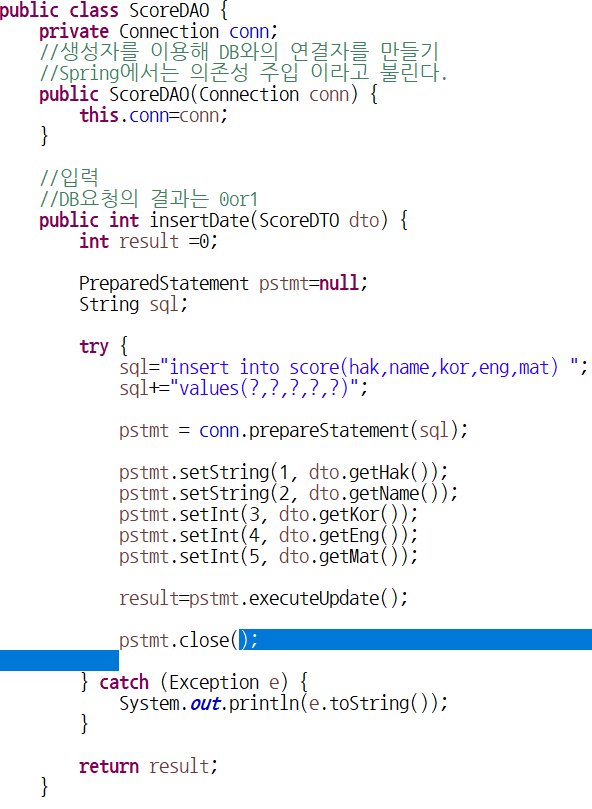
sql: insert
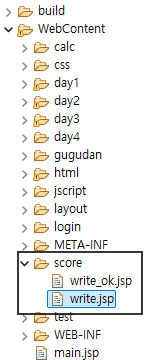
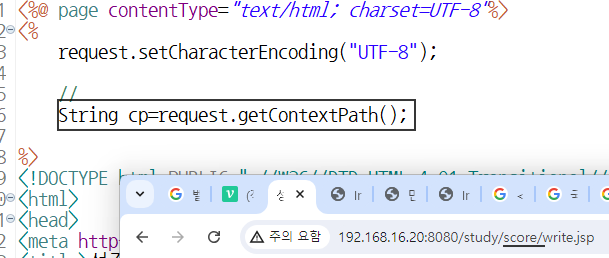
불러오는 파일의 주소를 불러오는 코딩



<body>
<br/><br/>
<table border="1" width="500" cellpadding="0" cellspacing="3" align="center" bgcolor="#e4e4e4">
<tr height="50">
	<td bgcolor="#ffffff" style="padding-left: 10pt">
	<b>성적처리 입력</b>
	</td>
</tr>
</table>

<br/>

<form action="" method="post" name="myForm">
<table width="500" cellpadding="0" cellspacing="0" align="center">

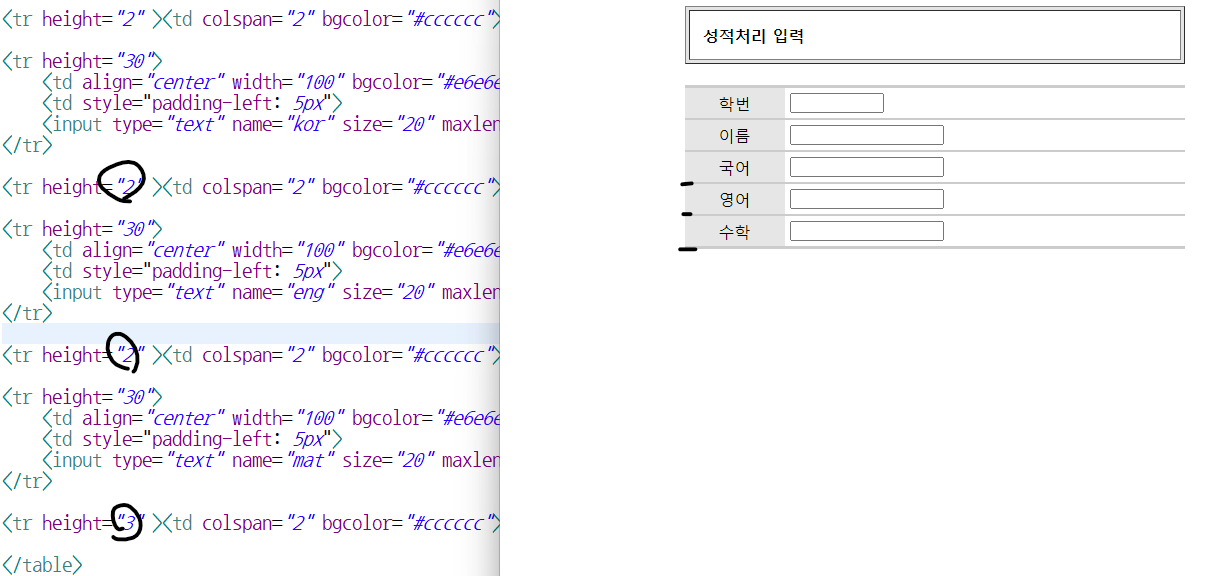
<tr height="3" ><td colspan="2" bgcolor="#cccccc"></td></tr>

<tr height="30">
	<td align="center" width="100" bgcolor="#e6e6e6"> 학번</td>
	<td style="padding-left: 5px">
	<input type="text" name="hak" size="10" maxlength="7" class="txtField"/></td>
</tr>

<tr height="2" ><td colspan="2" bgcolor="#cccccc"></td></tr>

<tr height="30">
	<td align="center" width="100" bgcolor="#e6e6e6"> 이름</td>
	<td style="padding-left: 5px">
	<input type="text" name="name" size="20" maxlength="10" class="txtField"/></td>
</tr>

<tr height="2" ><td colspan="2" bgcolor="#cccccc"></td></tr>

<tr height="30">
	<td align="center" width="100" bgcolor="#e6e6e6"> 국어</td>
	<td style="padding-left: 5px">
	<input type="text" name="kor" size="20" maxlength="3" class="txtField"/></td>
</tr>

<tr height="2" ><td colspan="2" bgcolor="#cccccc"></td></tr>

<tr height="30">
	<td align="center" width="100" bgcolor="#e6e6e6"> 영어</td>
	<td style="padding-left: 5px">
	<input type="text" name="eng" size="20" maxlength="3" class="txtField"/></td>
</tr>

<tr height="2" ><td colspan="2" bgcolor="#cccccc"></td></tr>

<tr height="30">
	<td align="center" width="100" bgcolor="#e6e6e6"> 수학</td>
	<td style="padding-left: 5px">
	<input type="text" name="mat" size="20" maxlength="3" class="txtField"/></td>
</tr>

<tr height="3" ><td colspan="2" bgcolor="#cccccc"></td></tr>

<tr height="35">
	<td align="center" colspan="2">
	<input type="button" calss="btn"value="입력완료" onclick="sendIt()";>
	<input type="reset" calss="btn"value="다시입력"
		onclick="document.myForm.hak.focus();"/>
	<input type="button" calss="btn" value="입력취소"
	onclick="javasript:location.href='<%=cp%>/score/list.jsp';">

</table>


</form>

</body>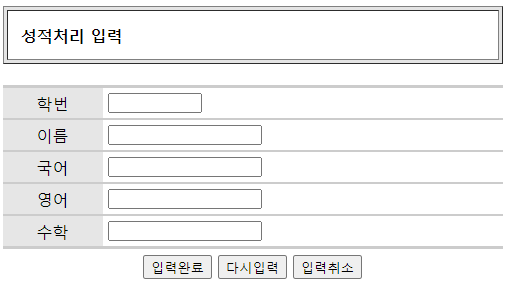
정상적으로 입력하고
DAO의 생성자를 이용해 DBConn으로 연결하여
정상적으로 insert가 된다면
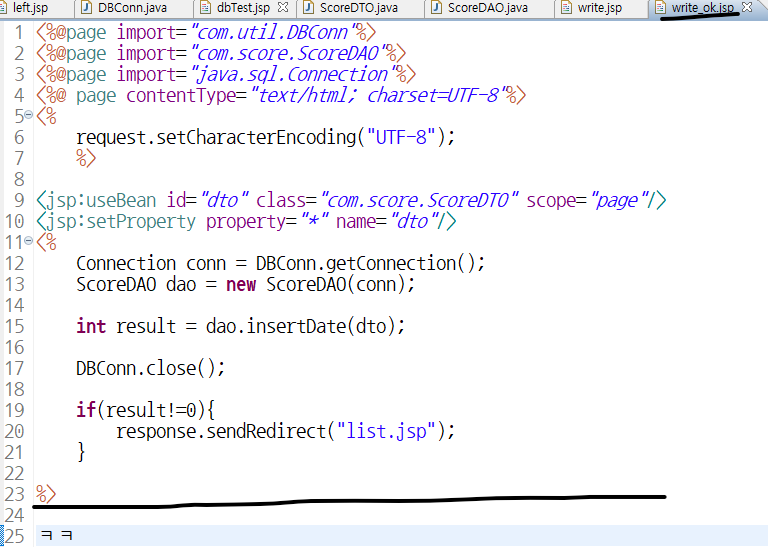
19~21번째 줄의
response.sendRedifrect("list.jsp");
를 이용해 list.jsp로 이동하게 한다.

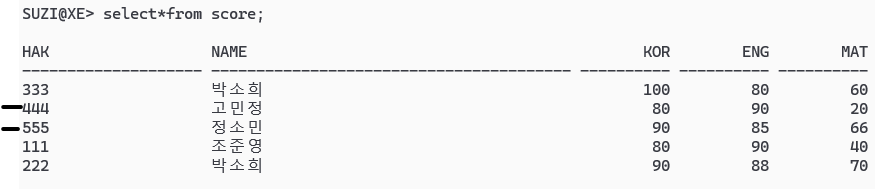
정상적으로 연동 되었다.
5_hero_like