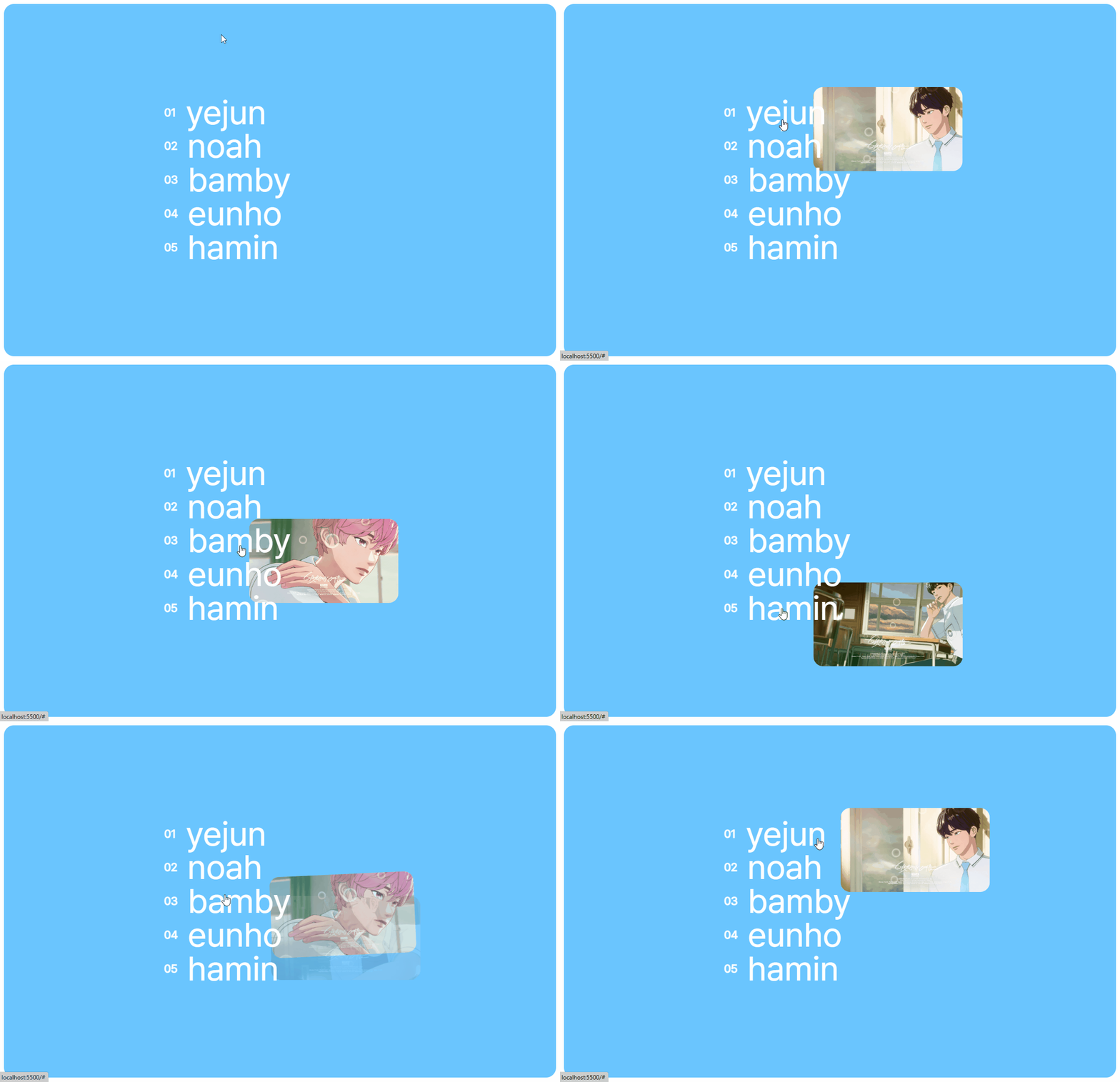
index.html
   <div class="container">
        <ul>
            <li>
                <a href="#"><h5 style="font-size:2vw">01</h5>YEJUN</a>
                <div class="image"></div>
            </li>
            <li>
                <a href="#"><h5 style="font-size:2vw">02</h5>NOAH</a>
                <div class="image"></div>
            </li>
            <li>
                <a href="#"><h5 style="font-size:2vw">03</h5>BAMBY</a>
                <div class="image"></div>
            </li>
            <li>
                <a href="#"><h5 style="font-size:2vw">04</h5>EUNHO</a>
                <div class="image"></div>
            </li>
            <li>
                <a href="#"><h5 style="font-size:2vw">05</h5>HAMIN</a>
                <div class="image"></div>
            </li>
        </ul>
    </div>
style.css
:root{
    --bg: #6ac5ff;
}

*{
    margin:0;
    padding:0;
    box-sizing: border-box;
}

body{
    width:100vw;
    height:100vh;
    overflow:hidden;
    background:#FFF;
    overflow: hidden;
}

a{
    text-decoration: none;
    color:#fff;
    text-transform: lowercase;
    font-size: 6vw;
    font-weight:300;
    position: relative;
}

li{
    list-style: none;
}

.container{
    width: 100%;
    height: 100%;
    padding:10px;
}

.container ul{
    width: 100%;
    height: 100%;
    display: flex;
    flex-direction: column;
    align-items: center;
    justify-content: center;
    background: var(--bg);
    position: relative;
    border-radius: 20px;
    overflow: hidden;
}

.container ul li{
    width: 60%;
    line-height: 6vw;
    padding:0 100px;
    position: relative;
}

.container ul li h5{
    margin:0 20px 0 0;
}

.container ul li a{
    top:0;
    left: 0;
    width: auto;
    z-index: 1;
    display: flex;
}

.container .image{
    position:absolute;
    width: 300px;
    height: auto;
    overflow: hidden;
    opacity: 0;
}

.container .image img{
    object-fit: contain;
    width: 100%;
    border-radius: 20px;
    overflow: hidden;
}
script.js
const images = document.querySelectorAll('.image');
const menuList = document.querySelectorAll('.container ul li');

menuList.forEach((item,index)=>{
    const image = document.createElement('img');
    image.src = `./images/0${index + 1}.png`;
    images[index].appendChild(image);
    const imageWrapperBounds = images[index].getBoundingClientRect();
    let itemBounds = item.getBoundingClientRect();

    const onMouseEnter = () => {
        gsap.set(images[index],{
                        scale: .8,
                        rotation: -15,
                    })
        gsap.to(images[index],{ opacity:1, scale: 1, yPercent: 0, rotation: 0})
    }

    const onMouseLeave = () => {
        gsap.to(images[index],{ opacity:0, scale: 1, yPercent: 0, rotation: 0})
    }

    const onMouseMove = ({x,y}) => {
        let yOffset = itemBounds.top / imageWrapperBounds.height;
        yOffset = gsap.utils.mapRange(0, 1.5, -150, 150, yOffset);
        gsap.to(images[index],{
            duration: 1.25,
            x:Math.abs(x - itemBounds.left) - imageWrapperBounds.width / 10,
            y:Math.abs(y - itemBounds.top) - imageWrapperBounds.height  * 2
        })
      }

    item.addEventListener('mouseenter',onMouseEnter);
    item.addEventListener('mouseleave',onMouseLeave);
    item.addEventListener('mousemove',onMouseMove);
})