Props
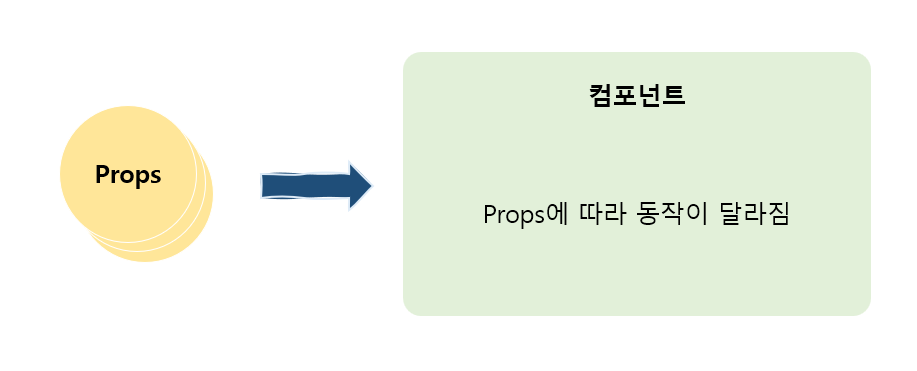
Props는 컴포넌트에 전달하는 인수와 같은 역할을 한다.
코드를 보면 이게 무슨 말인지 이해가 쉬울 것이다.
export const ColoredMessage = (props) => {
  console.log(props);

  const contentStyle = {
    color: props.color,
    background: props.background,
    fontSize: '20px',
  };

  return <p style={contentStyle}>{props.message}</p>;
};
import { ColoredMessage } from './components/ColoredMessage';
export const App = () => {
const onClickBtn = () => {
alert('버튼을 클릭했어!');
};
return (
<>
<h1 style={{ color: 'blue' }}>Hello React!</h1>
<ColoredMessage color='blue' background='grey' message='처음 시작해봐' />
<ColoredMessage color='red' background='black' message='열심히 해보자!' />
<button onClick={onClickBtn}>버튼</button>
</>
);
};ColoredMessage라는 컴포넌트를 만들었다. 컴포넌트 태그 안에 임의의 이름을 붙여 Props에 값을 전달한다. 여기에서는 color, background, message를 전달했다.
컴포넌트에서 Props가 객체로 전달되고 Props로 전달받은 값을 변경할 수 있다.
children
Props에는 children이 있다. 컴포넌트도 HTML 태그와 같이 임의의 요소를 감싸서 사용할 수 있다. 이 둘러싸인 부분인 children으로 Props에 설정된다.
children 설정
-
children 설정X
<ColoredMessage /> -
children으로 apple 설정
<ColoredMessage>apple</ColoredMessage>
export const ColoredMessage = (props) => {
  console.log(props);

  const contentStyle = {
    color: props.color,
    background: props.background,
    fontSize: '20px',
  };

  // return <p style={contentStyle}>{props.message}</p>;
  return <p style={contentStyle}>{props.children}</p>;
};
import { ColoredMessage } from './components/ColoredMessage';
export const App = () => {
const onClickBtn = () => {
alert('버튼을 클릭했어!');
};
return (
<>
<h1 style={{ color: 'blue' }}>Hello React!</h1>
<ColoredMessage color='blue' background='grey'>
처음 시작해봐
</ColoredMessage>
<ColoredMessage color='red' background='black'>
열심히 해보자!
</ColoredMessage>
<button onClick={onClickBtn}>버튼</button>
</>
);
};앞 코드에서는 임의의 이름 message를 설정해서 값을 전달했다면, 이번 메시지는 children을 사용해 전달했다.
Props 분할 대입 & 객체 생략 표기법
코드를 작성하면서 불편한 점이 있었을 것이다. 바로 props.~라고 표기하는 것이다. 코드를 작성하면서 계속 번거롭다고 생각했을 것이다. 이것은 전에 포스팅 했던 분할 대입과 객체 생략 표기법을 이용해서 코드를 간략하게 만들 수 있다.
- 분할 대입
export const ColoredMessage = (props) => {
  // Props 분할 대입
  const { color, background, children } = props;

  const contentStyle = {
    color: color,
    background: background,
    fontSize: '20px',
  };

  return <p style={contentStyle}>{children}</p>;
};- 분할 대입 + 생략 표기법
export const ColoredMessage = (props) => {
  // Props 분할 대입
  const { color, background, children } = props;

  const contentStyle = {
    color, // 생략 표기법 사용
    background, // 생략 표기법 사용
    fontSize: '20px',
  };

  return <p style={contentStyle}>{children}</p>;
};- 인수 단계에서 분할 대입
export const ColoredMessage = ({ color, background, children }) => {
  const contentStyle = {
    color, // 생략 표기법 사용
    background, // 생략 표기법 사용
    fontSize: '20px',
  };

  return <p style={contentStyle}>{children}</p>;
};
분할 대입과 객체 생략 표기법을 사용하여 길었던 코드를 간략하게 만들 수 있다. 처음 접하는 단계에서는 혼란스럽겠지만 차근차근 이해하면 쉬울 것이다.

기록해서 내 것으로 만들기