Player 움직임
 void Update()
 {
     if (Keyboard.current.aKey.isPressed)
     {
         transform.Translate(Vector3.left * Time.deltaTime);
     }
     if (Keyboard.current.dKey.isPressed)
     {
         transform.Translate(Vector3.right * Time.deltaTime);
     }
     if (Keyboard.current.wKey.isPressed)
     {
         transform.Translate(Vector3.up * Time.deltaTime);
     }
     if (Keyboard.current.sKey.isPressed)
     {
         transform.Translate(Vector3.down * Time.deltaTime);
     }

 }
원래 위와 같은 방식으로 움직임을 만들었다.
위와 같은 방식으로 움직일 경우 스피드가 높아졌을 때,
충돌할 오브젝트가 있다고 가정하면, 그 오브젝트를 넘어서 지나갈 수 있다.
private void FixedUpdate()
{
    Vector3 dir = Vector3.zero;

    if (Keyboard.current.aKey.isPressed)
    {
        dir += Vector3.left;
    }
    if (Keyboard.current.dKey.isPressed)
    {
        dir += Vector3.right;
    }
    if (Keyboard.current.wKey.isPressed)
    {
        dir += Vector3.up;
    }
    if (Keyboard.current.sKey.isPressed)
    {
        dir += Vector3.down;
    }

    rb.linearVelocity = dir.normalized * 5;
}
space를 눌렀을 때 총알 발사
if (Keyboard.current.spaceKey.wasPressedThisFrame)
     {
         Instantiate(bullet, firePosition.transform.position, firePosition.transform.rotation);
     }
이 방식으로 사용하게 되면 오브젝트를 지나가지 않고 오브젝트가 서로 충돌했을 때 튕겨져 나오는 것도 막을 수 있다.
충돌 시 호출
private void OnCollisionEnter2D(Collision2D collision)
{
    Debug.Log("충돌할 때 호출");
}
private void OnCollisionStay2D(Collision2D collision)
{
    Debug.Log("충돌 중인 프레임마다 호출");
}
private void OnCollisionExit2D(Collision2D collision)
{
    Debug.Log("충돌 해제 될 때 호출");
}

private void OnTriggerEnter2D(Collider2D collision)
{
    Debug.Log("겹칠 때 호출");
}
private void OnTriggerStay2D(Collider2D collision)
{
    Debug.Log("겹치고 있는 중인 프레임마다 호출");
}
private void OnTriggerExit2D(Collider2D collision)
{
    Debug.Log("겹침이 해제 될 때 호출");
}
충돌에는 두가지 방식이 있는데 충돌 시 벽 처럼 서로를 막는 오브젝트가 있고 충돌을 해도 서로 뚫을 수 있는 오브젝트 형식이 있다.
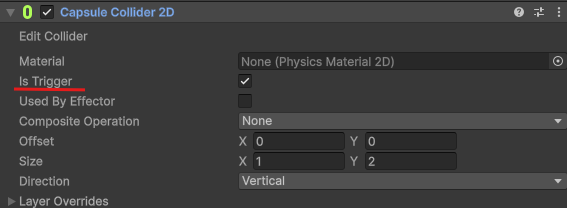
이거를 체크하면 트리거 형식이고 체크를 풀면 일반 방식으로 충돌을 처리할 수 있게된다.
충돌 설정
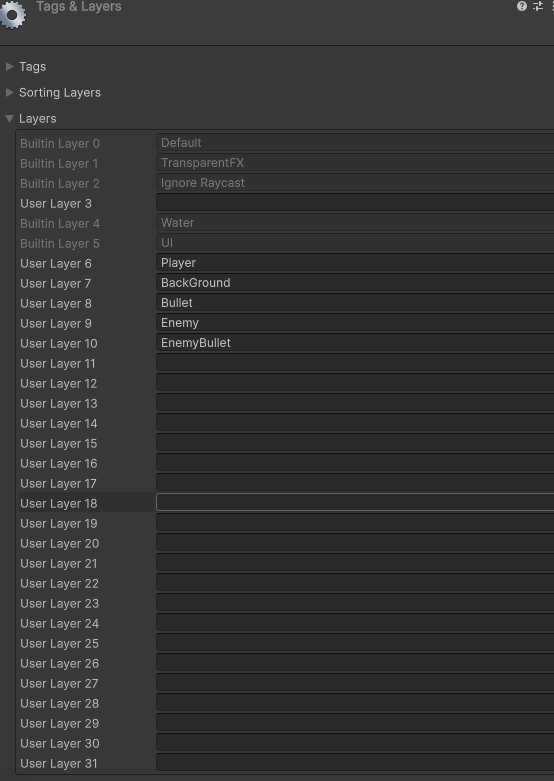
레이어에 각 오브젝트를 설정해두고
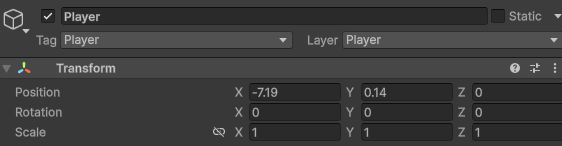
오른쪽 위에 레이어를 등록해주면
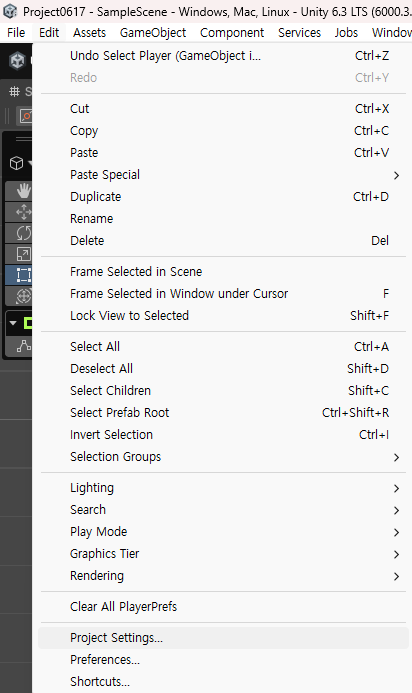
Project Settings... < 에 들어가면
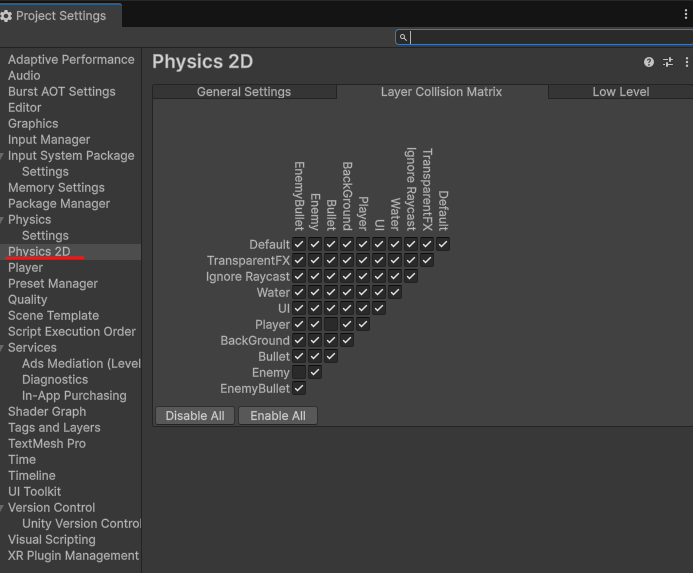
여기서 서로 충돌을 할지 말지 설정할 수 있다.
초보 개발자 블로그입니다!