Raycast
선으로 된 레이캐스트
RaycastHit2D hit = Physics2D.Raycast(this.transform.position + (Vector3.left * 1f), Vector3.left, rayDistance, layerMask);BoxRaycast
RaycastHit2D hit1 = Physics2D.BoxCast(this.transform.position + (Vector3.left * 1f),Vector3.one, 0f, Vector3.left, rayDistance, layerMask);시작점, 박스크기, 박스회전, 방향, 거리, 레이어마스크 순서로 값 설정
위에 박스형 레이캐스트는 선으로 된 레이캐스트와는 다르게
Debug.DrawRay(this.transform.position + (Vector3.left * 1f), Vector3.left * rayDistance);이렇게 써서 볼 수 있었던 것이
박스형은 볼 수가 없다.
private void OnDrawGizmos()
{
    Vector3 start = this.gameObject.transform.position;
    Vector3 end = start + Vector3.left * rayDistance;

    Gizmos.DrawCube(start, Vector3.one);
    Gizmos.DrawCube(end, Vector3.one);
}
위와 같이 기즈모를 쓰면 처음 박스형 레이캐스트가 나오는 지점과 끝 지점을 표시는 할 수 있다.
Box말고도 Circle도 있으니 참고 바람.
Raycast활용 마우스 클릭
Click.cs
using UnityEngine;
using UnityEngine.InputSystem;


public class Click : MonoBehaviour
{
    [SerializeField] LayerMask layerMask;
    public Camera camera;
    // Start is called once before the first execution of Update after the MonoBehaviour is created
    void Start()
    {
        camera = Camera.main;
    }

    // Update is called once per frame
    void Update()
    {
        if (Mouse.current.leftButton.wasPressedThisFrame)
        {
            Vector2 mousePosition = Mouse.current.position.ReadValue();

            Ray ray = camera.ScreenPointToRay(mousePosition);
            RaycastHit2D hit = Physics2D.GetRayIntersection(ray, int.MaxValue, layerMask);

            if (hit.collider != null)
            {
                Debug.Log(hit.collider.gameObject.name);
                GameManager.instance.GetScore();
            }
        }

    }
}
GameManager.cs
using TMPro;
using UnityEngine;
using UnityEngine.SocialPlatforms.Impl;

public class GameManager : MonoBehaviour
{

    public static GameManager instance;

    [SerializeField] public TextMeshProUGUI tmp;
    int score;

    private void Awake()
    {
        if(instance == null)
        {
            instance = this;
        }
        else
        {
            Destroy(gameObject);
        }
    }

    // Start is called once before the first execution of Update after the MonoBehaviour is created
    void Start()
    {
        score = 0;
        tmp.text = "now score : ";
    }

    // Update is called once per frame
    void Update()
    {

    }

    public void GetScore()
    {
        score++;
        tmp.text = $"now score : {score}";
    }
}
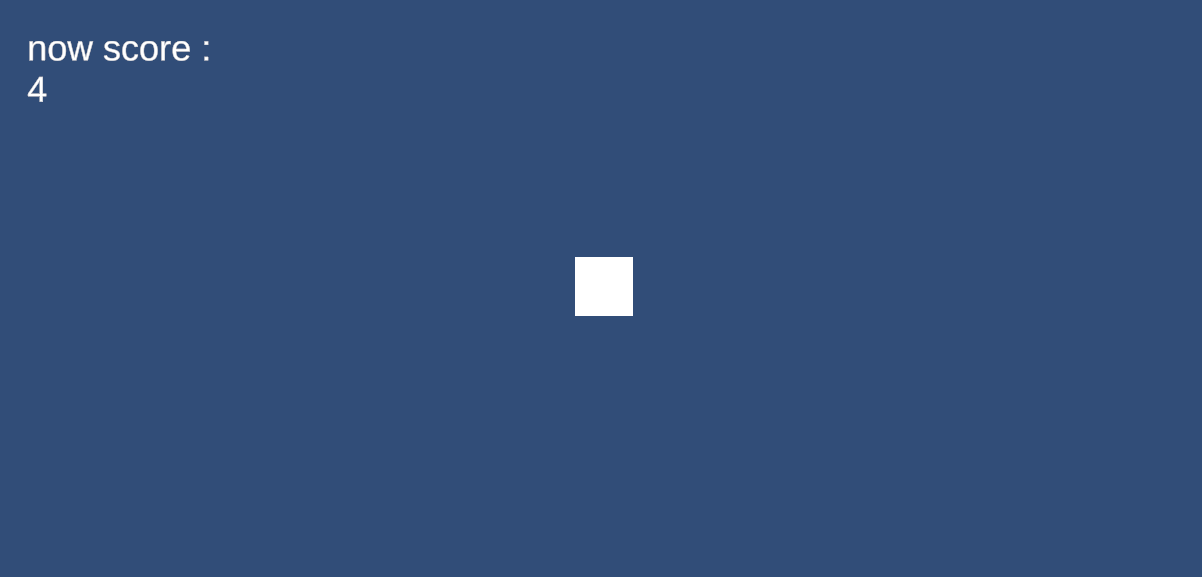
상자를 클릭하면 오른쪽 위 text UI의 개수가 올라감.
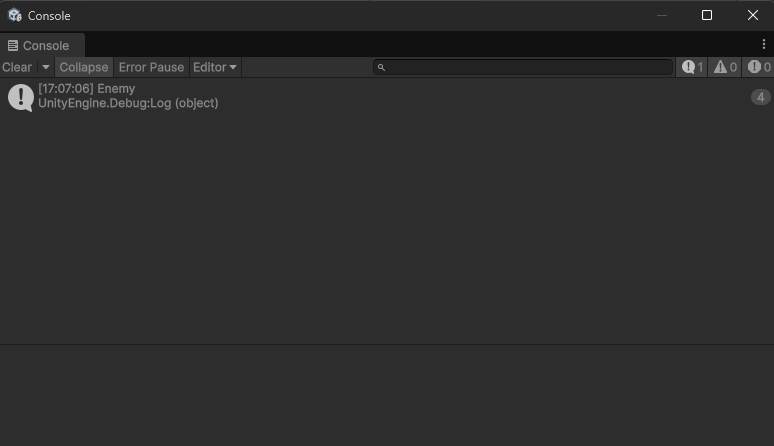
log창에 클릭 시 출력하도록 하였음.
초보 개발자 블로그입니다!