스프링 웹 개발 기초
<목차>
1.정적 컨텐츠
2.MVC와 템플릿 엔진
3.API
- 정적컨텐츠
<!DOCTYPE html>
<html lang="en">
<head>
  <title>static content</title>
  <meta http-equiv="content-type"content="text/html; charset=UTF-8">
</head>
<body>
정적 컨텐츠 입니다
</body>
</html>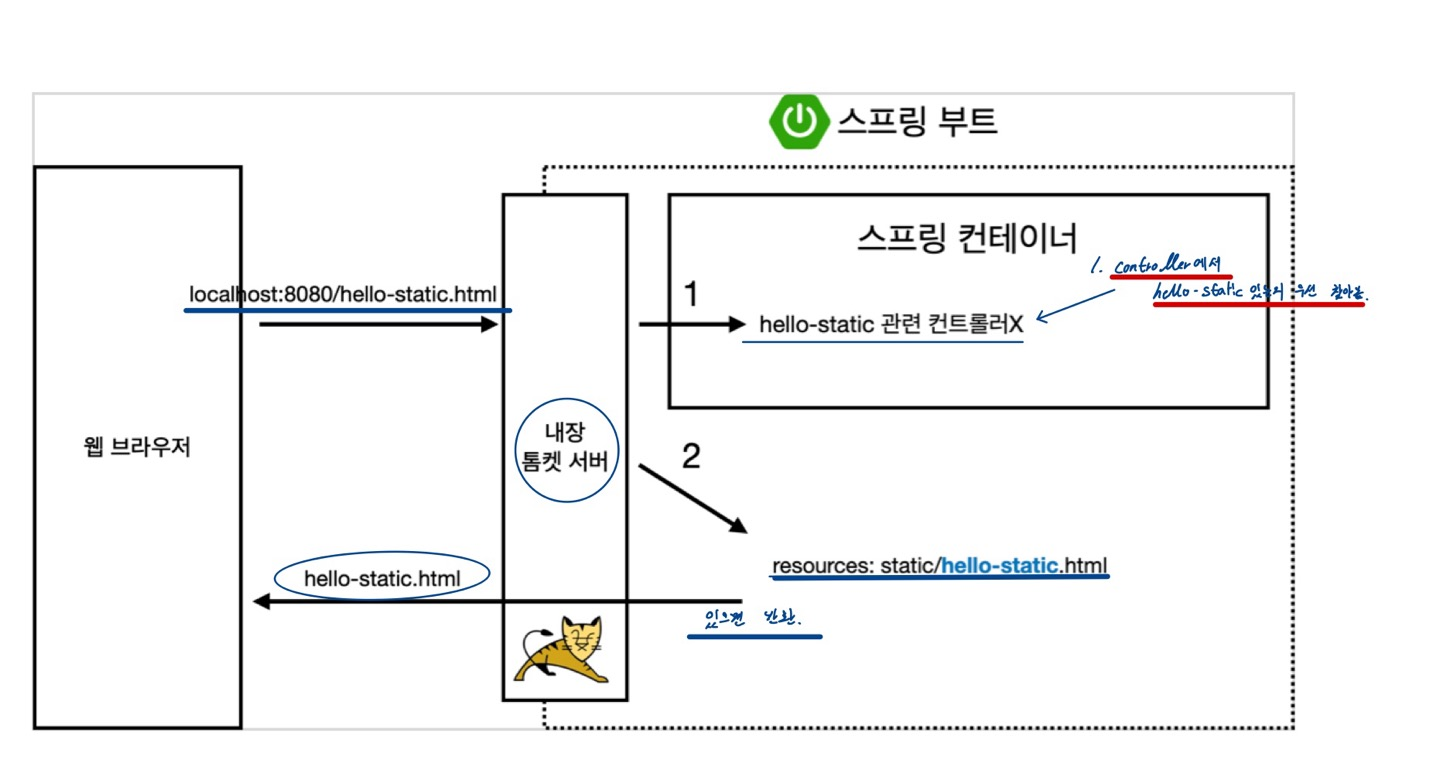
MVC와 템플릿 엔진
MVC (Model , View ,Controller)
Controller
    @GetMapping("hello-mvc")
    public String helloMvc(@RequestParam("name") String name, Model model) { //@RequestParam -> 외부에서 파라미터 정보 받는다.
        model.addAttribute("name", name); // key value로 구성
        return "hello-template";
    }
@RequestParam - 외부에서 파라미터를 받는다 (option default값 true)
view
<!DOCTYPE html>
<html xmlns:th="http://www.thymeleaf.org">
<head>
    <meta charset="UTF-8">
    <title>Title</title>
</head>
<body>
    <p th:text =" 'hello + ${name}'"> hello! empty</p>
</body>
</html>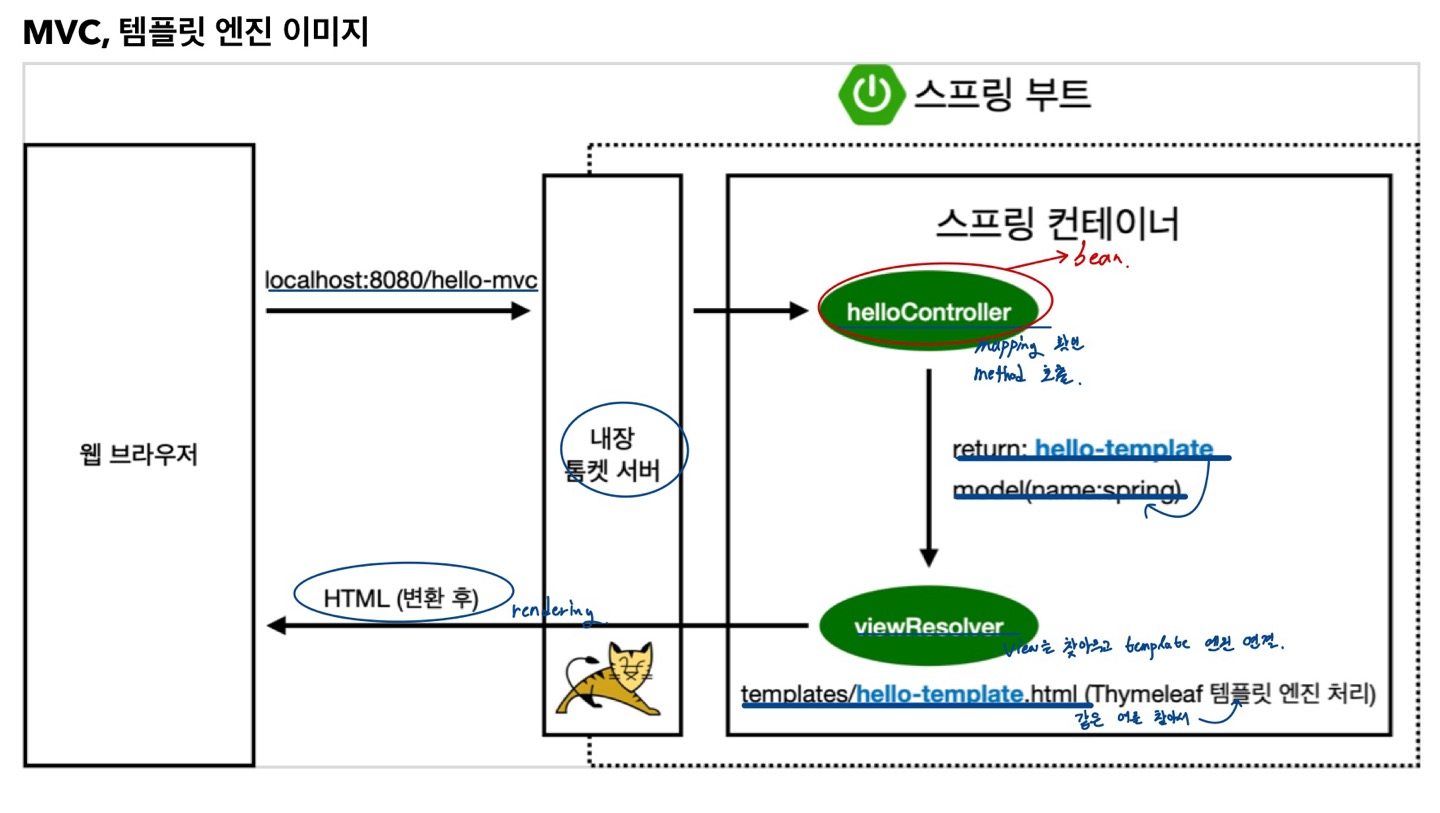
API
    @GetMapping("hello-spring")
    @ResponseBody //객체를 반환하면 객체가 JSON으로 반환
                  //HTML에 나오는 BodyTag X, HTTP Header & Body
    public String helloSpring(@RequestParam("name") String name) {
        return "hello" + name;
    }
@ResponseBody를 사용하면 viewResolver 사용 X
대신에 HTTP의 Body에 문자 내용을 직접 반환
@ResponseBody 객체 반환
    @GetMapping("hello-api")
    @ResponseBody
    public Hello helloApi(@RequestParam("name") String name) {
        Hello hello = new Hello();
        hello.setName(name);
        return hello;
    }

    static class Hello {
        private String name;

        public String getName() {
            return name;
        }

        public void setName(String name) {
            this.name = name;
        }
    }
ReponseBody를 사용 하고 객체를 반환하면 객체가 JSON으로 반환
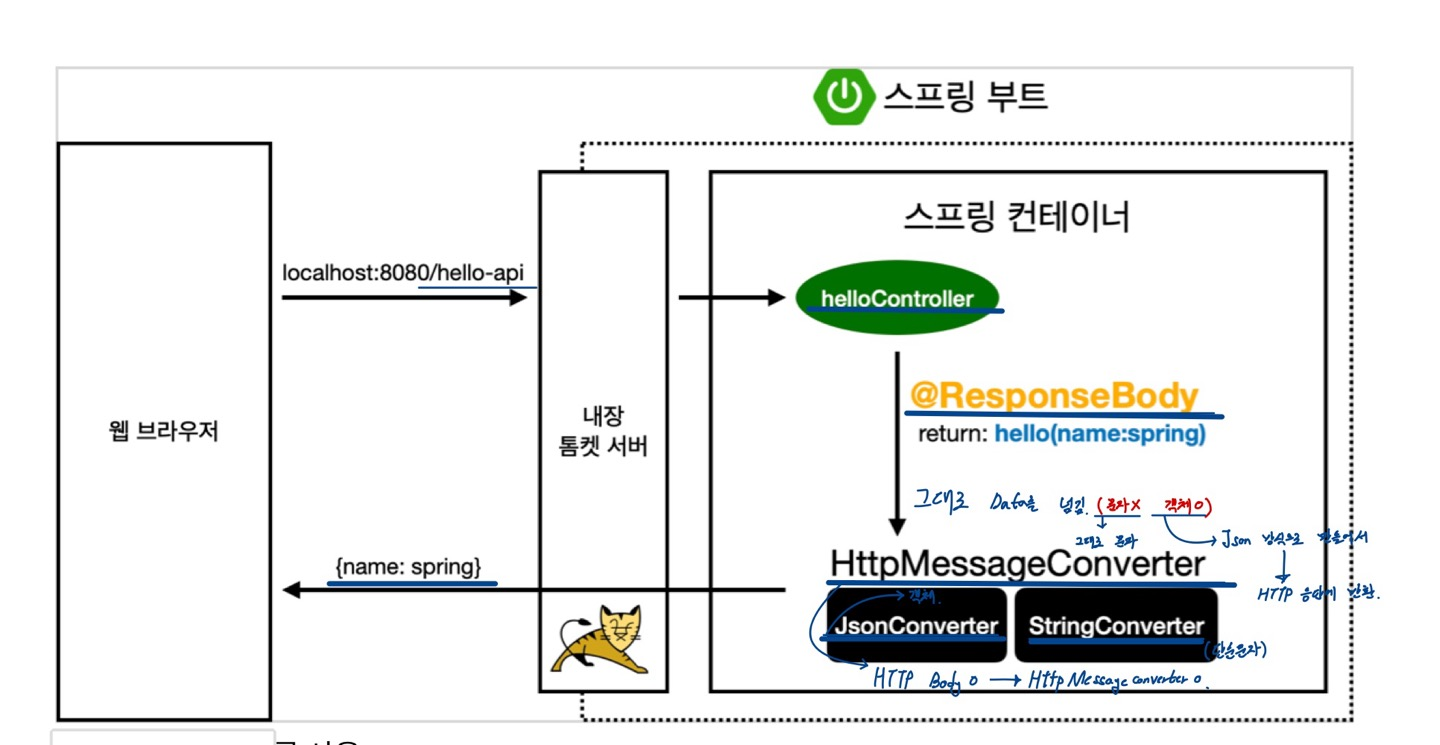
1) HTTP의 Body 문자 내용을 직접 반환
2) viewReslover 대신에 HttpMessageConverter가 동작
3) 기본 문자 처리: StringHttpMessageConverter
4) 기본 객체 처리: MappingJackson2HttpMessageConverter
클라이언트의 HTTP Accept 해더와 서버의 컨트롤러 반환 타입 정보 둘을 조합해서 HttpMessageConverter가 선택

개발자를 향해 가는 중입니다~! 항상 겸손