문제
웹
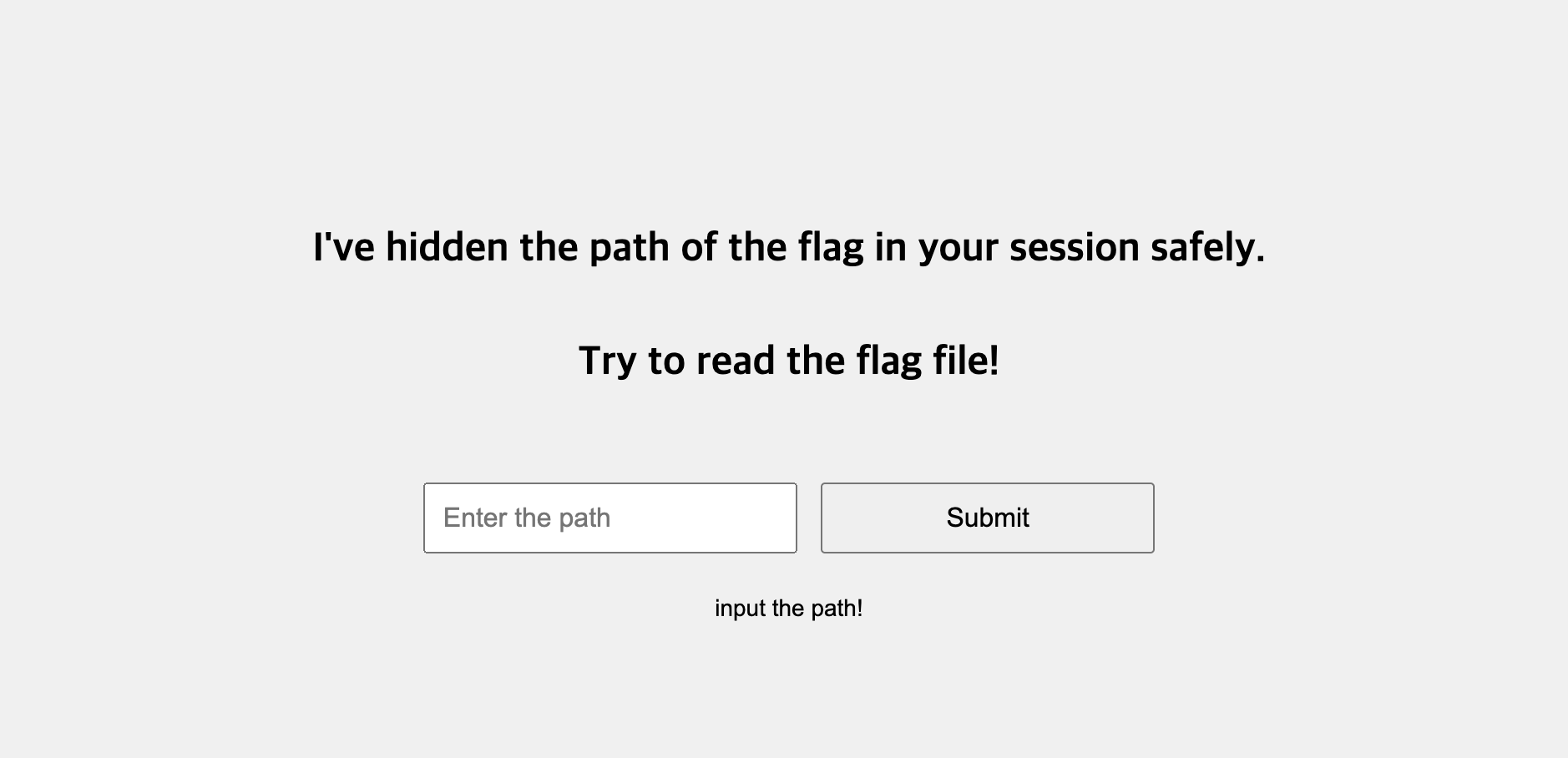
문제 파일
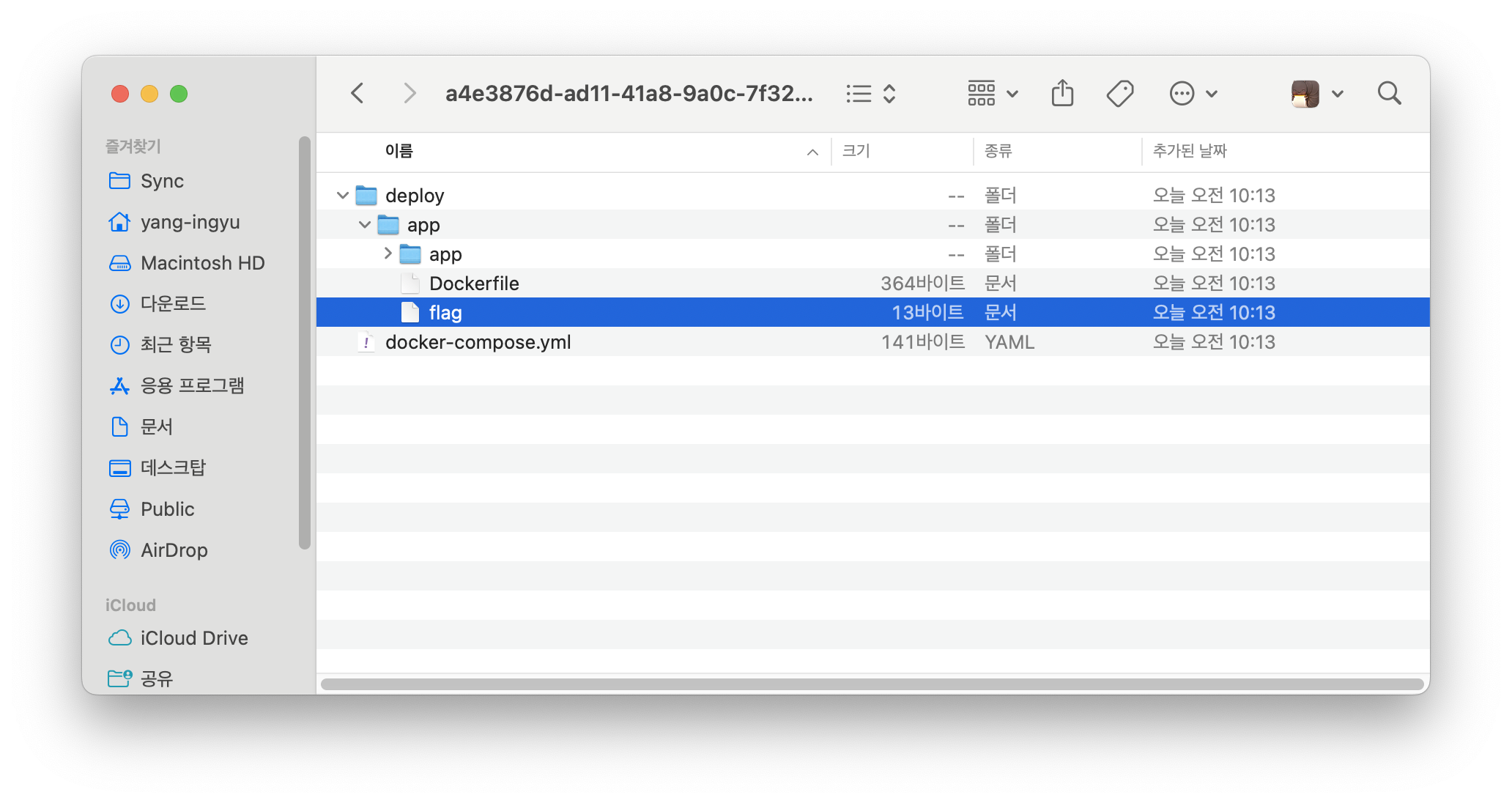
문제 설명
- 숨겨진 폴더를 찾고 flag를 제출하라
- 문제 설명에 읽어보면 세션에 경로를 숨겨두었다.
# app.py
#!/usr/bin/env python3
import os
import string
from flask import Flask, request, abort, render_template, session

SECRETS_PATH = 'secrets/'
ALLOWED_CHARACTERS = string.ascii_letters + string.digits + '/'

app = Flask(__name__)
app.secret_key = os.urandom(32)

# create sample file
with open(f'{SECRETS_PATH}/sample', 'w') as f:
    f.write('Hello, world :)')

# create flag file
flag_dir = SECRETS_PATH + os.urandom(32).hex()
os.mkdir(flag_dir)
flag_path = flag_dir + '/flag'
with open('/flag', 'r') as f0, open(flag_path, 'w') as f1:
    f1.write(f0.read())

@app.route('/', methods=['GET'])
def get_index():
    # safely save the secret into session data
    session['secret'] = flag_path

    # provide file read functionality
    path = request.args.get('path')
    if not isinstance(path, str) or path == '':
        return render_template('index.html', msg='input the path!')

    if any(ch not in ALLOWED_CHARACTERS for ch in path):
        return render_template('index.html', msg='invalid path!')

    full_path = f'./{SECRETS_PATH}{path}'
    if not os.path.isfile(full_path):
        return render_template('index.html', msg='invalid path!')

    try:
        with open(full_path, 'r') as f:
            return render_template('index.html', msg=f.read())
    except:
        abort(500)
-
flag가 있는 위치는 secrets/무작위32자/flag에 있다.
-
첫번째 시도
-
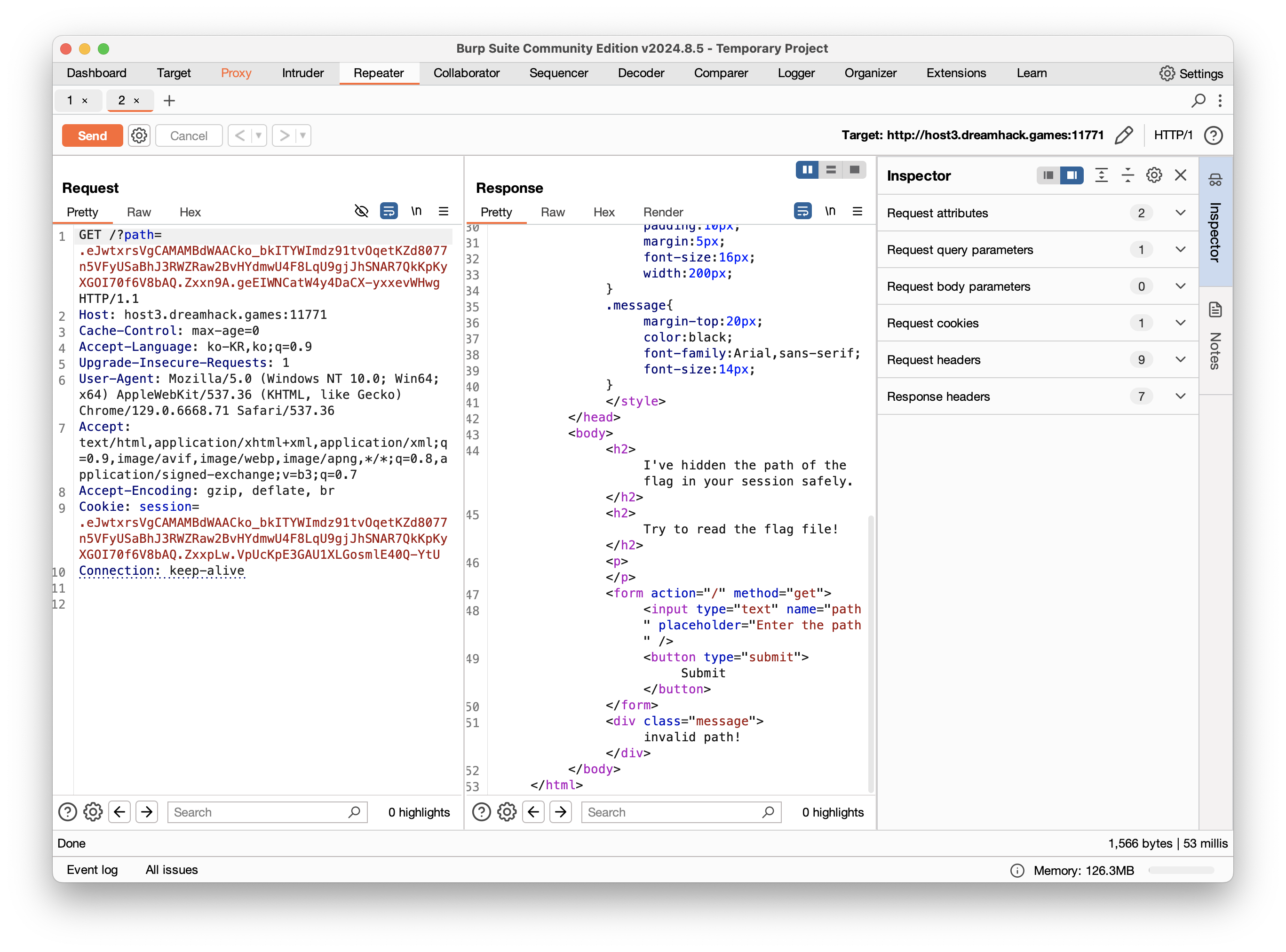
세션 값을 그대로 넣자
-
필터링으로 인한 실패
-
-
두번째 시도
-
app.py 코드를 보면 루트 디렉터리에 flag 내용을 가져와 숨겨진 폴더에 flag 파일을 넣는다
with open('/flag', 'r') as f0, open(flag_path, 'w') as f1: f1.write(f0.read()) -
그러면 루트 디렉터리에 flag를 불러오자
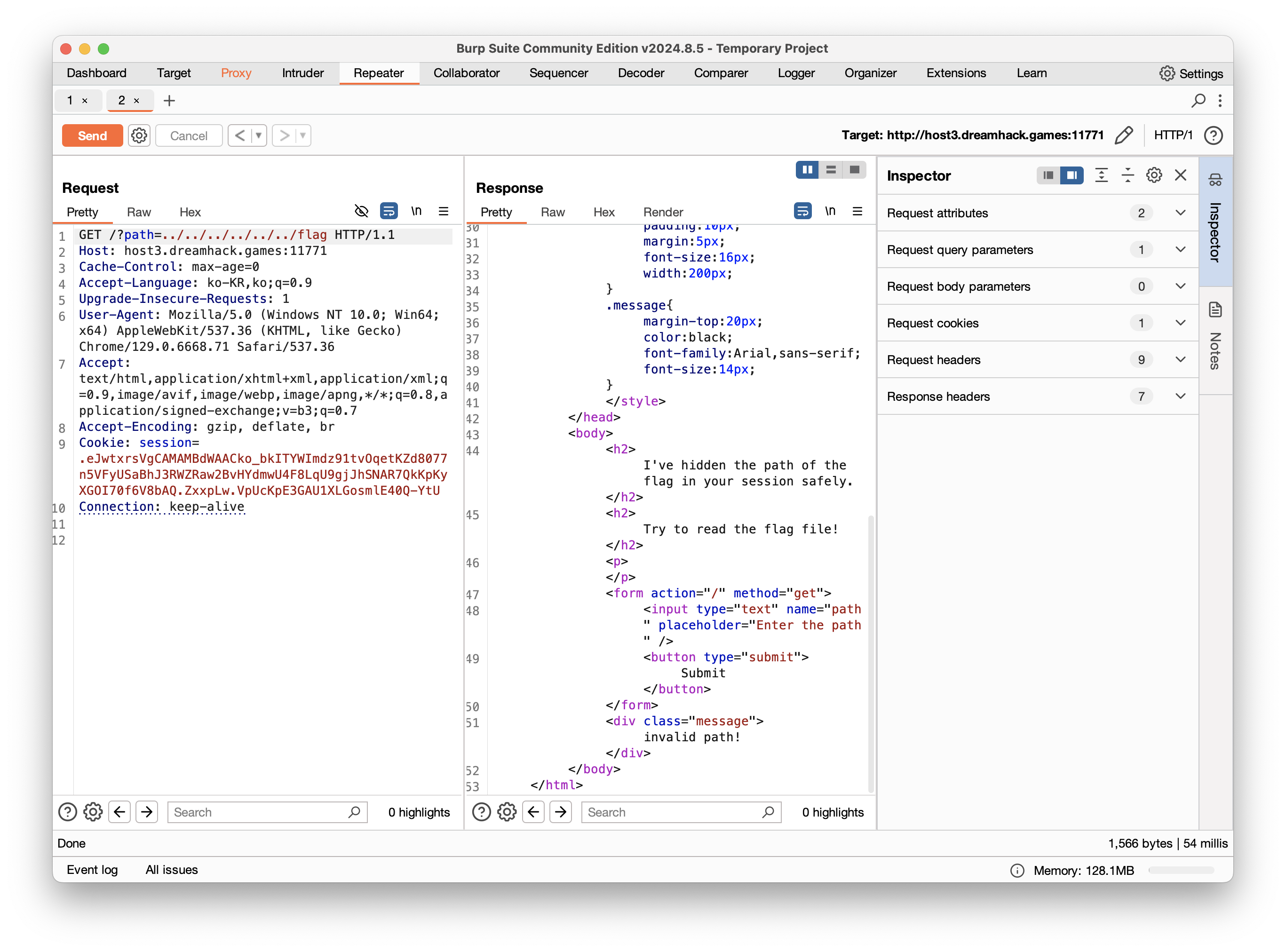
-
필터링으로 인한 실패
-
필터링을 우회하기 위한 이중 인코딩도 실패
-
-
세번째 시도
- 검색중 렌더링 템플릿기반의 ssti 취약점 발견
- rander_template_string()함수를 사용하지 않아서 해당안됨
-
네번째 시도
- 다시 처음으로 돌아와서 세션을 보면 jwt 토큰이랑 비슷함
- 세션정보.타임스탬프.해쉬
- 세션정보 base64 인코딩 되어있음
- 추가 검색
- 플라스크 세션/쿠키 디코더 발견
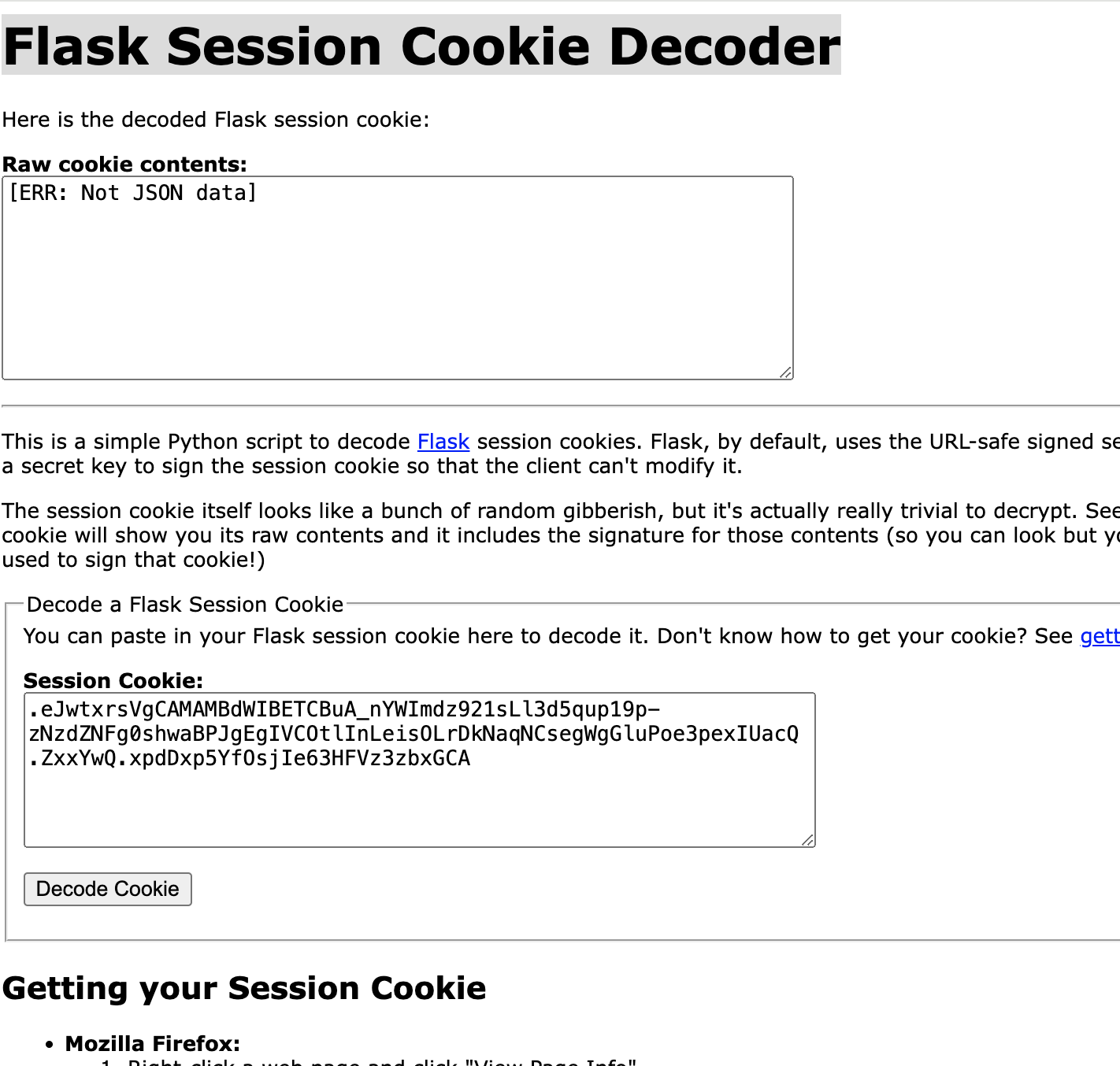
- json 데이터가 아니라고 실패
- https://domdom.tistory.com/295 이 블로그에는 플라스크에서 세션을 저장할 때 itsdangersous 모듈에서 인코딩하고 있다고

- .eJwtxrsVgCAMAMBdWAACko_bkITYWImdz91tvOqetKZd8077n5VFyUSaBhJ3RWZRaw2BvHYdmwU4F8LqU9gjJhSNAR7QkKpKyXGOI70f6V8bAQ 디코딩 시도
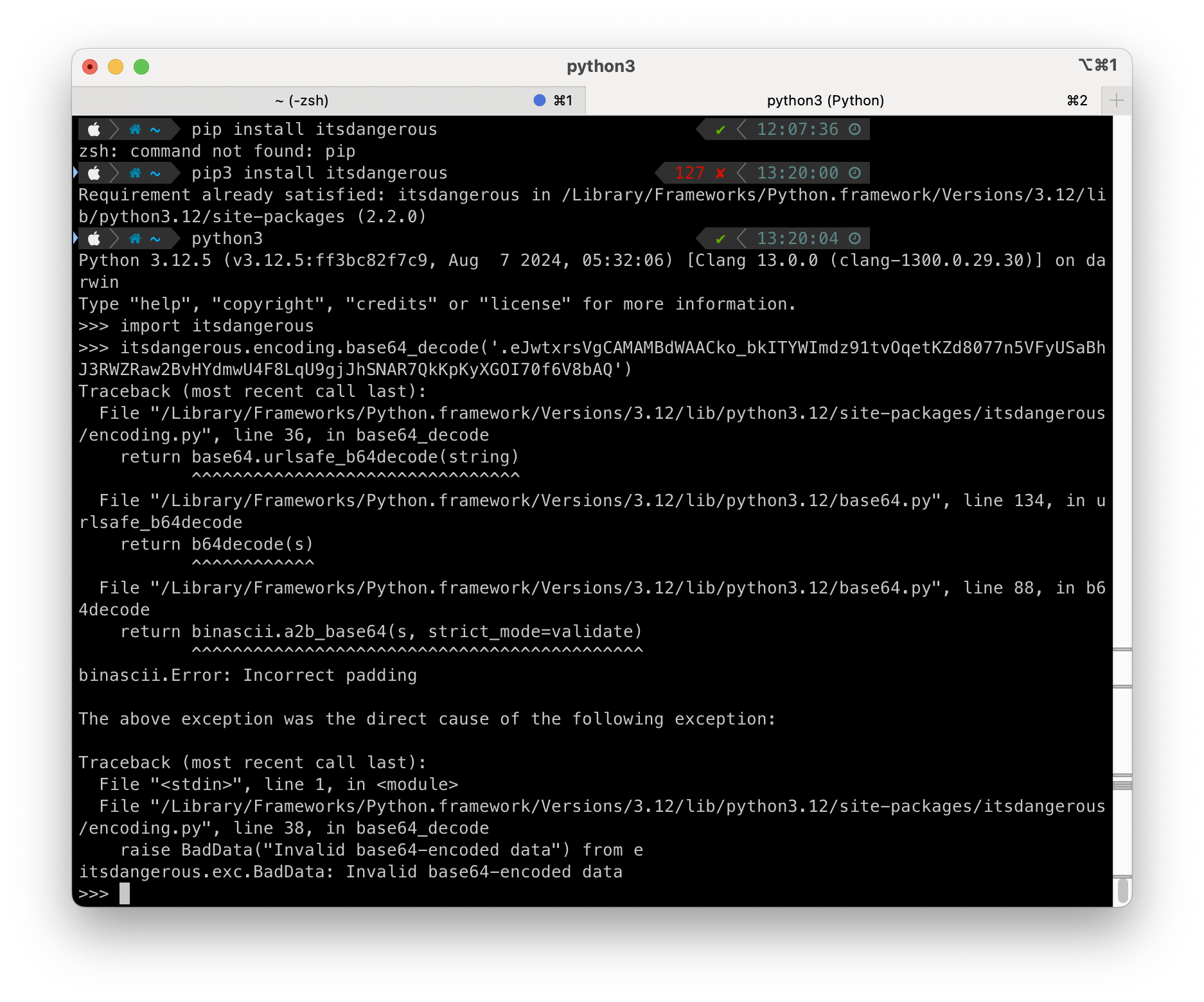
- 실패
- 앞에 점 빼고 시도해도 실패
- 다시 검색하던 중 https://hackingstudypad.tistory.com/95에서 쿠키값을 디코딩할 때 flask-unsign을 발견
- 디코딩 시도

- 성공
- 버프 스위트에 입력
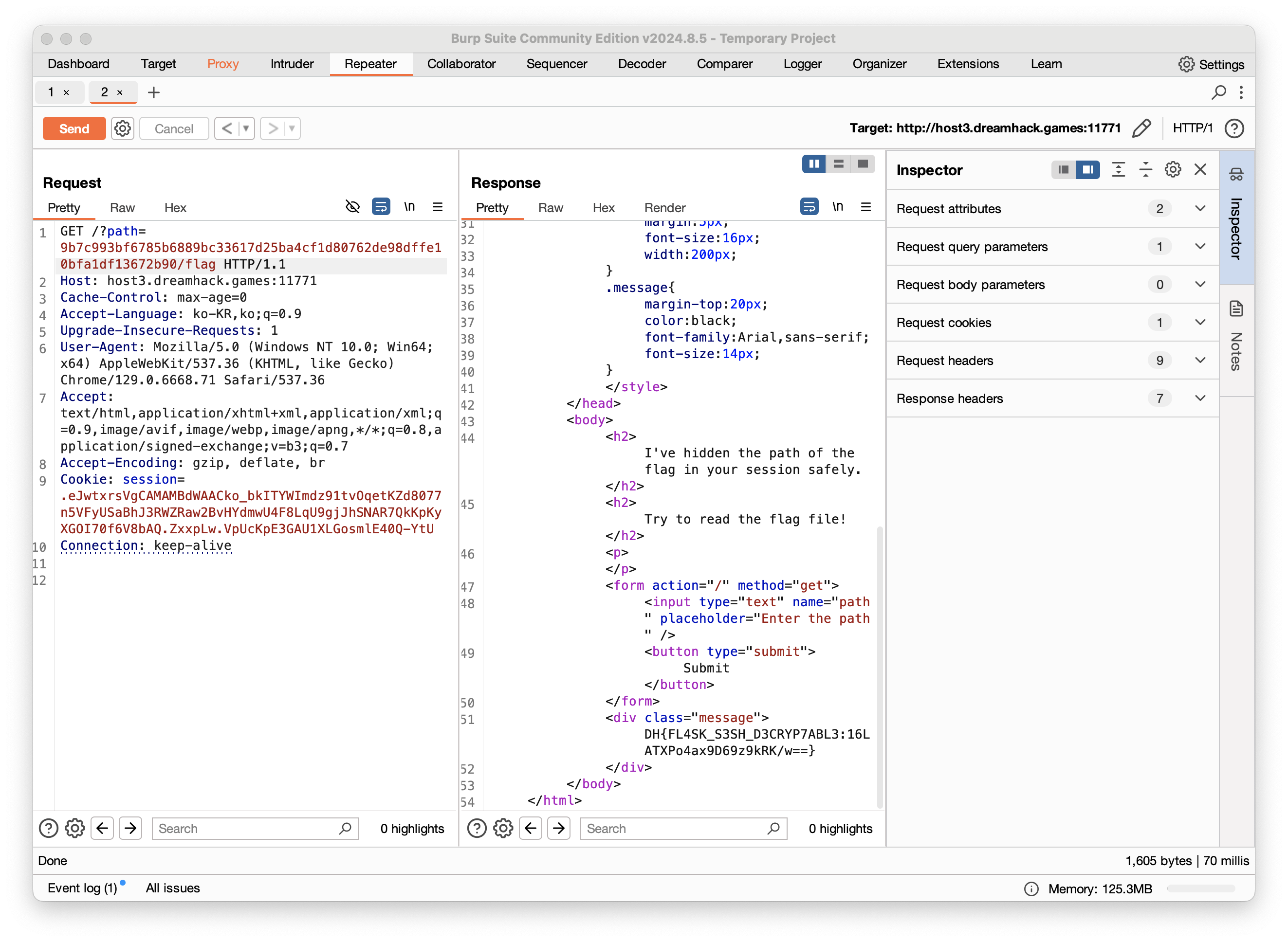
- 성공
- 다시 처음으로 돌아와서 세션을 보면 jwt 토큰이랑 비슷함
추가
-
블로그나 지피티에 뒤져봐도 앞에 세션정보는 base64로 인코딩된다고한다.
-
디코딩 시도 했지만 안되었음
-
flask-unsign 소스코드를 보면
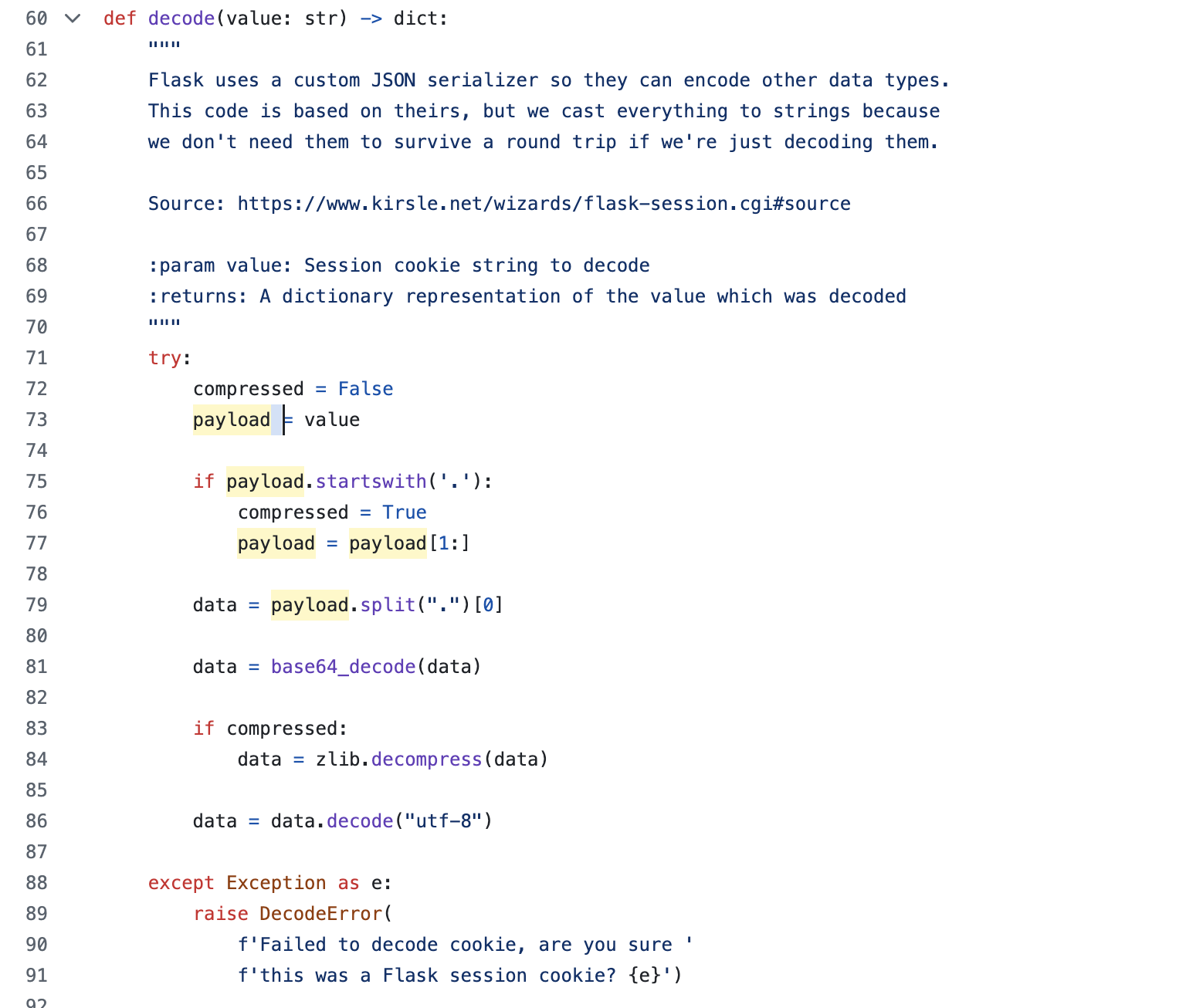
- 맨 앞에 .이 붙으면 zlib라이브러리로 압축해제를 하고 있다.
- 그렇다면 세션정보가 너무 길어서 압축을 한 것 같다.
- 몇자리 부터 압축을 하는 지 궁금해서 flask session에 대해 검색했고 itsdangerous 라이브러리를 통해 세션을 저장한다는 것을 알았다.
- zlib 키워드를 검색해서

- 압축한다는 것만 확인
-
세션을 저장할 때
- session[’키’]=값을 하면 플라스크는 json 형식으로 직렬화(파이썬 데이터 구조를 json형식으로 변환)한다.
- 서명 app.secret_key를 통해 데이터의 무결성을 보장하고 이렇게 서명된 json 데이터는 쿠키에 저장한다.
- 따라서 sercret_key는 데이터를 암호화하는 게 아니라 함부러 수정할 수 없게 만드는 것이다.

아무것도 안 한 거랑 다를께 없잖아??