Vue로 PWA 개발 - 그랜파 개발자
42. 마이로그 독자
나를 구독하는 회원을 독자라 합니다. 독자는 메뉴 항목으로 나타납니다. 독자 메뉴를 누르면 나를 구독하는 회원의 목록을 나열합니다. 구독 회원의 목록에서 회원을 선택하면 해당 회원의 마이로그 모아보기로 이동합니다.
1. 독자
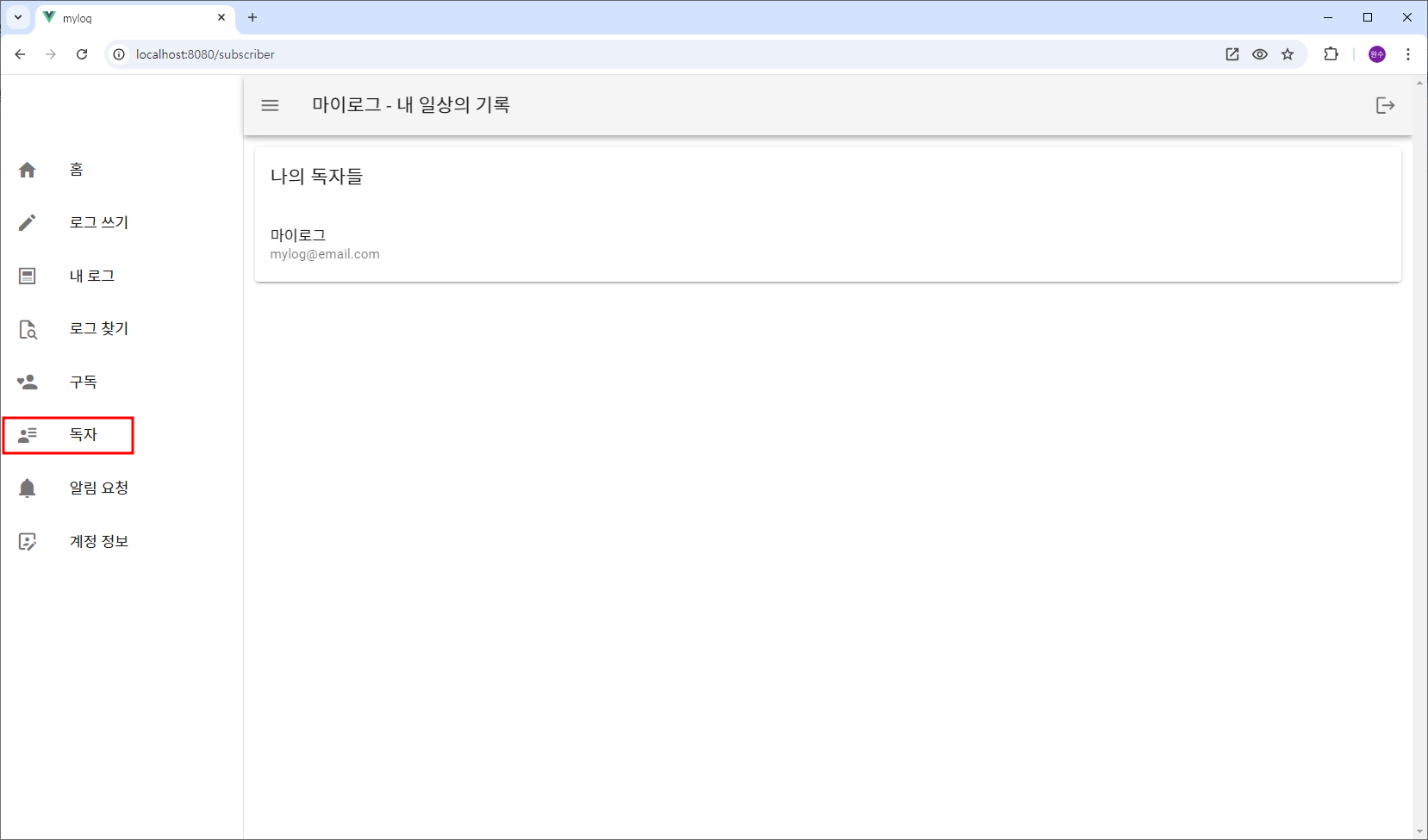
2. src/views/ReadersView.vue
구독 신청을 하면 subscriptions 컬렉션에 문서가 추가 되는데 문서는 userId, authorId, createdAtt 필드를 가집니다. 나의 독자들은 subscriptions 컬렉션 문서의 authorId가 나의 id인 userId를 가진 회원들이 됩니다. 이들 userId로 users 컬렉션에서 회원의 정보 목록을 구하면 나의 독자 목록이 됩니다. 독자 목록을 선택하면 해당 독자의 마이로그를 볼 수 있는 UserMyLogsView 페이지로 이동합니다.
<!-- src/views/ReadersView.vue -->
<template>
  <v-card>
    <v-card-title>나의 독자들</v-card-title>
    <v-list v-if="readers.length > 0">
      <v-list-item v-for="reader in readers" :key="reader.id" @click="goToUserMylogs(reader.id)">
        <v-list-item-content>
          <v-list-item-title>{{ reader.username }}</v-list-item-title>
          <v-list-item-subtitle>{{ reader.email }}</v-list-item-subtitle>
        </v-list-item-content>
      </v-list-item>
    </v-list>
  </v-card>
</template>

<script>
import { mapActions, mapGetters } from "vuex";

export default {
  data() {
    return {

    };
  },
  async created() {
    const userId = this.$store.state.auth.user.id;
    this.fetchReaders(userId);
  },
  computed: {
    ...mapGetters('mylogs',['readers']),
  },
  methods: {
    ...mapActions('mylogs', ['fetchReaders']),
    goToUserMylogs(userId) {
      this.$router.push({ name: 'UserMyLogsView', params: { userId } });
    },
  }
};
</script>
3. src/store/modules/mylogs.js
// src/store/modules/mylogs.js
import router from '@/router';  // Vue Router import
import { v4 as uuidv4 } from 'uuid';
import { db, doc, collection, getDoc, getDocs, addDoc, setDoc, deleteDoc, query,
  orderBy, updateDoc, arrayUnion, increment, where  } from "@/firebase";

const state = {
 . . .
  readers: [],  // 독자들
  . . .
};

const mutations = {
  . . .
  setReaders(state, readers) {  // 독자들
    state.readers = readers;
  },
};

const actions = {
  . . .
  // — 독자 ------
  // 1. subscriptions 컬렉션의 문서에서 authorId가 나의 id인 userId 배열을 구한다.
  // 2. userId의 배열에 포함된 userId를 가진 모든 회원의 정보를 얻어 목록으로 나타낸다.

  async fetchReaders({ commit }, userId) {

    // 구독 목록
    const userIds = [];

    const q = query(collection(db, "subscriptions"), where("authorId", "==", userId));
    const querySnapshot = await getDocs(q);
    querySnapshot.forEach((doc) => {
      userIds.push(doc.data().userId);
    });

    if(userIds.length> 0)
    {
      //독자들
      let readers = [];

      for (const userId of userIds) {
        const userDocRef = doc(db, "users", userId);
        const userDoc = await getDoc(userDocRef);
        if (userDoc.exists()) {
          readers.push({id: userId, ...userDoc.data()});
          //console.log(`${userId} =>`, userDoc.data());
        } else {
          console.log(`No such user with ID: ${userId}`);
        }
      }

      //console.log("sos__:", readers);
      // 구독 마이로그 목록을 상태에 저장
      commit("setReaders", readers);
    }
  },
};

const getters = {
  . . .
  readers: state => state.readers, // 독자들
  . . .
};

export default {
  namespaced: true,
  state,
  mutations,
  actions,
  getters
};
ChatGPT와 함께 Vue PWA을 공부합니다.