
진행사항
- css
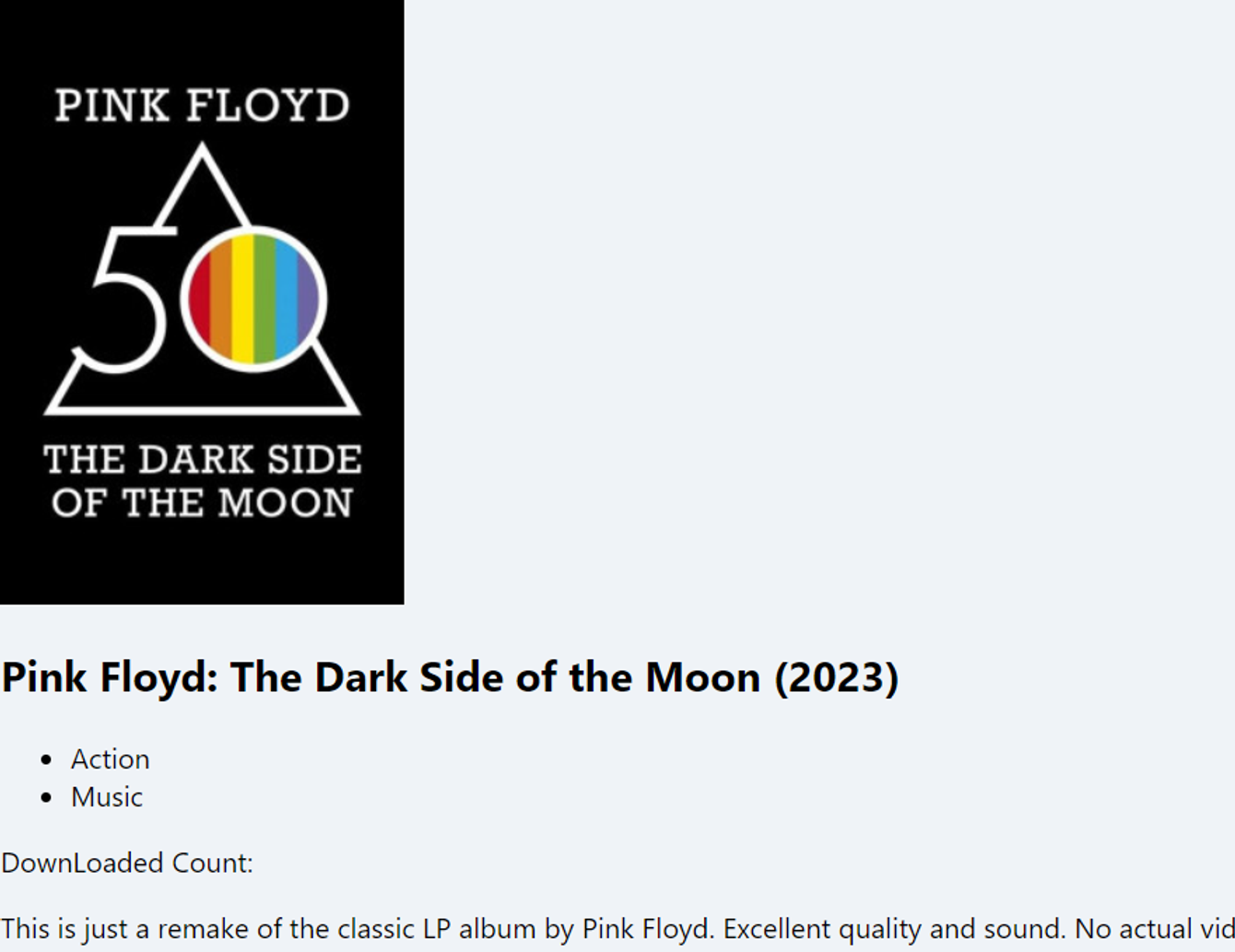
- 각 영화 링크 클릭하면, 각 영화의 평점 / description 등이 출력
코드
src/components/MovieInfo.js
function MovieInfo({ description, downCount, genre, coverImg, title }) {
  return (
    <div>
      <img src={coverImg} alt={title} />
      <h2>{title}</h2>
      <ul>
        {genre.map((g) => (
          <li key={g}>{g}</li>
        ))}
      </ul>
      <p>DownLoaded Count: {downCount}</p>
      <p>{description}</p>
    </div>
  );
}

export default MovieInfo;
- src/routes/Home.js를 통해 fetch해 온 영화 목록들 중에서 특정 영화를 선택을 하면, src/routes/Detail.js에서 해당 영화의 정보를 API로 가져온 후 src/components/MovieInfo.js 로 API의 하위 내용을 보내준다. 이 정보를 토대로 description, downCount, genre, coverImg, title를 HTML에 맞게 배치한다.
src/components/Movie.module.css
.movie {
  background-color: white;
  margin-bottom: 70px;
  font-weight: 300;
  padding: 20px;
  border-radius: 5px;
  color: #adaeb9;
  display: grid;
  grid-template-columns: minmax(150px, 1fr) 2fr;
  grid-gap: 20px;
  text-decoration: none;
  color: inherit;
  box-shadow: 0 13px 27px -5px rgba(50, 50, 93, 0.25),
    0 8px 16px -8px rgba(0, 0, 0, 0.3), 0 -6px 16px -6px rgba(0, 0, 0, 0.025);
}

.movie__img {
  position: relative;
  top: -50px;
  max-width: 150px;
  width: 100%;
  margin-right: 30px;
  box-shadow: 0 30px 60px -12px rgba(50, 50, 93, 0.25),
    0 18px 36px -18px rgba(0, 0, 0, 0.3), 0 -12px 36px -8px rgba(0, 0, 0, 0.025);
}

.movie__title,
.movie__year {
  margin: 0;
  font-weight: 300;
  text-decoration: none;
}

.movie__title a {
  margin-bottom: 5px;
  font-size: 24px;
  color: #2c2c2c;
  text-decoration: none;
}

.movie__genres {
  list-style: none;
  padding: 0;
  margin: 0;
  display: flex;
  flex-wrap: wrap;
  margin: 5px 0px;
}

.movie__genres li,
.movie__year {
  margin-right: 10px;
  font-size: 14px;
}
- src/components/Movie.js 에서 사용할 css 파일
src/components/Movie.js
import PropTypes from "prop-types";
import { Link } from "react-router-dom";
import styles from "./Movie.module.css";

function Movie({ id, coverImg, title, year, summary, genres }) {
  return (
    <div className={styles.movie}>
      <img src={coverImg} alt={title} className={styles.movie__img} />
      <div>
        <h2 className={styles.movie__title}>
          <Link to={`/movie/${id}`}>{title}</Link>
        </h2>
        <h3 className={styles.movie__year}>{year}</h3>
        <p>{summary.length > 235 ? `${summary.slice(0, 235)}...` : summary}</p>
        <ul className={styles.movie__genres}>
          {genres.map((g) => (
            <li key={g}>{g}</li>
          ))}
        </ul>
      </div>
    </div>
  );
}

Movie.propTypes = {
  id: PropTypes.number.isRequired,
  coverImg: PropTypes.string.isRequired,
  title: PropTypes.string.isRequired,
  summary: PropTypes.string.isRequired,
  genres: PropTypes.arrayOf(PropTypes.string).isRequired,
};

export default Movie;
- src/components/Movie.module.css 의 styles를 import
- 나머지 내용은 저번 실습과 동일
src/routes/Detail.js
import { useState, useEffect, useCallback } from "react";
import { useParams } from "react-router-dom";
import MovieInfo from "../components/MovieInfo";

function Detail() {
  const [loading, setLoading] = useState(true);
  const [movie, setMovie] = useState([]);
  const { id } = useParams();

  const getMovie = useCallback(async () => {
    // Use useCallback to memoize getMovie
    const json = await (
      await fetch(`https://yts.mx/api/v2/movie_details.json?movie_id=${id}`)
    ).json();
    setMovie(json.data.movie);
    setLoading(false);
  }, [id]); // Depend on id, although it's stable for the component lifecycle

  useEffect(() => {
    getMovie();
  }, [getMovie]); // Include getMovie in the dependency array

  return (
    <div>
      {loading ? (
        <h1>Loading...</h1>
      ) : (
        <MovieInfo
          description={movie.description_full}
          downCount={movie.download_count}
          genre={movie.genres}
          coverImg={movie.medium_cover_image}
          title={movie.title_long}
        />
      )}
    </div>
  );
}

export default Detail;
- src/routes/Home.js 에서 특정 영화를 선택하면, 해당 영화의 정보를 API로 가져온 후, 해당 API 정보들을 MovieInfo 컴포넌트로 전송
src/routes/Home.module.css
.container {
  height: 100%;
  display: flex;
  justify-content: center;
}

.loader {
  width: 100%;
  height: 100vh;
  display: flex;
  justify-content: center;
  align-items: center;
  font-weight: 300;
}

.movies {
  display: grid;
  grid-template-columns: repeat(2, minmax(400px, 1fr));
  grid-gap: 100px;
  padding: 50px;
  width: 80%;
  padding-top: 70px;
}

@media screen and (max-width: 1090px) {
  .movies {
    grid-template-columns: 1fr;
    width: 100%;
  }
}
- src/routes/Home.js 에서 사용할 css 파일
src/routes/Home.js
import { useEffect, useState } from "react";
import Movie from "../components/Movie";
import styles from "./Home.module.css";

function Home() {
  const [loading, setLoading] = useState(true);
  const [movies, setMovies] = useState([]);
  const getMovies = async () => {
    const json = await (
      await fetch(
        `https://yts.mx/api/v2/list_movies.json?minimum_rating=8.8&sort_by=year`
      )
    ).json();
    setMovies(json.data.movies);
    setLoading(false);
  };
  useEffect(() => {
    getMovies();
  }, []);
  return (
    <div className={styles.container}>
      {loading ? (
        <div className={styles.loader}>
          <span>Loading...</span>
        </div>
      ) : (
        <div className={styles.movies}>
          {movies.map((movie) => (
            <Movie
              key={movie.id}
              id={movie.id}
              year={movie.year}
              coverImg={movie.medium_cover_image}
              title={movie.title}
              summary={movie.summary}
              genres={movie.genres}
            />
          ))}
        </div>
      )}
    </div>
  );
}
export default Home;
- src/routes/Home.module.css 를 import
- 그외는 저번 실습과 동일
src/App.js
import { BrowserRouter as Router, Switch, Route } from "react-router-dom";
import Detail from "./routes/Detail";
import Home from "./routes/Home";
function App() {
  return (
    <Router>
      <Switch>
        <Route path="/about-us">
          <h1>Hello</h1>
        </Route>
        <Route path="/movie/:id">
          <Detail />
        </Route>
        <Route path="/">
          <Home />
        </Route>
      </Switch>
    </Router>
  );
}

export default App;
- 저번 실습 내용과 동일
src/styles.css
* {
  box-sizing: border-box;
}

body {
  margin: 0;
  padding: 0;
  font-family: -apple-system, BlinkMacSystemFont, "Segoe UI", Roboto, Oxygen,
    Ubuntu, Cantarell, "Open Sans", "Helvetica Neue", sans-serif;
  background-color: #eff3f7;
  height: 100%;
}
- src/index.js 에서 사용할 css
src/index.js
import React from "react";
import ReactDOM from "react-dom";
import App from "./App";
import "./styles.css";

ReactDOM.render(<App />, document.getElementById("root"));
- src/styles.css 를 import
- 그 외 내용은 이전 실습과 동일
결과 화면
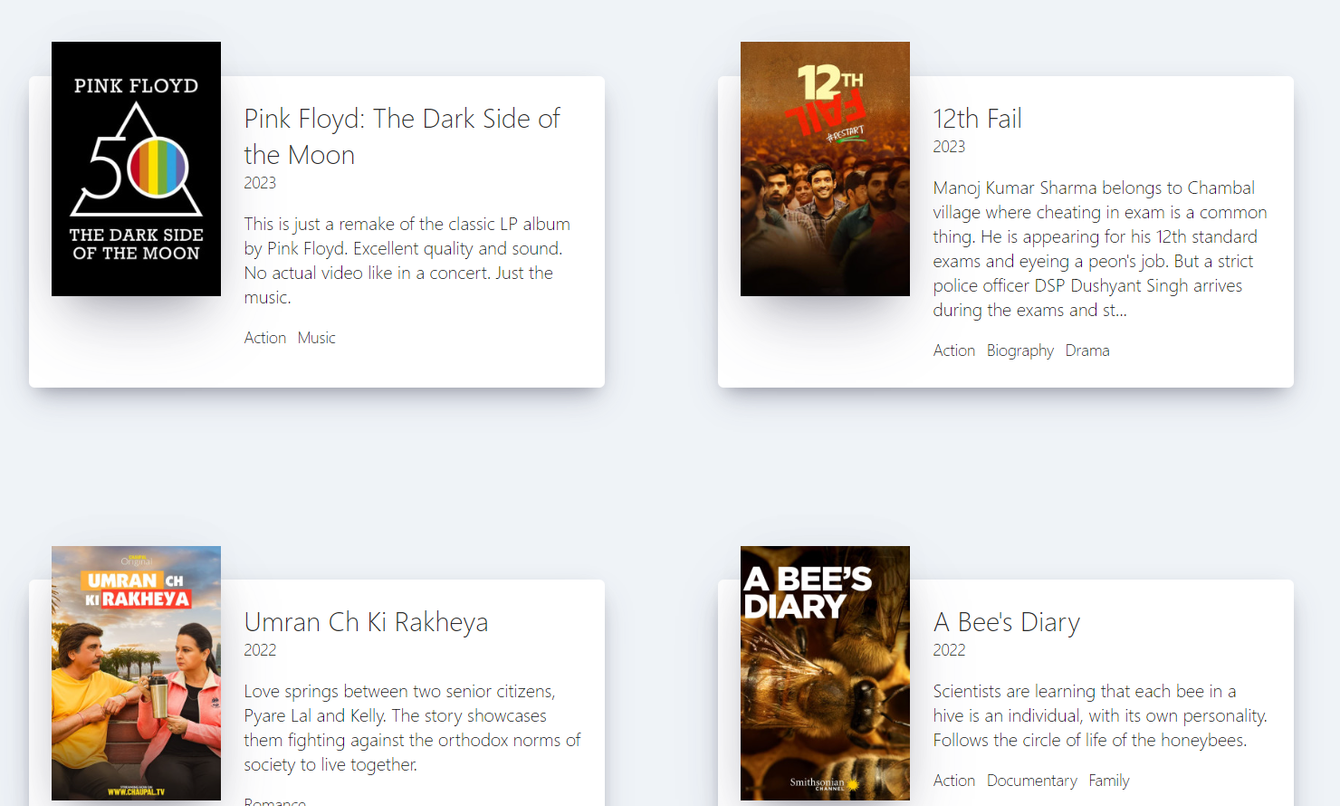
- http://localhost:3000/movie/59933 (특정 영화 제목 클릭 시)
느낀점
- [API를 통해 정보를 가져옴 → API의 특정 내용을 컴포넌트로 보냄의 원리]를 온전히 이해하였다.

#Software Engineer #IRISH