(React API 프로젝트) Trouble Shooting - TypeError: cannot read properties of undefined (reading 'length')
ReactJS-API-Project
목록 보기
2/8
Error
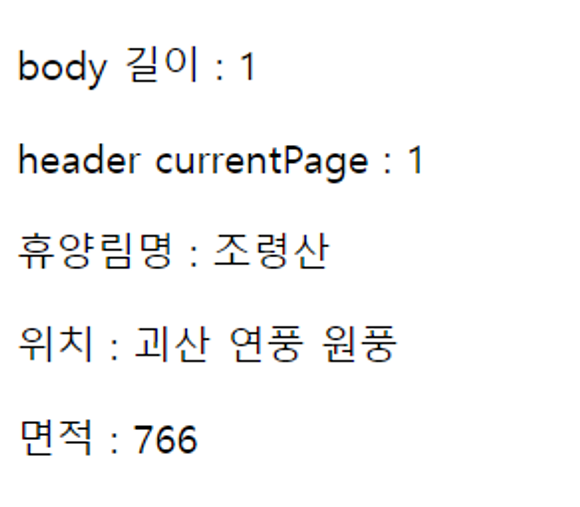
- 동일한 소스 코드를 통해 API를 가져와 출력을 잘 할 때도 있지만
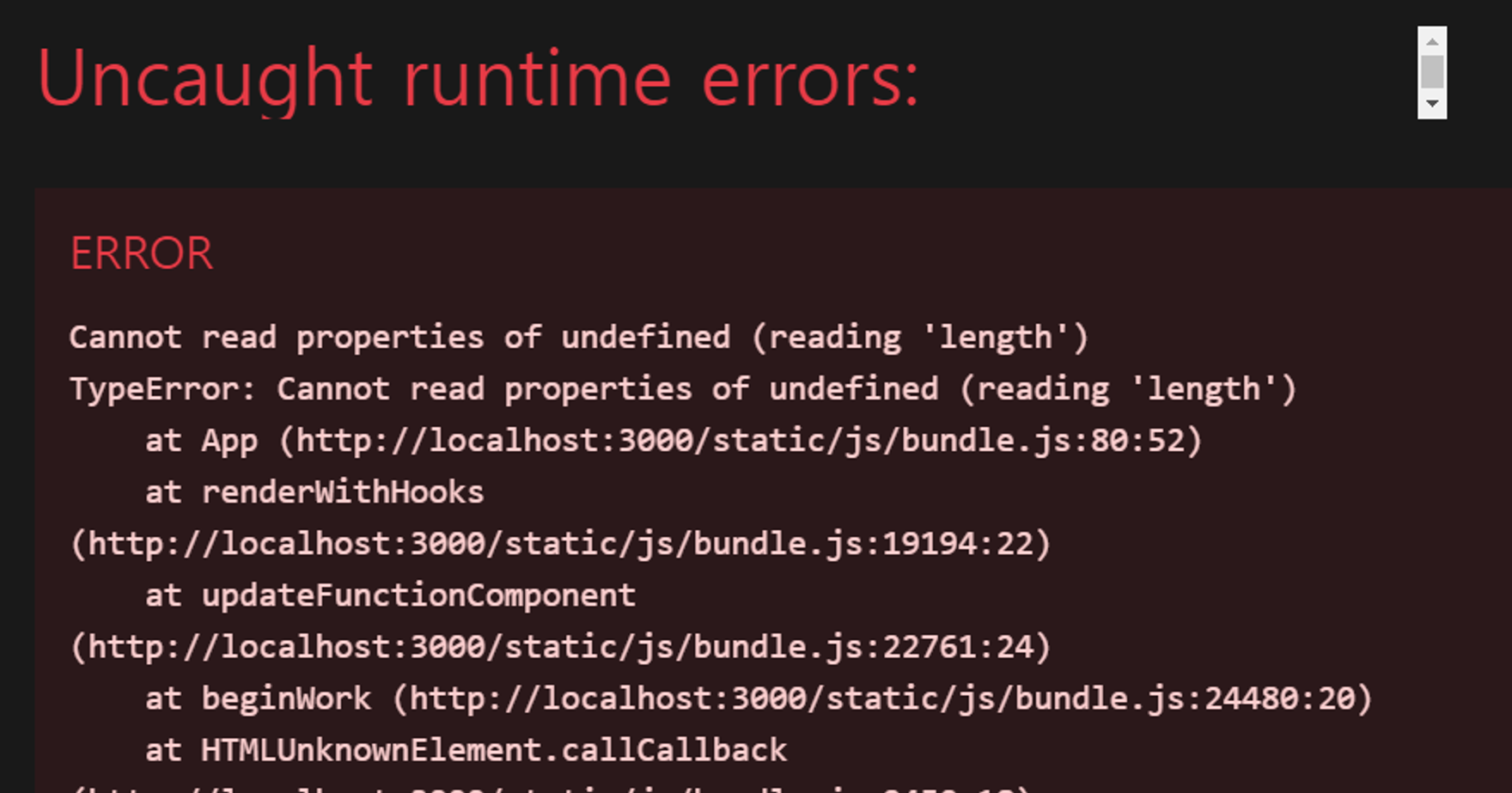
- 위와 같이, 새로 고침을 하거나 런타임을 시작하거나 재시작할 때 에러 [ TypeError: cannot read properties of undefined (reading 'length') ]가 발생
Trouble Shooting
catch문으로 error 메시지 확인하도록 하기
const fetchData = async () => {
    try {
      setError(null);
      setData(null);
      setLoading(true);

      const response = await axios.get(URL, {
        params: {
          serviceKey: serviceKey,
          currentPage: 1,
          perPage: 4,
        },
      });

      // 응답 데이터가 유효한지 확인합니다
      if (
        response.data &&
        response.data.body &&
        Array.isArray(response.data.body)
      ) {
        setData(response.data);
      } else {
        throw new Error("Invalid API response structure");
      }
    } catch (e) {
      if (e.response) {
        // 서버가 2xx 외의 상태로 응답한 경우
        setError(`Server Error: ${e.response.status}`);
      } else if (e.request) {
        // 요청이 이루어졌지만 응답이 없는 경우 (CORS 문제일 수 있음)
        setError("Network Error: No response received");
      } else {
        // 요청 설정 중에 문제가 발생한 경우
        setError(`Error: ${e.message}`);
      }
    }
    setLoading(false);
};- 구글링을 해보니, API 프로젝트를 진행하다가 나와 비슷한 에러를 많이 접하는 것같다. 관련 트러블 슈팅 블로그들을 보니, 처음에는 CORS 에러가 원인인 줄 알았다.
- CORS 에러
CORS 문제는 일반적으로 네트워크 오류나 요청 차단으로 이어지며, 이는 콘솔에서 다음과 같은 다른 에러 메시지로 나타납니다:
- "Access to fetch at '...' from origin '...' has been blocked by CORS policy."
- "No 'Access-Control-Allow-Origin' header is present on the requested resource."
- 하지만, 내가 만난 에러는 API 호출이 실패하거나 빈 데이터를 반환하는 경우(=요청 설정 중에 문제가 발생한 경우)일 가능성이 높았다.
- 따라서, 위와 같이 에러를 3가지로 구분하고 대응하였다.
- 서버의 문제일 경우
- 네트워크 문제일 경우 = CORS 문제 등
- 요청 설정 중에 문제일 경우 = API 호출이 실패하거나 빈 데이터를 반환하는 경우 등
- 결과
- 웹 화면에서 블랙 아웃 창은 발생하지는 않았지만, 새로 고침할 때마다 [ Error: ~~~ ] 로 시작하는 Text를 만났다.
- 즉, 요청 설정 중으로 인한 문제였던 것
[요청 설정 중으로 인한 문제] 해결하기 - Strict Mode 없애기
무엇이 고민인지 생각해봤다.
fetch를 할 때, 동일한 결과를 아래와 같이 한 번에 한 번만 인출하는 것이 아니라 4번이나 인출하는 문제가 이전부터 있었다는 것을 알고 있었다.

문제는 App.js 파일이 아닌 index.js에 있는 Strict Mode가 문제였다. 따라서, index.js에 있는 Strict Mode를 없애주었다.
// index.js

import React from "react";
import ReactDOM from "react-dom/client";
import App from "./App";

const root = ReactDOM.createRoot(document.getElementById("root"));
root.render(<App />);
⇒ Strict Mode
- React의 Strict Mode가 개발 환경에서 의도적으로 컴포넌트를 두 번 렌더링하여 사이드 이펙트를 감지할 수 있습니다. 이 모드에서는 의도된 동작입니다. 이 경우 Strict Mode를 해제하면 됩니다. 하지만 이는 개발 중에만 해당하며, 실제 배포 환경에서는 문제가 되지 않습니다.
⇒ 결과
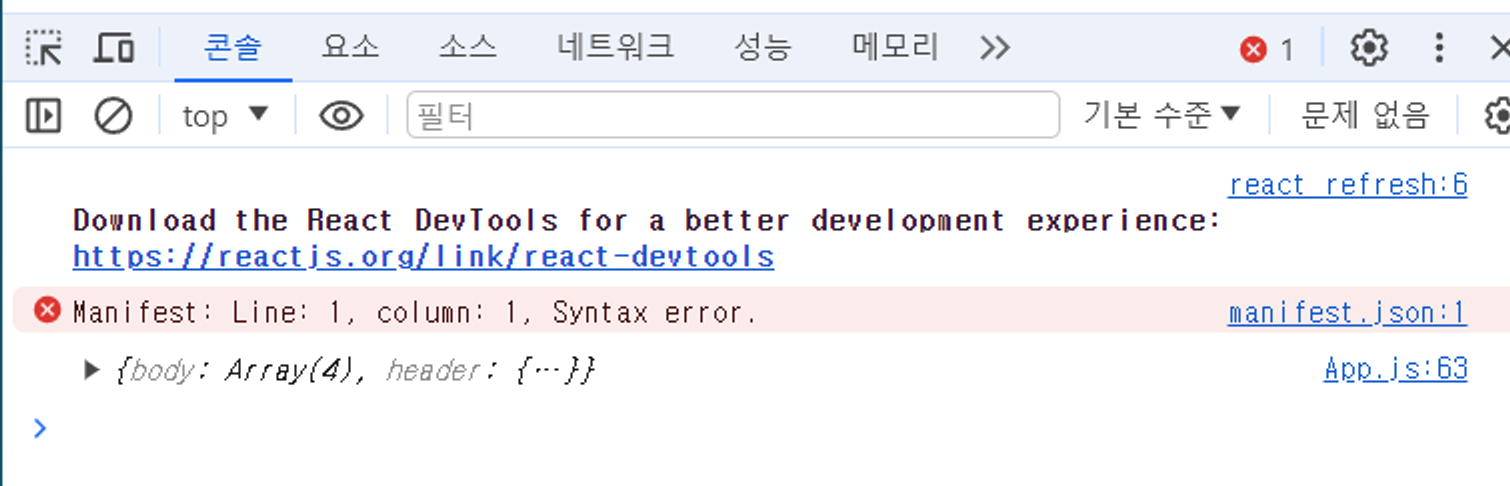
- 동일한 데이터를 한 번만 인출해 온다는 것을 알 수 있다.
에러 해결 화면
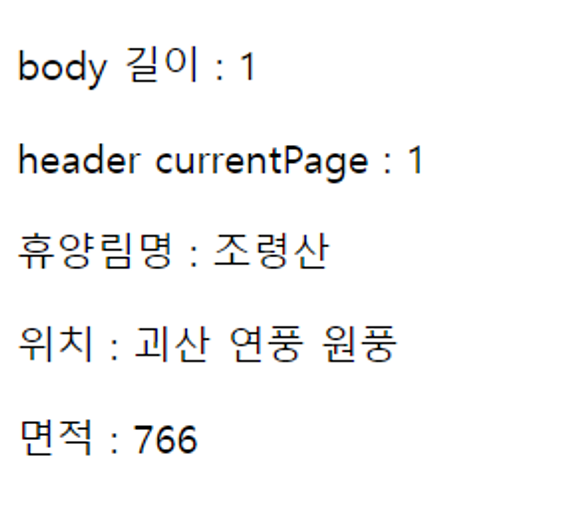
사실, 에러가 있을 때 제외하면 저번에 나왔던 결과 화면과 동일하다.
에러…를 해결한 것에 의의를 둔다.
전체 소스 코드
src/index.js
import React from "react";
import ReactDOM from "react-dom/client";
import App from "./App";

const root = ReactDOM.createRoot(document.getElementById("root"));
root.render(<App />);
src/App.js
import axios from "axios";
import { useState, useEffect } from "react";

const URL =
  "http://apis.data.go.kr/6430000/cbRecreationalForestInfoService/getRecreationalForestInfo?serviceKey=";

const serviceKey = process.env.REACT_APP_API_KEY; // 환경 변수에서 API 키를 가져옵니다

function App() {
  const [data, setData] = useState(null);
  const [loading, setLoading] = useState(false);
  const [error, setError] = useState(null);

  const fetchData = async () => {
    try {
      setError(null);
      setData(null);
      setLoading(true);

      const response = await axios.get(URL, {
        params: {
          serviceKey: serviceKey,
          currentPage: 1,
          perPage: 4,
        },
      });

      // 응답 데이터가 유효한지 확인합니다
      if (
        response.data &&
        response.data.body &&
        Array.isArray(response.data.body)
      ) {
        setData(response.data);
      } else {
        throw new Error("Invalid API response structure");
      }
    } catch (e) {
      if (e.response) {
        // 서버가 2xx 외의 상태로 응답한 경우
        setError(`Server Error: ${e.response.status}`);
      } else if (e.request) {
        // 요청이 이루어졌지만 응답이 없는 경우 (CORS 문제일 수 있음)
        setError("Network Error: No response received");
      } else {
        // 요청 설정 중에 문제가 발생한 경우
        setError(`Error: ${e.message}`);
      }
    }
    setLoading(false);
  };

  useEffect(() => {
    fetchData();
  }, []);

  // console.log("Service Key:", serviceKey); // 콘솔에 서비스 키를 출력합니다

  if (loading) return <div>Loading...</div>;
  if (error) return <div>Error: {error}</div>;
  if (!data) return null;

  console.log(data);

  return (
    <div className="App">
      <p>body 길이 : {data.body.length}</p>
      <p>header currentPage : {data.header.currentPage}</p>
      <p>휴양림명 : {data.body[0].NM}</p>
      <p>위치 : {data.body[0].LC}</p>
      <p>면적 : {data.body[0].AR}</p>
    </div>
  );
}

export default App;
Reference
- TypeError: cannot read properties of undefined (reading 'length') 해결
- React 공식 문서 - 조건부 렌더링
- React 실행오류 Cannot read property 'map' of undefined
- React 실행오류 Array.map is not a function

#Software Engineer #IRISH