DOM이란 웹 페이지의 구조와 컨텐츠를 다루는 객체 모델이다.
Html로 태그구조를 만들고 css를 작업을 하는데 JavaScript로 HTML요소들을 객체로 변환해 DOM을 생성하고 JavaScript로 동적으로 제어할 수 있다.
<body>
<header class="header">
<h1 class="title">JavaScript DOM Manipulation</h1>
</header>
<main class="content">
<section class="section">
<h2 class="section-title">To-do List</h2>
<ul class="todo-list">
<li class="todo-item">Learn HTML</li>
<li class="todo-item">Study CSS</li>
<li class="todo-item">Practice JavaScript</li>
</ul>
<button class="add-btn">Add Item</button>
</section>
<section class="section">
<h2 class="section-title">Counter</h2>
<div class="counter">
<span class="count-value">0</span>
<button class="increment-btn">Increase</button>
<button class="decrement-btn">Decrease</button>
</div>
</section>
</main>
<footer class="footer">
<p>© 2024 Your Blog Name</p>
</footer>
</body>기본적인 body태그를 만들어놓고 예시를 들어보자
내가 h2의 section 클래스인 요소들을 script로 불러오고싶으면 우선 변수를 지정해주자
const $h2 = document.querySelector('.section-title');
console.log($h2);`
$h2라는 변수에 문서안에 section-title이라는 클래스를 가진 객체들을 모두 저장한다는 뜻이다. 그리고 $h2의 로그를 보면
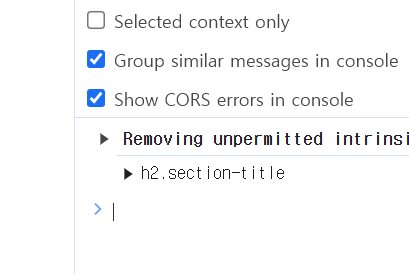
정확히 그 요소들을 모두 가져오는 것을 알 수가 있다.
하지만 클래스가 같은 여러개의 태그들이 있을 수 있는데 그때는
document.querySelectorAll('.클래스이름')을 지정해주면 다 나타나는 것을 알 수 있다.
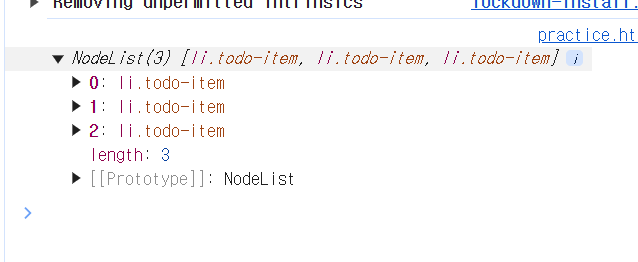
DOM요소 선택 방법이 여러 가지 있는데 자주 사용하는 것들은
getElementById :id 속성을 사용해 특정요소를 선택
getSelector :가장 첫번째로 일치하는 요소 선택
getSelectorAll(): 일치하는 모든 요소들을 NodeList로 반환
이렇게 있다. 여기서 불러온 요소들의 css와 태그 등등 변경 할 수 있는데 대표적인 예로
const $header = document.querySelector('.header');
            $header.textContent  ='안녕하세요';
$header.style.color ='red'; |  |
|---|
이렇게 변경 할 수 있고 css에서 할 수 있는 것을 script로 변환하는 것이
DOM이다

생베이스 같은 마음으로 다시 시작