컨테이너의 왼쪽 또는 오른쪽에 요소를 배치하여 텍스트 및 인라인 요소가 주위를 둘러 쌀 수 있도록 합니다.(페이지의 정상적인 흐름에서 제거 But 여전히 흐름의 일부로 남음)
float: left;
float: right;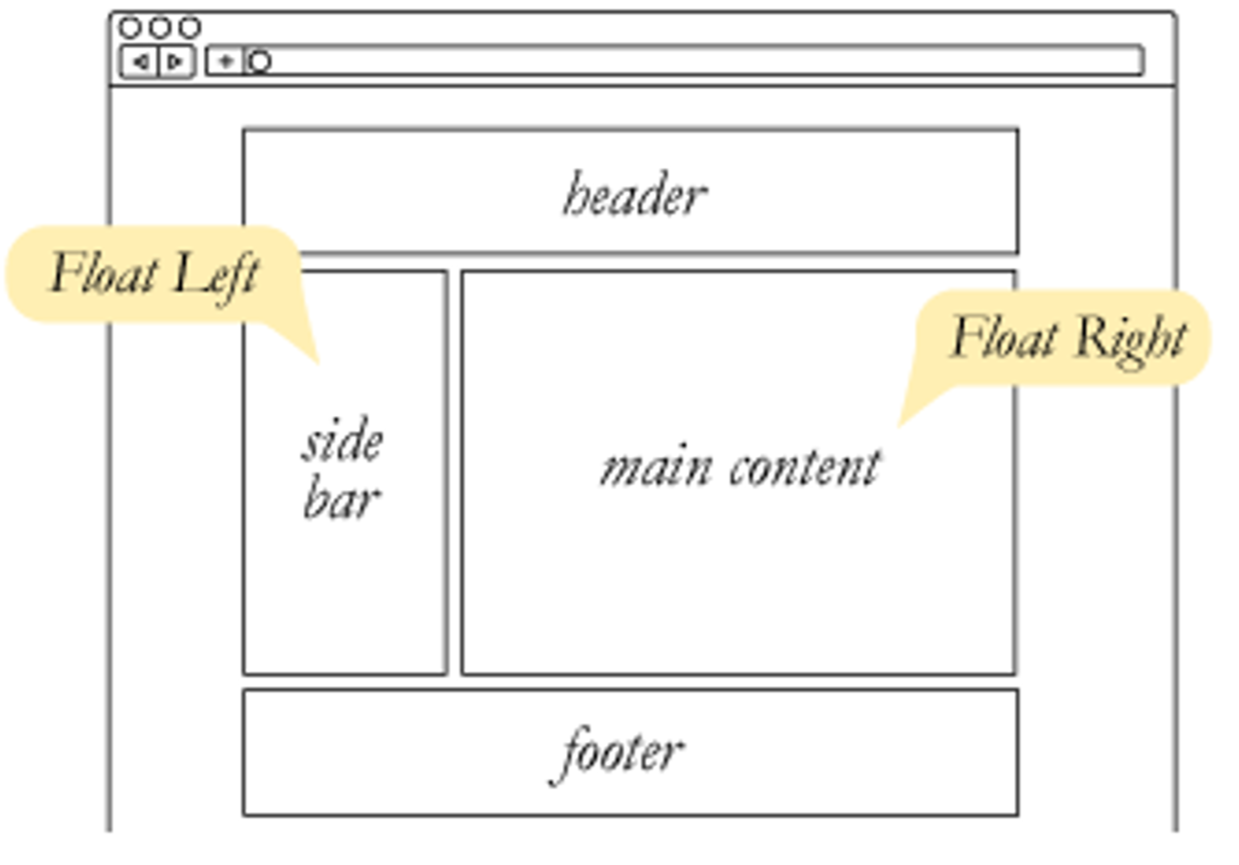
실습
<!DOCTYPE html>
<html lang="en">
  <head>
    <meta charset="UTF-8" />
    <meta name="viewport" content="width=device-width, initial-scale=1.0" />
    <title>Document</title>
    <link rel="stylesheet" href="index.css" />
  </head>
  <body>
    <div class="container">
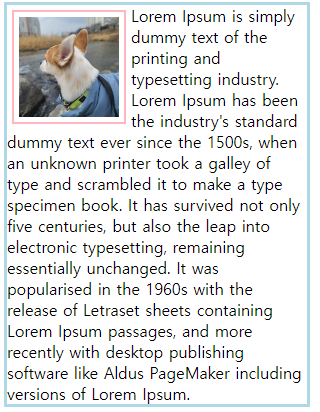
      <img width="100" height="100" src="./123.jpg" alt="이미지 없음" />
      Lorem Ipsum is simply dummy text of the printing and typesetting industry.
      Lorem Ipsum has been the industry's standard dummy text ever since the
      1500s, when an unknown printer took a galley of type and scrambled it to
      make a type specimen book. It has survived not only five centuries, but
      also the leap into electronic typesetting, remaining essentially
      unchanged. It was popularised in the 1960s with the release of Letraset
      sheets containing Lorem Ipsum passages, and more recently with desktop
      publishing software like Aldus PageMaker including versions of Lorem
      Ipsum.
    </div>
  </body>
</html>
.container {
width: 300px;
border: 3px solid lightblue;
}
.container img {
float: left;
margin: 5px;
padding: 5px;
border: 2px solid lightpink;
}
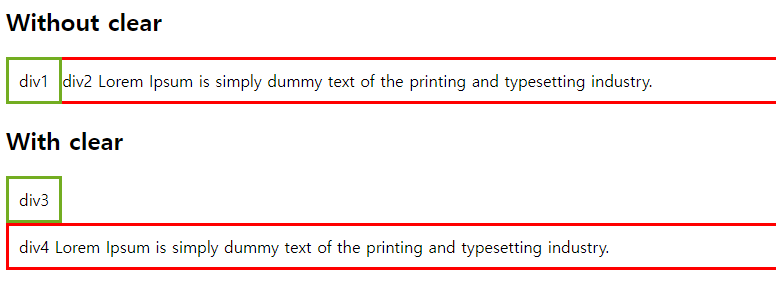
clear css 속성
float의 영향을 받지 않도록 할 수 있음
- float 속성을 사용하고 아래 다음 요소를 원할 때 clear 속성을 사용해야 한다
- clear 속석은 float 요소 옆에 있는 요소에 어떤 일이 발생하는지 지정한다
- clear 속성이 가질 수 있는 값
clear none 요소가 왼쪽 또는 오른쪽 부동 요소 아래로 푸시되지 않음 (기본값) left 요소가 왼쪽 부동 요소 아래로 푸시 right 요소가 오른쪽 부동 요소 아래로 푸시 both 요소가 왼쪽 및 오른쪽 부동 요소 아래로 푸시 inherit 요소는 부모로부터 clear 값을 상속
실습
<!DOCTYPE html>
<html lang="en">
  <head>
    <meta charset="UTF-8" />
    <meta name="viewport" content="width=device-width, initial-scale=1.0" />
    <title>Document</title>
    <link rel="stylesheet" href="index.css" />
    <style>
      .div1 {
        float: left;
        padding: 10px;
        border: 3px solid #73ad21;
      }
      .div2 {
        padding: 10px;
        border: 3px solid red;
      }

      .div3 {
        float: left;
        padding: 10px;
        border: 3px solid #73ad21;
      }

      .div4 {
        padding: 10px;
        border: 3px solid red;
        clear: left;
      }
    </style>
  </head>
  <body>
    <h2>Without clear</h2>
    <div class="div1">div1</div>
    <div class="div2">
      div2 Lorem Ipsum is simply dummy text of the printing and typesetting
      industry.
    </div>

    <h2>With clear</h2>
    <div class="div3">div3</div>
    <div class="div4">
      div4 Lorem Ipsum is simply dummy text of the printing and typesetting
      industry.
    </div>
  </body>
</html>