git merge전의 프로젝트 로컬에 저장하기
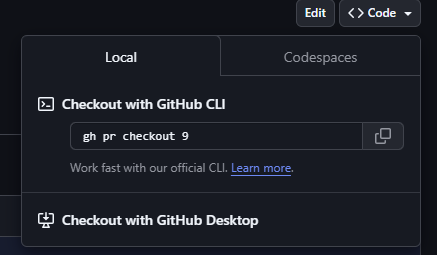
-
평소와 다른 코드창. 로컬에 받아오는 것도 다른 방법이 있을 것 같았음
-
https://cli.github.com/ 일단 다운 받아준다.
-
내가 원하는 레포지토리에서 cmd창 열어서 gh pr checkout 9 입력했더니 다음과 같이 뜸.

-
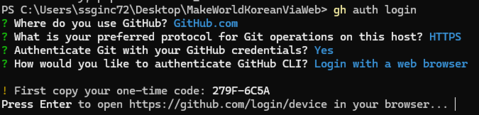
gh auth login이라고 입력 후 엔터
-
이렇게 https://~ 라는 url로 (엔터치면 접속됨) 들어가서
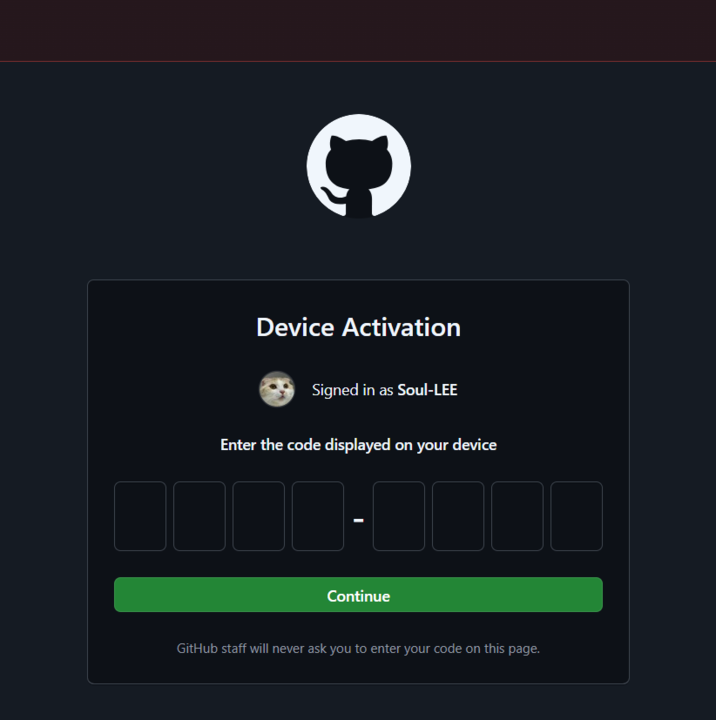
- cmd 창에 떴던 8자리 코드 입력하고 continue버튼
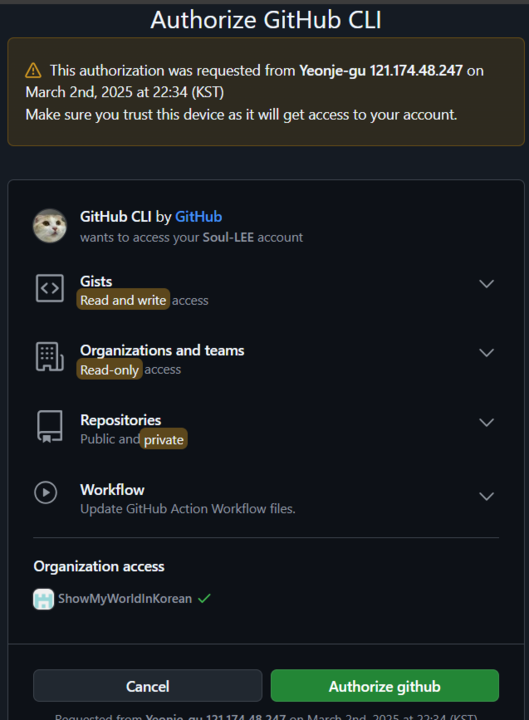
- 이런 화면 뜸
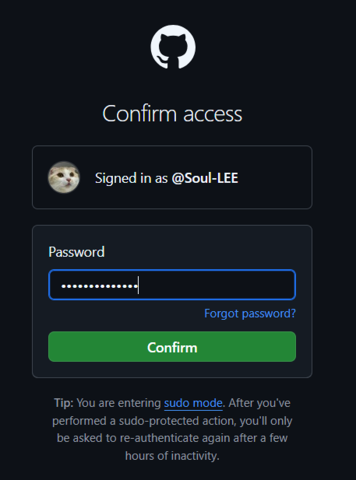
- 비번 재입력
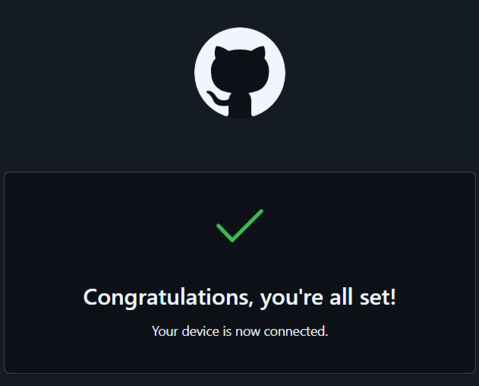
- 이 화면이 뜬 후에 잠시 기다리면 cmd창이 아래와 같이 바뀜.
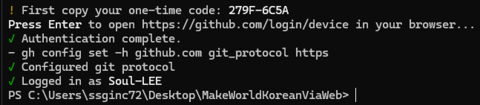
- 다시 처음 그 코드 입력해준 후에

- vscode 열어주기~~~

npm install에서 이런 오류가 뜸
PS C:\Users\ssginc72\Desktop\MakeWorldKoreanViaWeb> npm i npm error code ENOENT npm error syscall open npm error path C:\Users\ssginc72\Desktop\MakeWorldKoreanViaWeb\package.json npm error errno -4058 npm error enoent Could not read package.json: Error: ENOENT: no such file or directory, open 'C:\Users\ssginc72\Desktop\MakeWorldKoreanViaWeb\package.json' npm error enoent This is related to npm not being able to find a file. npm error enoent npm error A complete log of this run can be found in: C:\Users\ssginc72\AppData\Local\npm-cache\_logs\2025-03-02T13_42_14_019Z-debug-0.log- package.json파일이 존재하지 않거나, 존재한다면 권한의 문제라고 하는데 권한에도 딱히 문제가 있어보이지 않음
- PowerShell을 우클릭해서 관리자 권한으로 실행
-
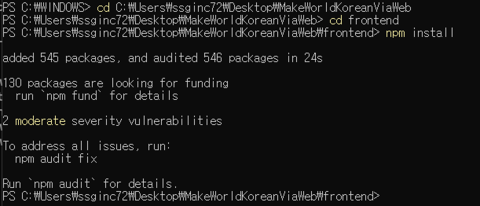
해당 디렉토리로 이동해서 npm install 입력해줌
-
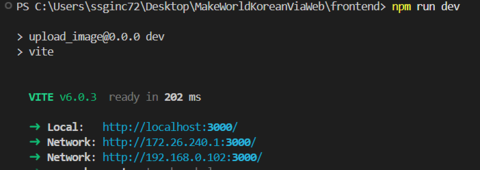
VSCode에서 다시 npm run dev 하면
-
npm run dev 성공~🥹💖